Related Topics
[Wireless Router] How to get a Surfshark private key?
1.Create a Surfshark account.
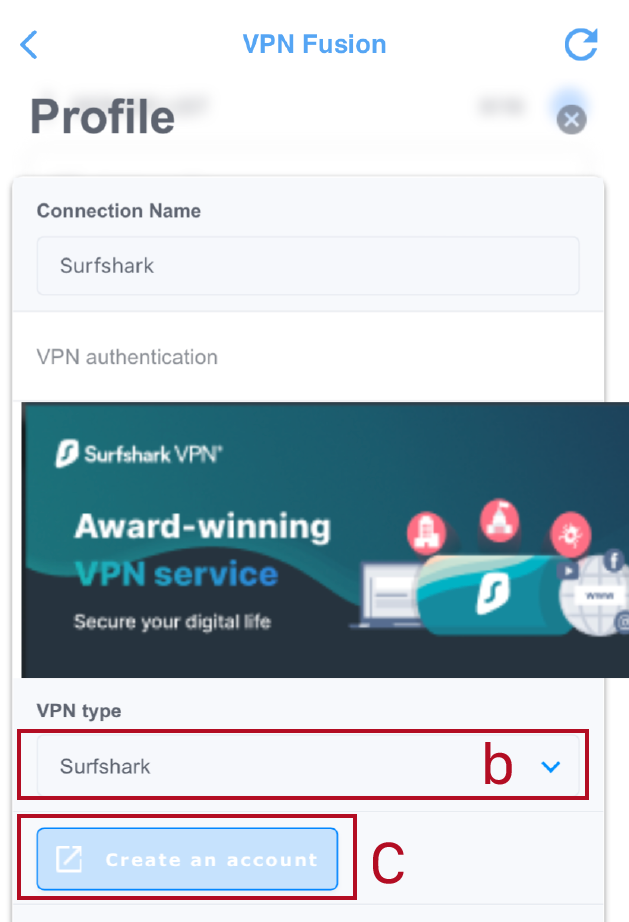
a. Open ASUS router app, go to [Settings] > VPN > VPN Fusion, click [add profile].
b. Find VPN Type and select [Surfshark].
c. Click [Create Account], then sign up for a Surfshark account.
2. Generate a private key from your Surfshark account.
*Please login to Surfshark website for this operation.
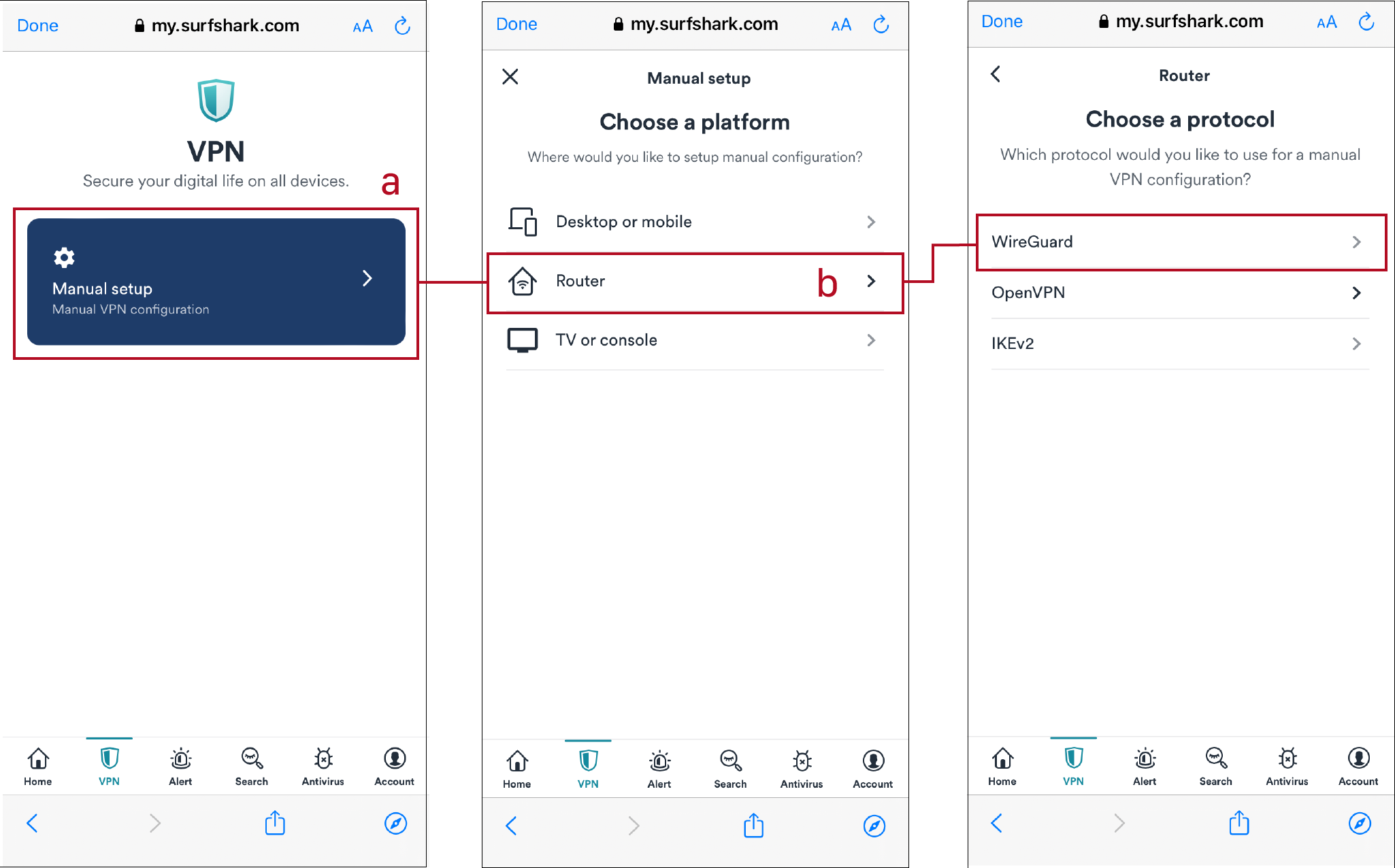
a. Go to [VPN] page and click [Manual setup].
b. Click [Router] > [WireGuard].
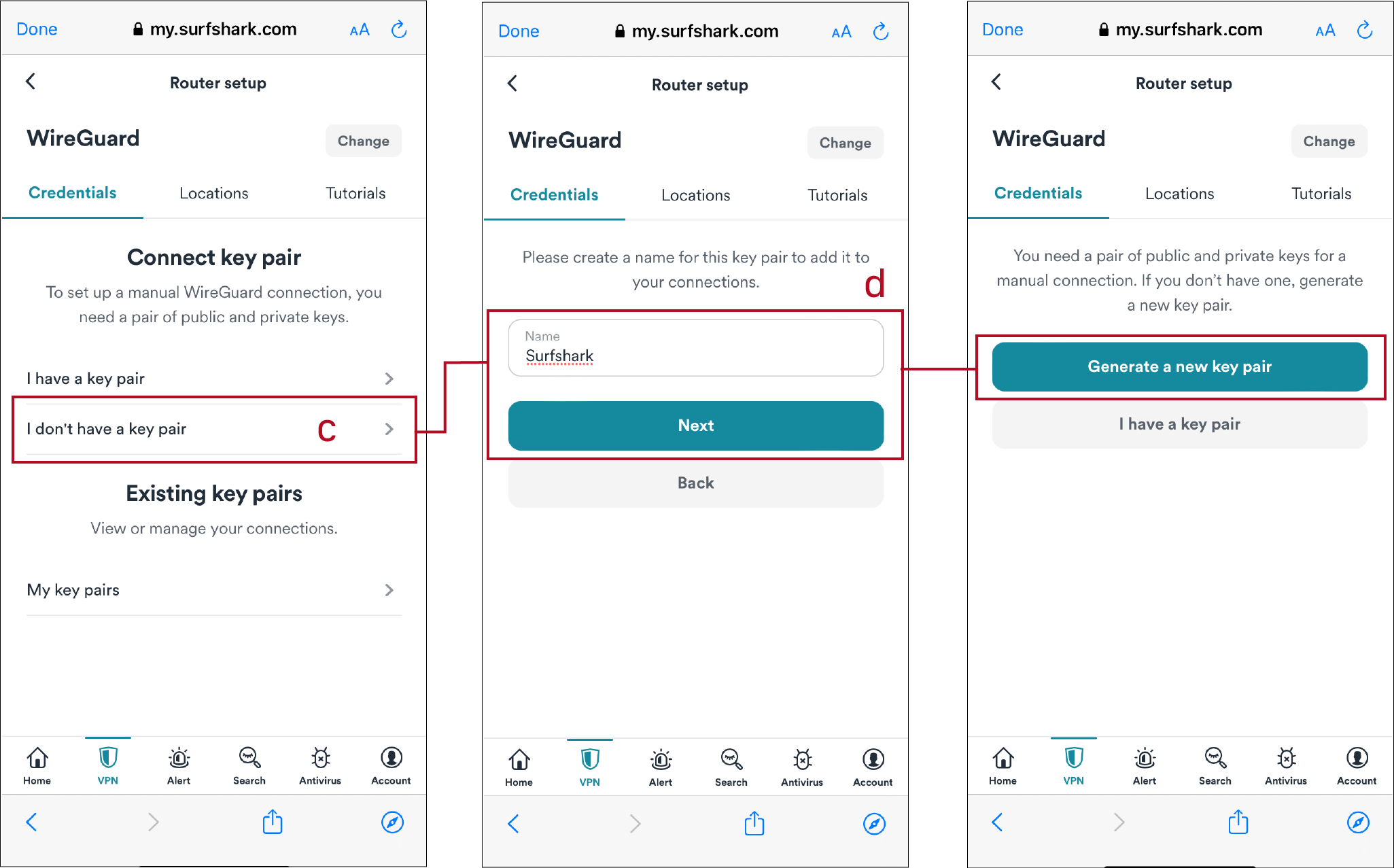
c. Find [I don't have a key pair].
d. Create a name and click [Generate a new key pair].
e. Copy [Private key]. (This key need to paste to ASUS router later)
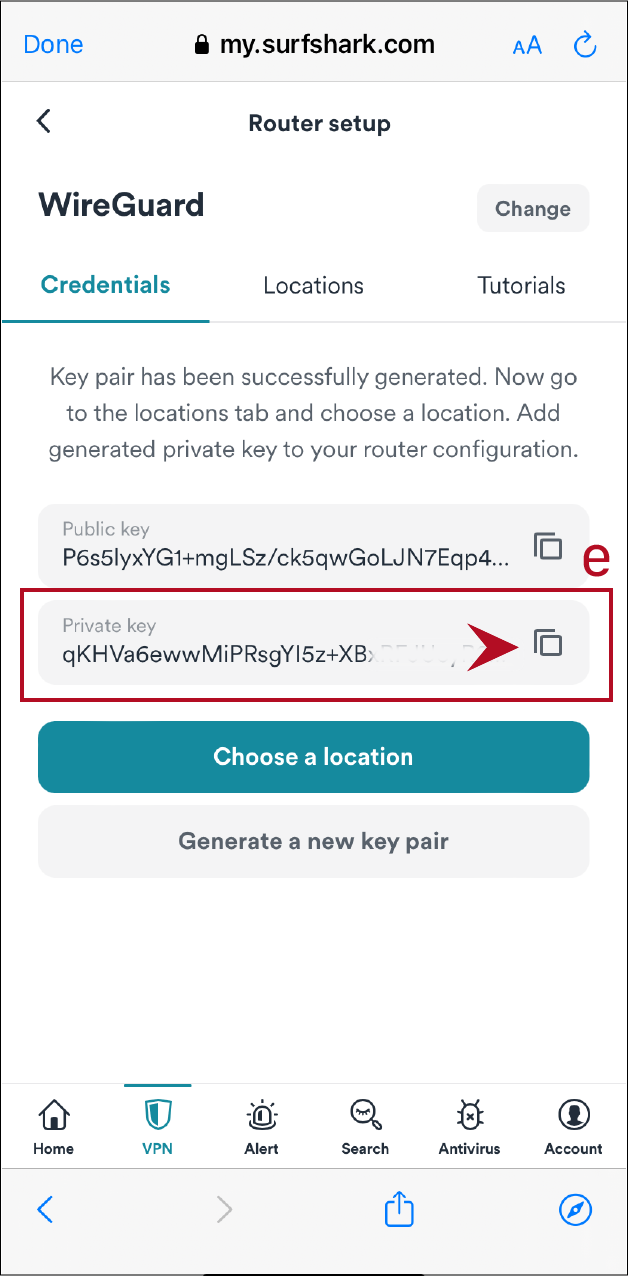
*Notice: Please preserve the private key well, it only shows once and cannot retrieve.
How to get the (Utility / Firmware)?
You can download the latest drivers, software, firmware and user manuals in the ASUS Download Center.
If you need more information about the ASUS Download Center, please refer this link.