[NUC] How to Perform a System Reset on NUC 12 Pro Mini PCs for Zoom* Rooms
Resolution
To reset the NUC for Zoom Rooms to factory settings, follow these steps:
1. From within the Windows OS, press CTRL+ALT+DEL to access the Task Manager.
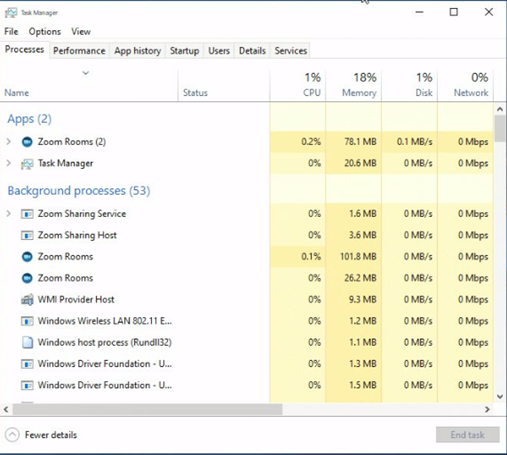
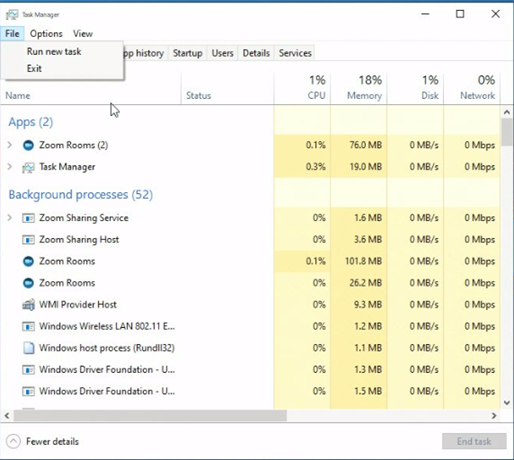
2. Press File -> Run new task
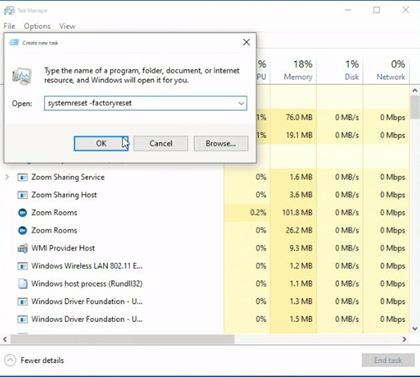
3. In the box type: systemreset -factoryreset
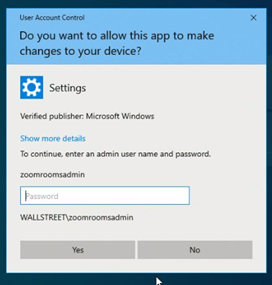
4. Enter the password (zoomroomsadmin) in the prompt.
5. Select Keep my files.

6. Follow the prompts, and Reset.
After a few resets, Zoom Rooms will come up in kiosk mode.