Related Topics
- How to search and download Drivers, Utilities, BIOS, and User Manuals
- How to install Windows 10 driver when you can't find [setup.exe] or [install.exe] ?
- [Windows 11/10] How to Install Drivers and Firmware from the ASUS Site
- [Windows 11/10] How to Install Drivers and Firmware from the ASUS Site
- [Windows 11/10] How to Install Drivers and Firmware from the ASUS Site
- [Windows 11/10] How to Install Drivers and Firmware from the ASUS Site
- [Windows 11/10] How to Install Drivers and Firmware from the ASUS Site
'Windows protected your PC' appears when installing files downloaded from the ASUS official website
Applicable Products: Notebook, Desktop, All-in-One PC, Gaming Handheld, Motherboard, Graphics card, LCD Monitor, MiniPC, Wireless Router, Optical Storage
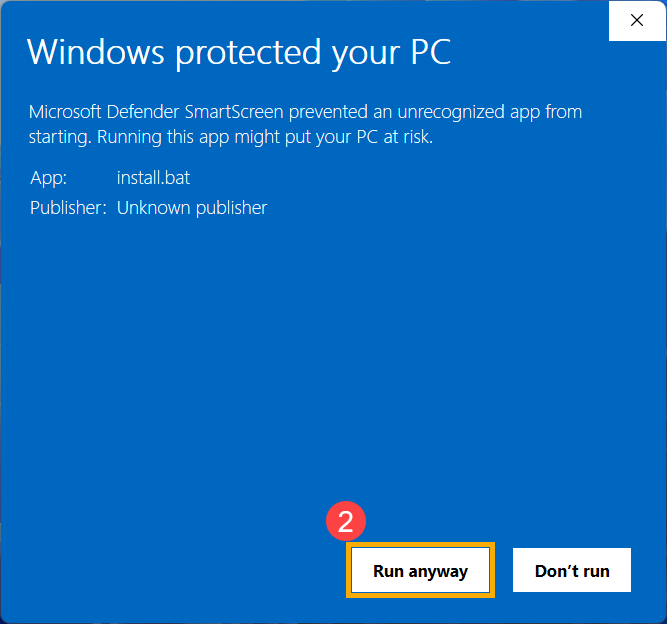
Should you encounter a 'Windows protected your PC' message while installing drivers or utilities downloaded from the ASUS support site, please do not be concerned. All files uploaded to the ASUS support site have undergone rigorous security checks to ensure they are safe and will not adversely affect the normal use of your device. To continue with the installation of the downloaded drivers or utilities, please follow the steps below.
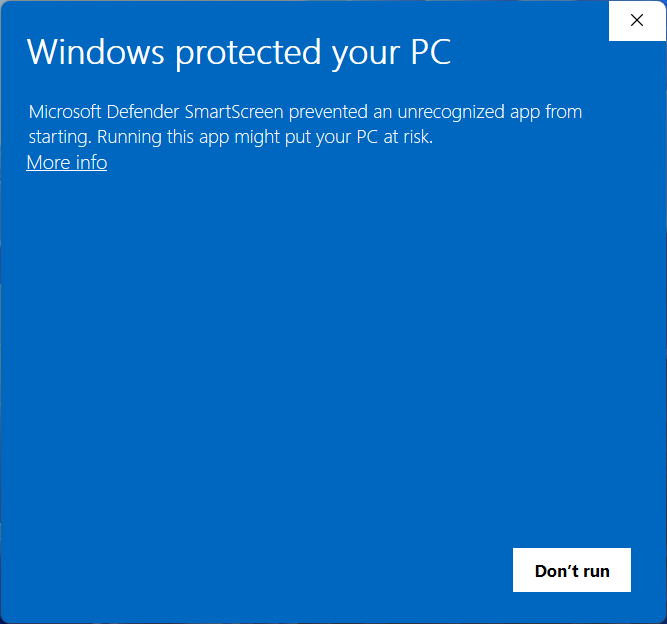
How to proceed with the installation when 'Windows protected your PC' appears
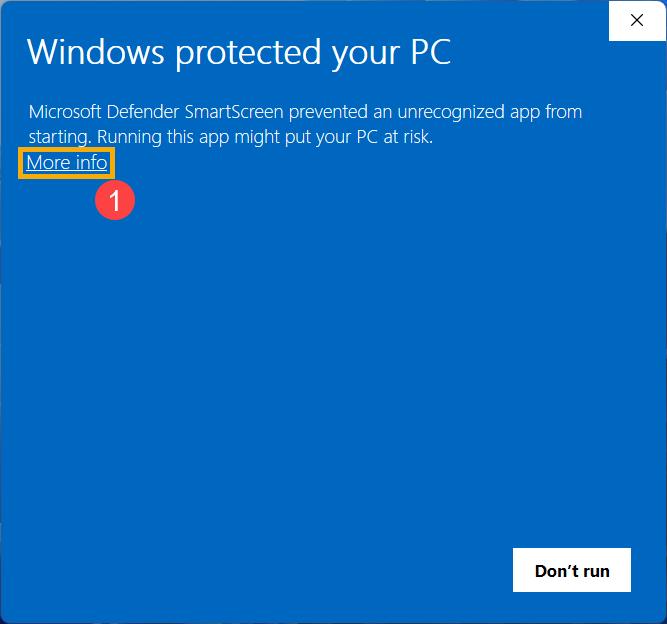
- Click on [More info]①.
- Click on [Run anyway]② to continue the installation process.