Relaterede emner
[Windows 11/10] Tips app
The Tips app is a Windows built-in app which Microsoft provides, and it introduce the Windows 11/10 basic function and use skills, and you can also learn the new function via Tips. This function needs to connect to the internet to use.
Please refer to the corresponding instruction based on the current Windows operating system on your device:
Windows 11 operating system
Note: In newer versions of Windows 11, the 「Tips」 app is no longer preinstalled. You can view Windows 11 features & tips on Microsoft’s website.
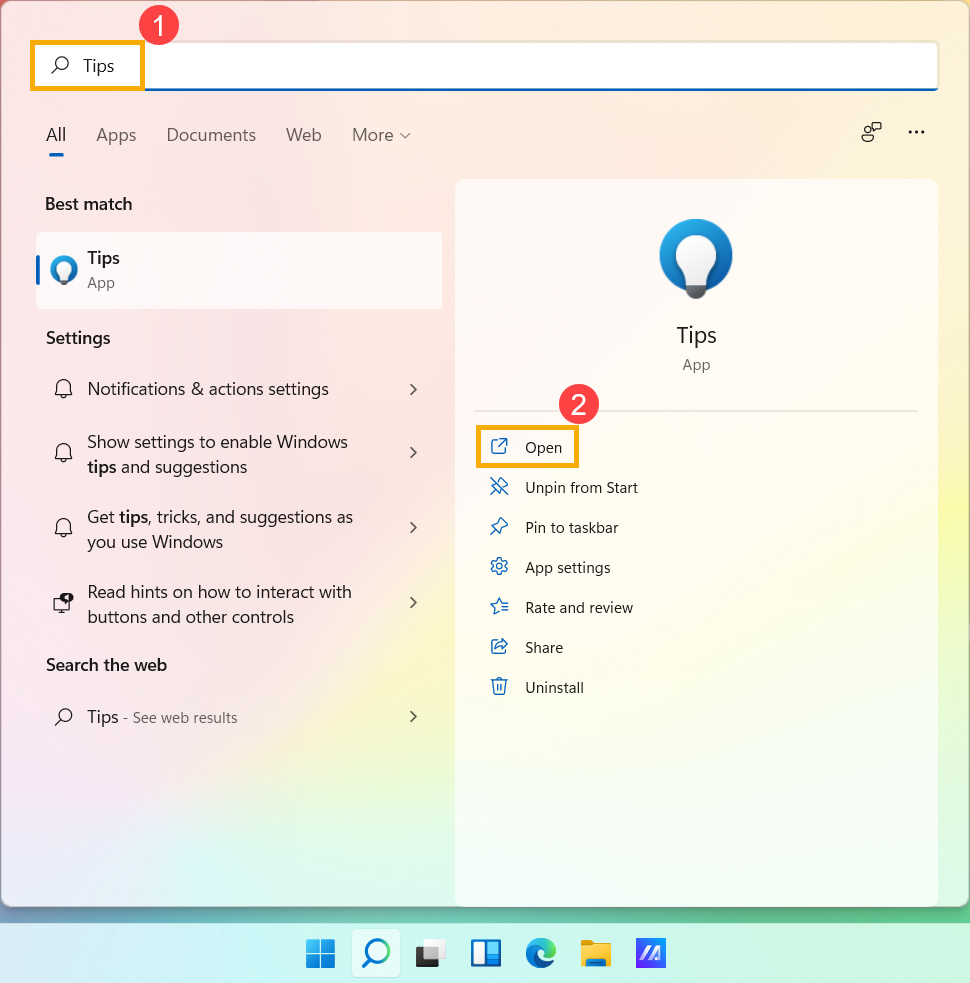
- Type and search [Tips] in the Windows search bar①, and then click [Open]②.
- Click each category to get the tips③, or you can click the [Search
 ] bar at the upper-right corner④, and then type the name (or a keyword from it) to quickly find the function tips you want.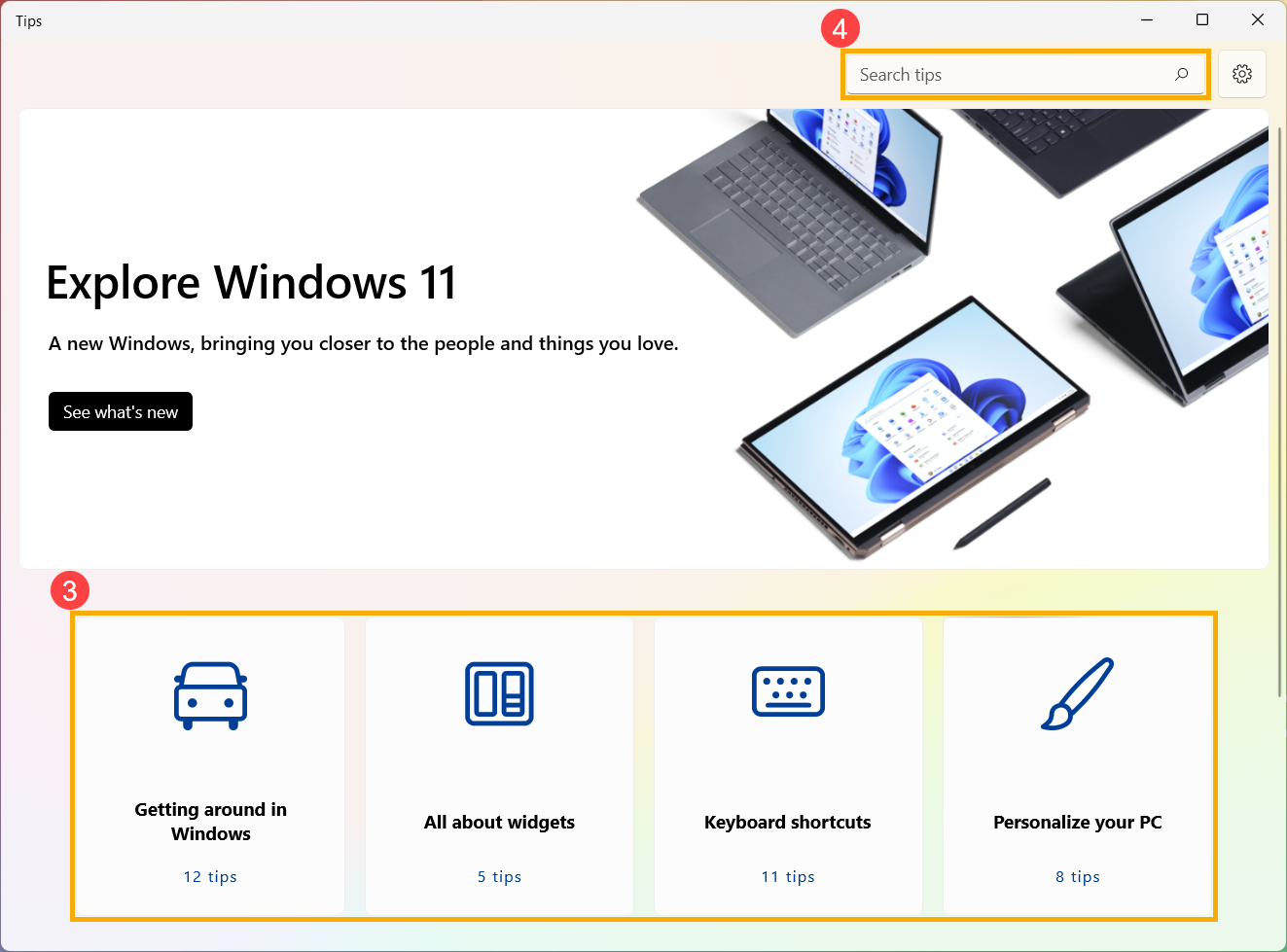
Windows 10 operating system
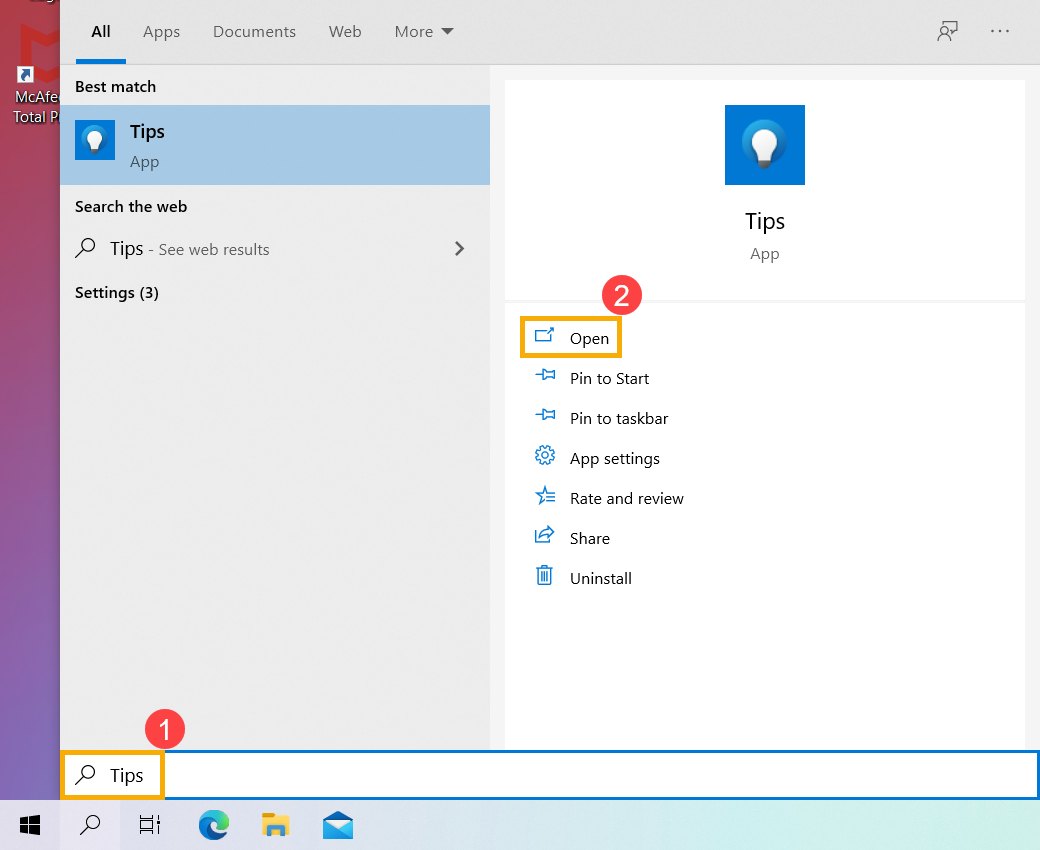
- Type and search [Tips] in the Windows search bar①, and then click [Open]②.
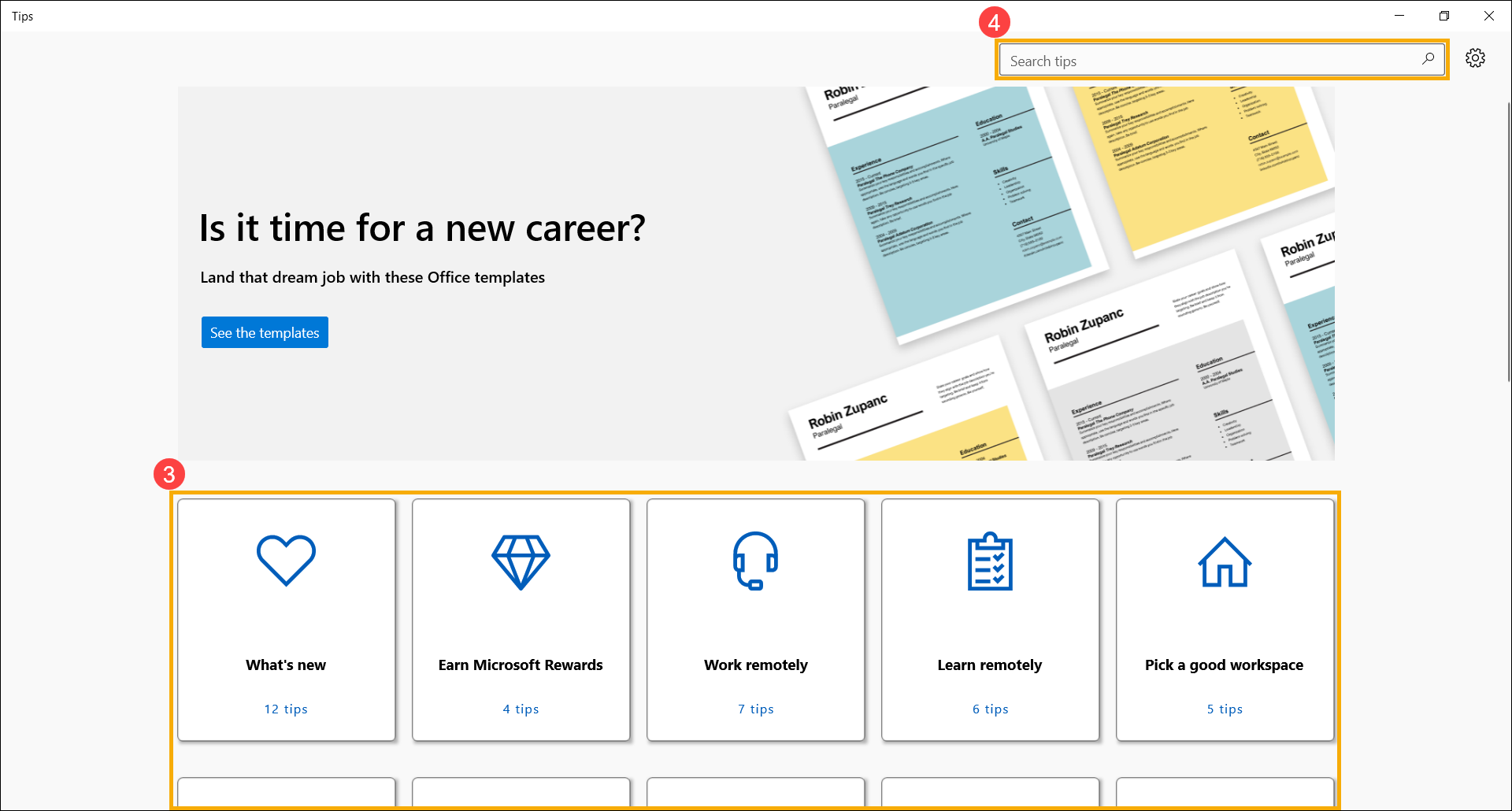
- Click each category to get the tips③, or you can click the [Search] bar at the upper-right corner④, and then type the name (or a keyword from it) to quickly find the function tips you want.