


 DisplayWidget Center
The Ultimate Monitor
Management Tool
Take your ASUS monitor to the next level with DisplayWidget Center, a powerful monitor management software designed to help you optimize, personalize, and fully utilize your display.
Windows Windows 11 or later
macOS macOS 12 (Monterey) or later
DisplayWidget Center now supports select models within our lineup. Please check compatibility before installing.


Intuitive User Interface
Whether you're a designer, gamer, or simply someone who spends a lot of time in front of your monitor, DisplayWidget Center makes it easy to fine-tune display settings to your exact preference. With its intuitive interface and user-friendly controls, you can adjust monitor settings with ease.
Customizable Monitor Settings
Designed exclusively for ASUS monitors, DisplayWidget Center provides optimized display modes for different scenarios and monitor series, allowing you to easily adjust brightness, contrast, color temperature, and other display settings with just a few clicks.
*Images shown are for demonstration purposes only. Available modes and adjustable parameters may differ by model.
Select Modes
Fine-tune
*GameVisual, Splendid, and Preset display modes are available on selected monitor series and may vary by model.
AI Assistant
Intelligent Control & Instant Product Support
The feature provides both text and voice input controlsto accommodate various environments and user preferences.

Intelligent Display Control
AI Assistant is powered by an AI language model with high recognition capabilities to process multiple commands for display settings adjustments.

Instant Product Support
It supports product FAQs for instant assistance with troubleshooting, technical responses, or function tutorials, providing a more convenient and efficient experience while using the monitor.
*This function requires internet access and account login to operate properly and protect data.
*Usage may be limited to maintain service quality.
*Product FAQs responses are based on the ASUS official website and product support site. AI assistant will only answer questions regarding ASUS display products.
Go Beyond OSD for Ultimate Display Management with Display CLI & AI Agent Skills
Built for advanced users, developers, and enterprise IT, ASUS Display also provides a powerful Command Line Interface (CLI) for programmatic control of display settings and AI Agent Skills for seamless integration with any AI agent*.
This allows scripts, automating, and standardizing monitor settings across devices, while offering natural-language control via AI agents.
*The agent must support custom Markdown skills and execute shell commands directly on the local machine. Cloud-based sandbox or virtualized execution environments are not applicable.
Learn more ›
Protect Your OLED Investment with OLED Care
Safeguard your OLED monitor with OLED Care. Enable pixel cleaning, uniform brightness, and customizable timer reminders to prevent burn-in and image retention.
OLED protection features may vary by monitor model, so be sure to check your monitor's capabilities.
Learn More About ASUS OLED Care ›
Gaming Enhancements
DisplayWidget Center provides seamless control of AI-powered visuals and advanced in-game tools, elevating your everyday gameplay.
*Functions may vary by monitor series and model due to spec differences.

Experience Effortless Visual Perfection with AI Visual
ASUS utilizes AI to enhance visual settings. The monitor analyzes on-screen content in real-time and automatically applies the optimal visual mode.
Learn More ›
Seamless Control of In-Game Tools with GamePlus
Enhance your gameplay with ASUS-exclusive GamePlus. Activate in-game enhancements and customize their styles and position for optimal performance.
Learn More ›Productivity Boost
DisplayWidget Center enables intuitive control and streamlined management of your daily productivity, helping you stay efficient wherever you work.
*Functions may vary by monitor series and model due to spec differences.

Seamless Work in Portrait & Landscape with Auto Rotation
ZenScreen can automatically detect its orientation and switch between portrait and landscape modes for different types of content.

Eye Care with Flexible Control
Easily fine-tune Blue Light Filter, Color Augmentation, and Rest Reminder settings for a more comfortable and personalized viewing experience.
Customizable Window Layout with MultiFrame
Choose from multiple layouts to organize windows and optimize your screen space for a more efficient workflow.
See how it works ›
Flexible Connectivity with PIP/PBP
View and interact with multiple sources at the same time, then quickly adjust the source and layout to match your workflow.

Simplified System Control with KVM
Control two systems from one monitor, keyboard, and mouse, making multi-device work feel simple and seamless.
Personalized Viewing with App Tweaker, Keyboard & OSD Control
With App Tweaker, you can apply preset display modes to specific apps or create custom profiles that fit your viewing preferences. Assign your favorite hotkeys and control monitor shortcuts or OSD menus directly through DisplayWidget Center for faster, more personalized daily adjustments.
Convenience at Your Fingertips with KB & HotKey Setting
Save time and effort with KB & HotKey Setting. Assign custom shortcuts to your monitor settings and make adjustments with ease. For example, boost brightness with Ctrl+Shift+B or adjust contrast with Ctrl+Space+C.

Fast & Remote OSD Menu Control with EZOSD Keyboard/Gamepad
EZOSD Keyboard/Gamepad function in DisplayWidget Center allows you to control the monitor’s OSD menu using keyboard hotkey combinations or a gaming controller* instead of the physical buttons on the screen.
*The function only supports Xbox controllers and universal gaming controllers.
Creativity Workflow
DisplayWidget Center helps creators stay focused with seamless device integration, consistent display settings, and a smoother multi-screen workflow.
*Functions may vary by monitor series and model due to spec differences.

Seamless & Intuitive MacBook Control
By enabling DisplayWidget Center in macOS Accessibility, users can adjust the monitor brightness using MacBook hotkeys when the mouse cursor is on the monitor screen. This provides a more seamless and intuitive control experience when paired with a MacBook.
Synchronized Multiple Displays with ColorSync and the Import/Export Feature
Synchronize color settings across multiple monitors, or import and export your preferred settings with a single click.
See how it works ›Smart Maintenance & Updates
Skip the manual configuration. Your display stays automatically updated, registered, and perfectly tuned to your workflow.

Always Keep Your Monitor Up to Date with Firmware Update Notification
Real-time notifications for new firmware updates help you stay up to date effortlessly.
See how it works ›
Enjoy Complete Product Benefits with One-Key Product Registration
Register your device via DisplayWidget Center with the serial number and product information automatically filled in, so you can manage warranty, access support, and track repairs effortlessly.

Monitor settings saved in the OSD menu
DisplayWidget Center automatically saves settings directly into the monitor, ensuring a consistent viewing experience whenever you connect to a different device.

Automatic notifications and updates
Rest assured you'll always have the latest version of DisplayWidget Center at hand.
Glasses & Accessories Integration
DisplayWidget Center seamlessly integrates with glasses and display accessories, enabling enhanced controls, personalized settings, and an expanded display experience.

Seamless Integration with ROG XREAL R1 Glasses
DisplayWidget Center lets you fine-tune virtual display settings, organize spatial screen layouts, and activate gaming enhancements for precise, effortless control.
See more ›
Effortless Function Management for ProArt CaliContrO MCA02
Use DisplayWidget Center to manage and customize MCA02’s function keys and activate color calibration with ease.
Learn more ›Customized UI
Personalized user interface makes your DisplayWidget Center experience unique! By changing the interface skin, you can make the software match your personal taste and visual needs.

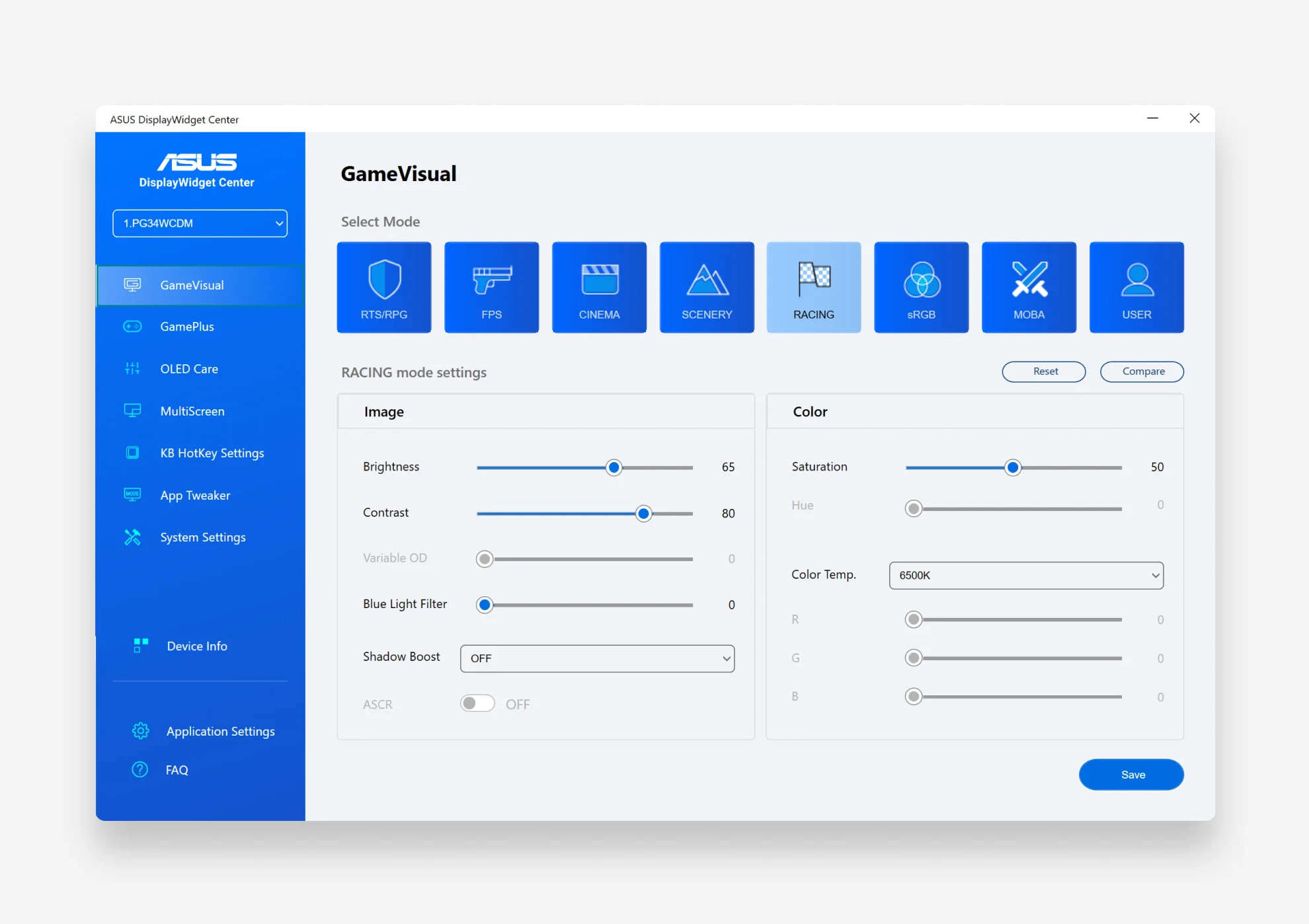
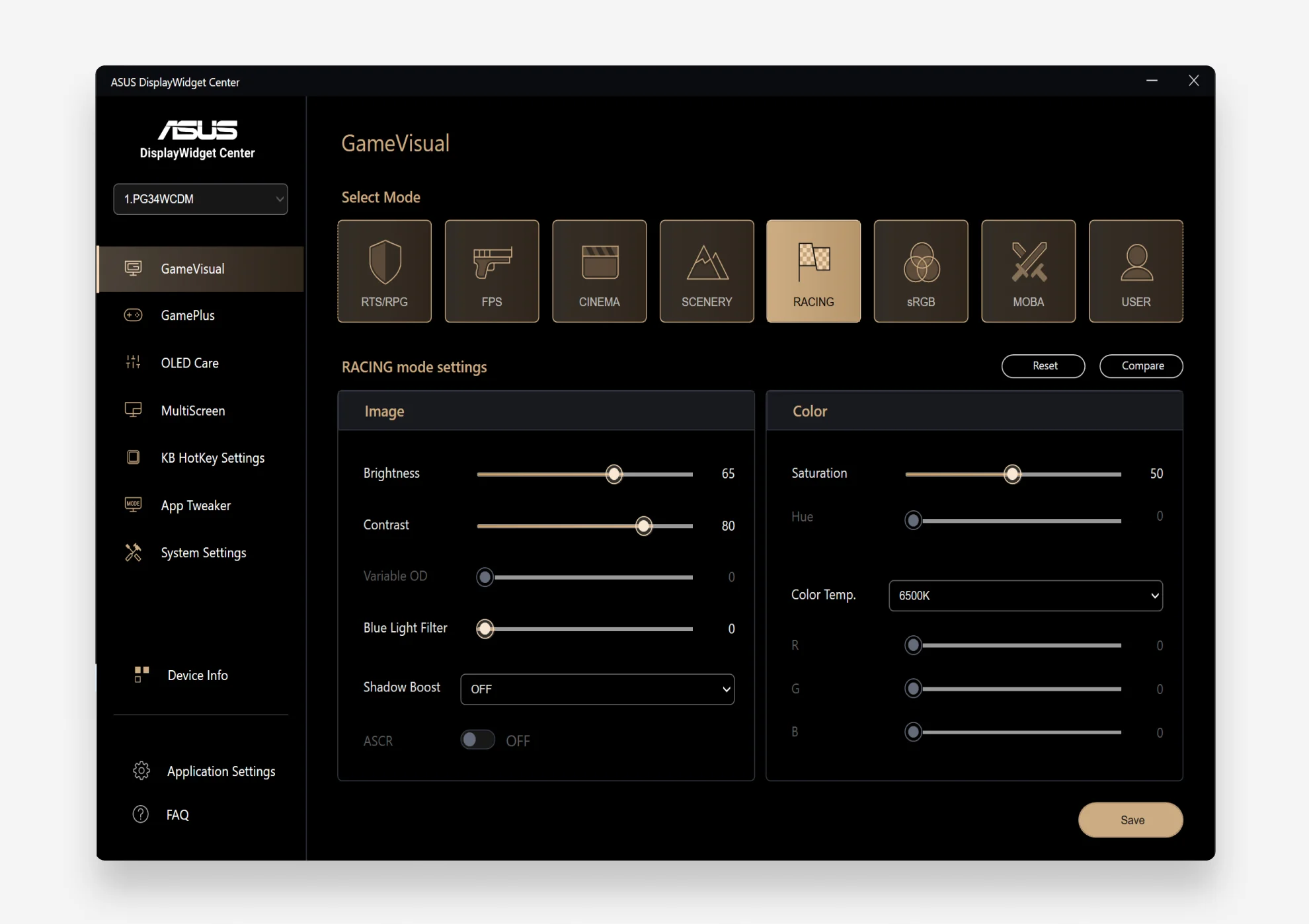
WindowsWindows 11 or later
macOSmacOS 12 (Monterey) or later
*Images are for reference only. Actual application interface and features may vary and are subject to the software version.


