RT-N12E
RT-N12E
- سرعة عالية تصل إلى 300 Mbps
- العمل فوراً على الإنترنت عند التوصيل بدوت تثبيت برامج
- هوائي خارجي 5dBi لتغطية أفضل
(* سيختلف نوع الهوائي طبقاً للقوانين والشروط المحلية في كل دولة)
- توفير الطاقة : يستهلك طاقة أقل خلال وضع الإستعداد
- يدعم التوصيل بخاصية EZ WPS
Consistently Praised for Networking Excellence!

Readers’ Choice, 6 Years Running! (2012-2017)
“No brand is more likely to be recommended than ASUS. The company receives excellent marks for their ease of setup and reliability.”– PC Magazine
>>Learn more.

Recommended Excellence Award for Best Router Brand, PC Pro Technology Excellence Awards 2016.

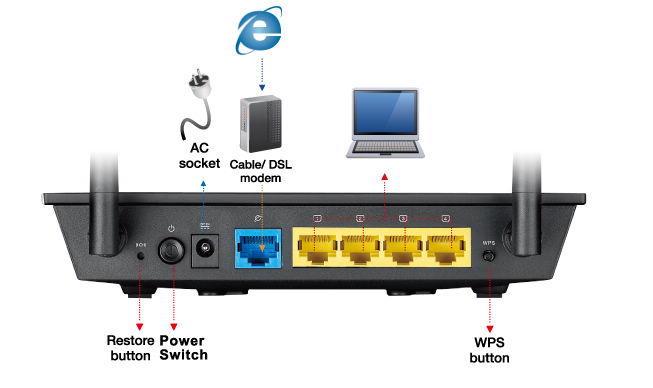
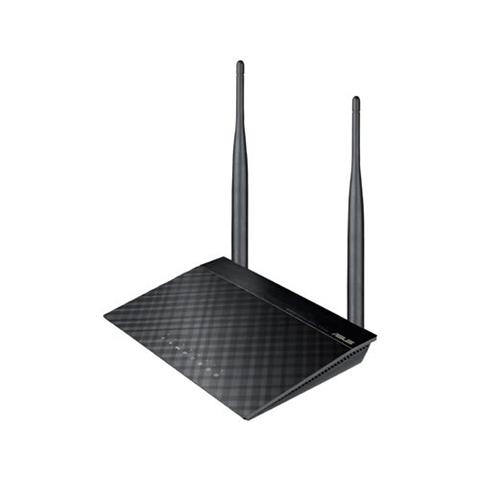
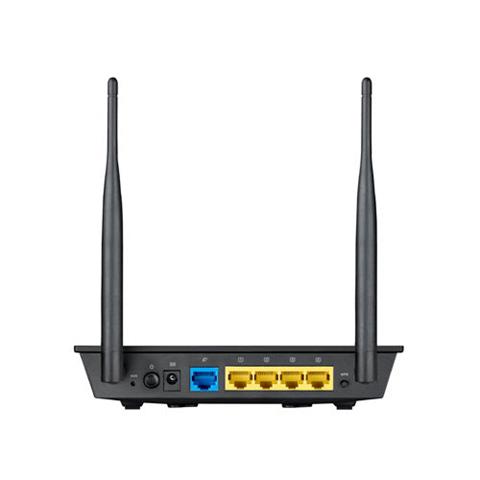
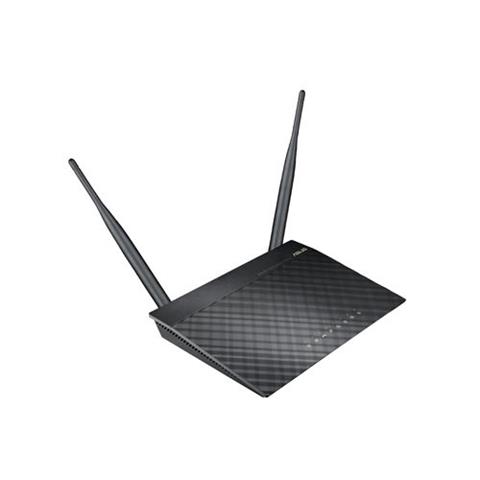
ASUS RT-N12E supports 802.11 b/g/n and has 300 Mbps high speed. With CD free easy installation and stable data transmission, RT-N12E is the basic solution for wireless internet setup. It also contents Green WLAN technology so it consumes less power during stand by mode.
 |
||
| Step1: | Step2: | Step3: |
| Power up the router and launch the browser | Enter the information provided by your ISP | Start surfing! |
Plug-n-Surf Installation
3-steps is all you need to set up the router. You don't need a CD for installation.
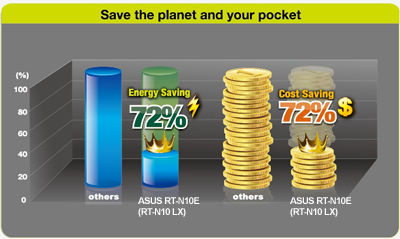
Save The Planet And Your Pocket
Compared with generic Wireless-N routers, ASUS ECO-WiFi CPU reduces 72%* of energy consumption and utility cost.
* The result given was of an internal testing methods comparing typical router, with standby, normal and heavy traffic. Testing criteria: [Standby mode] Only WAN ports are connected. [Normal traffic] 1 wired connected PC and 1 wirelessly connected laptop for P2P download. [Heavy traffic] 4 wired connected PCs and 2 wirelessly connected laptops for P2P download. Utility cost is calculated based on 2011 US household avg. electricity price, all taxes included.
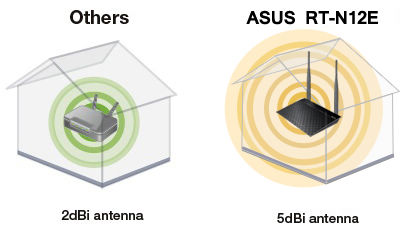
Extended Network Coverage
The RT-N12E features a 5dBi high-gain antenna that boosts the wireless signal, thereby extending coverage range.
*Antenna type will differ according to local regulations and requirement in each country.
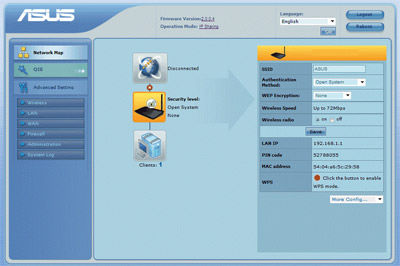
Network Map-Manual Free Management
- Have a quick overview of the whole network and WAN/LAN status
- Manage your network in minutes
- Try our EZ UI software
WPS Function& WPA/WPA2 Encryption
WEP encryption is not enough for Wi-Fi connection nowadays, and intruders may be able to access your network.Using the WPS function with WPA/WPA2 encryption improves protection for your home networks and private resources.
Keep Up to Date!
Remember to always keep your device’s firmware up to date so you can benefit from the very latest service and security enhancements — and get exciting new features! Learn more about updating new firmware.
*This product does not support universal repeater mode. If needed, please find RT-N10U, RT-N12, RT-N13U, or RT-N15U.
* ASUS received the highest numerical score among wireless routers in the J.D. Power 2015 Wireless Router Satisfaction Report, based on 2,716 responses from 8 companies measuring satisfaction with wireless routers surveyed November-December 2015. Your experiences may vary. Visit jdpower.com