ASUS Control Center
Data Center Edition
Sustainable AI Starts with Intelligent Management

Sustainable AI Starts with Intelligent Management
ASUS Control Center Data Center Edition (ACC Data Center Edition) is a unified management platform that gives users complete command over HPC, AI, and enterprise infrastructure. Simplify complexity, enhance security, and drive sustainability from a single interface. ACC Data Center Edition replaces complexity with clarity, providing a powerful, centralized platform to overcome these challenges.

Managing a modern data center is more complex than ever. Here's how ACC Data Center Edition can streamline operations.
| Challenges | How ACC Data Center Edition Solves It |
|---|---|
| Fragmented tools, no unified dashboard | Single interface for all hardware and software |
| Manual firmware & OS updates | One-click, scheduled, or automated updates across the fleet |
| High maintenance costs | Reduces GPU/storage agent overhead and specialist dependency |
| Limited security visibility | Provides access to a control list as well as role-based privileges, software blacklists, MFAs, and instant hotfix reports |
| Lack of ESG/carbon tracking | Provides precise, real-time power and carbon emission monitoring |
ACC Data Center Edition is packed with features designed to streamline every aspect of data center management. Gain a complete overview of infrastructure with unified operations and proactive monitoring.
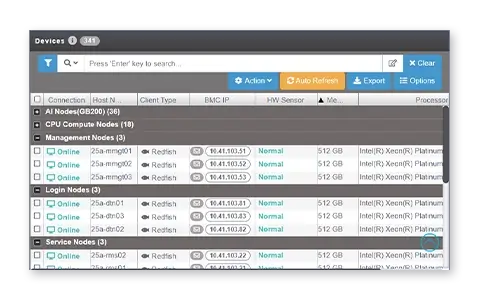
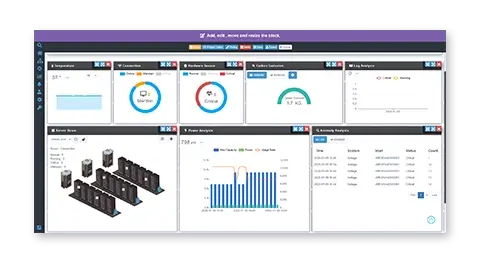
Transform your operations with a unified command center for your entire infrastructure. Proactively monitor everything from server health to storage performance, ensuring your services remain uninterrupted by catching potential issues before they escalate.
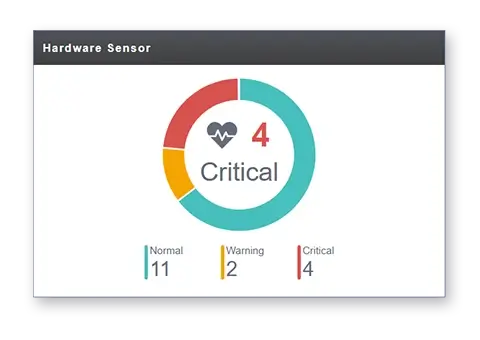
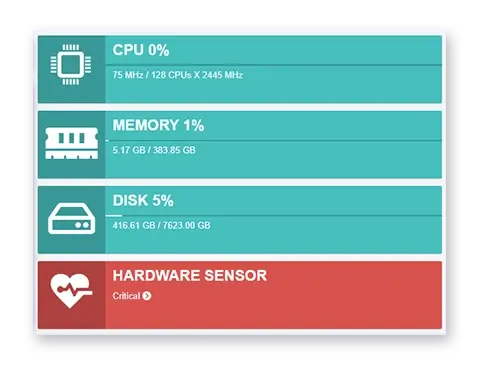
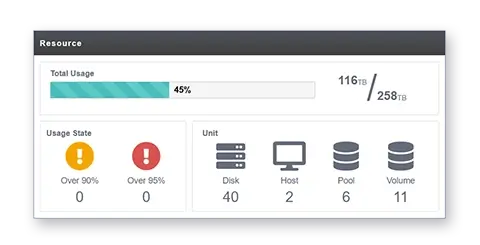
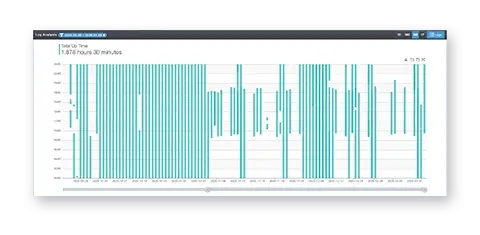
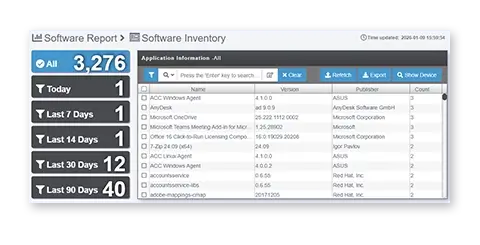
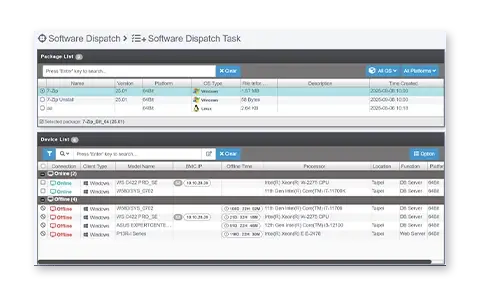
Effortlessly command your entire fleet with intuitive group-based controls and a powerful task scheduler. Maintain perfect visibility over all hardware assets and software licenses for streamlined compliance, all within an interface you can brand as your own.
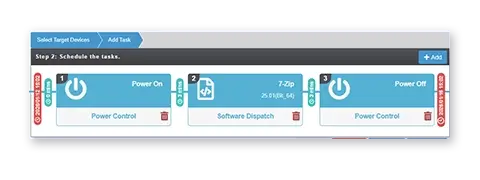
Eliminate tedious manual work with our fully automated patching for everything from BIOS to the OS. Experience true hands-free deployment, allowing you to consistently update thousands of nodes with just a few clicks and freeing up your team for more strategic tasks.
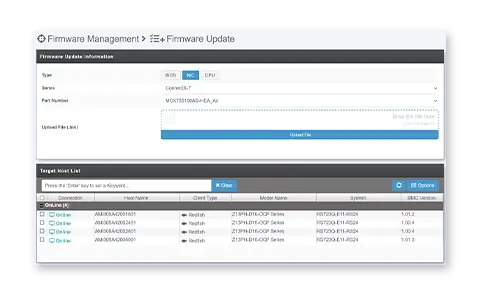
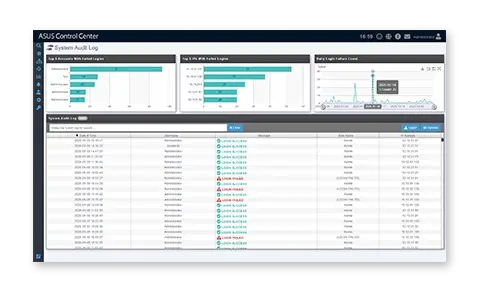
Fortify your environment with robust security layers, including multi-factor authentication and granular access controls. Proactively safeguard your systems by defining adaptive software blacklists and generating automated security reports to ensure you're always audit-ready.


Unlock powerful insights by visualizing your most critical data on fully customizable dashboards. Make informed decisions with scheduled reports on hardware inventory and software usage, all backed by comprehensive, audit-ready logs at your fingertips.
ASUS Control Center is designed to deliver tangible results in the most demanding environments. The following critical challenges, frequently encountered by leaders across in key sectors such as high-performance computing (HPC), manufacturing, and cloud services, demonstrate how ACC Data Center Edition provides practical, automated solutions for everything from carbon emission calculation to critical incident response.

Yes — and it does so automatically. ACC continuously measures power consumption at the node, rack, and facility level. It also provides precise monthly carbon emission reports.


*This feature is available in ACC v4.1
and the version after v4.1

Yes —ACC Data Center Edition detects service interruptions instantly when an Application Programming Interface (API) is connected to it. The moment an end-user page fails or latency spikes, administrators receive immediate alerts that include complete contextual information.


Yes —The POD View feature provides total infrastructure visibility, eliminating the need for manual spreadsheets or physical site visits. The new POD View provides an immersive 3D visualization of the server room, allowing administrators to instantly identify available rack space or visually locate the exact position of a hardware failure or thermal anomaly.


Experience unparalleled ease in data center monitoring with ACC Data Center Edition, backed by crystal-clear, predictable costs. This solution ensures system performance and stability dynamically scale with allocated server resources, while hardware requirements efficiently adapt to the growing number of managed clients, optimizing investment for maximum ROI.
This transparent and straightforward licensing model calculates total cost simply by multiplying the number of devices. This precise device count also strategically guides server hardware sizing, guaranteeing predictable planning and seamless expansion as deployments evolve.
Have tried to rephrase the content kindly take a look thanks Edited voice to suit our copywriting style.
| Feature | Up to 200 Clients | Up to 500 Clients | Up to 1,000 Clients | 3,000+ Clients |
|---|---|---|---|---|
| vCPU (cores) | 4 | 8 | 16 | 16 or more |
| Memory (GB) | 16 | 32 | 64 | 128 or more |
| Disk (GB) | 200 GB | 200 GB | 200 GB | 500 GB |
| Hypervisor | Virtual Box/ Hyper-V / VMware support | |||
Discover how ASUS Control Center Data Center Edition can cut costs, boost uptime, and helps meet carbon emission goals — all from one intelligent platform.

