ASUS Device Activation Security Update for ASUS PCs
● How to check the ASUS Device Activation version:
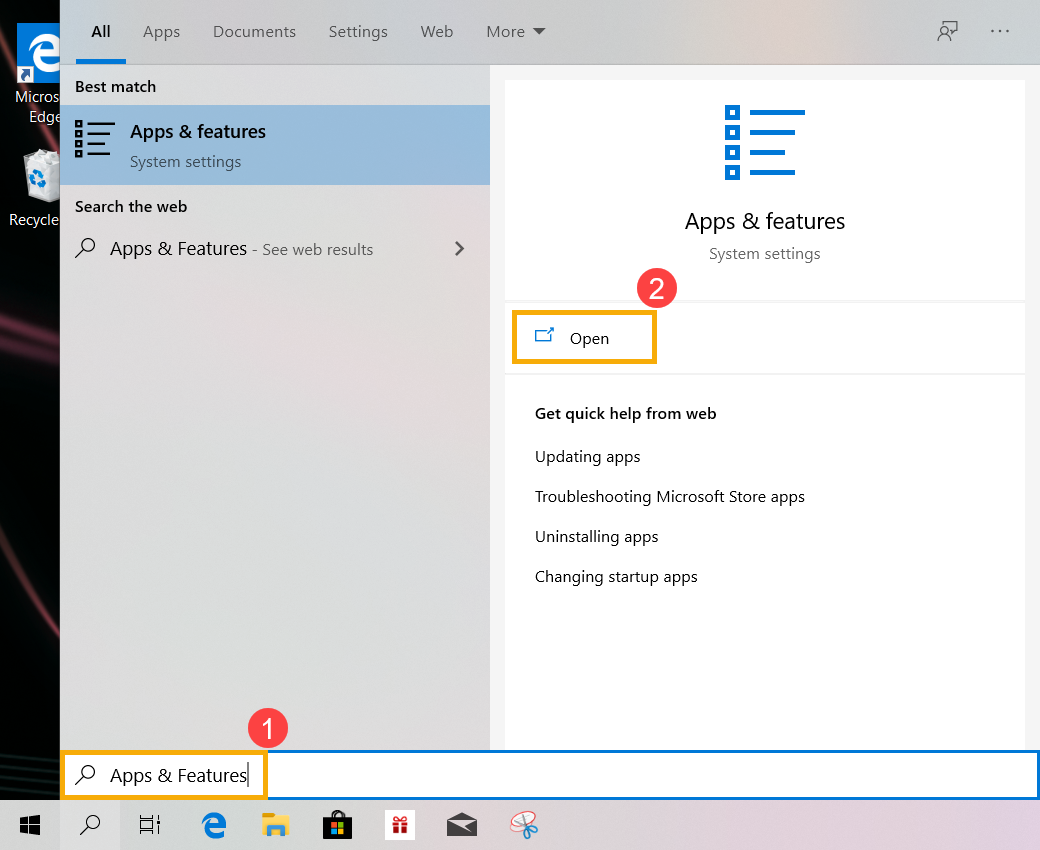
a. Type and search [Apps & features] in the Windows search bar(1), then click on [Open](2).
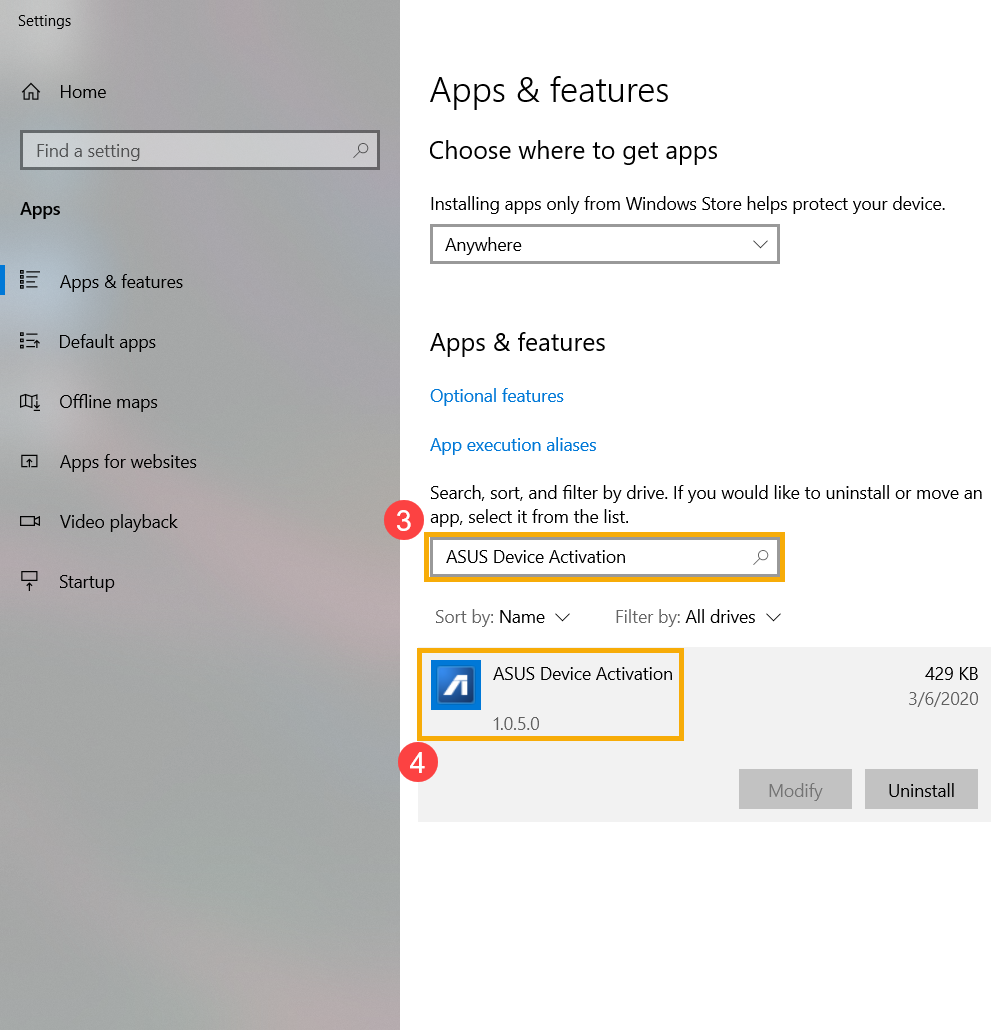
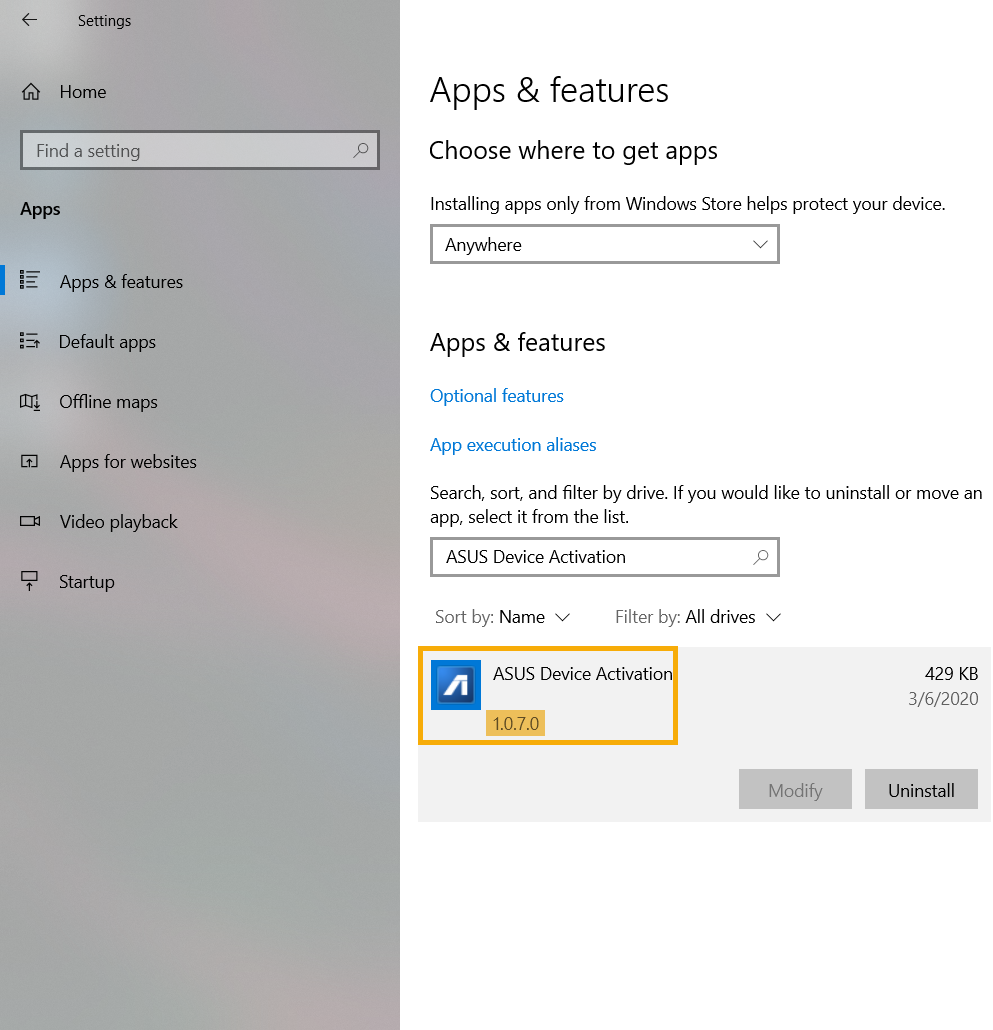
b. Type and search [ASUS Device Activation](3) in the search bar, then click on ASUS Device Activation so that you are able to check what the version is(4).
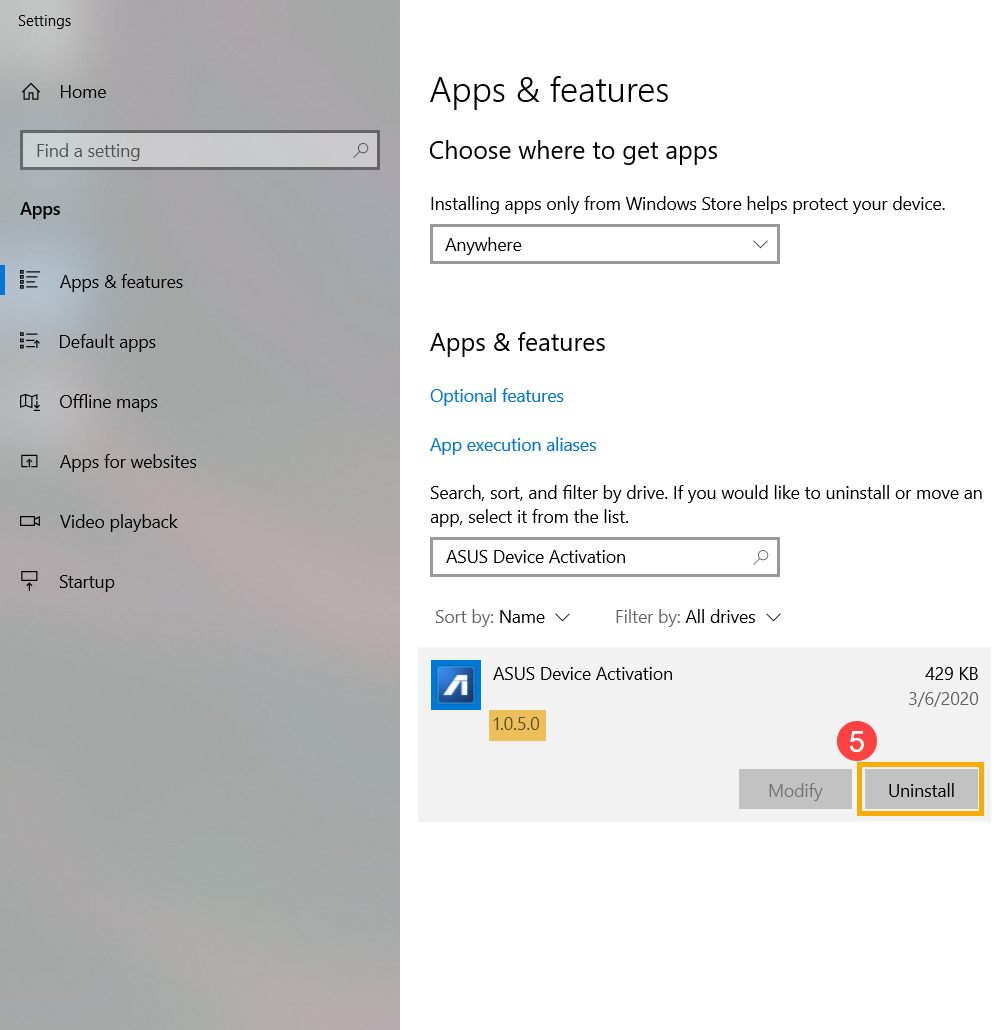
c. If the version of ASUS Device Activation installed is prior to 1.0.7.0, then click on [Uninstall](5) to remove it.
● How to update ASUS Device Activation
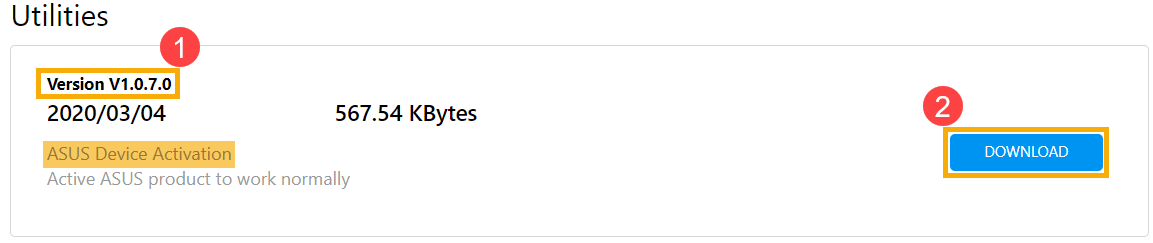
a. Please go to the ASUS Support Site to download and install the [ASUS Device Activation] utility, learn more about How to search and download utilities. (The following pictures are the current version as a reference, please download the latest version from the ASUS Support Site.)
※ Note: Please make sure the [Driver version] shows as version 1.0.7.0 or later(1), then start [Downloading and Installing] it(2).
b. After the installation is completed, please check it again to confirm the latest version (1.0.7.0 or later version) of ASUS Device Activation is correctly installed.
Ota yhteyttä, jos edellä olevat tiedot eivät ratkaise ongelmaasi
Yllä olevat tiedot voivat olla osittain tai kokonaan lainattuja ulkopuolisista verkkosivustoista tai lähteistä. tutustu tietoihin, jotka perustuvat ilmoittamiimme lähteisiin. Ota yhteyttä suoraan tai tiedustele lähteitä, jos sinulla on kysyttävää, ja huomaa, että ASUS ei ole relevantti eikä ole vastuussa sisällöstään/palvelustaan
Tämä tieto ei välttämättä sovellu kaikille saman luokan/sarjan tuotteille. Jotkut kuvakaappaukset ja toiminnot voivat poiketa ohjelmistoversioista.
ASUS tarjoaa yllä olevat tiedot vain viitteeksi. Jos sinulla on kysyttävää sisällöstä, ota yhteyttä suoraan yllä olevaan tuotteen myyjään. Huomaa, että ASUS ei ole vastuussa yllä mainitun tuotteen toimittajan tarjoamasta sisällöstä tai palvelusta.