


- Ethernet WAN allows to use as an DSL modem router or stand-alone wireless router
- Compatible with VDSL2, ADSL2/2+, ADSL, fiber and cable services for complete future-proofing
- Fast Ethernet ports for the reliable internet performance
- VDSL/ADSL WAN multi service for IPTV support
- PPTP VPN server and PPTP/L2TP VPN client support
- Four independent SSIDs for flexible and secure Wi-Fi network configuration
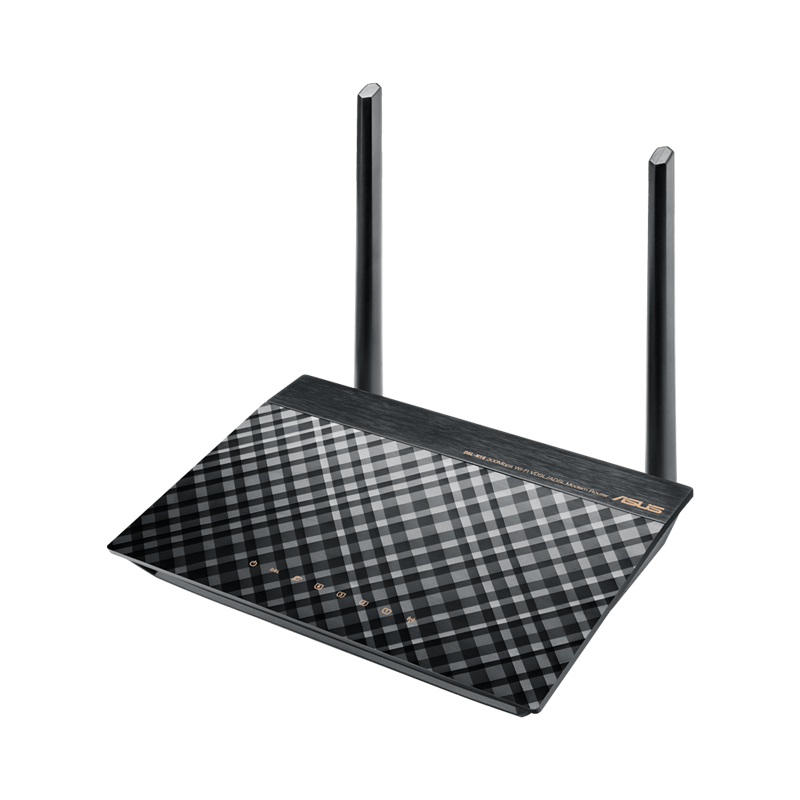


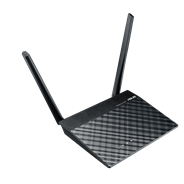
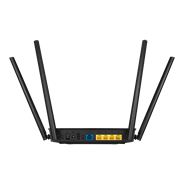
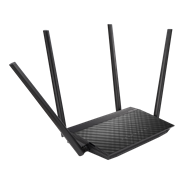
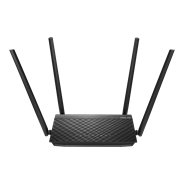
The ASUS DSL-N16 ADSL/VDSL wireless modem router is stylish, truly multi-functional, and has reliable performance. It can connect to the internet using either the Ethernet or DSL WAN (Wide Area Network) ports, allowing customers to use it as a either a modem router or a standalone wireless router. Compatible with ADSL2/2+, ADSL, VDSL2, fiber and cable services.
The
easy-to-use ASUSWRT graphical user interface unlocks the power of DSL-N16
giving robust control to optimize your network for you. 30-second setup and
easy traffic management means even network newbies can enjoy its sophisticated
features, while power users will love its IPv6 support, multiple wireless SSIDs
and encrypted VPN access.
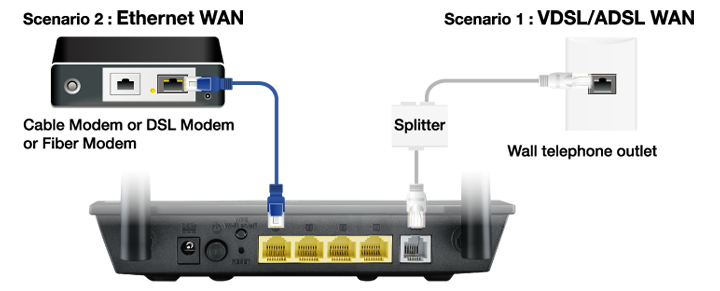
Total flexibility with DSL and Ethernet Internet connections
DSL-N16 has two ways to connect to the Internet, with a
choice of DSL and software Ethernet WAN. You can use DSL-N16 as a DSL modem
Wi-Fi router or a standalone Wi-Fi router according to your needs. And with the
ability to switch instantly between connections if one fails (and switch back
again when it’s fixed) or combine multiple connections for more bandwidth, it’s
perfect for reliable, always-on internet connectivity.
Robust control and optimization with ASUSWRT
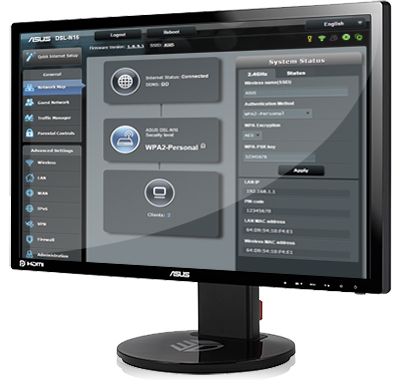 With the ASUSWRT Dashboard, setup, monitoring, and control of network applications are all found in one intuitive user interface. As well as 30-second setup, multi-device detection, and flexible settings that make the most of your network performance, ASUSWRT has been upgraded with special DSL tools that show the signal-to-noise ratio in dB, allowing you to check stability of the DSL connection. The DSL traffic monitor shows the incoming and outgoing traffic on the WAN, wired and 2.4GHz wireless networks, while DSL Feedback allows you to feedback any comments, suggestions or connection issue directly to a technical support team with DSL logs automatically included.
 Do you game a lot, or spend most of your time streaming videos? Whatever your planned use is, the DSL-N16 has Quality of Service (QoS) features that let you select how much bandwidth is prioritized for virtually any task. Try it.


Easy 30-second router setup
Use your smartphone, tablet, or PC to effortlessly set up your ASUS router in less than 30 seconds* and in only 3 easy steps. Simply connect the cables to the router, open a Web browser, and follow the setup wizard to get you to the internet in no time.
Step1: Open web browser.
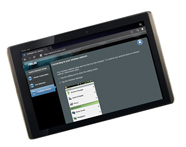
Step2: Enter ID/Password.
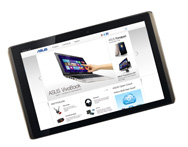
Step3: Done!


VPN server and client for encrypted remote connection
With the virtual private network (VPN) server and VPN client, you can access your home network remotely or surf the internet with encryption, no need for paid VPN services or a dedicated VPN server.

Dedicated Wi-Fi for your visitors
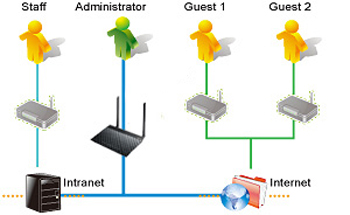
Share your internet connection with your guests with no need to share your personal password or network resources. ASUS Guest Network supports up to three separate guest networks, each with its own usage limits and password. Guests cannot access your primary network or any other connected devices.

Simple setup, powerful features with real-time traffic and connection quality monitoring
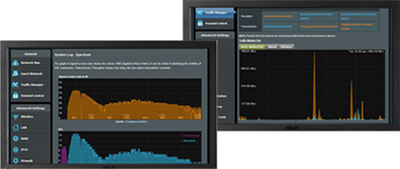 With the easy to use ASUSWRT Dashboard, you can setup, monitor and control your network from one intuitive interface.
 DSL-N16 features special ADSL-related enhancements to the intuitive ASUSWRT graphical interface, inlcuding a signal-to-noise ratio (SNR) measuring tool for monitoring the stability of an ADSL connection. A traffic monitor shows the data sent and received via the WAN, wired and wireless networks, while a reporting tool lets you send feedback about connection issues directly to a technical support team, with technical log files automatically included. Try it.

Keep Up to Date!
Remember to always keep your device’s firmware up to date so you can benefit from the very latest service and security enhancements — and get exciting new features! Learn more about updating new firmware.
- WiFi 6
- AX1800, 2.4GHz AX: 2x2 + 5GHz AX: 2x2
- Large homes
- ASUS features: Parental control, AiProtection, 3/4G Dongle


- 經FCC和加拿大工業部認證的產品將在美國和加拿大銷售。請參閱華碩美國和華碩加拿大網站,瞭解有關當地可用產品的資訊。
- 所有規格如有更改,恕不另行通知。請與您的供應商/經銷商確認確切的報價。產品可能並非在所有市場都可用。
- 規格和功能或內建軟體因型號而異,所有圖像僅供參考。有關完整詳細資訊,請參閱規格頁面。
- 產品顏色可能會因拍照光線誤差或螢幕設定而與實際產品有所差異。
- 商標聲明:本網站所談論到的產品名稱僅做識別之用,而這些名稱可能是屬於其他公司的註冊商標或是版權。
- HDMI、HDMI高畫質多媒體介面及HDMI 標誌為HDMI Licensing Administrator, Inc.在美國及其他國家的商標或註冊商標。
- The actual transfer speed of USB 3.0, 3.1, 3.2, and/or Type-C will vary depending on many factors including the processing speed of the host device, file attributes and other factors related to system configuration and your operating environment.
- Actual data throughput and WiFi coverage will vary from network conditions and environmental factors, including the volume of network traffic, building material and construction, and network overhead, result in lower actual data throughput and wireless coverage.
- Quoted network speeds and bandwidth based on current IEEE 802.11ac specifications. Actual performance may be affected by network and service provider factors, interface type, and other conditions. Connected devices must be 802.11ac-compatible for best results.