Product
G10CE, G10CES, G10DK, G10DK-C, G13CH, G13CHR, G15CE, G15CF, G15CK, G15CS, G15CX, G15DK, G15DK-C, G15DS, G16CH, G16CHR, G22CH, G35CA, G35CG, G35CZ_NEW, GA15DH, GA15DH-S, GA35DX, GL10CS, GL10DH, S502MER, S701TER
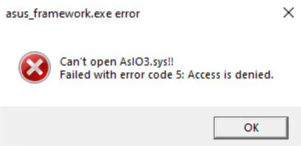
Troubleshooting - AsIO3.sys Error Message During Startup
If you encounter the AsIO3.sys error message upon system startup, please try updating Armoury Crate to version 5.9.14.0 or above.
Method 1: Update Armoury Crate via Microsoft Store
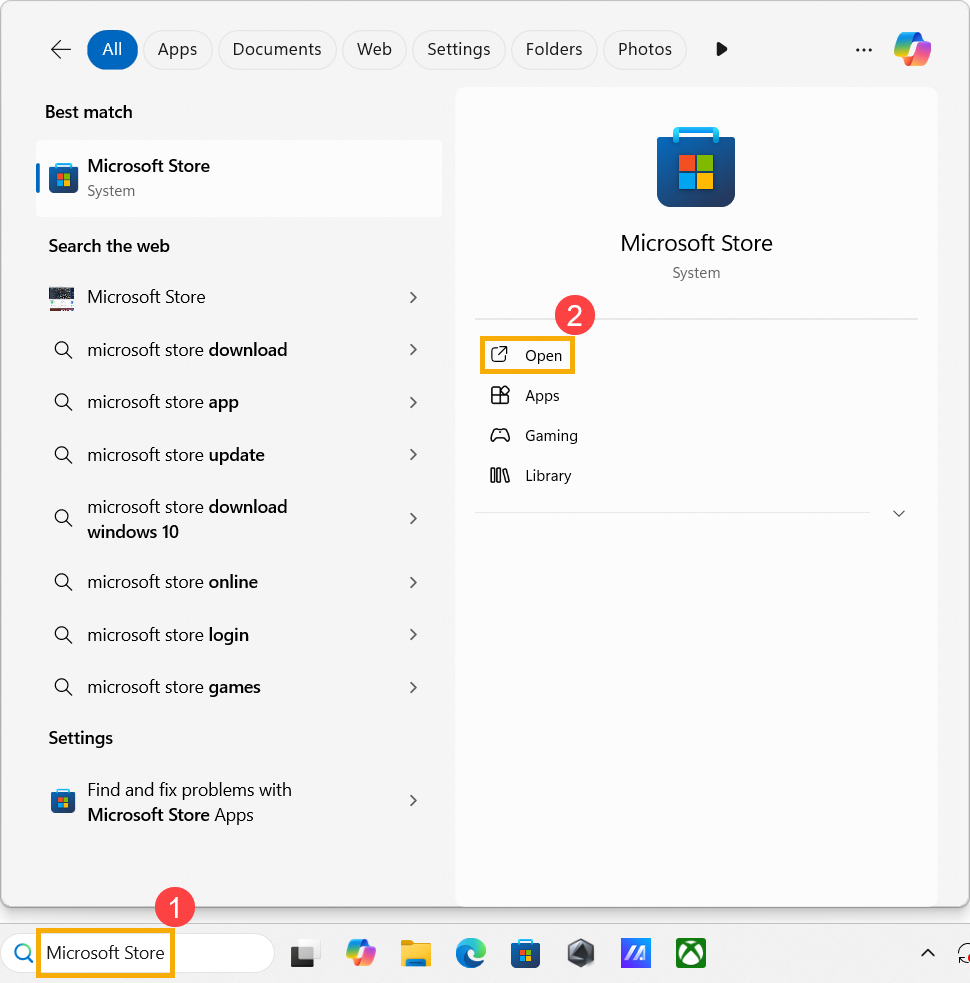
- In the Windows search bar, type [Microsoft Store]① and click [Open]②.
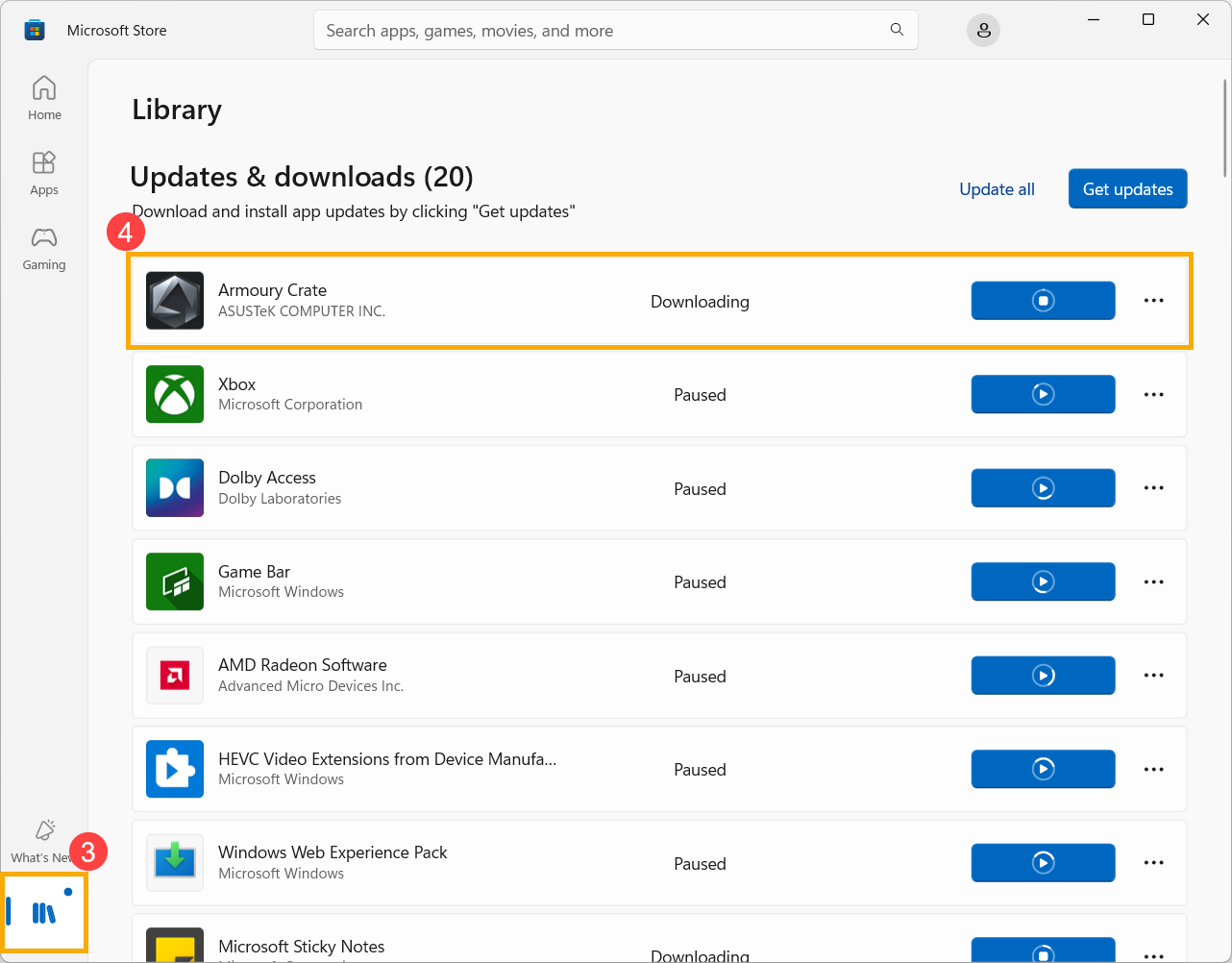
- Once in the Microsoft Store, click [Library]③, then locate Armoury Crate and update it④.
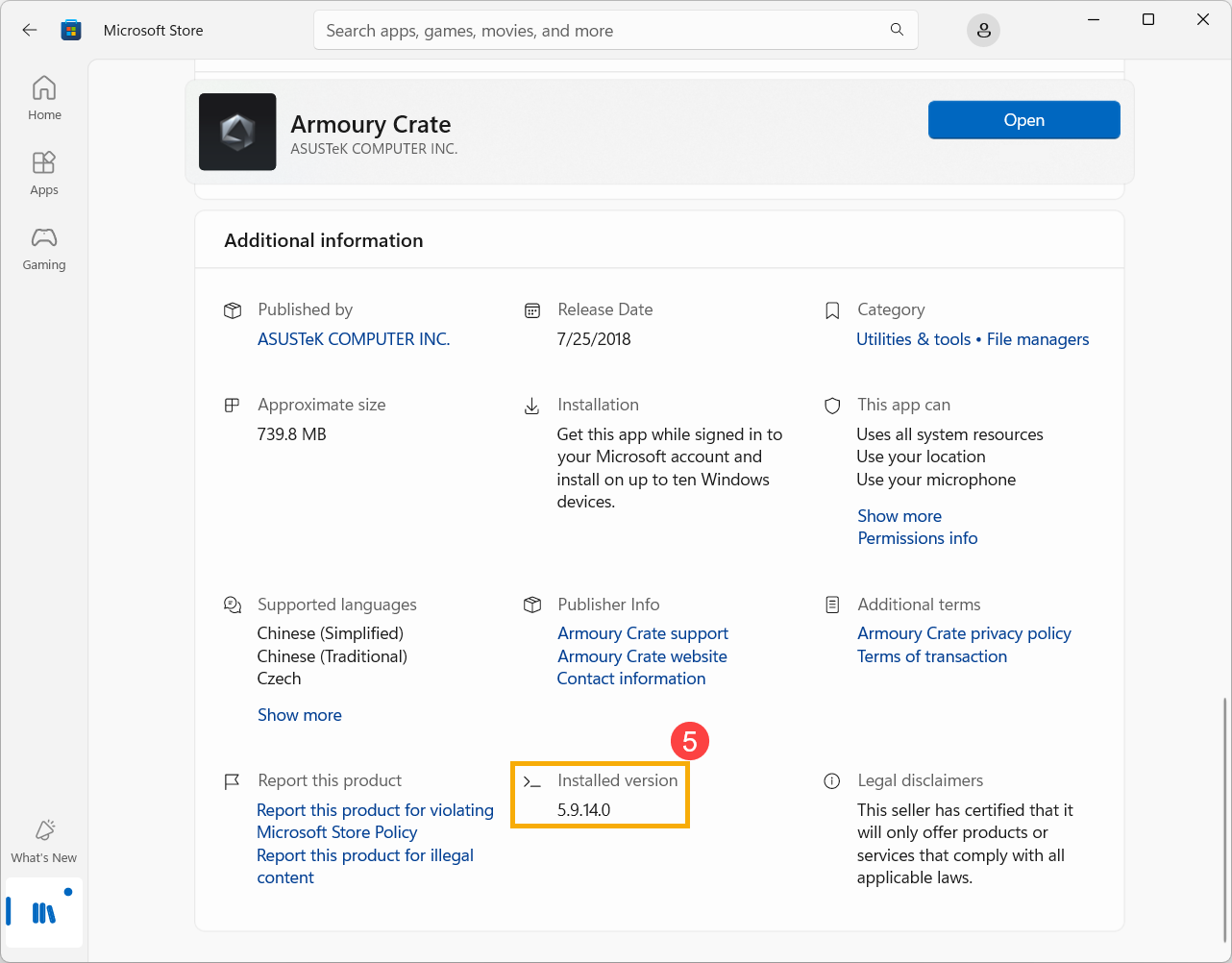
- After the update is complete, click Armoury Crate in the library to check the installed version⑤.
Method 2: Update via Armoury Crate Application
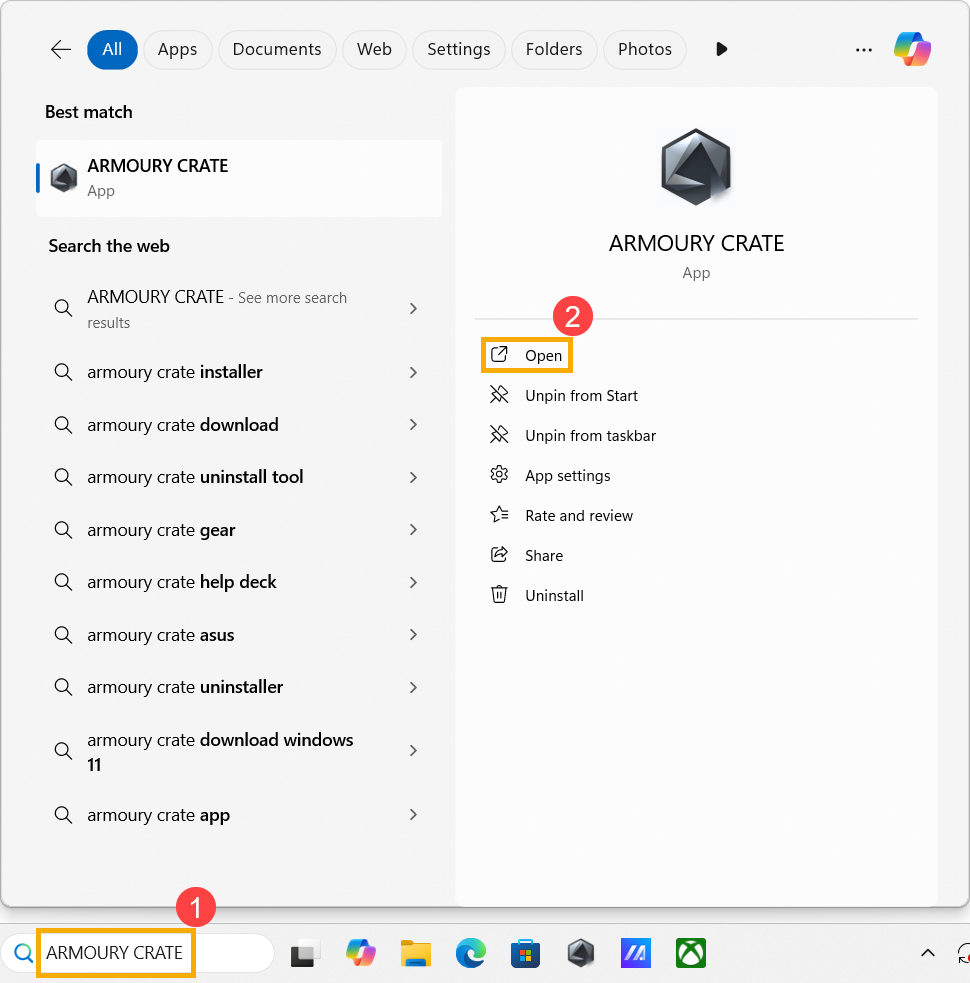
- In the Windows search bar, type [ARMOURY CRATE]① and click [Open]②.
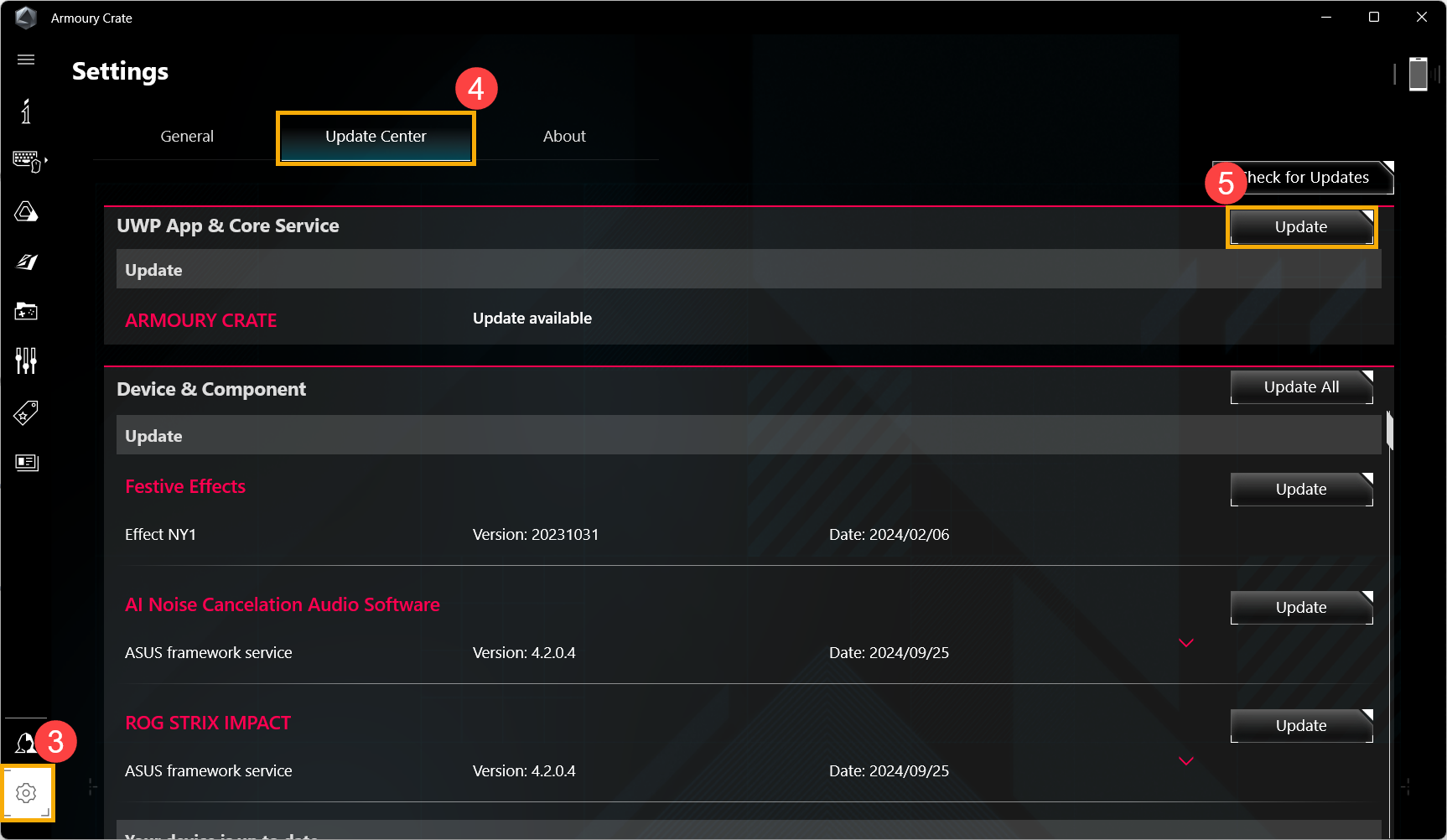
- Once in Armoury Crate, click [Settings]③, navigate to the [Update Center] tab④, and find ARMOURY CRATE under UWP App and Core Service, then click [Update]⑤.
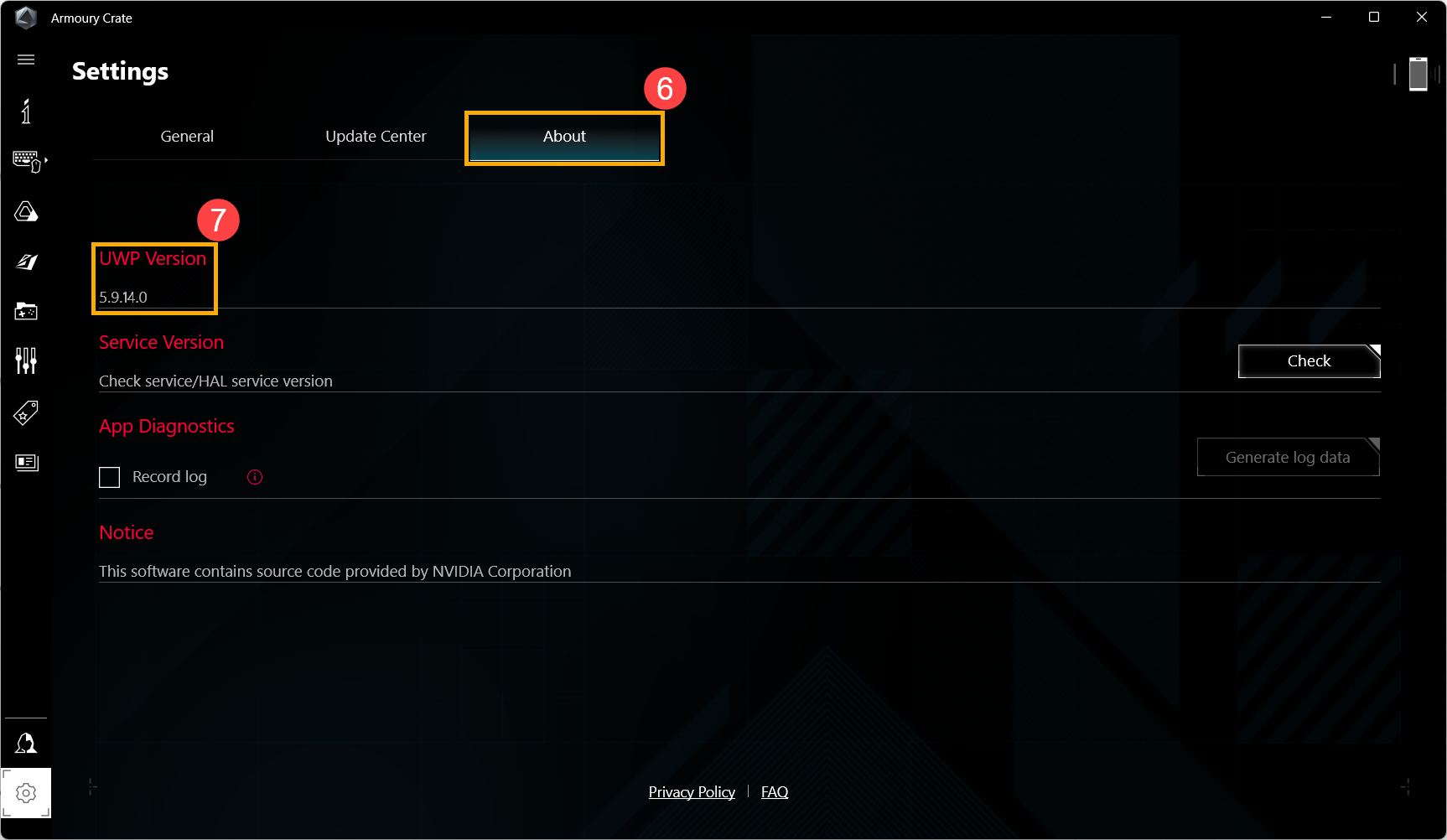
- After the update is complete, go to the [About] tab⑥ to check the application version⑦.
Method 3: Reinstall the Armoury Crate Application
If the above methods do not resolve the issue, please visit the Armoury Crate support website to download version 2.3.4.0 or later of the 「Armoury Crate Uninstall Tool」. Completely uninstall the Armoury Crate program, and then reinstall it using the 「Armoury Crate & Aura Creator Installer」.


If the issue persists, please contact ASUS customer service for further assistance.