[LCD-M] Auto KVM function usage and connection setup introduction
When two computers are connected to one monitor, you can use the monitor's built-in KVM switch feature to share one set of keyboard and mouse to control the computers separately, saving desktop space.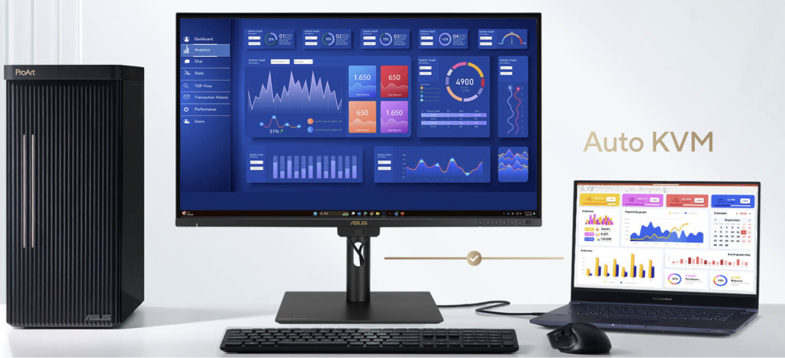
Table of Contents:
1. Source Connection Setup
-1. I/O port connection method
-2. OSD(Menu) setting method
2. Question & Answer
How do I check if my monitor supports AUTO KVM function?
You can check the product specifications on the ASUS official website.
ASUS official website.
(For example: ProArt Display PA27UCGE)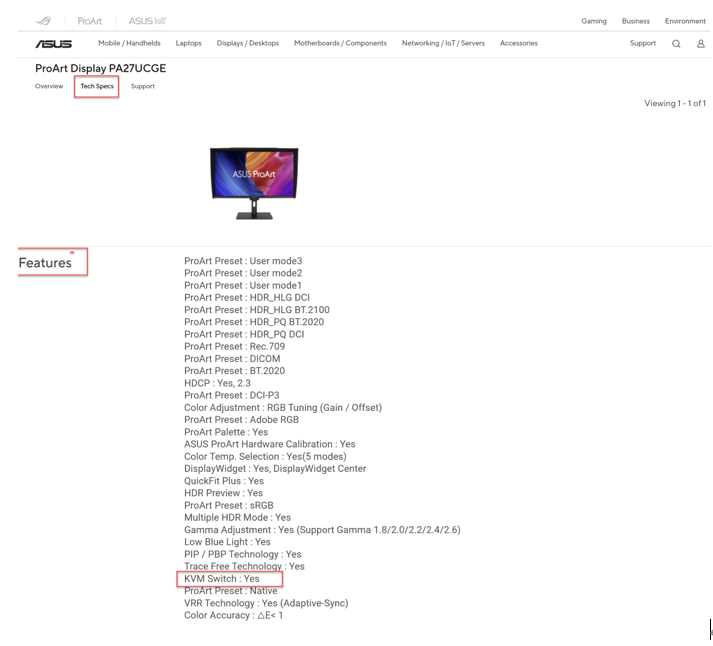
*ASUS ProArt monitor series uses KVM method: Auto KVM
1. Source connection setup:
1. Connection method: (  USB-C (with display function) and ( HDMI+
 USB-C).
Example:
 Computer 1: If there is a USB-C (with display function) port connection method.
 Computer 2: If there is HDMI+ USB-C port connection method.
① Monitor (USB-C) connected toComputer 1.
② Monitor HDMI + USB-C connected toComputer 2.
③ Monitor two (USB-A) ports connected to keyboard and mouse respectively.
(Example: PA27UCGE model)

2. OSD (Menu) setting method:
If you choose Computer 1:
a. First, confirm the signal source, assume it is USB-C, set as follows.

If you choose Computer 2:
a. First, confirm the signal source, assume it is HDMI-1 + USB-C, set as follows.

3. If you want to switch the source of Computer 1 or Computer 2 again?
On the physical function key, you can directly press the function key to quickly switch.
Question & Answer :
Question 1. What is upstream port 1?
Answer 1. Upstream port 1 is a USB Type-C port, supports (DP Alt Mode), can transmit video signals.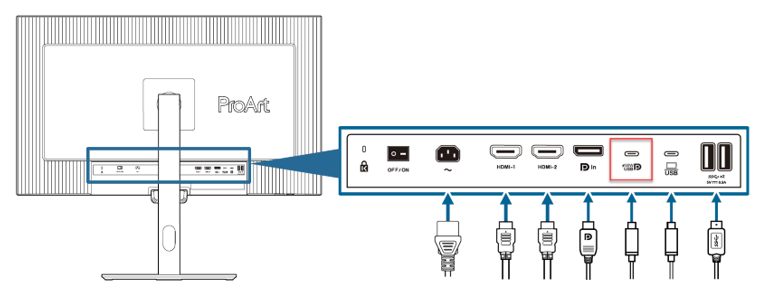
OSD: Settings -> KVM -> Upstream Port 1 -> Auto
Question 2, What is Upstream Port 2?
Answer 2, Upstream Port 2 is a USB Type-C port, but it is only for data transmission and does not support video signals.
You need to use it together with an HDMI-1 or HDMI-2 or DP port to enable display functionality.
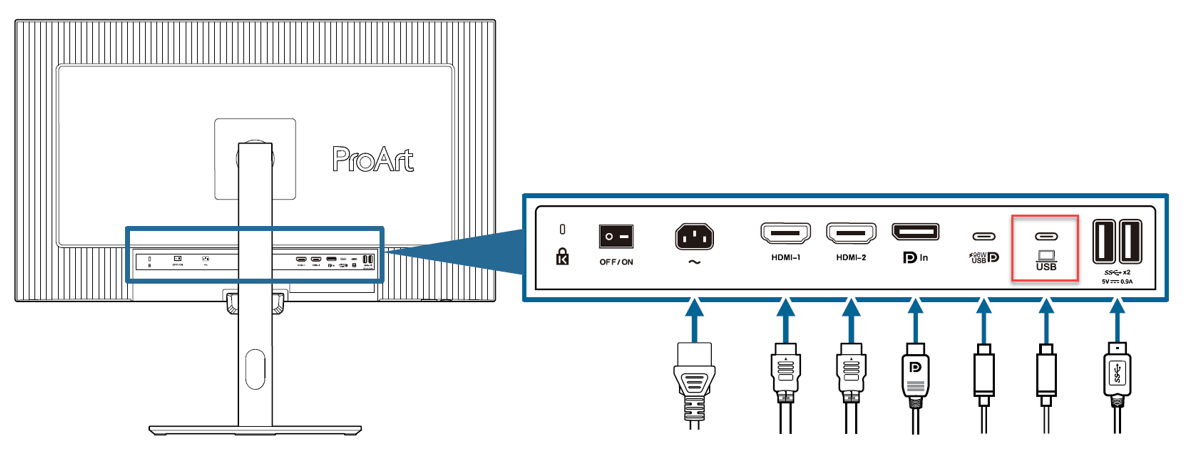
OSD: Settings -> KVM -> Upstream Port 2 -> HDMI-1 or HDMI-2 or DisplayPort.
Question 3, After rebooting, do I need to reconfigure my AUTO KVM option?
Answer 3, No need! It will retain the previous settings.