製品サポート
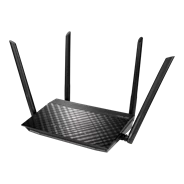
RT-AC59U 他のモデルを見つける
製品サポートを受ける
製品を登録する

    BIOS & FIRMWARE

    • Driver & Tools
    • BIOS & FIRMWARE

    ファームウェア
    ASUS RT-AC59U Firmware version 3.0.0.4.382.52497
    バージョン 3.0.0.4.382.52497
    14.98 MB
    2023/05/25

    This model was end of its life, and its firmware, utility, website, and manual will no longer be updated. For more details, please refer to https://www.asus.com/event/network/eol-product/

    1.Resolved the instability issue of the guest network caused by the bandwidth limiter.
    2.Addressed the problem of the 5G repeater mode being unable to connect with 160 MHz parent AP.
    3.Improved the connectivity for iPhones, making it easier for these devices to connect with the router.
    4.Rectified the disconnection issue when dual WAN switches to PPTP/L2TP WAN. --Pass
    5.Corrected the unsupported issue related to specific 3G/4G dongles.
    6.Successfully resolved the compatibility issue with Intel® Dual Band Wireless-AC 9560 5GHz.

    Please unzip the firmware file, and then verify the checksum.
    SHA256: 3aab95c793fe2e5280905950c3e1536519f3e80ff8c6ba5845c48aa15395617e

    DOWNLOAD
    詳細を表示
    ASUS RT-AC59U Firmware version 3.0.0.4.382.52482
    バージョン 3.0.0.4.382.52482
    14.97 MB
    2021/01/21

    - Added UI to enable/disable redirect DNS function in AP/Media Bridge mode.
    - Fixed bitrate incorrect issue in the wireless log.
    - Fixed WPS issue.

    Please unzip the firmware file first then check the MD5 code.
    MD5: 5e4d8500cd4186e32a9dbc25de2144cf

    DOWNLOAD
    詳細を表示
    ASUS RT-AC59U Firmware version 3.0.0.4.382.52274
    バージョン 3.0.0.4.382.52274
    14.67 MB
    2020/09/22

    - Improved system stability.
    - Update language support.

    Please unzip the firmware file first then check the MD5 code.
    MD5: 0808b20f1122560d35a66c6d41998c84

    DOWNLOAD
    詳細を表示
    ASUS RT-AC59U Firmware version 3.0.0.4.382.52272
    バージョン 3.0.0.4.382.52272
    14.67 MB
    2020/07/23

    Security update
    - Fixed DDoS vulnerability.
    - Fixed command injection vulnerability.
    - Fixed buffer overflow vulnerability.
    - Updated OTA function.

    The update server transport layer security was upgraded and the old protocol was removed.
    Please refer to the "Update Manually" section in https://www.asus.com/support/FAQ/1008000 to update the firmware.

    Please unzip the firmware file first then check the MD5 code.
    MD5: c2b4766f2dfe7c0f666b3e383656d186

    DOWNLOAD
    詳細を表示
    ASUS RT-AC59U Firmware version 3.0.0.4.382.52107
    バージョン 3.0.0.4.382.52107
    14.85 MB
    2020/02/24

    Please note that this firmware is only for RT-AC59U. Before updating firmware, please check the router hardware version which can be found on the serial number label of router.

    - Fixed 5G high band issue.
    - Improve system stability.
    - Support 3G/4G USB dongle.

    Please unzip the firmware file first then check the MD5 code.
    MD5: 83e1dc5341efb921305a581d23b710c6

    DOWNLOAD
    詳細を表示
    ASUS RT-AC59U Firmware version 9.0.0.4.382.51950
    バージョン 9.0.0.4.382.51950
    ベータバージョン
    14.4 MB
    2020/02/05

    Please be noted this is a beta version, if you want to roll back to the official version, you will need to process manual firmware update in web GUI.

    - Support 3G/4G USB dongle

    Please unzip the firmware file first then check the MD5 code.
    MD5: 25e6ba3b914d160e49eca65034b0ee25

    DOWNLOAD
    詳細を表示
    ASUS RT-AC59U Firmware version 3.0.0.4.382.51832
    バージョン 3.0.0.4.382.51832
    13.9 MB
    2019/08/23

    First release

    Please unzip the firmware file first then check the MD5 code.
    MD5: ab2bb8365c82d44b8afd422b145cffd9

    DOWNLOAD
    詳細を表示
    すべて表示する
    • 米国およびカナダでは、米連邦通信委員会(Federal Communications Commission)およびカナダ産業省(Industry Canada)の認証を受けた製品が販売されます。現地で購入可能な製品については、ASUS USAおよびASUS CanadaのWebサイトをご覧ください。
    • すべての仕様は、予告なしに変更されることがあります。実際の製品内容につきましては、サプライヤーにお尋ねください。製品はすべての国地域で入手できるわけではありません。
    • 仕様や機能は、モデルによって異なります。すべての画像はイメージです。詳細は仕様をご確認ください。
    • 基板色、同梱ソフトのバージョンは予告なく変更する場合がございます。
    • 前述のすべてのブランド名および製品名は、各社の商標または登録商標です。
    • HDMI、HDMI High-Definition Multimedia Interfaceという語、HDMIのトレードドレスおよびHDMIのロゴは、HDMI Licensing Administrator, Inc.の商標または登録商標です。
      • USB 3.0、3.1、3.2、および/またはType-Cの実際の転送速度は、ホストデバイスの処理速度、ファイル属性、およびシステム構成と動作環境により異なります。
      • ワイヤレスの特性上、ご利用になる建物の構造・材質、障害物、設置状況、電波状況などの使用環境により、通信速度の低下や想定した数値と異なる場合がありますのであらかじめご了承ください。
      • 現在のIEEE 802.11ac/802.11ax規格に基づく、ネットワーク速度と帯域幅を引用。実際の性能は、ネットワークおよびサービスプロバイダーの要因、インターフェイスの種類、およびその他の条件の影響を受ける可能性があります。十分な結果を得るためには、接続デバイスが802.11ac/802.11ax規格に対応している必要があります。
      • WPA/WPA2エンタープライズはシングルルーターでのみ使用可能で、AiMeshモードでは使用できません。
      • 従来のQoSを有効にした場合、実際のインターネットサービスの帯域幅や環境の違いにより制限が生じ、速度が低下する恐れがあります。
      • USB外付けハードディスクと4G/5Gモデム端末の電源要件が異なるため、外付けデバイスを安定して使用できるように、USB外付けデバイスが標準USB 2.0 (5V/500mA) およびUSB 3.1 Gen 1 (5V/900mA) の電源要件を超える場合は、独立した外部電源で使用する必要があります。
      • 本製品を第三者のサービスと組み合わせて使用する場合、お客様は第三者のサービス提供者の利用規約およびプライバシーポリシーを遵守する責任を負い、またそれらの使用によるリスクも負うものとします。ASUSは、ASUS製品以外の製品に対するサポートや継続的な統合サポートの提供はいたしません。