
Find your perfect match
Compare up to 4 products
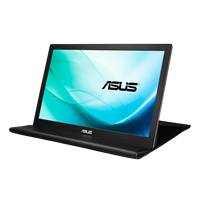
Compare details
Download pdf
Copy link
Display
Panel Size (inch) : 15.6
Aspect Ratio : 16:9
Display Viewing Area (H x V) : 344.23*193.54mm
Display Surface : Anti-Glare
Backlight Type : LED
Panel Type : TN
Viewing Angle (CR≧10, H/V) : 90°/ 65°
Pixel Pitch : 0.252mm
Resolution : 1366x768 (WXGA )
Brightness (Typ.) : 220cd/㎡
Contrast Ratio (Typ.) : 500:1
Display Colors : 260K
Response Time : 10ms(Tr+Tf)
Refresh Rate (Max) : 60Hz
Flicker-free : No
Aspect Ratio : 16:9
Display Viewing Area (H x V) : 344.23*193.54mm
Display Surface : Anti-Glare
Backlight Type : LED
Panel Type : TN
Viewing Angle (CR≧10, H/V) : 90°/ 65°
Pixel Pitch : 0.252mm
Resolution : 1366x768 (WXGA )
Brightness (Typ.) : 220cd/㎡
Contrast Ratio (Typ.) : 500:1
Display Colors : 260K
Response Time : 10ms(Tr+Tf)
Refresh Rate (Max) : 60Hz
Flicker-free : No
Panel Size (inch) : 15.6
Aspect Ratio : 16:9
Display Viewing Area (H x V) : 344.23 x 193.53 mm
Backlight Type : LED
Panel Type : IPS
Viewing Angle (CR≧10, H/V) : 160°/ 160°
Pixel Pitch : 0.179mm
Resolution : 1920x1080
Brightness (Typ.) : 200cd/㎡
Contrast Ratio (Typ.) : 700:1
600:1
Display Colors : 260K
Response Time : 25ms(Tr+Tf)
16ms(Tr+Tf)
Refresh Rate (Max) : 60Hz
Aspect Ratio : 16:9
Display Viewing Area (H x V) : 344.23 x 193.53 mm
Backlight Type : LED
Panel Type : IPS
Viewing Angle (CR≧10, H/V) : 160°/ 160°
Pixel Pitch : 0.179mm
Resolution : 1920x1080
Brightness (Typ.) : 200cd/㎡
Contrast Ratio (Typ.) : 700:1
600:1
Display Colors : 260K
Response Time : 25ms(Tr+Tf)
16ms(Tr+Tf)
Refresh Rate (Max) : 60Hz
Battery
Battery : NA
Power Consumption
Power Consumption : 4.88 W
Power Saving Mode : <0.5W
Power Off Mode : <0.3W
Voltage : DC: 5V, 3A
Power Saving Mode : <0.5W
Power Off Mode : <0.3W
Voltage : DC: 5V, 3A
Power Consumption : <7.5W
Power Saving Mode : <0W
0W
Power Off Mode : 0W (hard switch)
0W
Voltage : 100-240V, 50/60Hz
Power Saving Mode : <0W
0W
Power Off Mode : 0W (hard switch)
0W
Voltage : 100-240V, 50/60Hz
Accessories (vary by regions)
ZenScreen sleeve
Warranty Card
USB 3.2 cable
Quick start guide
Warranty Card
USB 3.2 cable
Quick start guide
Warranty Card
USB 3.0 cable
Quick start guide
ASUS Smart Case
USB 3.0 cable
Quick start guide
ASUS Smart Case
Note
For auto rotation/brightness/contrast adjustment functions, please go to product page, find "support" tab to download and install latest DisplayWidget tool. * DisplayWidget is working under Windows OS only.
*To support brightness adjustment and auto rotation functions, for Win7 and Win8 & 8.1 users, please download and install EZLink; for Win10 users, please download and install DisplayWidget. (Both Ezlink and DisplayWidget are working under Windows OS only)
Weight (Esti.)
Net Weight without Stand : 0.78 kg (1.72 lbs)
Gross Weight : 1.65 kg (3.64 lbs)
Mechanical Design
Height Adjustment : No
1/4" Tripod Socket : Yes
Tilt : Yes (with supportive case)
Height Adjustment : No
Dimensions (Esti.)
Phys. Dimension without Stand (W x H x D) : 36.01 x 22.50 x 1.18 cm (14.18" x 8.86" x 0.46")
Box Dimension (W x H x D) : 43.40 x 29.00 x 7.60 cm (17.09" x 11.42" x 2.99")
Phys. Dimension (W x H x D) : 37.90 x 23.60 x 0.85 cm (14.92" x 9.29" x 0.33")
Box Dimension (W x H x D) : 43.50 x 29.70 x 5.70 cm (17.13" x 11.69" x 2.24")
Phys. Dimension without Stand (W x H x D) : 37.90 x 23.60 x 0.85 cm (14.92" x 9.29" x 0.33")
Box Dimension (W x H x D) : 43.50 x 29.70 x 5.70 cm (17.13" x 11.69" x 2.24")
Phys. Dimension without Stand (W x H x D) : 37.90 x 23.60 x 0.85 cm (14.92" x 9.29" x 0.33")
I/O Ports
USB 3.2 (Signal) : x 1
Features
HDCP : Yes
DisplayWidget : Yes
DisplayWidget : Yes
HDCP : Yes
DisplayWidget : Yes
DisplayWidget : Yes
Audio
Speaker : No
Speaker : No
- The actual transfer speed of USB 3.0, 3.1, 3.2, and/or Type-C will vary depending on many factors including the processing speed of the host device, file attributes and other factors related to system configuration and your operating environment.
