test
Last Update : 2025/07/21
Product Serial Number
How to Find the Serial Number of Your ASUS Device ?
Your ASUS serial number is a unique identifier used for warranty,
support, and product tracking. Here's how to quickly locate it across
different types of devices.
What is a Serial Number and Why Do You Need It
A serial number (S/N) is a unique code assigned to each device to
distinguish it from others. It's often required for:
- Warranty or repair requests
- Live chat and customer support
- Firmware and driver updates
- Product registration
Where to Find the Serial Number (All Device Types)
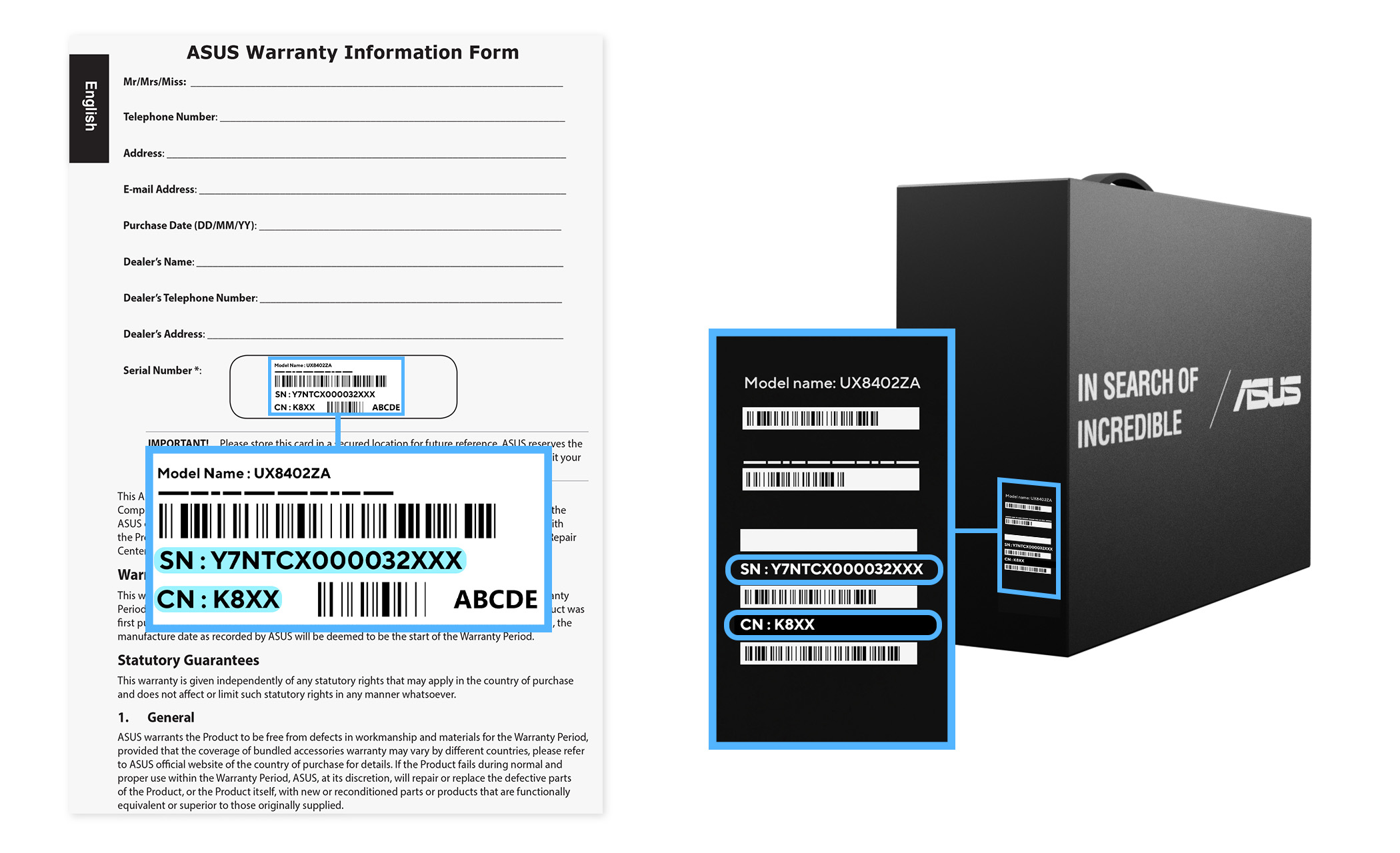
You can find the serial number on the packaging box or warranty
card as shown above.
Find your serial number on the product sticker:
Find your serial number through your system or BIOS:
How to Find Serial Number in BIOS:
Press F2 at startup.


Open MyASUS.

Press F2 at startup.
Open MyASUS.
On the login screen, press ALT + V on the keyboard.

Open MyASUS.
Press F2 or Del at startup.
Open MyASUS.

After connecting the device to your phone, open the Purego app and
tap "Settings".

Press the Volume Down button during startup.

Open MyASUS.
Press F2 at startup.

Tap "Settings" > "System" > "About phone" > "Status".

Press F2 at startup.
Models that support the Display Widget Center feature can read the
machine's serial number.
