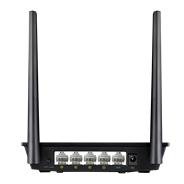
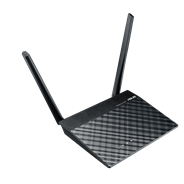
Wireless-N300 Range Extender / Access Point / Media Bridge
  • External antenna enhances Wi-Fi signal coverage and boosts your Wi-Fi everywhere
  • Quick and secure setup via a press of the WPS button
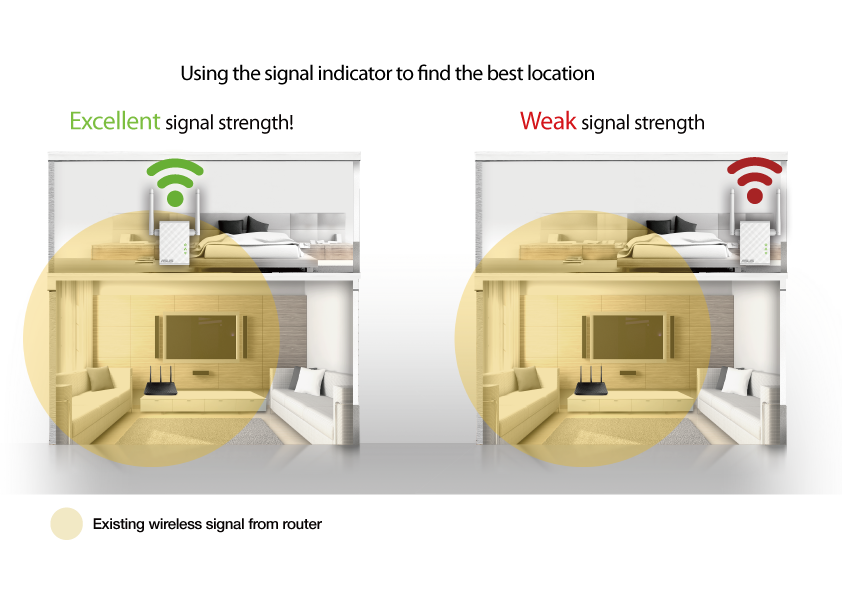
  • Smart LED signal indicator helps you find the best location for optimum Wi-Fi performance
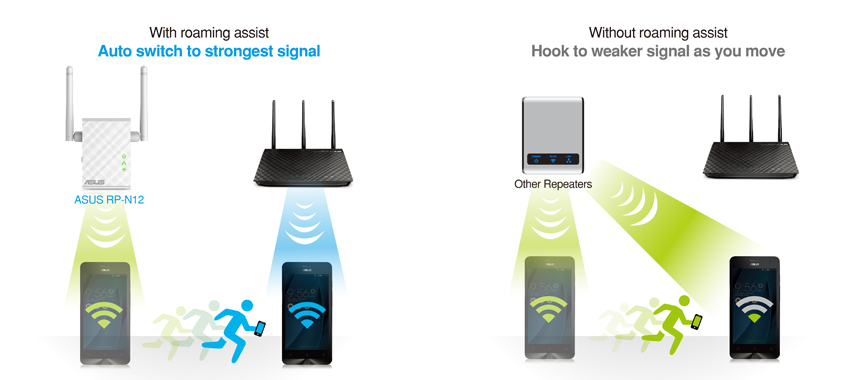
  • Roaming Assist helps you to get a stable connection everywhere in the home or office
RP-N12

Fill Your Home with Wi-Fi

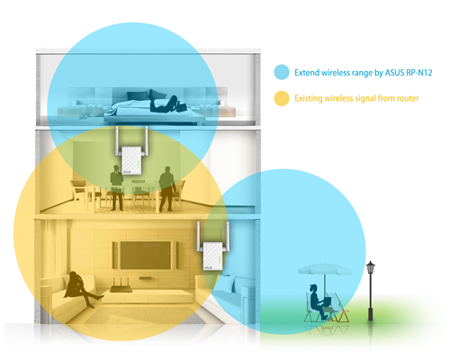
The RP-N12 wireless range extender has powerful external MIMO antennas that help to eliminate signal dead zones and improve the coverage of any existing wireless router. It works as a range extender, which means it can extend wireless networking to every corner of the home — even to those difficult, hard-to-reach spots. This ensures reliable high-speed internet coverage everywhere for devices such as notebooks, tablets, smartphones, game consoles and smart TVs.


One-press setup and worry-free connectivity

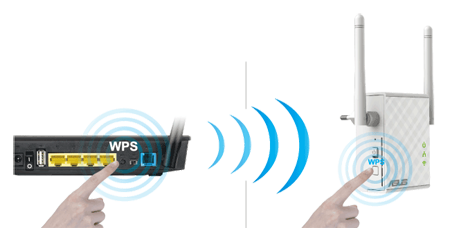
RP-N12 wireless range extender installation doesn’t require a CD or even a mouse and keyboard. Simply press the WPS button and setup is complete. Optimized performance is assured for a seamless and smooth internet experience. For advanced settings, you can connect RP-N12 to a PC via an Ethernet cable and access the web-based configuration menu directly, with no disc or app needed. You can even set it up wirelessly from a tablet or smartphone.


Find the best location for RP-N12 with the signal indicator

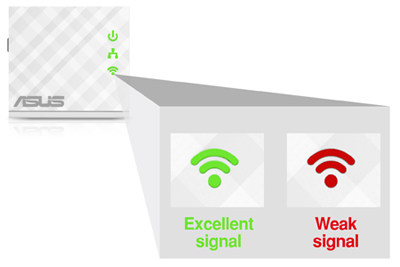
For best results, RP-N12 needs to be within range of a stable router signal, and should be placed between the router and the location where you need better wireless coverage. RP-N12 works best when it is receiving a strong wireless signal from the router — you can check this by using the signal strength indicator on the front panel.


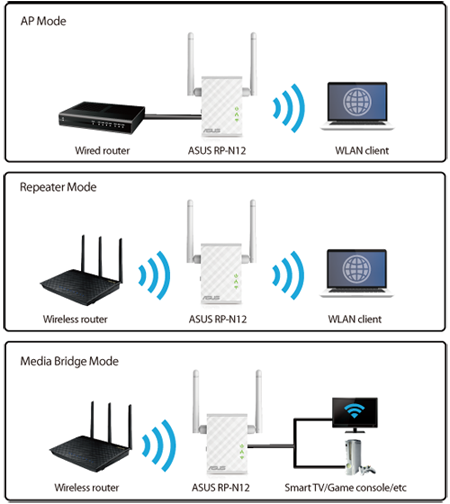
3-in-1 repeater, access point and media bridge modes

RP-N12 has two more convenient modes to make it even more flexible. As well as a repeater, it can also work as a wireless access point (AP) or as a media bridge. In AP mode, it can be connected to any wired LAN — for example, a hotel’s internet connection — to create a personal Wi-Fi hotspot, allowing the internet connection to be accessed from laptops, phones or other Wi-Fi devices. In media bridge mode, it can be connected to any Ethernet-compatible device — such as a smart TV, multimedia player, game console or PC — to give it Wi-Fi capability. A great way to reduce cable mess!


Roaming Assist for stable connections, everywhere!

With our hassle-free Roaming Assist technology, you never have to switch connections manually between RP-N12 and your ASUS router as you move around the home. Once you enable this function, your device will connect automatically to the strongest Wi-Fi signal, whether it’s from the router or the repeater. This ensures that you always get a reliable connection wherever you are in the house1.

Keep Up to Date!

Remember to always keep your device’s firmware up to date so you can benefit from the very latest service and security enhancements — and get exciting new features! Learn more about updating new firmware.


Disclaimer: 1. The effectiveness of the Roaming Assist function varies according to environmental factors. This ASUS-exclusive function works only with ASUS routers.

Related products
previous image
next image
  • All specifications are subject to change without notice. Please check with your supplier for exact offers. Products may not be available in all markets.
  • PCB color and bundled software versions are subject to change without notice.
  • Brand and product names mentioned are trademarks of their respective companies.
  • Ultrabook, Celeron, Celeron Inside, Core Inside, Intel, Intel Logo, Intel Atom, Intel Atom Inside, Intel Core, Intel Inside, Intel Inside Logo, Intel vPro, Itanium, Itanium Inside, Pentium, Pentium Inside, vPro Inside, Xeon, Xeon Phi, and Xeon Inside are trademarks of Intel Corporation or its subsidiaries in the U.S. and/or other countries.
  • Product specifications may differ from country to country. We recommend that you check with your local dealers for the specifications of the products available in your country. Colors of products may not be perfectly accurate due to variations caused by photography and monitor settings.Due to photographic variables and conditions, actual product appearance may differ from images shown on this site.Although we endeavor to present the most accurate and comprehensive information at the time of publication, we reserve the right to make changes without prior notice.
  • The terms HDMI and HDMI High-Definition Multimedia Interface, HDMI trade dress and the HDMI Logos are trademarks or registered trademarks of HDMI Licensing Administrator, Inc. in the United States and other countries.

*ASUS will not be responsible for customer induced damage to the product, or to user-added materials applied to the product.