Povezane teme
[Motherboard] How to install motherboard drivers and utilities?
If you need to install drivers and utilities, you can install them through DriverHub or ASUS Support Site, and please make sure that your internet is well connected first.
Agenda:
1. How to install drivers and utilities through ASUS Support Site?
2. How to install drivers and utilities through DriverHub?
Method 1. To install drivers and utilities through ASUS Support Site, please follow the steps below
1. Please go to the ASUS Support Site first, type the product name in the search bar, and then click①Enter on the keyboard.

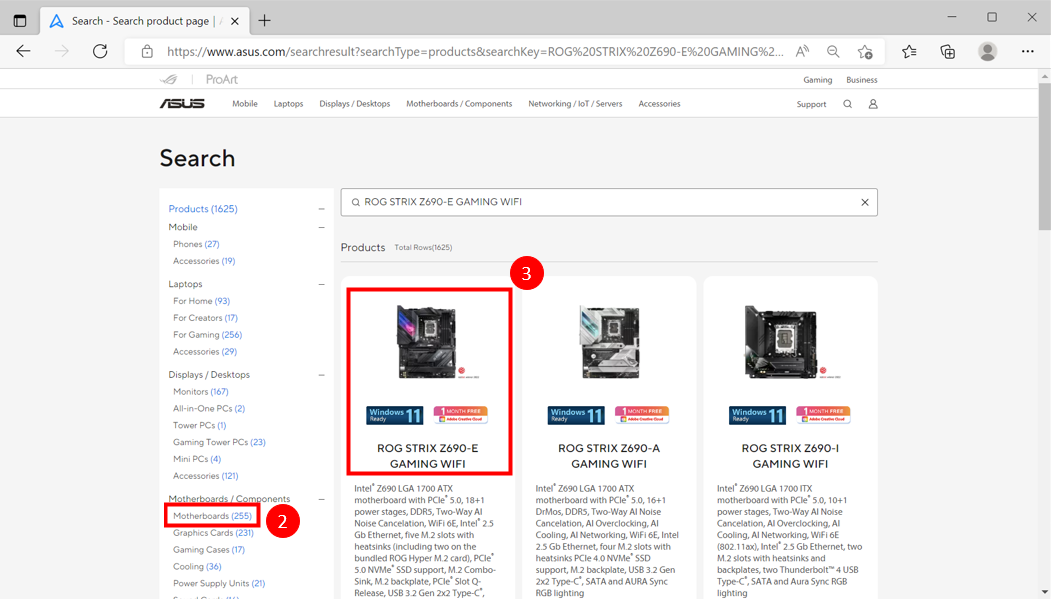
2. After the search result appears, please select②[Motherboards] in the [Motherboards/Components] category, and then click③the product you are looking for.
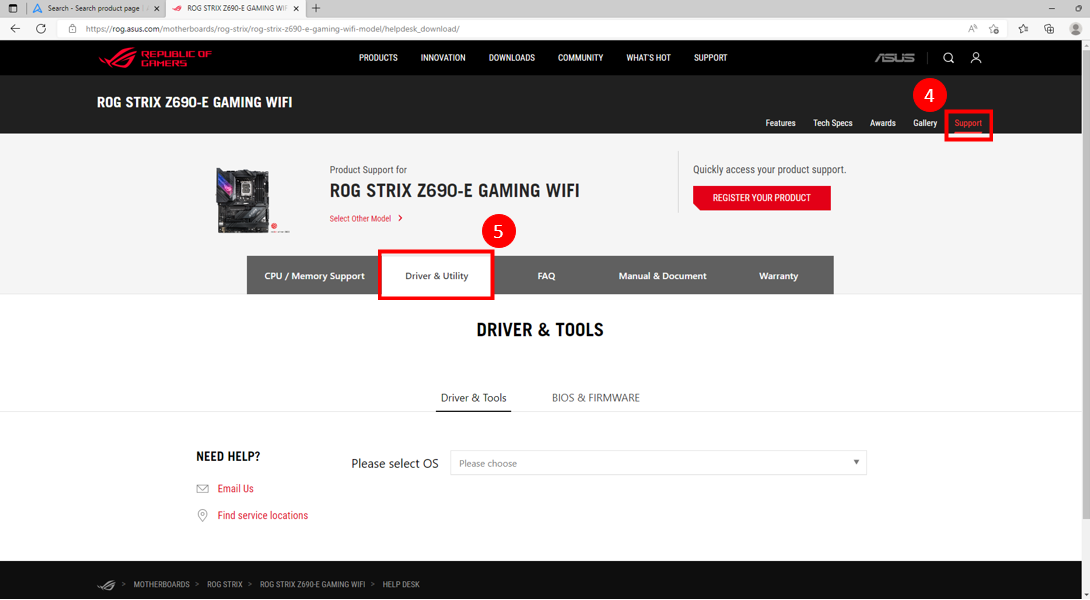
3. After entering the product page, click④Support, and click⑤Driver and Utility.
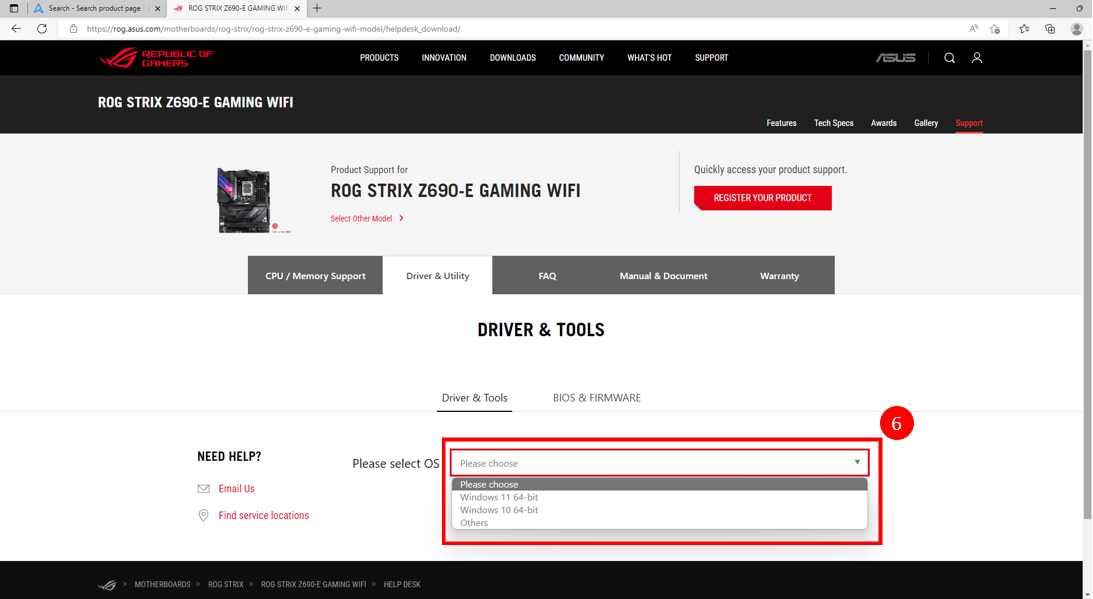
4. Click the drop-down menu and select the operating system version you are using⑥.
Note: ASUS only provides drivers and utilities for supported operating systems. If you use other operating systems, please be sure to obtain drivers from other channels.
5. All drivers and utilities will be listed on the product support page. Find the item you need to download, and click⑦[Download] to start downloading.

Method 2. To install drivers and utilities through DriverHub
please refer to FAQ [Motherboard] Introduction to ASUS DriverHub