ASUS Device Activation Security Update for ASUS PCs
● How to check the ASUS Device Activation version:
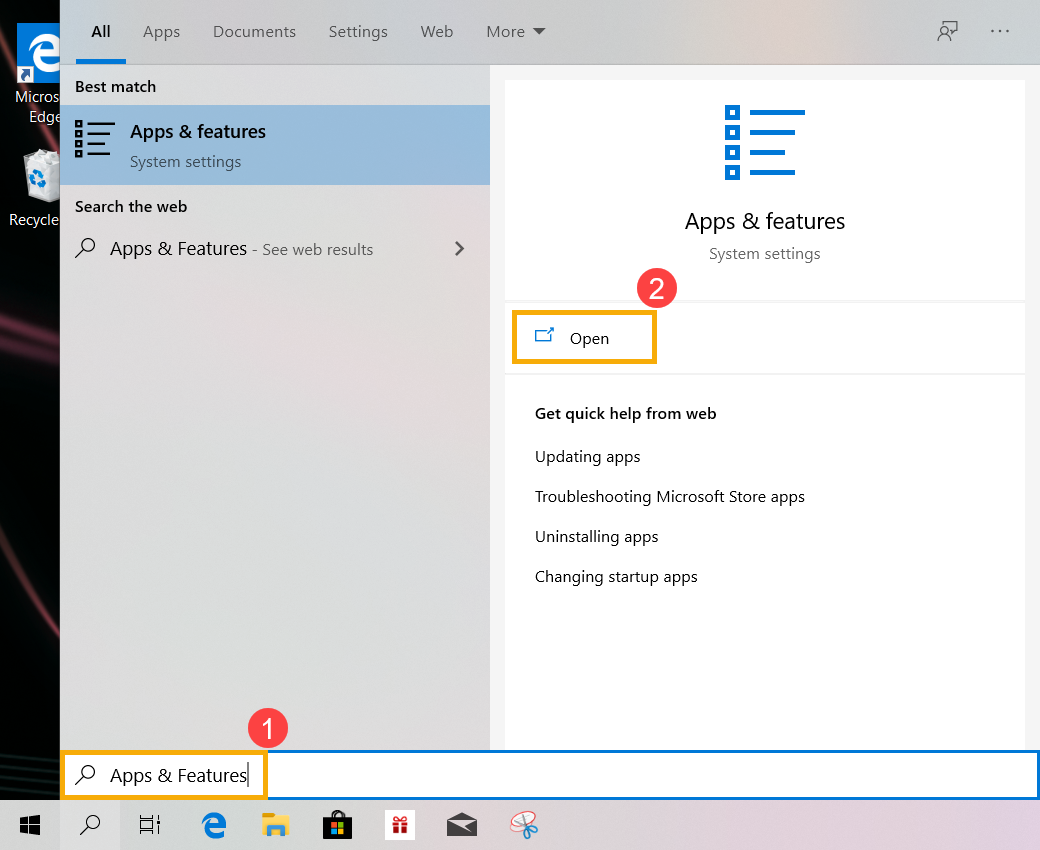
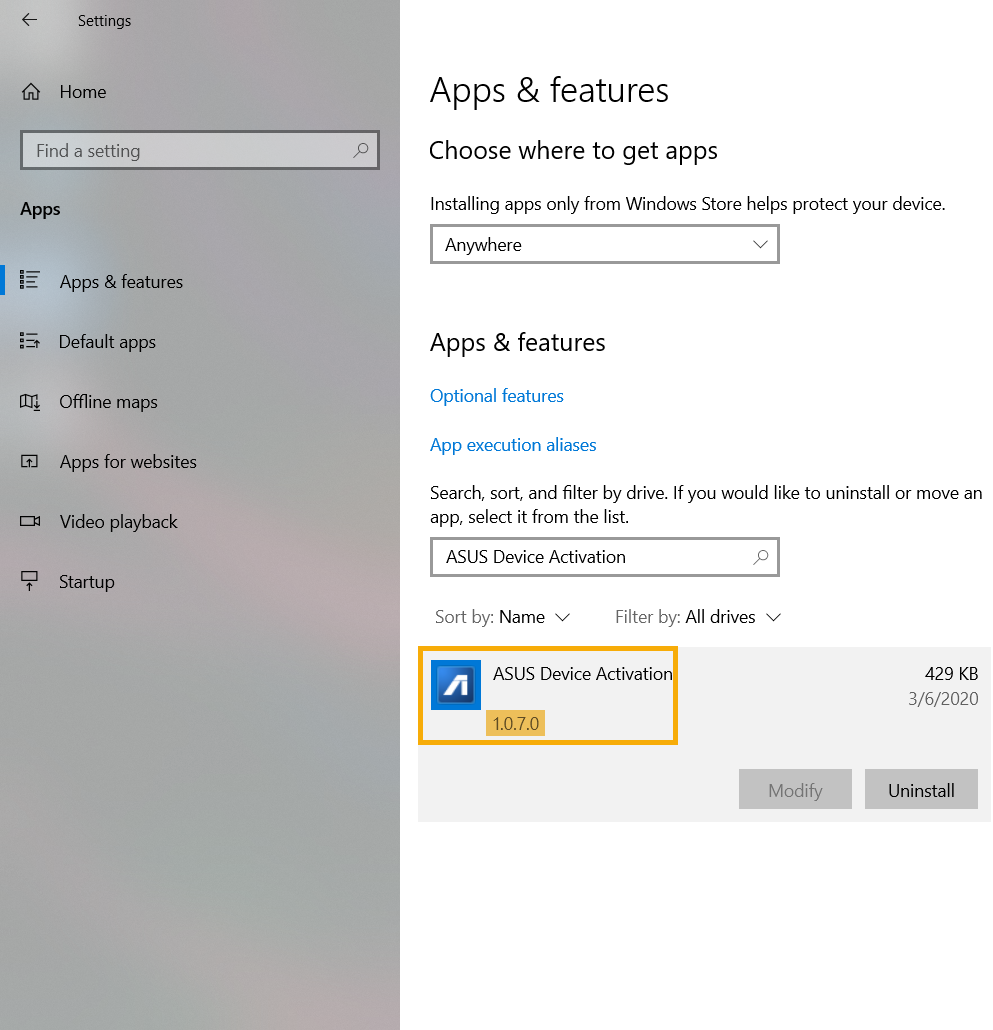
a. Type and search [Apps & features] in the Windows search bar(1), then click on [Open](2).
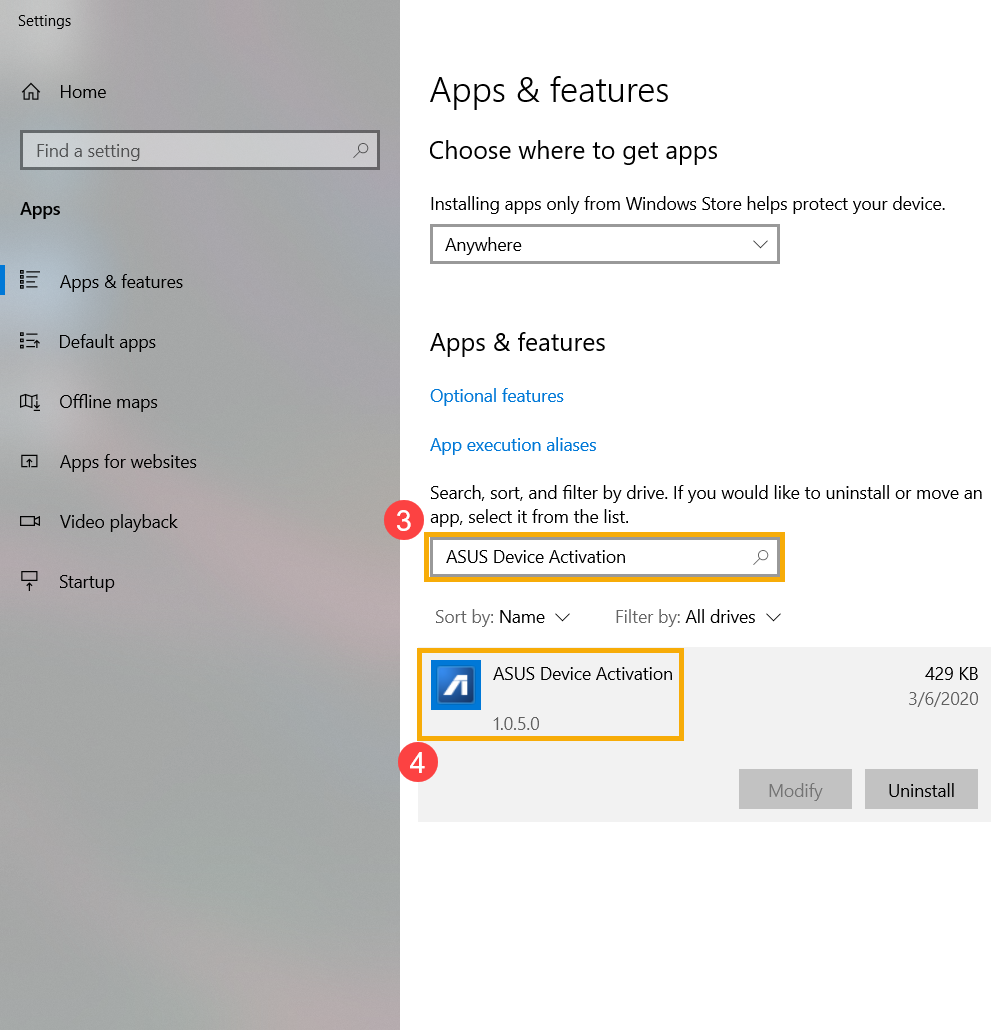
b. Type and search [ASUS Device Activation](3) in the search bar, then click on ASUS Device Activation so that you are able to check what the version is(4).
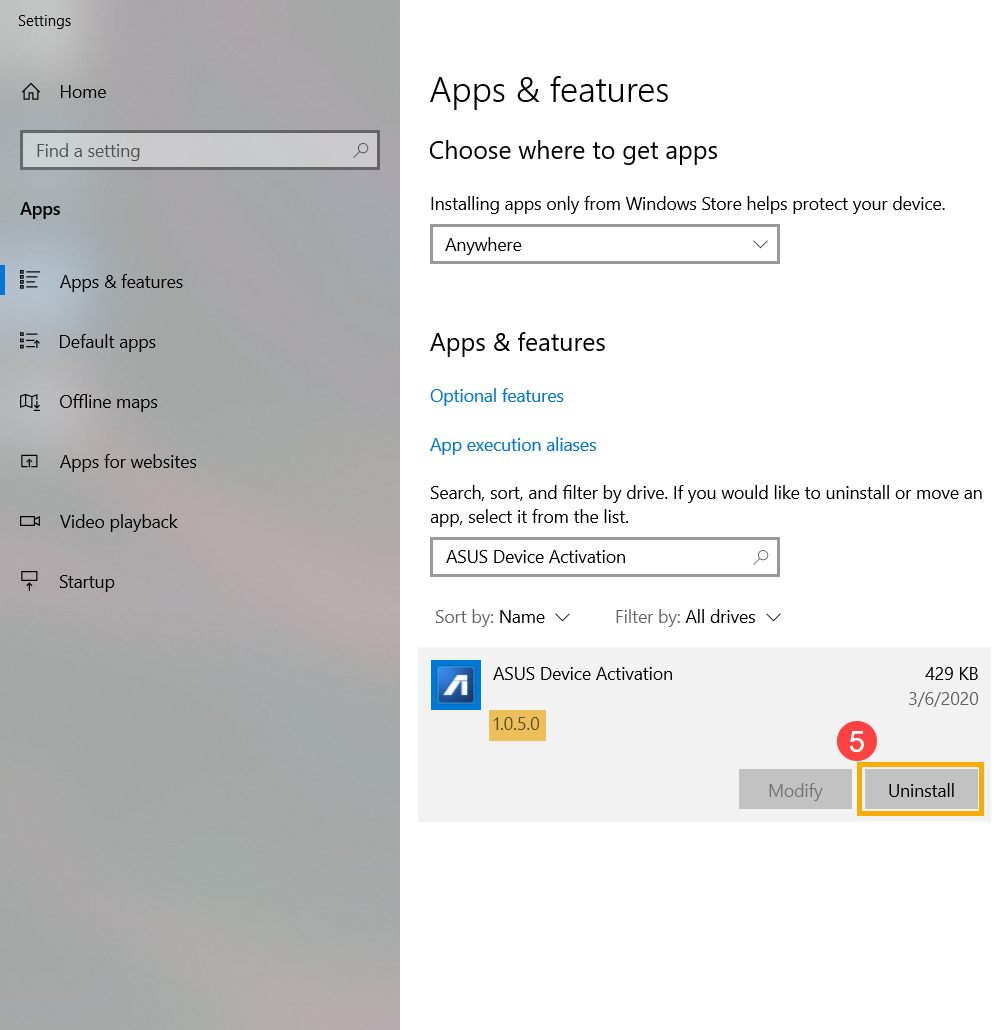
c. If the version of ASUS Device Activation installed is prior to 1.0.7.0, then click on [Uninstall](5) to remove it.
● How to update ASUS Device Activation
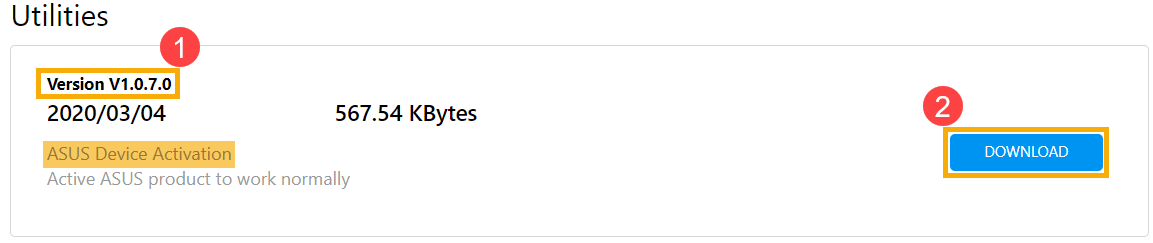
a. Please go to the ASUS Support Site to download and install the [ASUS Device Activation] utility, learn more about How to search and download utilities. (The following pictures are the current version as a reference, please download the latest version from the ASUS Support Site.)
※ Note: Please make sure the [Driver version] shows as version 1.0.7.0 or later(1), then start [Downloading and Installing] it(2).
b. After the installation is completed, please check it again to confirm the latest version (1.0.7.0 or later version) of ASUS Device Activation is correctly installed.
Kontakta oss om ovanstående information inte löser ditt problem
Informationen ovan kan delvis eller helt citeras från externa webbplatser eller källor. hänvisa till informationen baserad på källan som vi noterade. Vänligen kontakta eller fråga källorna direkt om det finns några ytterligare frågor och notera att ASUS varken är relevant eller ansvarig för dess innehåll/tjänst
Denna information kanske inte passar för alla produkter från samma kategori/serie. Vissa av skärmdumparna och operationerna kan skilja sig från programversionerna.
ASUS tillhandahåller ovanstående information endast som referens. Om du har några frågor om innehållet, vänligen kontakta ovanstående produktleverantör direkt. Observera att ASUS inte är ansvarigt för innehållet eller tjänsten som tillhandahålls av ovanstående produktleverantör.