[IP camera] How do I check if my Base Station is online?
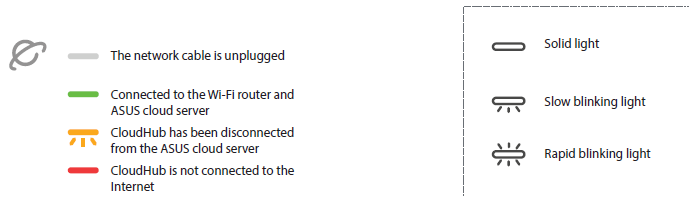
Once your Base Station has been connected to the Internet and has been bound to an account, the Network LED will turn Solid Green.
1. If the Network LED turns Solid Red, your Base Station has been disconnected from the Internet.
Please check your router's settings.
2. If the Network LED is off, your Base Station's ethernet cable might be unplugged or damaged.
Please check your ethernet cable.
You can also check the connection status of your Base Station using the ASUS ZenEye App.
1. If you are able to watch live streams from your ZenEye Cams connected to your Base Station or configure your Base Station's settings, your Base Station is connected to the Internet.
2. If your Base Station goes offline, all of the ZenEye Cams paired to the Base Station will show as offline or disconnected on the Viewer page.
3. You can also check your notifications to see if there are any Base Station related messages.
For more product information, please refer to https://www.asus.com/Networking-IoT-Servers/Smart-Home/All-series/ASUS-ZenEye/