ASUS Device Activation - Aktualizace zabezpečení pro počítače ASUS
● Jak zjistit verzi ASUS Device Activation:
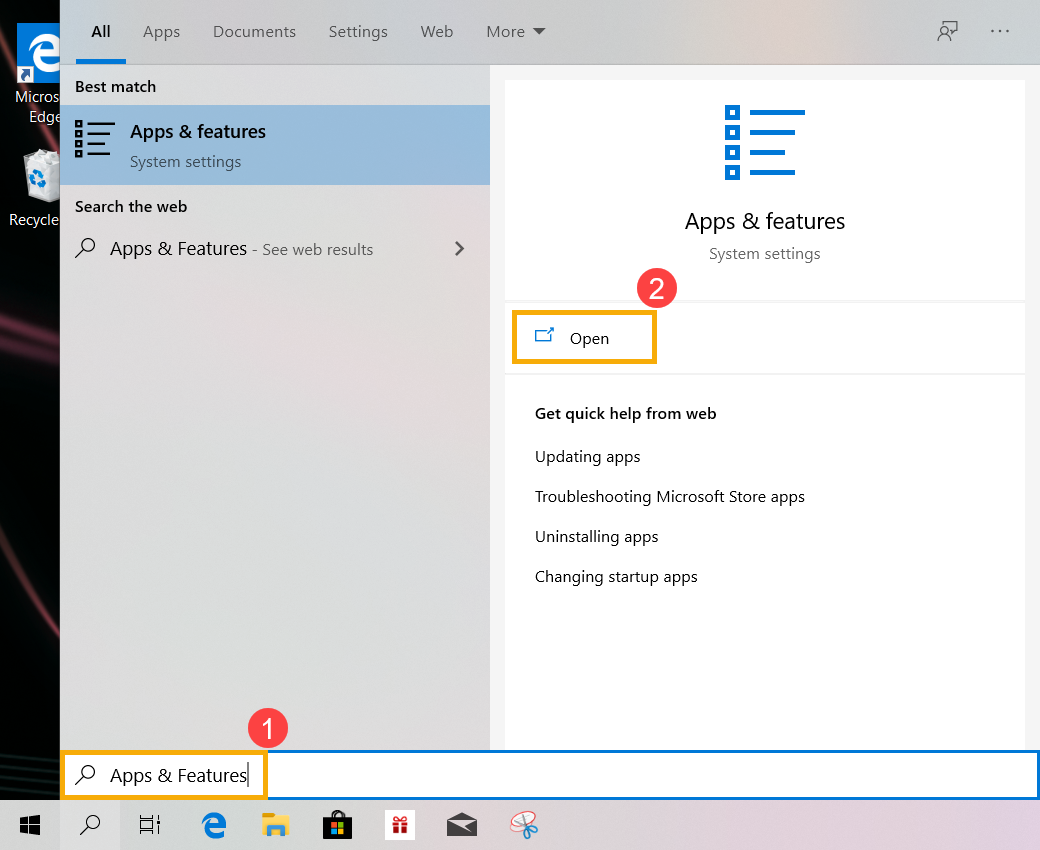
a. Do vyhledávací lišty ve Windows zadejte [Aplikace & funkce] (1), poté klikněte na [Otevřít](2).
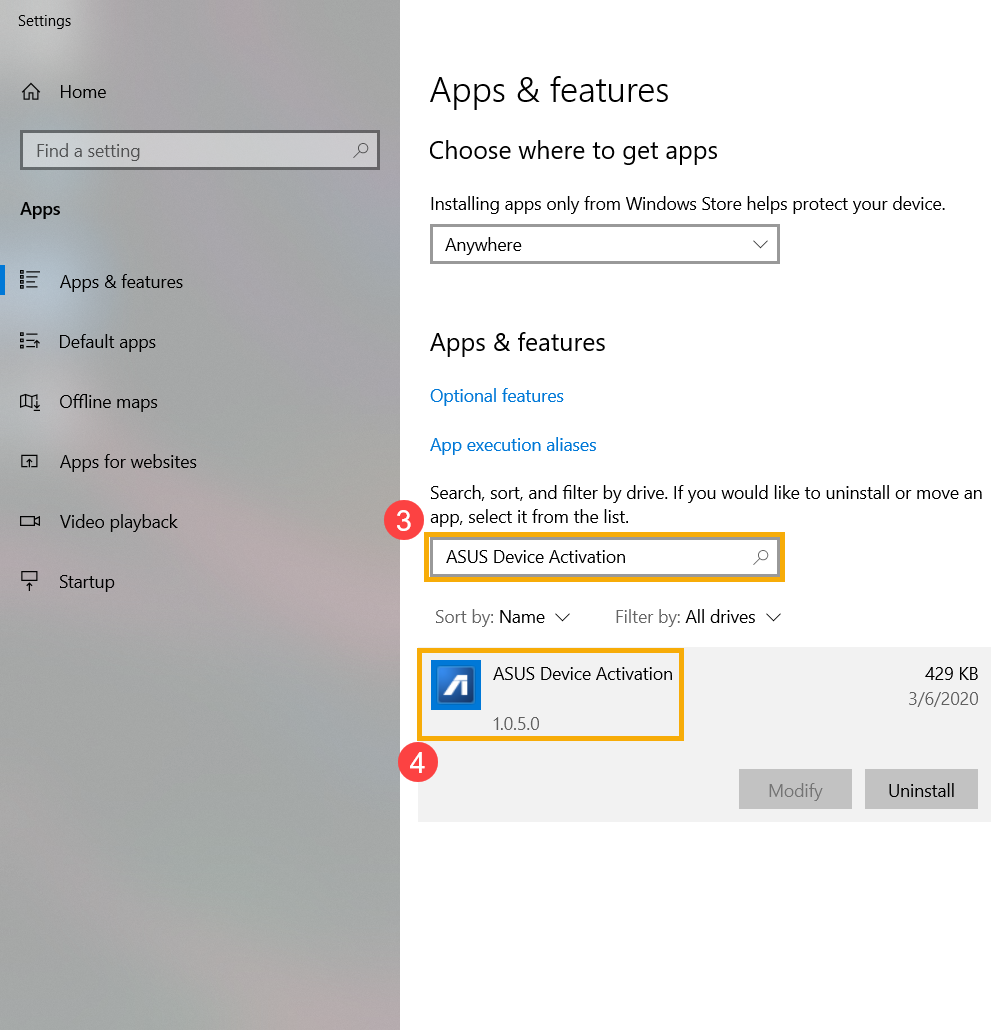
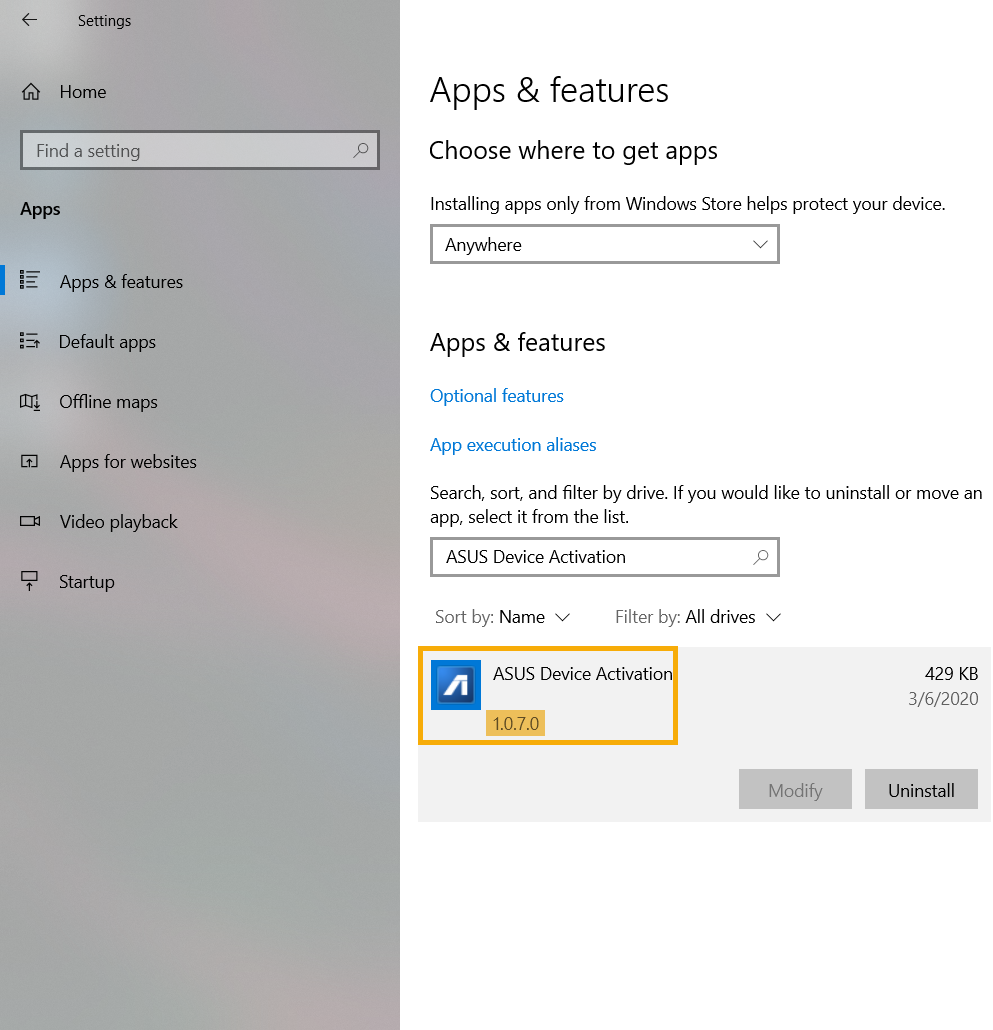
b. Do vyhledávací lišty zadejte [ASUS Device Activation](3), poté klikněte na ASUS Device Activation a zkontrolujte verzi 4).
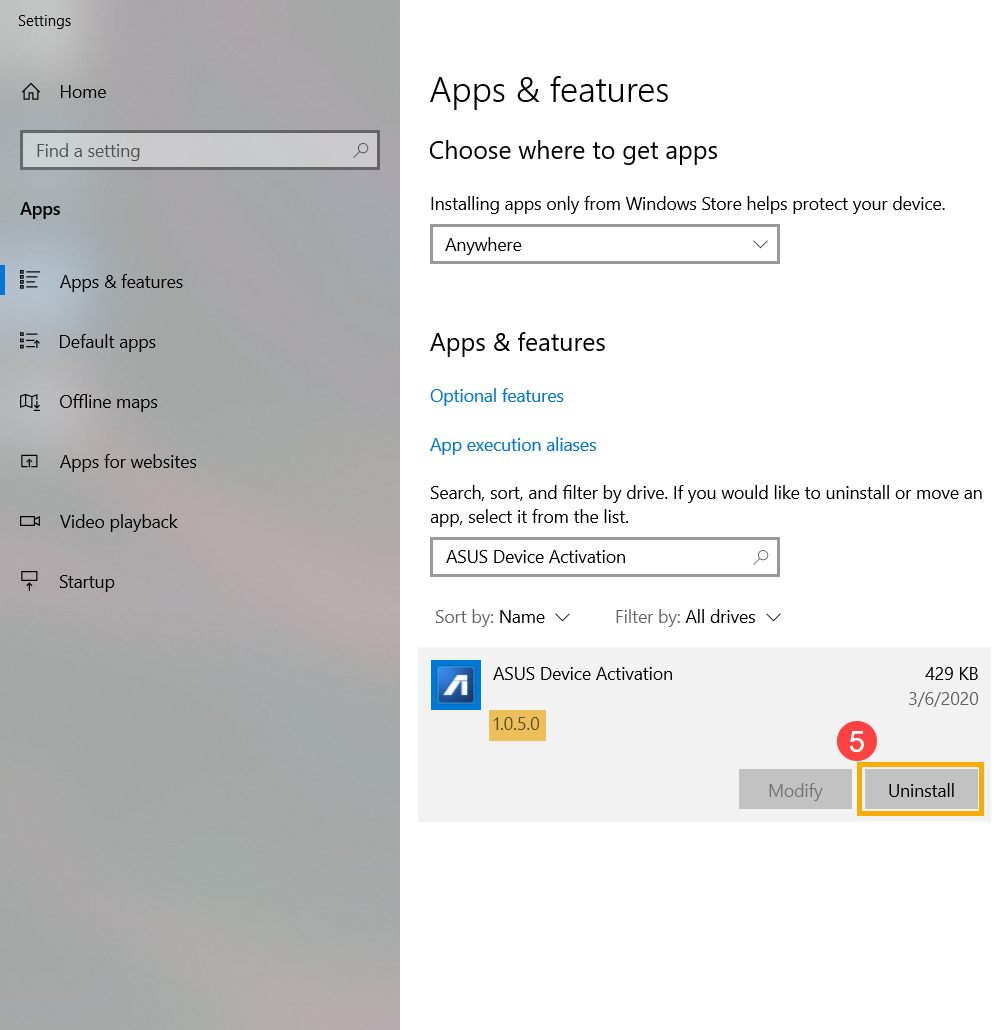
c. Pokud máte nainstalovanou starší verzi ASUS Device Activation než 1.0.7.0, kliknutím na [Odinstalovat](5) ji odstraňte.
● Jak aktualizovat ASUS Device Activation
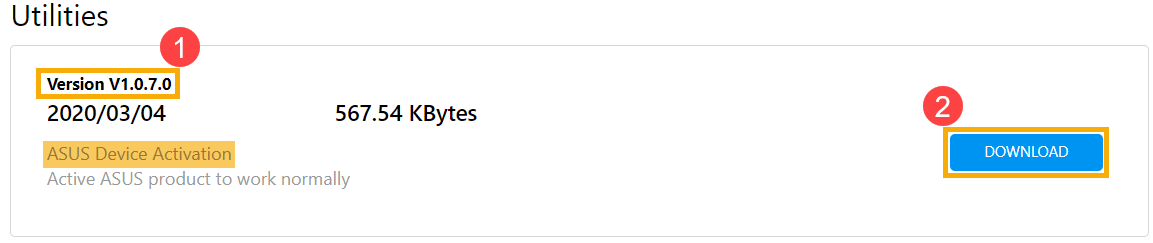
a. Přejděte na stránky ASUS podpory a stáhněte a nainstalujte utilitu [ASUS Device Activation]. Více informací v FAQ Jak vyhledat a stánout utility. (Následujíácí obrázky prezentují aktuální verzi, nejnovější verzi stáhnete ze stránek ASUS podpory.)
※ Poznámka: Ujistěte se, že máte [verzi ovladače] 1.0.7.0 nebo novější(1), poté spusťte [Stažení a instalace] it(2).
b. Po dokončení instalace znovu ověřte, zda je nejnovější verze (1.0.7.0 nebo novější) ASUS Device Activation správně nainstalovaná.
Ak informácie uvedené vyššie váš problém nevyriešia, kontaktujte nás
Above information might be partly or entirely quoted from exterior websites or sources. please refer to the information based on the source that we noted. Please directly contact or inquire the sources if there is any further question and note that ASUS is neither relevant nor responsible for its content/service
This information may not suitable for all the products from the same category/series. Some of the screen shots and operations could be different from the software versions.
ASUS provides the above information for reference only. If you have any questions about the content, please contact the above product vendor directly. Please note that ASUS is not responsible for the content or service provided by the above product vendor.