Jak stáhnout CE Prohlášení o shodě na webových stránkách ASUS?
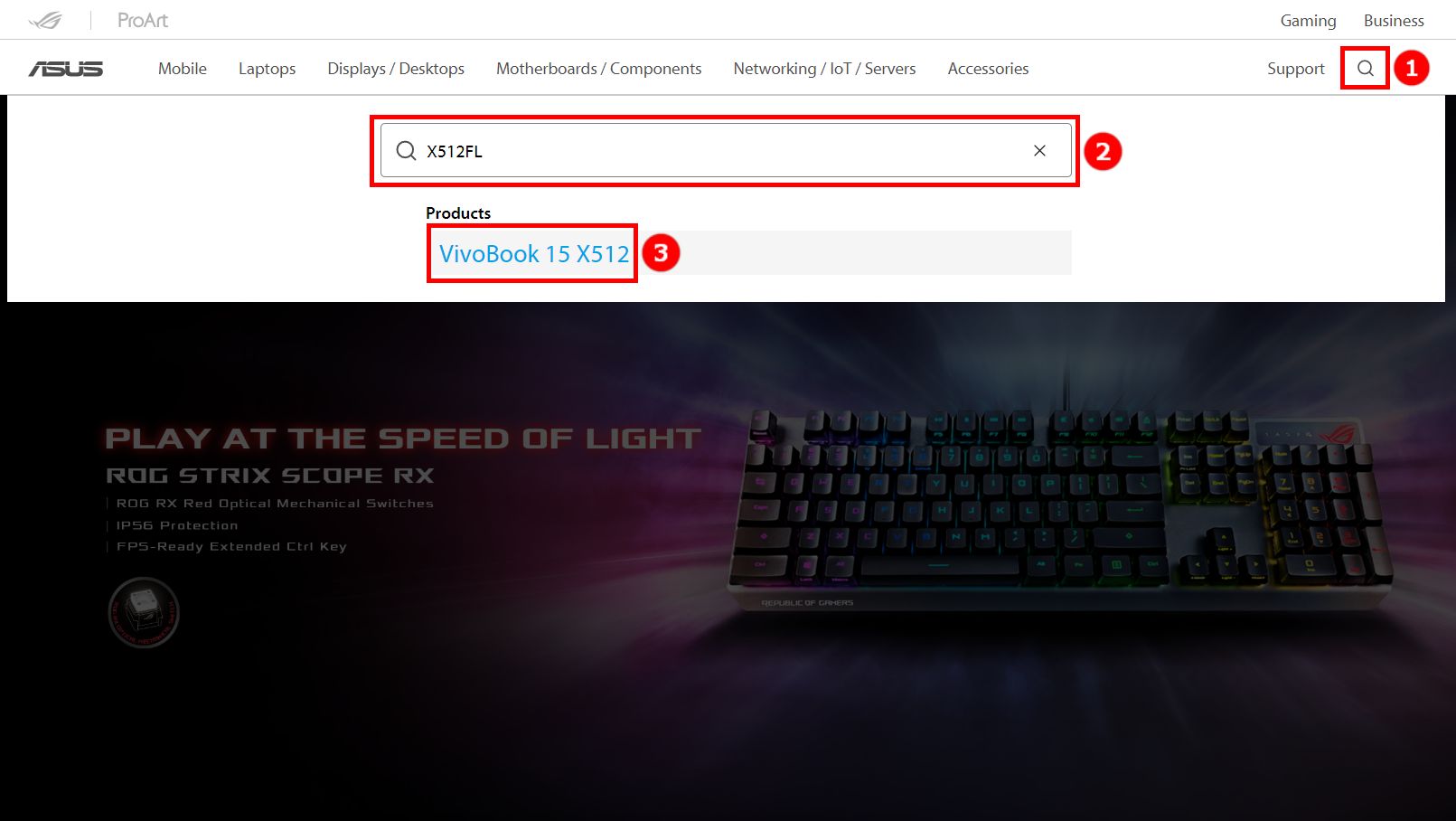
1. Jděte na Webová stránka ASUS. Klikněte na ikonu ①[Vyhledat], zadejte váš produkt ②[Název modelu], a klikněte na ③[Produkty]. (X512FL slouží jako příklad)
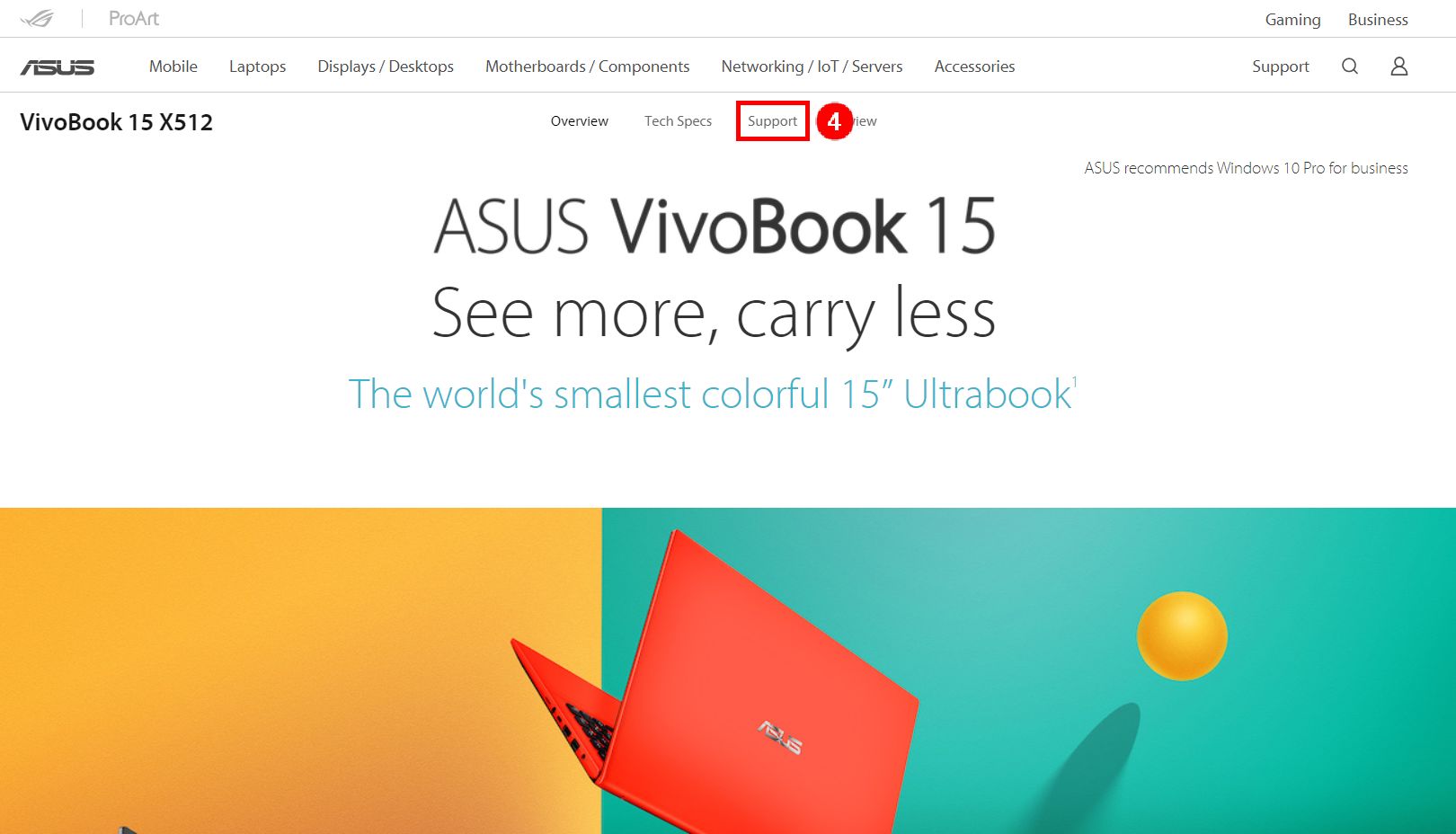
2. Na nové vyskakovací stránce klikněte na ④[Podpora].
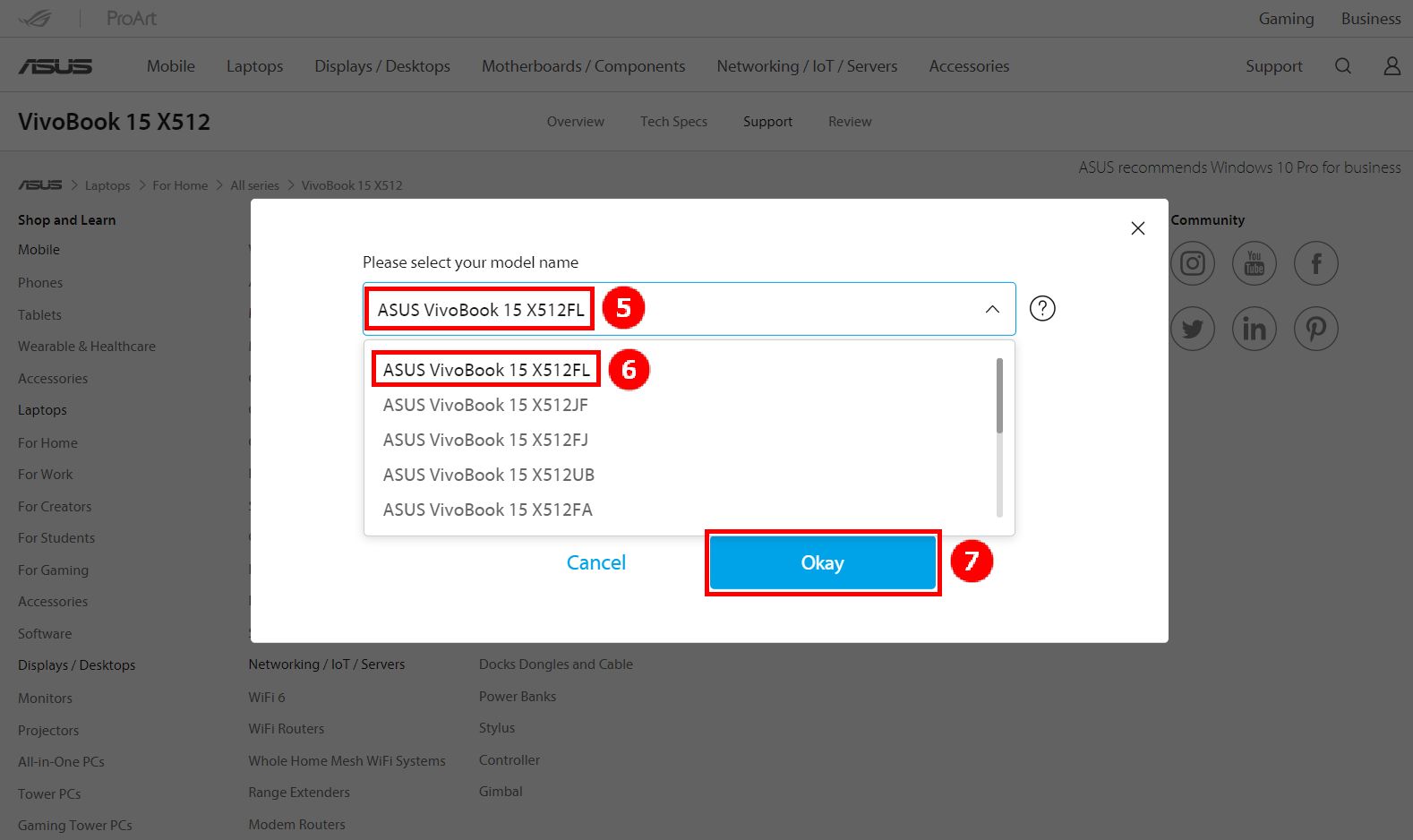
3. Klikněte na ⑤[Název modelu], vyberte váš model, a klikněte na ⑥[ASUS Vivobook 15 X512FL], a potom klikněte na ⑦[OK].
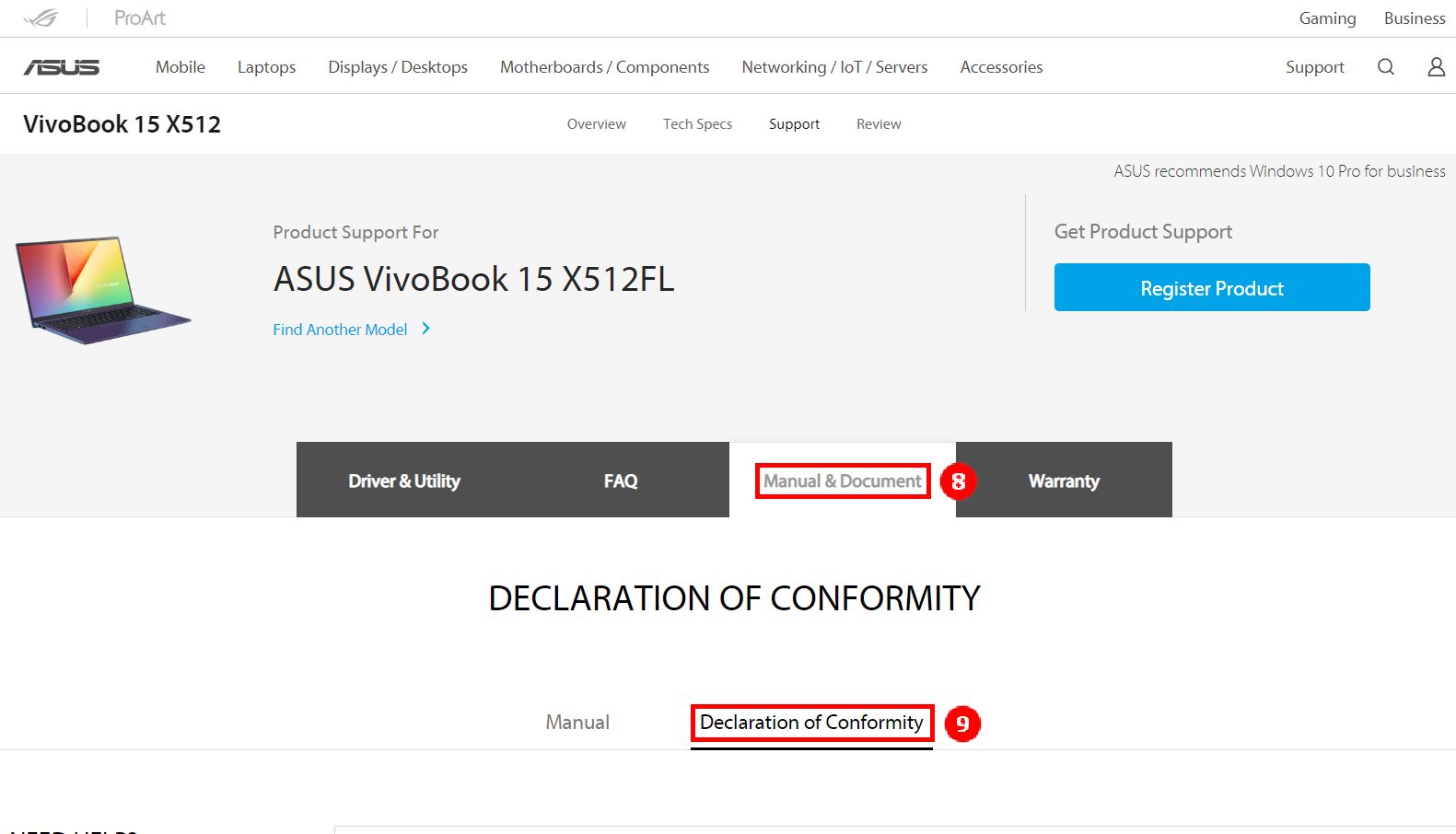
4. Klikněte na ⑧[Příručky a dokumenty], a klikněte na ⑨[Prohlášení o shodě].
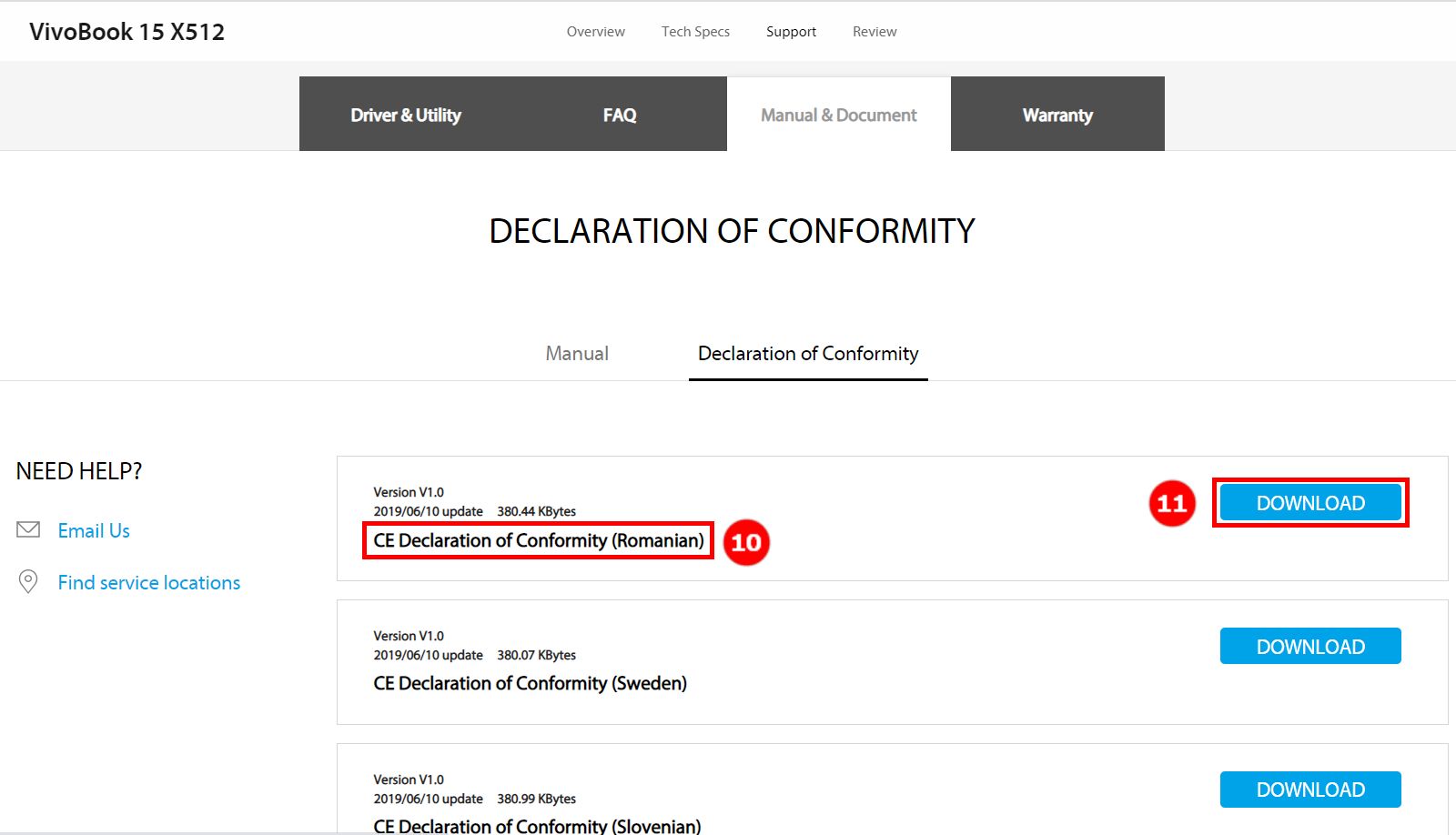
5. Sklouzněte dolů na stránce, kde najdete různé jazyky ⑩[Jazyk], a klikněte na⑪[Stáhnout].
Ak informácie uvedené vyššie váš problém nevyriešia, kontaktujte nás
Above information might be partly or entirely quoted from exterior websites or sources. please refer to the information based on the source that we noted. Please directly contact or inquire the sources if there is any further question and note that ASUS is neither relevant nor responsible for its content/service
This information may not suitable for all the products from the same category/series. Some of the screen shots and operations could be different from the software versions.
ASUS provides the above information for reference only. If you have any questions about the content, please contact the above product vendor directly. Please note that ASUS is not responsible for the content or service provided by the above product vendor.