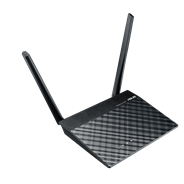
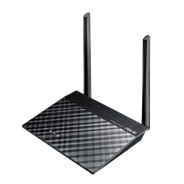
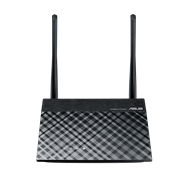
N300 無線延伸器/存取點/多媒體橋接
  • 外接天線增強 Wi-Fi 訊號的覆蓋範圍,隨處提升 Wi-Fi 效能
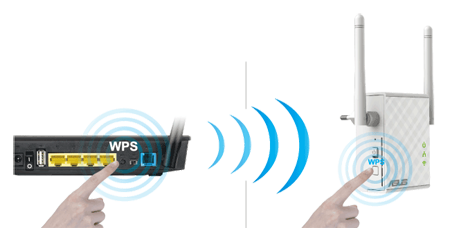
  • 按一下 WPS 按鈕即可執行方便安全的安裝效果
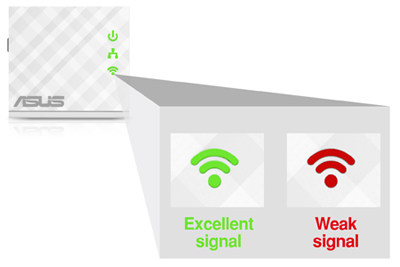
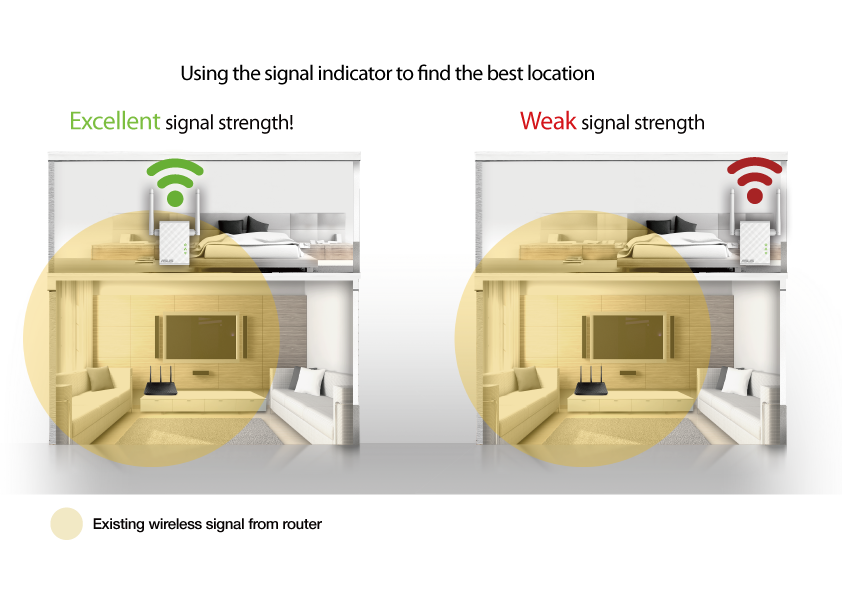
  • 智慧 LED 訊號指示燈可幫您找出呈現絕佳 Wi-Fi 效能的最佳位置
  • Roaming Assist 功能有助於在家中或辦公室任何角落取得穩定的連線功能
RP-N12

Fill Your Home with Wi-Fi

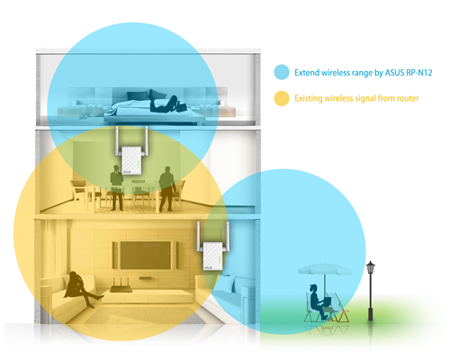
The RP-N12 wireless range extender has powerful external MIMO antennas that help to eliminate signal dead zones and improve the coverage of any existing wireless router. It works as a range extender, which means it can extend wireless networking to every corner of the home — even to those difficult, hard-to-reach spots. This ensures reliable high-speed internet coverage everywhere for devices such as notebooks, tablets, smartphones, game consoles and smart TVs.


One-press setup and worry-free connectivity

RP-N12 wireless range extender installation doesn’t require a CD or even a mouse and keyboard. Simply press the WPS button and setup is complete. Optimized performance is assured for a seamless and smooth internet experience. For advanced settings, you can connect RP-N12 to a PC via an Ethernet cable and access the web-based configuration menu directly, with no disc or app needed. You can even set it up wirelessly from a tablet or smartphone.


Find the best location for RP-N12 with the signal indicator

For best results, RP-N12 needs to be within range of a stable router signal, and should be placed between the router and the location where you need better wireless coverage. RP-N12 works best when it is receiving a strong wireless signal from the router — you can check this by using the signal strength indicator on the front panel.


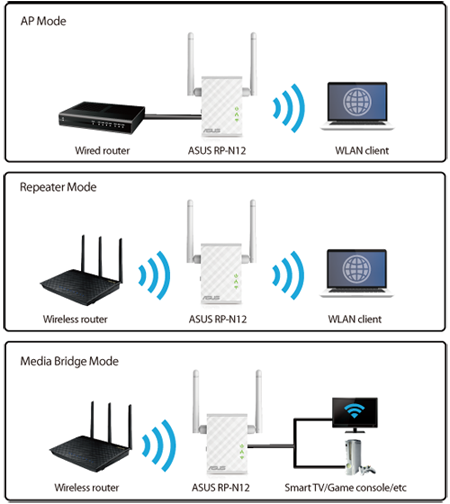
3-in-1 repeater, access point and media bridge modes

RP-N12 has two more convenient modes to make it even more flexible. As well as a repeater, it can also work as a wireless access point (AP) or as a media bridge. In AP mode, it can be connected to any wired LAN — for example, a hotel’s internet connection — to create a personal Wi-Fi hotspot, allowing the internet connection to be accessed from laptops, phones or other Wi-Fi devices. In media bridge mode, it can be connected to any Ethernet-compatible device — such as a smart TV, multimedia player, game console or PC — to give it Wi-Fi capability. A great way to reduce cable mess!


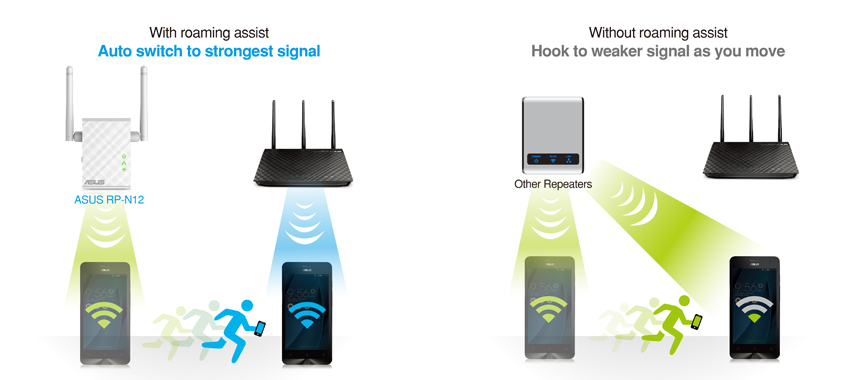
Roaming Assist for stable connections, everywhere!

With our hassle-free Roaming Assist technology, you never have to switch connections manually between RP-N12 and your ASUS router as you move around the home. Once you enable this function, your device will connect automatically to the strongest Wi-Fi signal, whether it’s from the router or the repeater. This ensures that you always get a reliable connection wherever you are in the house1.

Keep Up to Date!

Remember to always keep your device’s firmware up to date so you can benefit from the very latest service and security enhancements — and get exciting new features! Learn more about updating new firmware.


Disclaimer: 1. The effectiveness of the Roaming Assist function varies according to environmental factors. This ASUS-exclusive function works only with ASUS routers.

相關產品
previous image
next image
  • 經 FCC和加拿大工業部認證的產品將在美國和加拿大銷售。請參閱華碩美國和華碩加拿大網站,瞭解有關當地可用產品的資訊。
  • 所有規格如有更改,恕不另行通知。請與您的供應商 / 經銷商確認確切的報價。產品可能並非在所有市場都可用。
  • 規格和功能或內建軟體因型號而異,所有圖像僅供參考。有關完整詳細資訊,請參閱規格頁面。
  • 印刷電路板顏色和內建軟體版本如有更改,恕不另行通知。
  • 商標聲明:本網站所談論到的產品名稱僅做識別之用,而這些名稱可能是屬於其他公司的註冊商標或是版權。
  • HDMI、HDMI High-Definition Multimedia Interface、HDMI 商業外觀及 HDMI 識別標章等詞彙均為 HDMI Licensing Administrator,Inc. 的商標或註冊商標。
  • USB 3.0、USB3.1、USB3.2(第1代和第2代)以及Type-C的實際傳輸速度將依據您的使用情境而變化,包括電腦的設備、檔案的規格以及系統配置和操作相關的其他因素而影響處理速度。
  • *實際資料傳輸速度和 Wi-Fi 覆蓋範圍會因網路條件和環境因素而有所不同,包括網路流量、建築物材料和結構,以及網路額外負荷,造成實際資料傳輸速度較低或無線覆蓋範圍較小。
  • 以上藍牙®文字標誌與標誌為Bluetooth SIG所有之註冊商標,﹝授權廠商﹞經授權使用該標誌。其他商標與商標名稱均屬其個別所有人所擁有