


Zenbook Pro Duo 15 OLED UX582
Zenbook Pro Duo 15 OLED UX582
The laptop of tomorrow
ZenBook Pro Duo 15 OLED lets you get things done in style: calmly, efficiently, and with zero fuss. It’s your powerful and elegant next-level companion for on-the-go productivity and creativity, featuring an amazing 4K OLED HDR touchscreen. It also includes the ASUS ScreenPad™ Plus secondary 4K display with a brand-new tilting design that offers effortless ergonomics and seamless workflows. Powered by up to an Intel® Core™ i9 eight-core processor and NVIDIA® GeForce RTX™ 3070 GPU, ZenBook Pro Duo 15 OLED brings you all the benefits of tomorrow’s technology, today.
Display
See it once
ZenBook Pro Duo 15 OLED gives you a superbly immersive viewing experience, with a brilliant 4K OLED HDR1 NanoEdge display that delivers ultra-vivid colours and deep blacks. Its cinema-grade 100% DCI-P3 colour gamut and Delta-E < 2 colour accuracy2 make it a superb all-rounder for professional creation, and it’s also PANTONE® Validated for professional-grade colour accuracy and TÜV Rheinland-certified for eye care.
ZenBook Pro Duo 15 OLED also includes the new tilting ScreenPad Plus, a secondary touchscreen that automatically tilts up by 9.5°, creating an angle of 144.5° between the main display and ScreenPad Plus for more comfortable viewing. You can enjoy seamless visuals across both displays, with easy multitasking thanks to the built-in ScreenPad Plus-optimised apps that enhance your workflow.
Learn more about ASUS OLED displays
ZenBook Pro Duo 15 OLED also includes the new tilting ScreenPad Plus, a secondary touchscreen that automatically tilts up by 9.5°, creating an angle of 144.5° between the main display and ScreenPad Plus for more comfortable viewing. You can enjoy seamless visuals across both displays, with easy multitasking thanks to the built-in ScreenPad Plus-optimised apps that enhance your workflow.
Ergonomic
ScreenPad™ Plus
OLED HDR
vivid colours
3840X2160
4K UHD main display
Delta-E < 2
colour accuracy
100%
DCI-P3 colour gamut
validated display
certified display
GPU
Professional-grade graphics
Designed to help creators make a mark on the world, NVIDIA Studio badged laptops powered by GeForce RTX 3070 GPUs are portable powerhouses. Catch every detail on the surreal, pixel-accurate display. Unlock new AI-powered features like Dynamic Boost 2.0 to optimise your favourite creative apps for less wait times, so you can express your creative genius uninterrupted.
8GB
VRAM in GeForce RTX™ 3070
ScreenPad Plus
Experience ultimate productivity
The new tilting ASUS ScreenPad Plus is powered by the new ScreenXpert 2 software, which has been upgraded to make cross-screen multitasking and creativity even easier. Boost your productivity with the built-in apps, and revolutionise your creative workflows with the exclusive new Control Panel app.
Learn more about ScreenPad™ Plus
- App Switcher
- Window Flick
- ViewMax
- Touchpad Mode
- Task Group
- App Navigator
- Link to MyASUS
- Control Panel
Drag an app onto the App Switcher icon to launch the app on ScreenPad Plus. You can choose which part of the screen you want the app to move to.To move apps between the two screens, simply flick the top of an app to send it instantly to the other screen.Maximise your viewing experience by dragging an app onto the ViewMax icon to view it on the main display and ScreenPad Plus.A three-finger tap temporarily turns ScreenPad Plus into a large full-width touchpad. You can turn this feature on or off in Settings.Customise app groups and use the Task Group icon to open multiple apps with one tap.Tap the App Navigator icon to view all open apps on the main screen and ScreenPad Plus.Link to MyASUS in ScreenPad Plus gives you easy access to your phone, so you can make or receive calls seamlessly.ASUS Control Panel gives you precise and intuitive creative controls for compatible apps on the main screen.
ScreenPad Plus
Perfect for you
- Photographer
- Programmer
- Video Editor
- Music Artist
- 3D Animator
- Game Streamer
Put tools, references and source files on ScreenPad Plus for the ultimate editing interface.
Enjoy an enlarged visual workspace for your code, previews and other programming content.
Scroll through your video timeline on ScreenPad Plus, with plenty of extra room for your pro tools.
Record, mix and master on ScreenPad Plus, with more space for track controls.
Check your scripts on ScreenPad Plus while enjoying smooth 3D rendering on the main display.
Drag your live-streaming windows onto ScreenPad Plus without interrupting the main game display.
ScreenPad Plus
Customise your workflow with Control Panel
Control Panel is an exciting new tool that that gives you precise and intuitive control over your creative apps. With Control Panel, you can easily change brush size, change saturation, adjust layer opacity, and much more. Four types of control are available — Dial, Button, Slider, and Scroll — and each work in a different way to help smooth your creative workflow. Control Panel works with Adobe Photoshop, Lightroom Classic, Premiere Pro and After Effects. It’s fully customisable — and there are more compatible apps on the way!
- After Effects
- Photoshop
- Premiere Pro
- Lightroom Classic
ScreenPad Plus
Next-generation ergonomics, for stylus or keyboard
With ZenBook Pro Duo 15 OLED and a second-generation active stylus with 4096 pressure levels, such as the bundled ASUS Pen, you can really let your creativity flow. When ZenBook Pro Duo 15 OLED is placed on the bundled ASUS ErgoLift Stand, the new tilting ScreenPad Plus gives you an even more ergonomic and stable platform for writing or drawing. Take notes, sketch out your ideas, or do precision graphical editing in the most intuitive way ever.
Performance
Flagship performance
ZenBook Pro Duo 15 OLED is a real powerhouse when it comes to performance. It’s powered by up to a 10th Generation Intel® Core™ i9 eight-core processor with up to 32 GB of memory and the latest high-performance NVIDIA® GeForce RTX™ 3070 Laptop graphics, with an ultrafast PCIe® SSD to ensure fast boot times and rapid app loads. With this ultrapowerful combination, ZenBook Pro Duo 15 OLED takes professional-quality tasks in its stride, such as multi-layer photo or video editing, music production, or even 3D graphics rendering.
Windows 10 Pro
Core™i9
Intel® processor
GeForce RTX™ 3070
NVIDIA® graphics
32GB
memory
1TB
PCIe® SSD
Thermal
Evolved cooling
ZenBook Pro Duo 15 OLED is engineered with our new Active Aerodynamic System Plus, which uses the ErgoLift hinge mechanism and tilting ScreenPad Plus to increase overall cooling airflow by 36%. This in turn allows an optimum internal temperature to be maintained for maximum performance. Inside, there’s a powerful dual-fan setup with six heat pipes for efficient heat dissipation. AAS Plus ensures that ZenBook Pro Duo 15 OLED sustains incredible performance, no matter how demanding the workload.
AAS Plus
cooling
+36%
airflow
Dual
fans
CPU
Intel® Core™ i9 processor
ZenBook Pro Duo 15 OLEDis incredibly powerful, featuring up to a 10th Generation Intel Core i9 eight-core processor that’s designed to deliver superb performance demanding tasks like rendering or editing high-resolution video. With its unprecedented 5 GHz Turbo Boost frequency, ZenBook Pro Duo 15 OLED enables effortless cross-screen workflows using ScreenPad Plus and the main display.
Core™i9
Intel® processor
Design
Inspired by the future
The high-tech magnesium-aluminium alloy that’s used to construct ZenBook Pro Duo 15 OLED helps reduce its weight by 100 g. It’s finished in Celestial Blue, a future-inspired colour with a sophisticated air of timeless innovation. The lid features an eye-catching asymmetric version of the iconic Zen-inspired spun-metal finish: an intriguing design detail that gives ZenBook Pro Duo 15 OLED a totally unmistakable identity. Wide, mirror-finished diamond-cut edges reflect your surroundings to add a subtle touch of ambient style: in effect, you control how your laptop looks.
Celestial Blue
futuristic sense
Magnesium-aluminium alloy
precision craftsmanship
Reflective edges
personalised style
Connectivity
Next-generation connectivity
For easy connections to peripherals, ZenBook Pro Duo 15 OLED has comprehensive high-performance I/O capabilities including a pair of the latest Thunderbolt™ 3 USB-C® ports. These support DisplayPort connection, and the 40 Gbps bandwidth lets you connect an external 8K display3 or two 4K UHD displays, or connect a display while still enjoying high-speed data transfers on the second port. ZenBook Pro Duo 15 OLED also includes WiFi 6 (802.11ax), so you can easily create and share on the go.
40Gbps
Thunderbolt™ 3
2.4Gbps
WiFi 6 connectivity4
IR Camera
Hands-free login with face unlock
Enjoy hands-free login on ZenBook Pro Duo 15 OLED, using the infrared camera5 with Windows Hello to login with just a glance — even in the dark!
Audio
Stunning sound
The ASUS Golden Ear team worked with audio specialists Harman Kardon to create the latest iteration of ASUS SonicMaster audio technology, and the results are astonishing. This unique combination of hardware and software give ZenBook Pro Duo 15 OLED the most incredible sound ever heard on a laptop.
certified
Durability
Militarily tested durability
ZenBook Pro Duo 15 OLED meets the ultra-demanding MIL-STD 810H military standard for reliability and durability, undergoing a punishing test regime that includes extended tests for operation in harsh environments including extreme altitudes, temperatures and humidity. It also passes ASUS laptop tests that far exceed the standards set by the industry.
Learn more about ASUS Laptop Quality Tests
humidity test
vibration test
altitude test
high temperature test
low temperature test
shock test
- High dynamic range (HDR) means that your display can playback HDR content. With ZenBook Pro Duo 15 OLED, you can enjoy the following functions:A. Watch HDR streaming videosZenBook Pro Duo 15 OLED will automatically prioritise the HDR versions of a movie for playback to give you the best viewing experience. As HDR streaming processing is not fully optimised, we recommend using Microsoft Edge as your internet browser for the best visual experience. (To turn off this function, open Display Settings, select Windows HD Colour settings, then switch off Stream HDR video).B. Play HDR-capable games, media, and other appsIf you own HDR content and want to view it in HDR on ZenBook Pro Duo 15 OLED, please first connect its DC power supply. Open Display Settings, select Windows HD Colour settings, then switch on Play HDR games and apps. When this function is turned on, the display’s brightness may be reduced and you will need to readjust the brightness to the desired level. Also, the colour of the Windows Desktop may change, but this won’t affect HDR functions. We recommend you only enable this feature when you use related apps. For non-streaming HDR videos with HEVC decoder requirements, we also recommend using Microsoft’s built-in Movies & TV app.
- Average tested result: Delta-E < 1.5, +/- 0.
- To output 8K 60 Hz video, both Thunderbolt 3 ports on ZenBook Pro Duo 15 OLED must be connected simultaneously to the same 8K-capable display, and ScreenPad Plus must be turned off.
- Unless otherwise stated, data read and write speeds are based on theoretical performance. Actual performance may vary in real-world situations.
- When setting up Windows Hello or using face login with the IR webcam, the infrared LED is activated to enhance facial recognition speed and accuracy. While the LED is illuminated, you may see a temporary small 'ripple' effect at the top of your OLED display. This is expected behavior, and only occurs during facial recognition. It does not affect the product lifespan or have any permanent effects on the display.
More vivid than ever
To display the most vivid, most realistic colours possible, the 4K OLED HDR display on ZenBook Pro Duo 15 OLED supports an exceptionally wide colour gamut with 100% DCI-P3 and 133% sRGB coverage. The DCI-P3 colour space is the preferred choice of creative professionals for its increased range of possible colours, and makes images on ZenBook Pro Duo 15 OLED look simply stunning.
100%
DCI-P3 wide colour gamut
100% sRGB
100% DCI-P3
More accurate colour
The built-in ASUS Calibration Technology on ZenBook Pro Duo 15 OLED provides colour-accuracy tuning and uniformity compensation to make things easy when it’s time to recalibrate the display’s brightness and colour consistency. And with its impressively low Delta-E value, you can be sure the colours you’re seeing are accurate.
Delta-E < 2
colour accuracy2
Without colour calibration
With colour calibration
Ultrafast storage
With its lightning-fast up to 1 TB PCIe 3.0 x4 SSD, ZenBook Duo 14 accelerates all your workflows and optimises your productivity. It boots in the blink of an eye, and loads apps in an instant.
Read Speed
1.7X
faster than PCIe® x21
6.5X
faster than SATA3 SSD1
3400MB/s
PCIe x4
2000MB/s
PCIe x2
520MB/s
SATA 3
3400MB/s
Write Speed
5.4X
faster than PCIe x21
9X
faster than SATA3 SSD1
3000MB/s
PCIe x4
1800MB/s
PCIe x2
330MB/s
SATA 3
3000MB/s
GeForce RTX™ 3070 GPU
ZenBook Pro Duo 15 OLED pushes graphics performance boundaries with its NVIDIA GeForce RTX 3070 Laptop GPU, which is based on Ampere — NVIDIA’s second-generation RTX architecture. It features new Ray Tracing Cores, Tensor Cores with support for sparsity, DLSS 2.0 AI super-resolution technology, and streaming multiprocessors that deliver massively improved performance. This remarkable new GPU offers the most realistic ray-traced graphics, cutting-edge new features, and harnesses the power of AI.
CUDA Cores
graphics and computing
RT Cores
real-time ray tracing
Tensor Cores
deep learning
Superfast Wi-Fi 6 speed
With faster-than-wired speeds of up to 2.4 Gbps — 3x faster than WiFi 5 — the dual-band WiFi 6 in ZenBook Pro Duo 15 OLED gives you speedy large-file transfers, with greater range and more stable network connections.
2.4Gbps
Wi-Fi 6 (802.11ax) connectivity4


Related products
New
DEAL
14"
- Windows 11 Home - ASUS recommends Windows 11 Pro for business, Free Upgrade to Windows 11¹ (when available, see below)
- Up to 11th Intel® Core™ i7 processor
- Up to NVIDIA® GeForce® MX450
- Up to 32 GB memory
- Up to 1 TB SSD storage
- Up to 14'' FHD NanoEdge display
- 93% screen-to-body ratio
- sRGB: 100%
- Up to 17 hours battery life
New
DEAL
13.9"
- Windows 11 Home - ASUS recommends Windows 11 Pro for business, Free Upgrade to Windows 11¹ (when available, see below)
- 11th Gen Intel® Core® i7 processor
- Intel® Iris® Xe Graphics
- Slim and compact for easy portability
- 3.9” 3:2 3.3K touchscreen
- Up to 12 hours battery life
New
DEAL
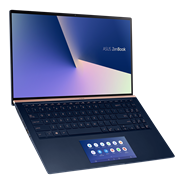
15.6"
- Windows 11 Home - ASUS recommends Windows 11 Pro for business, Free Upgrade to Windows 11¹ (when available, see below)
- Up to 10th Gen Intel® Core i7 processor
- Up to NVIDIA® GeForce® GTX 1650 Max-Q
- Smallest 15.6” laptop with NanoEdge display
- Up to 15.3 hours battery life

Compare (0)