[LTE Router] How to turn on SIM card roaming function on 4G-AC68U/4G-AC55U?
What is Roaming?
When you travel to another country, you may use original SIM to access the local network if your ISP provider roaming service in the country. Enable this functions to allow you to access the local network.
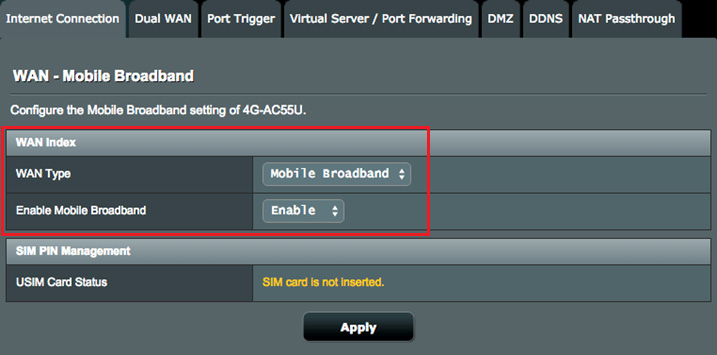
Step1. From the navigation panel, go to Advanced Settings > WAN > Internet Connection tab, select the Mobile Broadband in WAN Type field.
In the Enable Mobile Broadband field, select Enable.
Note: Check that you have properly inserted the SIM card, and configure the mobile settings of your router.
Step2. In the Roaming field, select Enable.

Step3. Click "Apply" to save.
How to get the (Utility / Firmware)?
You can download the latest drivers, software, firmware and user manuals in the ASUS Download Center.
If you need more information about the ASUS Download Center, please refer this link.