AC1750 Dual Band Gigabit WiFi5 Router with MU-MIMO
  • Fast Wi-Fi Speed – Concurrent dual-band AC1750-level Wi-Fi delivers smooth streaming for home network.
  • MU-MIMO for Full Speed on Multiple Devices – The revolutionary technology connects multiple MU-MIMO-compatible clients at each device’s maximum speed simultaneously.
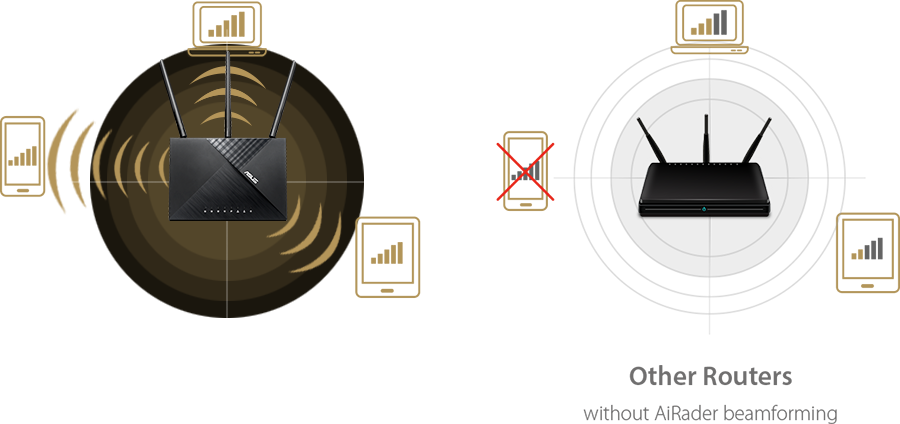
  • Optimized Coverage with AiRadar Beamforming – The WiFi signal is focused towards connected devices to ensure stable connection.
  • Parental Control – Protect children from internet addiction.
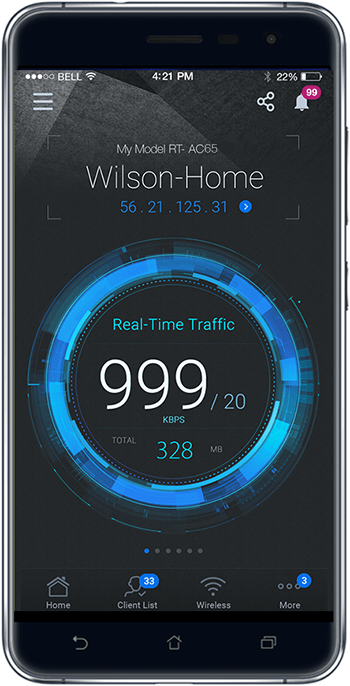
  • Easy Network Setup and Control with ASUS Router App.
RT-AC65

Faster WiFi Speed for Smooth Streaming

Powered by 5G Wi-Fi and 256QAM technology, the 802.11ac chipset gives the RT-AC65 faster wireless speeds than N technology. At 2.4 GHz, it reaches 450 Mbps, while on the 5GHz band it blazes to 1300 Mbps. The upgraded bandwidth has the higher capacity you need to increase WiFi enjoyment at home. With notebooks, desktops, pads, and smartphones now all Wi-Fi-reliant, it's time to upgrade to the next generation to expand you connectivity now and in the future.

ASUS RT-AC65 delivers up to 1300Mbps WiFi speed

AC1750 Dual-band connectivity for lag-free entertainment

Delivering 2.4 GHz and 5 GHz concurrent bands at up to 450 Mbps and 1300 Mbps, respectively, the RT-AC65 has a total speed of up to AC1750 Mbps, and maintains complete stability.
You can perform basic tasks like web browsing and file downloading on the 2.4 GHz band, while simultaneously allowing multiple devices to stream in HD or support online gaming and other demanding applications smoothly on the clearer 5 GHz band.

ASUS RT-AC65 with dual-band connectivity for lag-free entertainment

Multiple Capacity WiFi with Revolutionary MU-MIMO Technology

MU-MIMO gives every compatible device its own dedicated full-speed Wi-Fi connection, so that multiple devices can connect at the same time without slowing down the network.
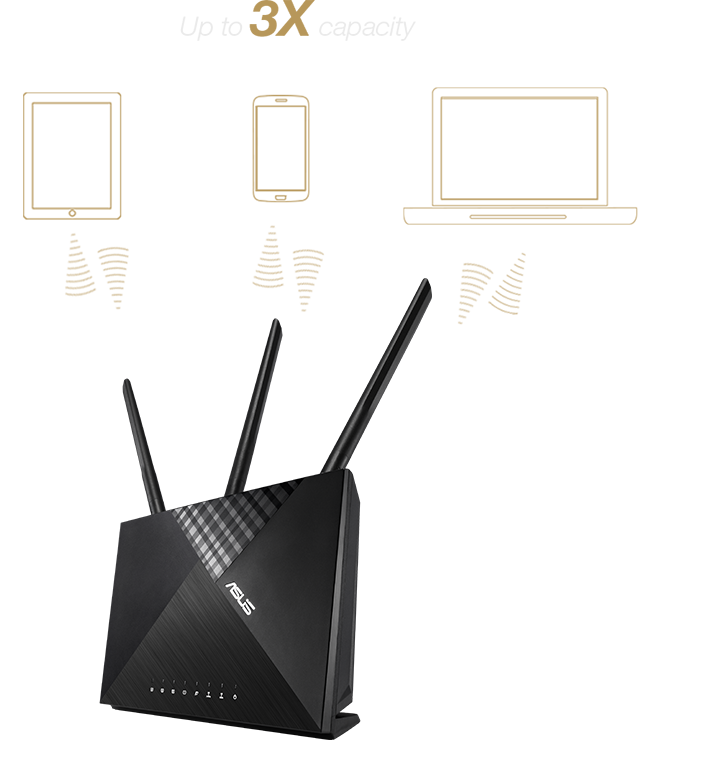
RT-AC65 is able to connect to up to 3 MU-MIMO-compatible clients at each device's maximum speed simultaneously, unlike standard single-user MIMO where individual devices have to wait for sequential transmissions.

ASUS RT-AC65 product photo
ASUS RT-AC65 connects up to 3 MU-MIMO-compatible clients

AiRadar – TX Beamforming Support

With AiRadar Beamforming technology, high power amplification, and exclusive ASUS RF fine-tuning to extend coverage, increase dynamic data speed, and enhanced stability.

ASUS RT-AC65 features AiRadar Beamforming technology

Parental Controls – Schedule Block Time

Reserve valuable family time or help your children develop responsible behavior by selecting scheduled time periods to block internet access on specific devices.

ASUS Router App features parental controls

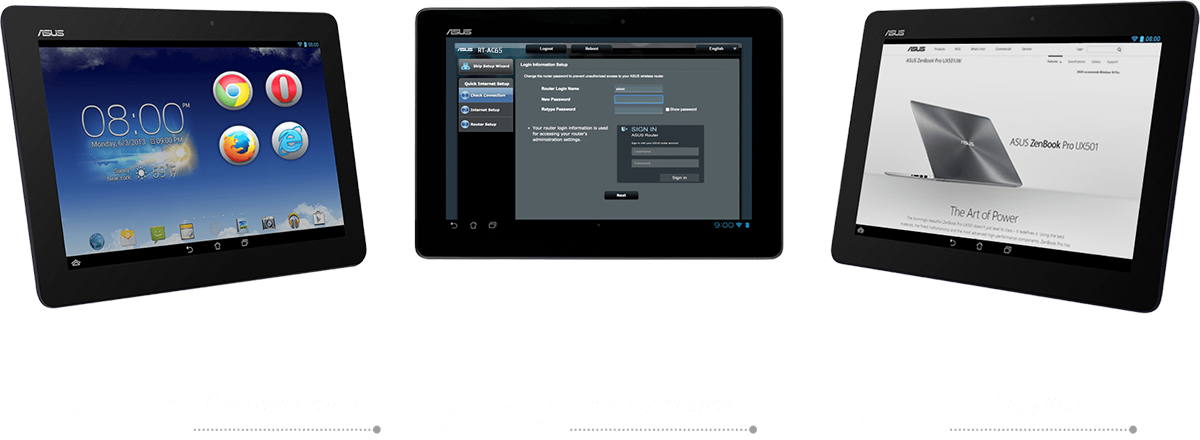
3-Step Easy Setup Through Your Pad, Smartphone, or PC

In less than 30 seconds and in only 3 easy steps, effortlessly set up your ASUS router through the simple user interface to start surfing the Internet in record time.
With the RT-AC65, setup is a breeze. Simply power and connect the router and open a browser on a WiFi-enabled device like a notebook or pad. You will then be taken to a setup page with a prompt to enter the ID/password from your internet provider, and that's it! Setting up your network is easier than ever.

Easy 3-step setup illustration
ASUS Router App icon

ASUS Router App
Control your network anywhere

In your increasingly mobile-enabled life, having control over your network via an app is more important than ever. The new ASUS Router App is built from the ground-up to be both intuitive and robust, allowing you to setup your router, manage network traffic, diagnose connection issues and even update firmware, all without needing to boot up a PC. » Learn more

Click below to download

Google play icon Apple app store icon
ASUS Router app interface

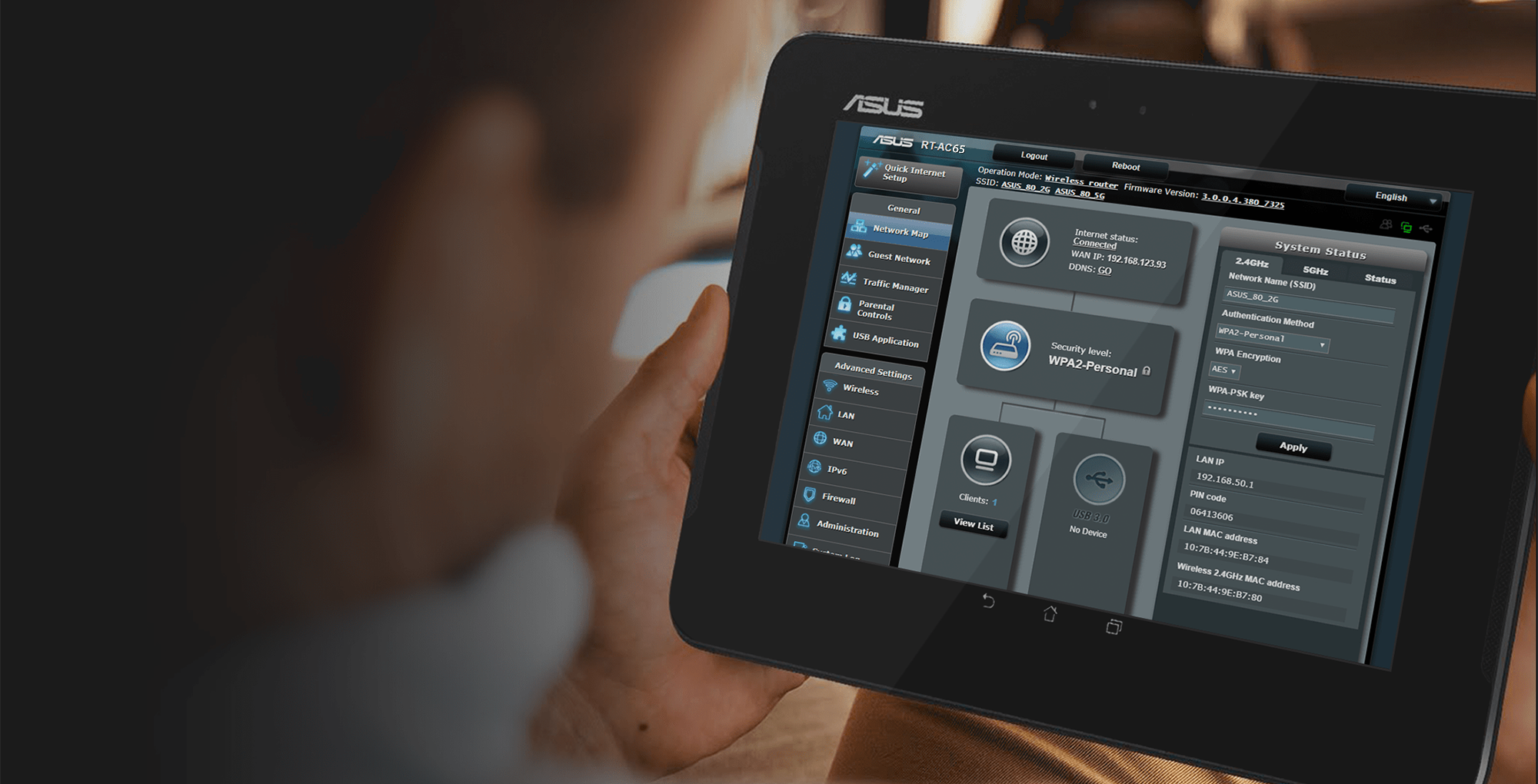
ASUSWRT
Easily Control Your Network

RT-AC65 features the enhanced, intuitive ASUSWRT user interface, which gives you easy access to both the 3-step web-based installation process and a wealth of robust advanced options.

ASUSWRT interface
Related products
previous image
next image
  • Products certified by the Federal Communications Commission and Industry Canada will be distributed in the United States and Canada. Please visit the ASUS USA and ASUS Canada websites for information about locally available products.
  • All specifications are subject to change without notice. Please check with your supplier for exact offers. Products may not be available in all markets.
  • Specifications and features vary by model, and all images are illustrative. Please refer to specification pages for full details.
  • PCB color and bundled software versions are subject to change without notice.
  • Brand and product names mentioned are trademarks of their respective companies.
  • The terms HDMI and HDMI High-Definition Multimedia Interface, HDMI trade dress and the HDMI Logos are trademarks or registered trademarks of HDMI Licensing Administrator, Inc. in the United States and other countries.
  • The actual transfer speed of USB 3.0, 3.1, 3.2, and/or Type-C will vary depending on many factors including the processing speed of the host device, file attributes and other factors related to system configuration and your operating environment.
  • Actual data throughput and WiFi coverage will vary from network conditions and environmental factors, including the volume of network traffic, building material and construction, and network overhead, result in lower actual data throughput and wireless coverage.
  • Quoted network speeds and bandwidth based on current IEEE 802.11ac/802.11ax specifications. Actual performance may be affected by network and service provider factors, interface type, and other conditions. Connected devices must be 802.11ac/802.11ax compatible for best results.
  • WPA/WPA2 enterprise is only available on single router, is not available under AiMesh mode.
  • When traditional QoS is enabled, there will be limitations due to the actual Internet service bandwidth and different environment, and there may be a risk of speed reduction.
  • Due to the different power supply requirements on USB external hard disk and 4G/5G Modem device, to ensure that the external device can be used stably, if the USB external device exceeds the standard USB 2.0 (5V/500mA) and USB 3.1 Gen 1 (5V/900mA) power supply requirements, you need to use it with an independent external power supply.
  • If you use the product in conjunction with a third party service, you are responsible for complying with the third party provider's terms and conditions and privacy policy and are also at the risk of such use. ASUS does not provide support or guarantee continuous integration support for products that are not part of ASUS.
  • For models with Time machine support, starting with macOS 26 (Tahoe), Time Machine no longer supports creating new backups on USB-connected storage devices. Existing Time Machine drives that were previously configured remain compatible and can continue to be used for backup and restoration.