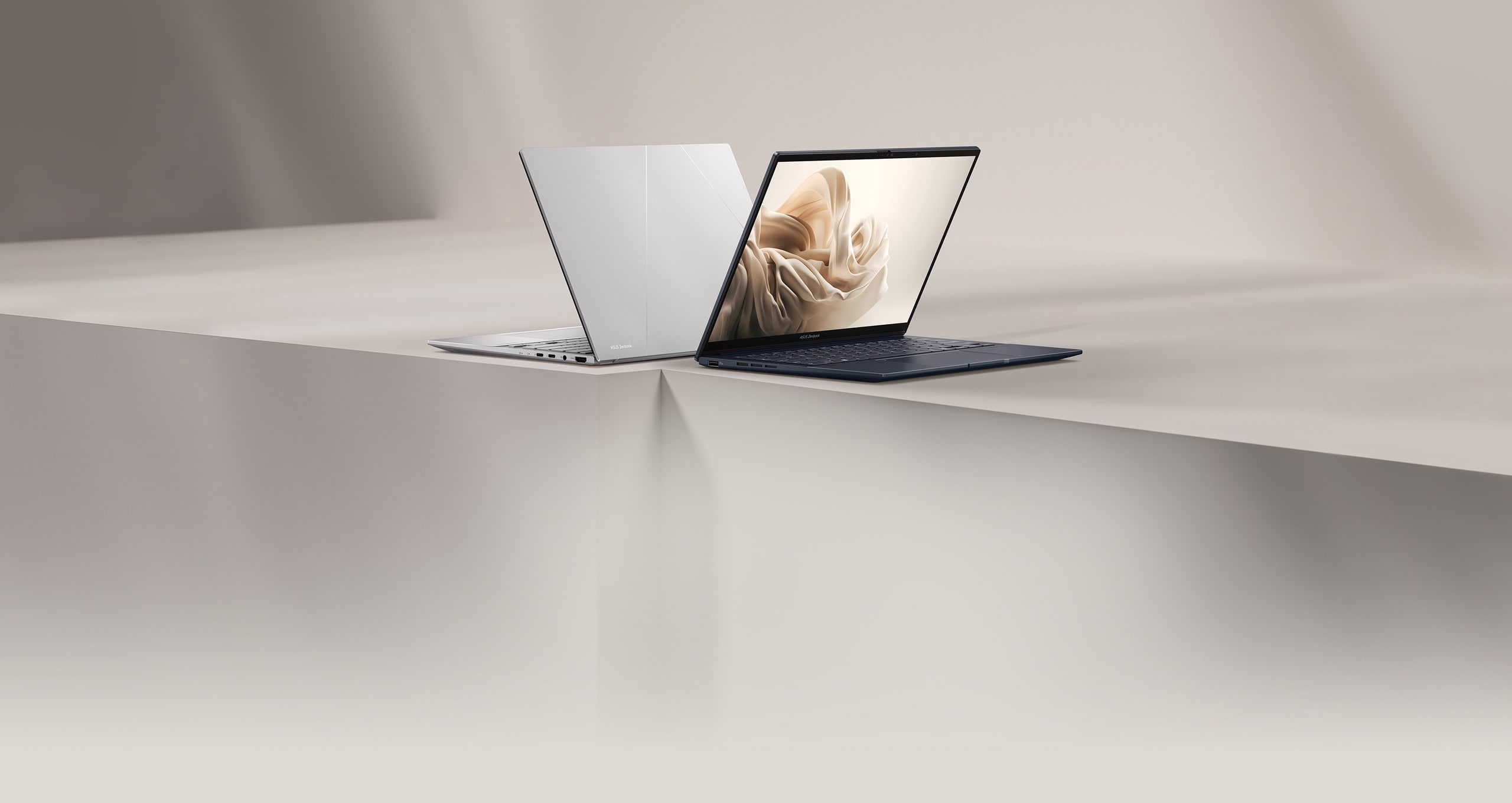
ASUS Zenbook 14 OLED (UX3405)
AWARDS & REVIEWS
iF award 2025
iF Design Award
The product design of ASUS Zenbook 14 won the iF Design Award 2025, a global symbol of excellent design.
Más información
GERMANY
2025/03/26
Red Dot
2023 Red Dot Product Design
ASUS Zenbook Classic Series OLED won the 2023 Red Dot Product Design Award, a world-renowned design award.
Más información
GERMANY
2023/04/07
CNET France
4/5
The Zenbook 14 OLED (UX3405) boasts an elegant and robust design, combining thinness and lightness for optimum portability. Its 14-inch OLED screen is of exceptional quality, offering vibrant colours, striking contrast and improved fluidity thanks to a 120 Hz refresh rate. Performance is solid, driven by an Intel Core Ultra processor and Intel ARC graphics chip, capable of meeting a wide range of needs...
Más información
FRANCE
2024/11/30
Frandroid
9/10
This is currently one of the best models if you're looking for versatility and value for money. This laptop has a lot going for it: a well-finished, lightweight chassis, an excellent screen, an efficient chip and better autonomy.
Más información
FRANCE
2024/07/25
01Net
4/5
Equipped with Intel's latest Core Ultra, the Zenbook 14 Oled 2024 is a great success. Powerful to a fault, it's even at ease in games, except for the most demanding. In terms of AI, its NPU is still under-exploited, but the capabilities are there. Its Oled screen is a delight once you've chosen the right settings. And it doesn't disappoint on the battery front, with enough autonomy for almost two days of use. All this is wrapped up in a sober, solid and well-finished chassis.
Más información
FRANCE
2024/03/11
JournalDuGeek
9/10
...with the Intel Core Ultra 7 processor, and we were more than impressed. Asus offers an Intel EVO-certified ultra-portable with top-notch design and finish. What's more, it features an OLED screen that marks a real departure from other screen technologies, with performance that's ideal for office use and multimedia... All in all, there's very little to criticize about the Asus Zenbook 14 OLED (2024).
Más información
FRANCE
2024/02/12
Videos de reviews
Overall, this might be the first two-screen laptop that doesn’t feel like a novelty or a gimmick. Although there’s still room to grow as far as the software experience is concerned, keeping the best parts of a standard laptop while making the strengths of two screens as accessible as possible has resulted in a win here.
It blows my mind that I am able to have something this thin and light, and when I want to game, I can just turn on Cyberpunk or Yakuza and be playing them just nicely as well.
The 75WHr battery life gets me around 8 - 9 hours in my simple productivity tasks, which include web browsing and streaming YouTube.
With two additional LPE cores and a huge 75WHr battery, this laptop is gonna last you a full day.
El producto cuenta con interfaz multimedia de alta definición.
  • Todas las especificaciones están sujetas a cambios sin previo aviso. Por favor, consulte con su proveedor para ofertas exactas. Los productos pueden no estar disponibles en todos los mercados.
  • Color de la PCI y las versiones del software incluido están sujetas a cambios sin previo aviso.
  • Los nombres de las marcas y productos mencionados son marcas comerciales de sus respectivas compañías.
  • A menos que se indique lo contrario, todas las declaraciones de rendimiento se basan en el rendimiento teórico. Las cifras reales pueden variar en situaciones del mundo real.
  • La velocidad de transferencia real de USB 3.0, 3.1, 3.2 y / o Tipo-C variará dependiendo de muchos factores, incluida la velocidad de procesamiento del dispositivo host, los atributos del archivo y otros factores relacionados con la configuración del sistema y su entorno operativo.
  • La apariencia visual de las pantallas OLED puede cambiar durante la vida útil del producto. Este es un comportamiento esperado que puede incluir la persistencia de la imagen o el quemado, donde la pantalla muestra un remanente tenue de una imagen incluso después de que aparece una nueva imagen en la pantalla. Esto tiende a ocurrir solo en casos de uso extremos, como cuando una imagen estática de alto contraste se muestra continuamente durante períodos prolongados. Las computadoras portátiles ASUS con pantalla OLED minimizan este riesgo al configurar el modo oscuro de Windows 10 como predeterminado, así como acortar el tiempo de inactividad antes de que se apague la pantalla, tanto con la alimentación de la red (CA) como con la batería (CC). Este enfoque dual minimiza el potencial de quemado para maximizar la vida útil de su pantalla OLED y también reduce el consumo de energía innecesario para una duración óptima de la batería. También recomendamos ajustar el brillo de su pantalla OLED para complementar la iluminación ambiental en su entorno, en lugar de mantener la pantalla al máximo brillo en todo momento. También debe asegurarse de tener habilitado un protector de pantalla animado con fondo oscuro en la herramienta de configuración de Windows 10.
  • Pruebas de batería realizadas por ASUS el 18 de diciembre de 2020 utilizando el escenario de reproducción de video de 1080p (local). Configuración de prueba: ZenBook UM425UG, panel FHD de 250 nits, AMD R5-5500U, MX450, SSD de 256 GB, 8 GB de RAM. Configuración de prueba: WiFi habilitado pero desconectado (no conectado a ningún punto de acceso), plan de energía de Windows configurado en Equilibrado, brillo de pantalla configurado en 150 cd / m2, NumberPad apagado. La duración real de la batería puede variar según la configuración del producto, el uso, las condiciones operativas y la configuración de administración de energía. La vida útil de la batería disminuirá durante la vida útil de la batería.
  • La velocidad de carga de un cargador Power Delivery coincidirá con la potencia de salida del adaptador conectado, hasta un máximo de 65 vatios. USB-C® Easy Charge proporciona una carga de 4.5 vatios cuando se conecta a un cargador que no es Power Delivery, incluidos la mayoría de los cargadores portátiles y USB Type-A a USB-C®. Es posible que algunos cargadores portátiles no admitan estas funciones, según la configuración.
  • Los términos HDMI, HDMI High-Definition Multimedia Interface, la Imagen comercial de HDMI (Trade dress) y los logotipos de HDMI son marcas comerciales o marcas registradas de HDMI Licensing Administrator, Inc.
  • La disponibilidad de WiFi 6E puede variar según el país y sus regulaciones específicas. Función solo admitida por Windows 11 o posterior.

IPS stands for in-plane switching, a type of LED (a form of LCD) display panel technology.

Unless otherwise stated, all performance claims are based on theoretical performance. Actual figures may vary in real-world situations.

The actual transfer speed of USB 3.0, 3.1, 3.2, and/or Type-C will vary depending on many factors including the processing speed of the host device, file attributes and other factors related to system configuration and your operating environment.

Ultrabook, Celeron, Celeron Inside, Core Inside, Intel, Intel Logo, Intel Atom, Intel Atom Inside, Intel Core, Intel Inside, Intel Inside Logo, Intel vPro, Itanium, Itanium Inside, Pentium, Pentium Inside, vPro Inside, Xeon, Xeon Phi, and Xeon Inside are trademarks of Intel Corporation or its subsidiaries in the U.S. and/or other countries.

Product specifications may differ from country to country. We recommend that you check with your local dealers for the specifications of the products available in your country. Colors of products may not be perfectly accurate due to variations caused by photography and monitor settings.Due to photographic variables and conditions, actual product appearance may differ from images shown on this site.Although we endeavor to present the most accurate and comprehensive information at the time of publication, we reserve the right to make changes without prior notice.

* Result from Mobile Mark 2014 office productivity.

The visual appearance of OLED displays may change over the product’s lifetime. This is expected behavior that can include image persistence or burn-in, where the display shows a faint remnant of an image even after a new image appears on the screen. This tends to occur only in extreme use cases, such as when a static, high-contrast image is continuously displayed for prolonged periods of time. ASUS laptops with an OLED display minimize this risk by setting Windows 10’s Dark mode as default, as well as shortening the idle time before the screen is turned off – both on mains (AC) and battery (DC) power. This dual approach minimizes the potential for burn-in to maximize the lifespan of your OLED display lifespan, and also reduces unnecessary power draw for optimal battery life. We also recommended adjust the brightness of your OLED display to complement the ambient lighting in your environment, rather than keeping the screen at maximum brightness at all times. You should also ensure that you have an animated, dark-background screensaver enabled in the Windows 10 Settings tool.​

The charging speed of a Power Delivery charger will match the connected adapter’s power output, up to a maximum of 65 watts. USB-C® Easy Charge provides 4.5‑watt charging when connected to a non-Power Delivery charger, including most portable and USB Type-A to USB-C® chargers. Some portable chargers may not support such features, depending on the configuration.​

Battery tests conducted by ASUS on August 21, 2020 using the 1080p Video Playback scenario. Test configuration: ZenBook Flip S13 UX371EA, 1W FHD LCD panel, Intel® Core™ i5-1135G7 processor, 512 GB PCIe® 3.0 x2 SSD, 8 GB RAM. Test settings: WiFi enabled but disconnected (not connected to any access point), Windows Power Plan set to Balanced, display brightness set to 150 cd/m2, NumberPad off. Actual battery life may vary depending on product configuration, usage, operational conditions and power management settings. Battery life will decrease over the lifetime of the battery.

Battery tests conducted by ASUS on August 24, 2020 using the 1080p Video Playback scenario. Test configuration: ZenBook 13 UX325EA, 1W FHD LCD panel, Intel® Core™ i5-1135G7, 256 GB PCIe 3.0 x2 SSD, 16 GB RAM. Test settings: WiFi enabled but disconnected (not connected to any access point), Windows Power Plan set to Balanced, display brightness set to 150 cd/m2, NumberPad off. Actual battery life may vary depending on product configuration, usage, operational conditions and power management settings. Battery life will decrease over the lifetime of the battery.