Atualização de segurança de ativação de dispositivo ASUS para PCs ASUS
● Como verificar a versão de ativação do dispositivo ASUS:
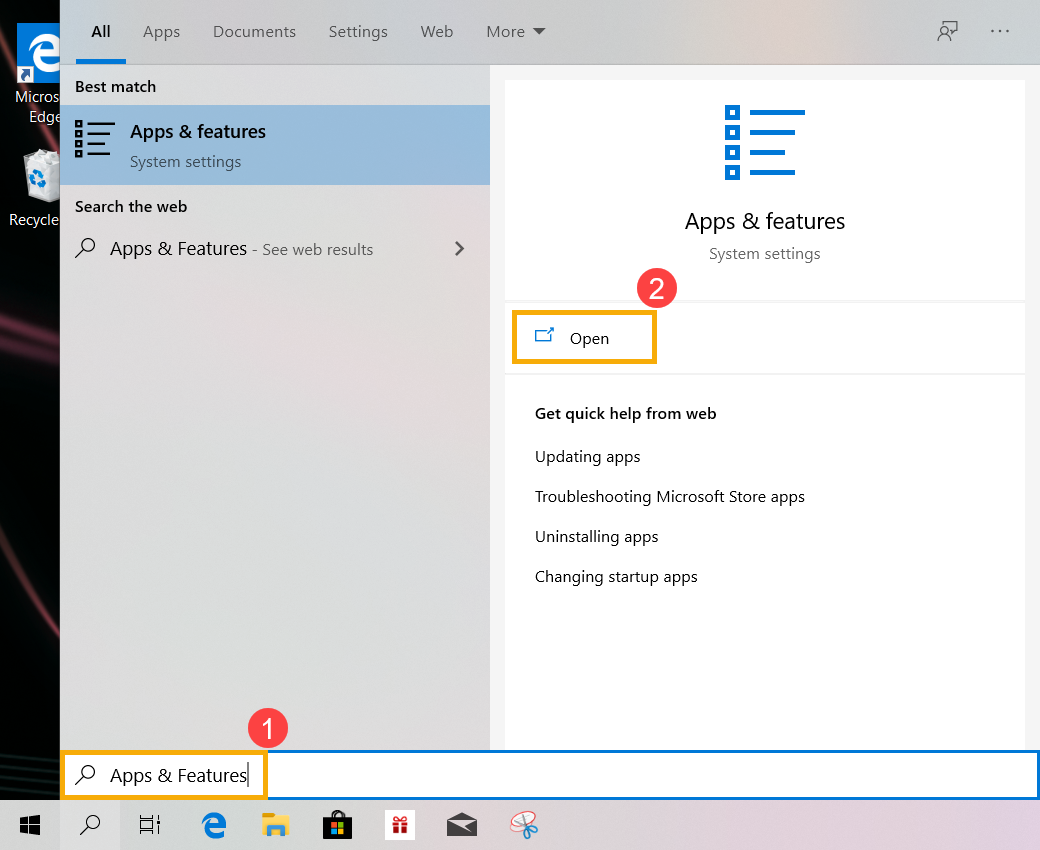
a. Digite e pesquise [Aplicativos e recursos] na barra de pesquisa do Windows (1) e clique em [Abrir] (2).
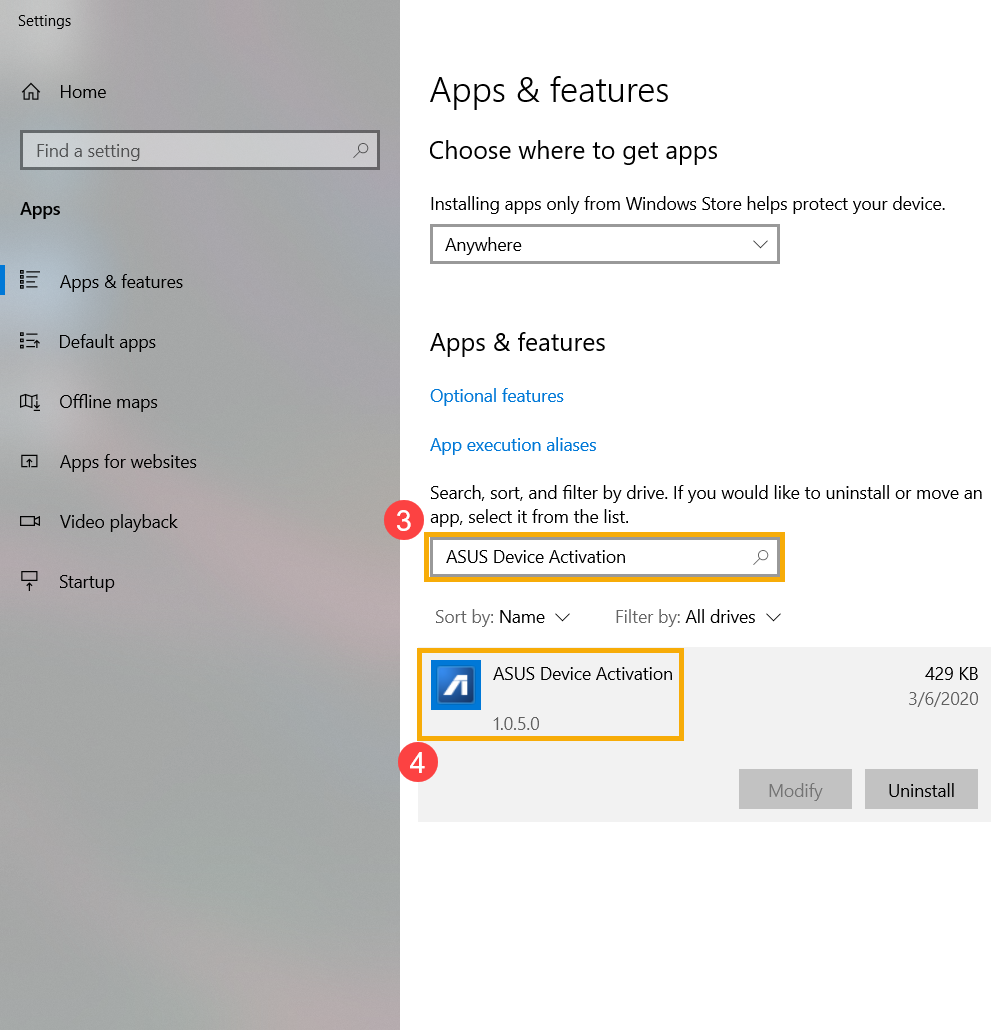
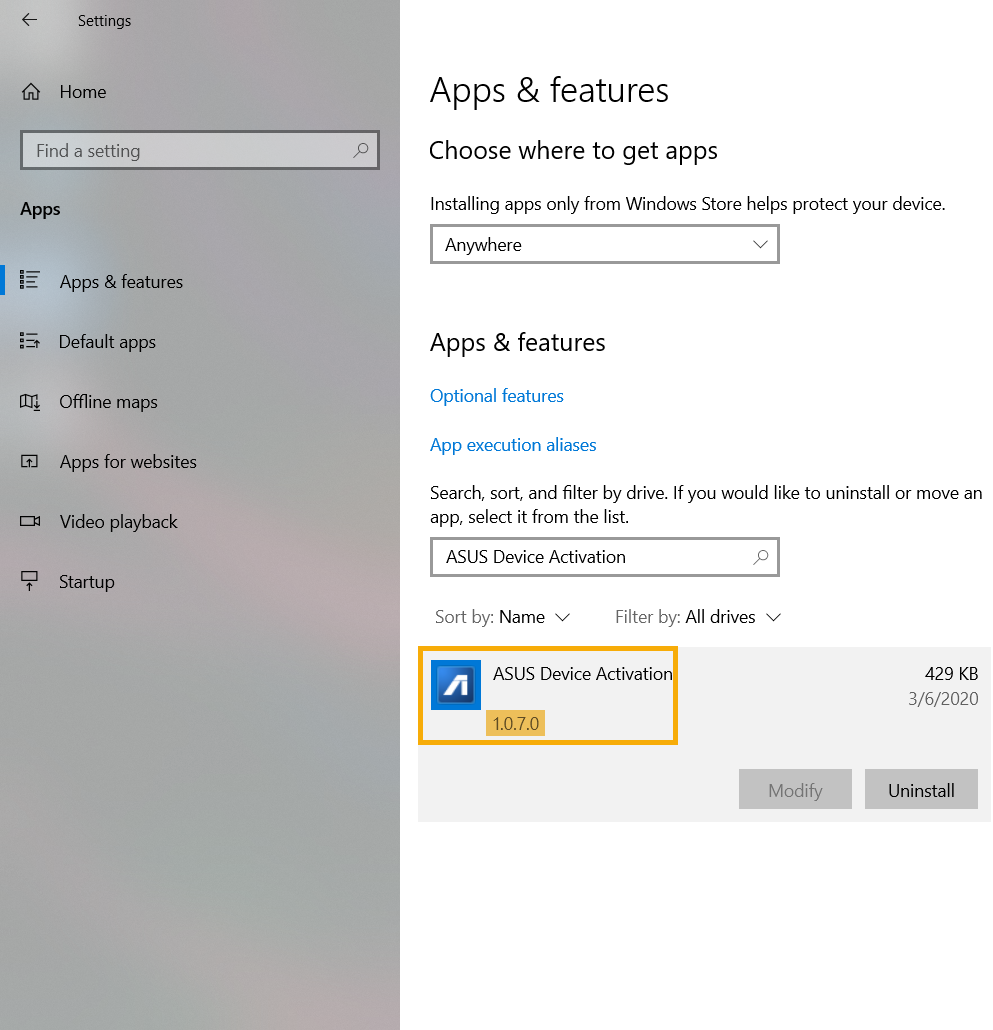
b. Digite e pesquise [ASUS Device Activation] (3) na barra de pesquisa e clique em ASUS Device Activation para poder verificar qual é a versão (4).
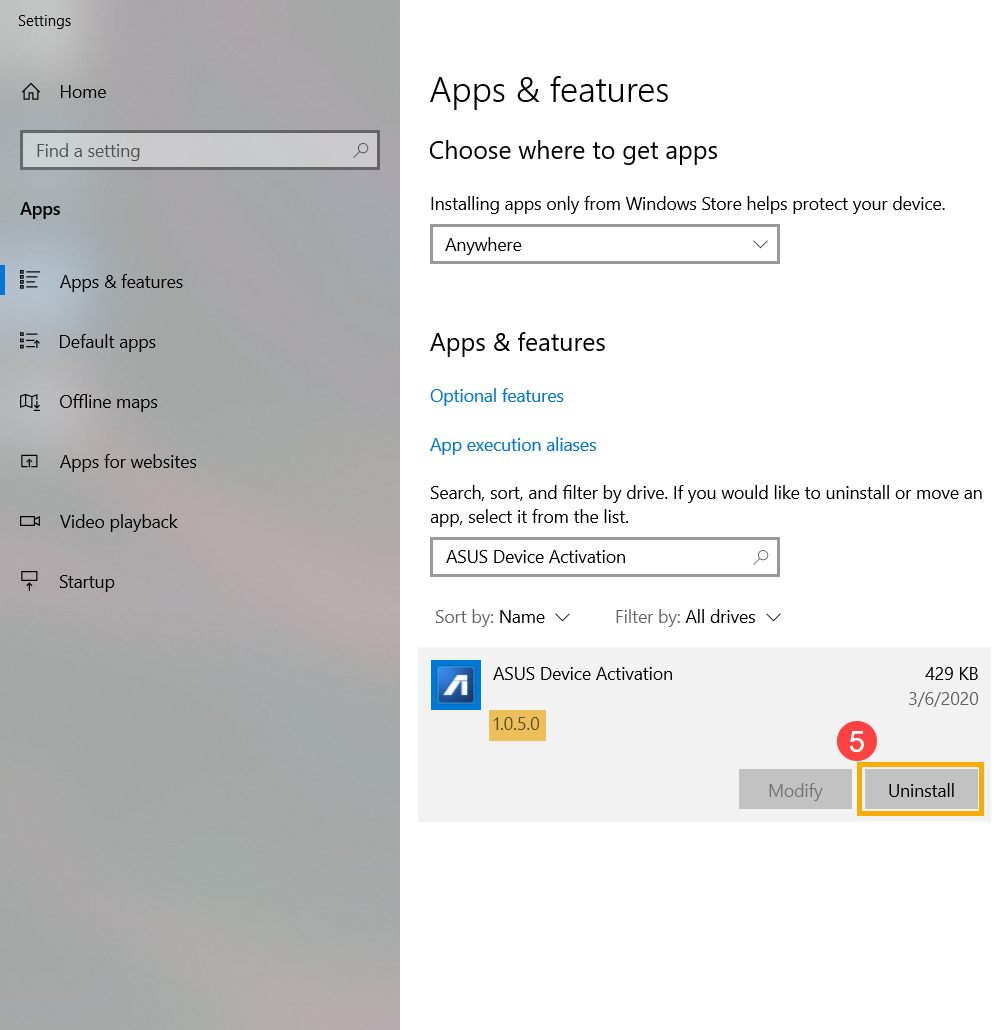
c. Se a versão do ASUS Device Activation instalada for anterior à 1.0.7.0, clique em [Desinstalar] (5) para removê-lo.
● Como atualizar a ativação do dispositivo ASUS
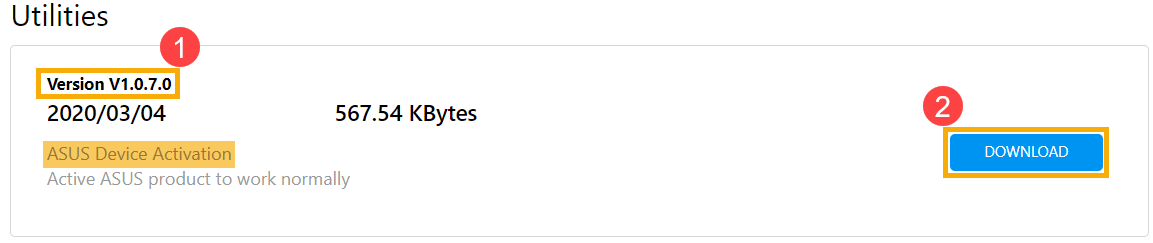
a. Por favor, vá para o ASUS Support Site o faça o download e instale o utilitário [ASUS Device Activation], saiba mais sobre Como pesquisar e baixar utilitários. (As figuras a seguir são a versão atual como referência; faça o download da versão mais recente no site de suporte da ASUS.)
※ Nota: Certifique-se de que a [Versão do driver] seja a versão 1.0.7.0 ou posterior (1) e inicie a [Download e instalação] (2).
b. Após a conclusão da instalação, verifique novamente se a versão mais recente (1.0.7.0 ou posterior) da ASUS Device Activation está instalada corretamente.
Entre em contato conosco se as informações acima não resolverem o seu problema
Above information might be partly or entirely quoted from exterior websites or sources. please refer to the information based on the source that we noted. Please directly contact or inquire the sources if there is any further question and note that ASUS is neither relevant nor responsible for its content/service
This information may not suitable for all the products from the same category/series. Some of the screen shots and operations could be different from the software versions.
ASUS provides the above information for reference only. If you have any questions about the content, please contact the above product vendor directly. Please note that ASUS is not responsible for the content or service provided by the above product vendor.