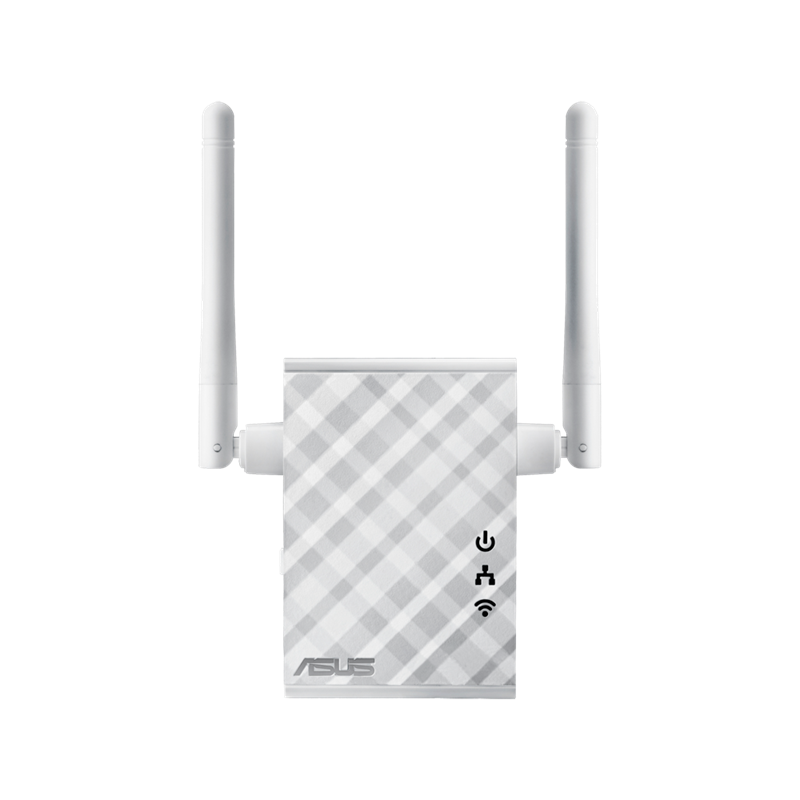
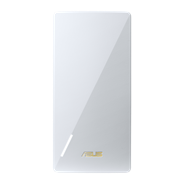
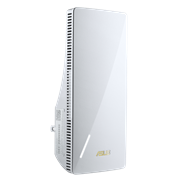
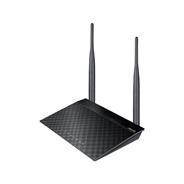
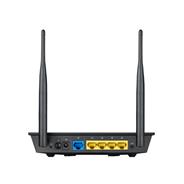
موسع النطاق/ نقطة وصول/ جسر الوسائط اللاسلكي N300
  • هوائي خارجي يُحسن تغطية إشارة الواي فاي ويعززها في كل مكان
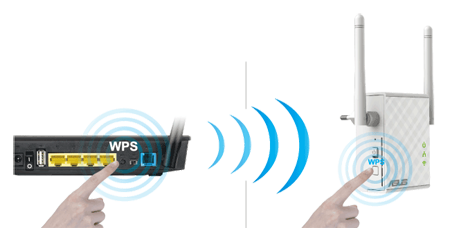
  • إعداد سهل وسريع عبر ضغطة على زر WPS
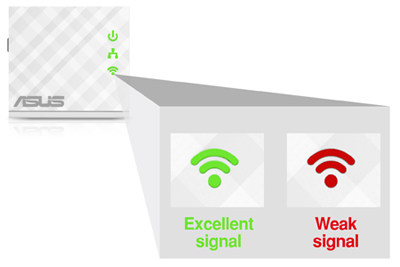
  • مؤشر LED ذكي يساعدك في العثور على أفضل موقع للحصول على أداء واي فاي الأمثل
  • خاصية Roaming Assist تساعدك في الحصول على اتصال مستقر في كل مكان في المنزل أو المكتب
ورقة البيانات
RP-N12

Fill Your Home with Wi-Fi

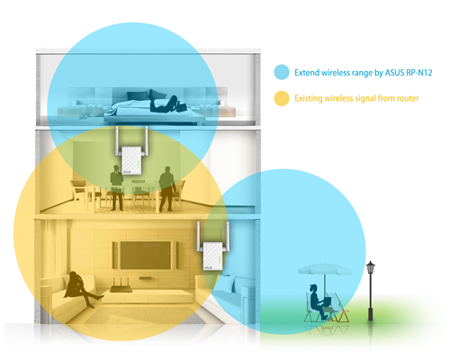
The RP-N12 wireless range extender has powerful external MIMO antennas that help to eliminate signal dead zones and improve the coverage of any existing wireless router. It works as a range extender, which means it can extend wireless networking to every corner of the home — even to those difficult, hard-to-reach spots. This ensures reliable high-speed internet coverage everywhere for devices such as notebooks, tablets, smartphones, game consoles and smart TVs.


One-press setup and worry-free connectivity

RP-N12 wireless range extender installation doesn’t require a CD or even a mouse and keyboard. Simply press the WPS button and setup is complete. Optimized performance is assured for a seamless and smooth internet experience. For advanced settings, you can connect RP-N12 to a PC via an Ethernet cable and access the web-based configuration menu directly, with no disc or app needed. You can even set it up wirelessly from a tablet or smartphone.


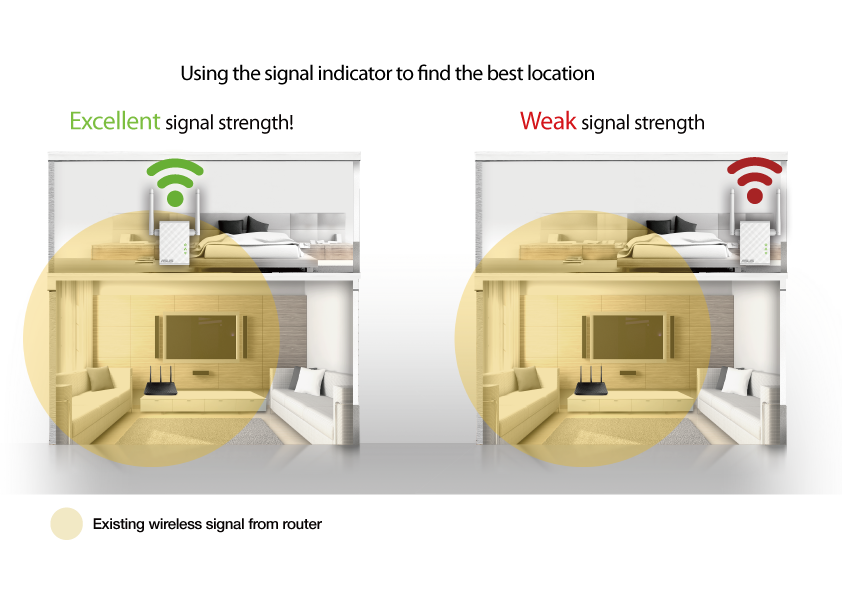
Find the best location for RP-N12 with the signal indicator

For best results, RP-N12 needs to be within range of a stable router signal, and should be placed between the router and the location where you need better wireless coverage. RP-N12 works best when it is receiving a strong wireless signal from the router — you can check this by using the signal strength indicator on the front panel.


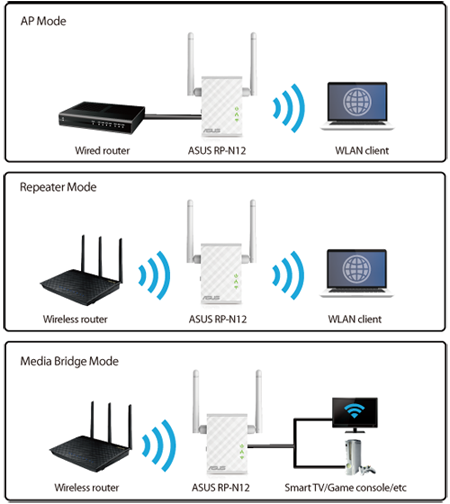
3-in-1 repeater, access point and media bridge modes

RP-N12 has two more convenient modes to make it even more flexible. As well as a repeater, it can also work as a wireless access point (AP) or as a media bridge. In AP mode, it can be connected to any wired LAN — for example, a hotel’s internet connection — to create a personal Wi-Fi hotspot, allowing the internet connection to be accessed from laptops, phones or other Wi-Fi devices. In media bridge mode, it can be connected to any Ethernet-compatible device — such as a smart TV, multimedia player, game console or PC — to give it Wi-Fi capability. A great way to reduce cable mess!


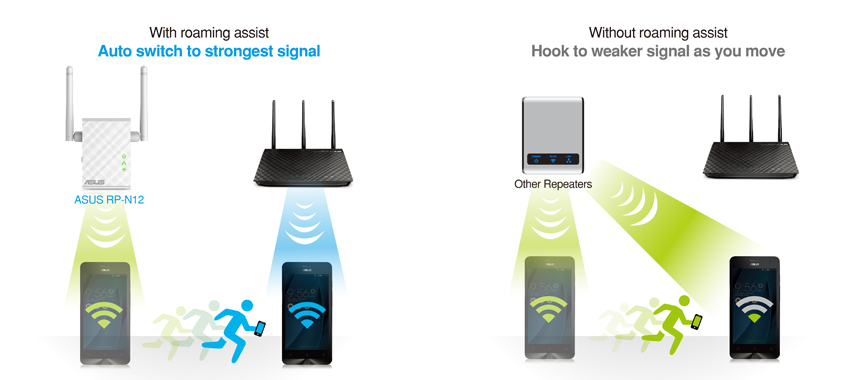
Roaming Assist for stable connections, everywhere!

With our hassle-free Roaming Assist technology, you never have to switch connections manually between RP-N12 and your ASUS router as you move around the home. Once you enable this function, your device will connect automatically to the strongest Wi-Fi signal, whether it’s from the router or the repeater. This ensures that you always get a reliable connection wherever you are in the house1.

Keep Up to Date!

Remember to always keep your device’s firmware up to date so you can benefit from the very latest service and security enhancements — and get exciting new features! Learn more about updating new firmware.


Disclaimer: 1. The effectiveness of the Roaming Assist function varies according to environmental factors. This ASUS-exclusive function works only with ASUS routers.

المنتجات المشابهة
next image
previous image
  • سيتم توزيع المنتجات المعتمدة من قبل هيئة الاتصالات الفيدرالية و Industry Canada في الولايات المتحدة وكندا. يرجى زيارة مواقع ASUS USA و ASUS Canada للحصول على معلومات حول المنتجات المتوفرة محليًا.
  • جميع المواصفات عرضة للتغيير دون إشعار مسبق. يرجى مراجعة المورد الخاص بك للحصول على العروض الدقيقة. قد لا تكون المنتجات متوفرة في جميع الأسواق.
  • تختلف المواصفات والميزات حسب الطراز ، وجميع الصور توضيحية. يرجى الرجوع إلى صفحات المواصفات للحصول على التفاصيل الكاملة.
  • لون ثنائي الفينيل متعدد الكلور وإصدارات البرامج المجمعة عرضة للتغيير دون إشعار.
  • أسماء العلامات التجارية والمنتجات المذكورة هي علامات تجارية لشركاتها المعنية.
  • تُعد مصطلحات HDMI ، و HDMI High-Definition Multimedia Interface ، والمظهر التجاريHDMI ، وشعارات HDMI ، علامات تجارية أو علامات تجارية مسجلة لشركة HDMI Licensing Administrator, Inc.
  • ستختلف سرعة النقل الفعلية لـ USB 3.0 و 3.1 و 3.2 و / أو Type-C   اعتمادًا على العديد من العوامل بما في ذلك سرعة معالجة الجهاز المضيف وسمات   الملفات وعوامل أخرى متعلقة بتكوين النظام وبيئة التشغيل الخاصة بك.
  • سيختلف معدل نقل البيانات الفعلي وتغطية WiFi عن ظروف الشبكة   والعوامل البيئية ، بما في ذلك حجم حركة مرور الشبكة ومواد البناء والتشييد   وأعباء الشبكة ، مما يؤدي إلى انخفاض معدل نقل البيانات الفعلي والتغطية   اللاسلكية.
  • تم تحديد سرعات الشبكة وعرض النطاق الترددي بناءً على مواصفات IEEE   802.11ac الحالية. قد يتأثر الأداء الفعلي بعوامل الشبكة ومزود الخدمة ونوع   الواجهة والشروط الأخرى. يجب أن تكون الأجهزة المتصلة متوافقة مع 802.11ac   للحصول على أفضل النتائج.