|
ASUS Aura SDK v3.1 Developer's Guide
|


|
|
ASUS Aura SDK v3.1 Developer's Guide
|
|
It is suggested to do Aura related controls around every 60ms. (Our own software controls Aura devices every 64ms, for your reference.)
If you want to access COM interfaces using C++, although you can use raw pointers directly (e.g., IAuraSdk * sdk or IAuraSdk2 * sdk), it is recommended to use "smart
pointer" types (e.g., IAuraSdkPtr sdk or IAuraSdk2Ptr sdk) generated by Visual C++ instead. The smart pointer types use "resource acquisition is initialization (aka
RAII)" idiom to manage COM resources for you, so you don't have to call IUnknown::Release() manually.
Please note that in some circumstance you may want to free the resource manually (e.g., before calling CoUninitialize()) even if you are using those smart pointers. In those cases, you should call the smart pointer's Release(), and should NEVER directly call IUnknown::Release() directly. For example:
IAuraSyncDevice::Apply() is actually quite time-consuming since it's an I/O operation. It is suggested to put Apply() call to another thread to reduce performance impact.
Please make sure the following settings are correct:
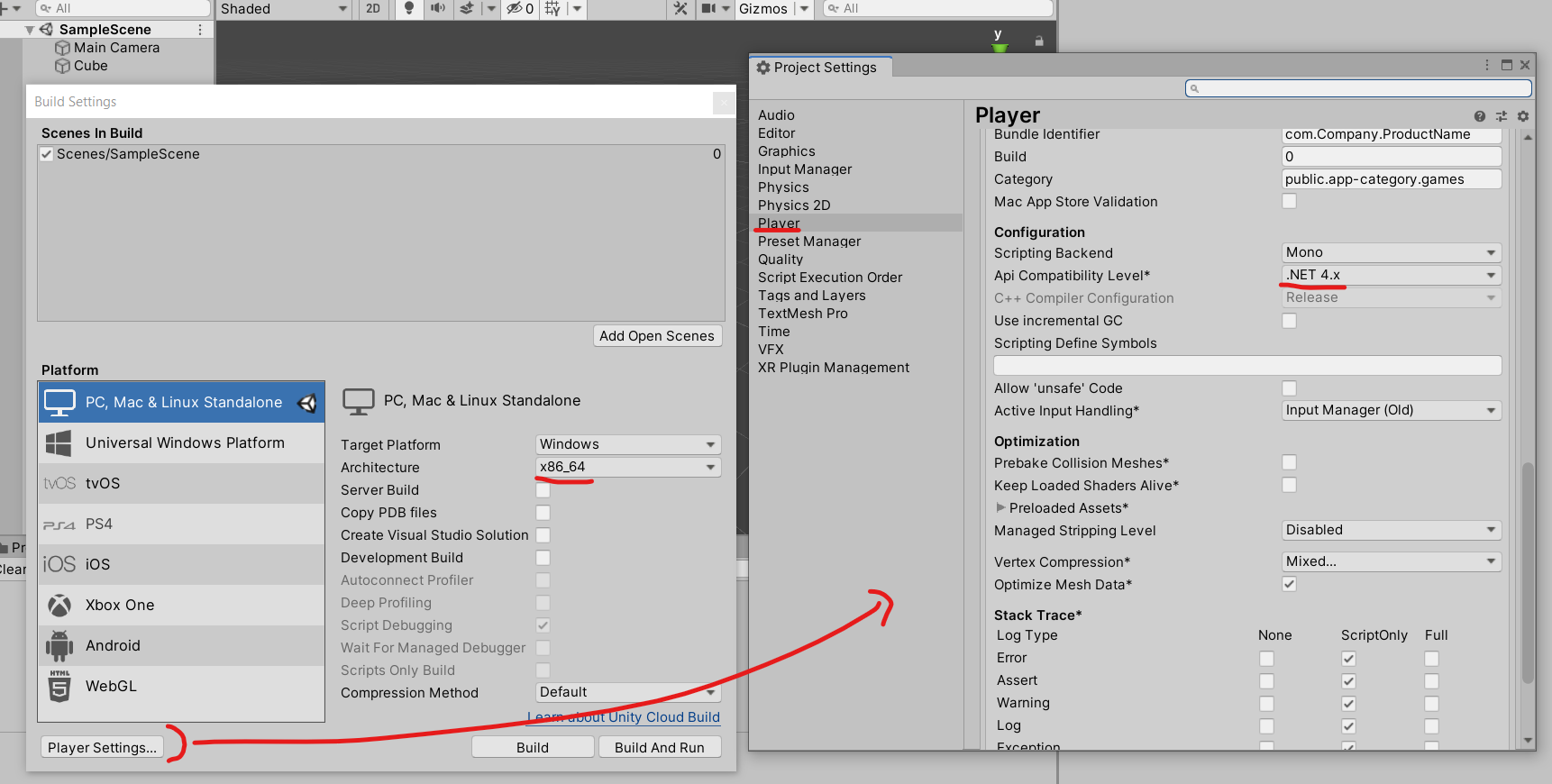
(Click here to view full-sized image)
Sometimes we want to control LED's of specific keys (e.g., W-A-S-D). Some might write a test program that uses methods like AsusAuraWrapper.AsusAuraService.GetKeyCodeX() and AsusAuraWrapper.AsusAuraService.GetKeyCodeY() to get the (x,y) coordinate for certain keys. Then, they use AsusAuraWrapper.AsusAuraService.UpdateDevKeyLightRGB() to control those keys:
However, doing so may cause unexpected lighting result since different Aura keyboards might use different "KeyCode <--> Coordinate" tables. The (x,y) of key 'W' on ROG Strix Scope might not be the same on ROG Strix Flare, not to mention those on ROG notebooks.
So the suggested method is to use AsusAuraWrapper.AsusAuraService.UpdateDevKeyLightRGBToKeyCode() directly. This method will load the proper key mapping table at run-time to prevent such issue.
If you encounter such error message:

Please make sure that all plugin files have been unzipped and resides in the <project>\Plugin\AuraSDKPlugin folder.
If the AuraSDKPlugin folder does not exist, please create it manually.
The Aura plugin for UE4 does not support reading .gif or .png files from packed data. So please exclude those files from asset package and stores them as independent files.
 1.9.2
1.9.2