


ASUS ZenWiFi AX Hybrid (XC5)


























Recommend for you
- WiFi 6
- AX3000, 2.4GHz 2X2+ 5GHz 2X2
- Very large home,multi-floor home
- Coverage up to 5,000 Sq. ft.
- ASUS features:AiMesh, AiProtection
See less
- WiFi 6
- AX6600, 2.4GHz 2X2+ 5GHz-1 2X2+5GHz-2 4X4
- Very large home,multi-floor home
- Coverage up to 5,500 Sq. ft.
- ASUS features:AiMesh, AiProtection
See less
- WiFi 6
- AX1800, 2.4GHz 2x2 + 5GHz 2x2
- Very large home, multi-floor home
- Coverage up to 4,800 Sq. ft.
- ASUS features: AiMesh, AiProtection
See less
- WiFi 6
- AX11000, 2.4GHz AX:4x4+5GHz-1:4x4+5GHz-2:4x4
- Very large homes
- ASUS features: AiMesh, AiProtection
See less
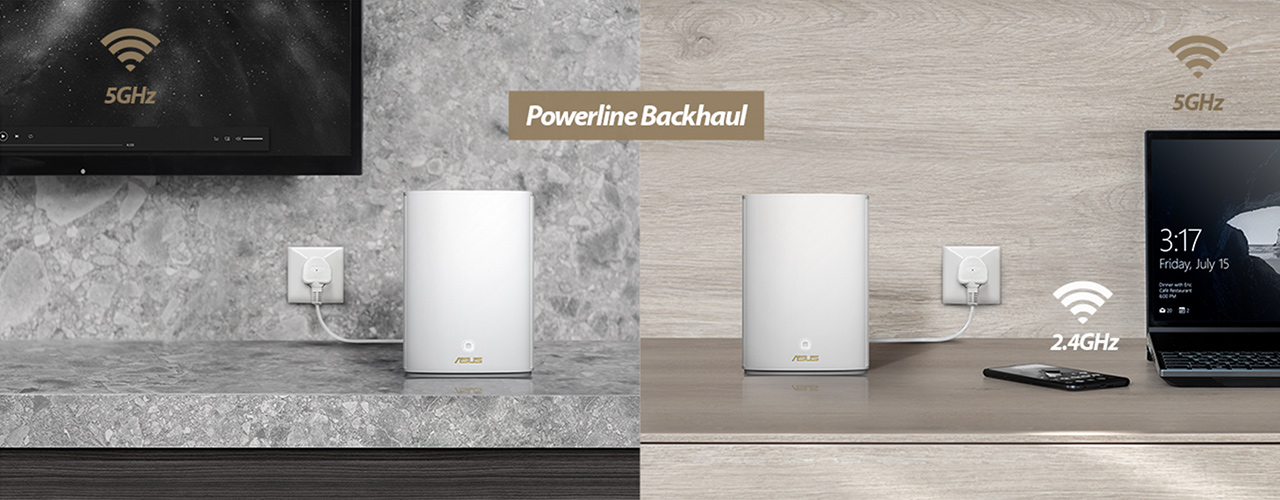
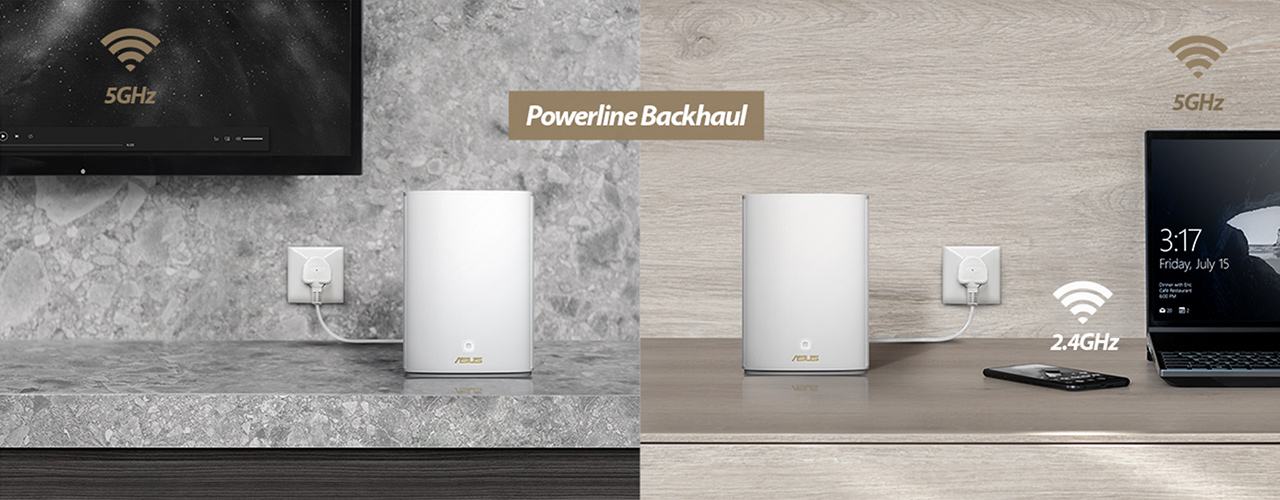
- WiFi AX Powerline Hybrid
- AX1800 + AV1300
- 2.4GHz AX:2x2 + 5GHz:2x2 + HomePlug AV2 MIMO:2x2
- Very large homes
- AiMesh, AiProtection
See less
- WiFi 7
- BE5000, 2.4GHz BE: 2x2 + 5GHz BE : 2x2
- Large home, multi-floor home
- ASUS features: AiMesh, Parental control, AiProtection
See less
- WiFi 7
- BE3600, 2.4GHz BE: 2x2 + 5GHz BE : 2x2
- Large home, multi-floor home
- ASUS features: AiMesh, Parental control, AiProtection
See less
- WiFi 6E
- AXE7800, 2.4GHz 2x2 + 5GHz 2x2 + 6GHz 4x4
- Very large home
- Coverage up to 7,800 sq. ft.
- ASUS features: AiMesh, AiProtection
See less
- WiFi 7
- BE25000, 2.4GHz BE: 4x4 + 5GHz-1 BE: 4x4 + 5GHz-2 BE: 4x4+ 6GHz BE: 4x4
- ASUS features: AiProtection Pro, AiMesh
See less
- WiFi 7
- BE30000, 2.4GHz BE: 4x4 + 5GHz BE: 4x4 + 6GHz-1 BE: 4x4+ 6GHz-2 BE: 4x4
- ASUS features: AiProtection Pro, AiMesh
See less
- WiFi 6
- AX1800, 2.4GHz 2x2 + 5GHz 2x2
- Very large home, multi-floor home
- Coverage up to 4,800 Sq. ft.
- ASUS features: AiMesh, AiProtection
See less


NEW
- WiFi 6 USB Adapter
- AX1800, 2.4GHz: 2x2 + 5GHz: 2x2
- Support plug and play
- Compatible with Windows® 10 & 11
See less
NEW
- WiFi 6 USB Adapter
- AX1800, 2.4GHz: 2x2 + 5GHz: 2x2
- Support plug and play
- Compatible with Windows® 10 & 11
See less
- WiFi 7
- BE3600, 2.4GHz BE: 2x2 + 5GHz BE: 2x2
- Large homes
- ASUS features: AiMesh
See less
NEW
- WiFi 7 USB Adapter
- Supporting 6GHz band
- BE6500, 2.4GHz BE: 2x2 + 5GHz BE: 2x2 + 6GHz BE: 2x2
- Support 4096-QAM, Plug and play, Compatible with Windows® 10 & 11
See less
- WiFi 7 PCI-E Adapter
- Supporting 6GHz band, 4096-QAM
- BE6500, 2.4GHz BE: 2x2 + 5GHz BE: 2x2 + 6GHz BE: 2x2
- Bluetooth 5.4, WPA3 network security, OFDMA and MU-MIMO
See less
- WiFi 6
- AX3000, 2.4GHz AX: 2x2 + 5GHz AX: 2x2
- Large homes
- ASUS features: AiMesh
See less
- WiFi 6E PCI-E Adapter
- Supporting 6GHz band, 160MHz
- AXE5400, 2.4GHz AX: 2x2 + 5GHz AX: 2x2 + 6GHz AX: 2x2
- Bluetooth 5.2, WPA3 network security, OFDMA and MU-MIMO
See less
- WiFi 6E PCI-E Adapter
- Supporting 6GHz band, 160MHz
- AXE5400, 2.4GHz AX: 2x2 + 5GHz AX: 2x2 + 6GHz AX: 2x2
- Bluetooth 5.2, WPA3 network security, OFDMA and MU-MIMO
See less
- WiFi 6E PCI-E Adapter
- Supporting 6GHz band, 160MHz
- AXE5400, 2.4GHz AX: 2x2 + 5GHz AX: 2x2 + 6GHz AX: 2x2
- Bluetooth 5.2, WPA3 network security, OFDMA and MU-MIMO
See less
- WiFi 6
- AX1800, 2.4GHz AX: 2x2 + 5GHz AX: 2x2
- Large homes
- ASUS features: AiProtection
See less
- Products certified by the Federal Communications Commission and Industry Canada will be distributed in the United States and Canada. Please visit the ASUS USA and ASUS Canada websites for information about locally available products.
- All specifications are subject to change without notice. Please check with your supplier for exact offers. Products may not be available in all markets.
- Specifications and features vary by model, and all images are illustrative. Please refer to specification pages for full details.
- PCB color and bundled software versions are subject to change without notice.
- Brand and product names mentioned are trademarks of their respective companies.
- The terms HDMI and HDMI High-Definition Multimedia Interface, HDMI trade dress and the HDMI Logos are trademarks or registered trademarks of HDMI Licensing Administrator, Inc. in the United States and other countries.
- The actual transfer speed of USB 3.0, 3.1, 3.2, and/or Type-C will vary depending on many factors including the processing speed of the host device, file attributes and other factors related to system configuration and your operating environment.
- Actual data throughput and WiFi coverage will vary from network conditions and environmental factors, including the volume of network traffic, building material and construction, and network overhead, result in lower actual data throughput and wireless coverage.
- Quoted network speeds and bandwidth based on current IEEE 802.11ac specifications. Actual performance may be affected by network and service provider factors, interface type, and other conditions. Connected devices must be 802.11ac-compatible for best results.
- WPA/WPA2 enterprise is only available on single router, is not available under AiMesh mode.
- When traditional QoS is enabled, there will be limitations due to the actual Internet service bandwidth and different environment, and there may be a risk of speed reduction.
- Due to the different power supply requirements on USB external hard disk and 4G/5G Modem device, to ensure that the external device can be used stably, if the USB external device exceeds the standard USB 2.0 (5V/500mA) and USB 3.1 Gen 1 (5V/900mA) power supply requirements, you need to use it with an independent external power supply.
- If you use the product in conjunction with a third party service, you are responsible for complying with the third party provider's terms and conditions and privacy policy and are also at the risk of such use. ASUS does not provide support or guarantee continuous integration support for products that are not part of ASUS.
- The device is restricted to indoor use only when operating in the 5150-5350 MHz frequency band in certain regions, including the EU, Asia-Pacific countries, Australia, and Canada. Outdoor use in this band may be prohibited or require regulatory approval. Check local regulations before deployment.
- For models with Time machine support, starting with macOS 26 (Tahoe), Time Machine no longer supports creating new backups on USB-connected storage devices. Existing Time Machine drives that were previously configured remain compatible and can continue to be used for backup and restoration.