[Wireless] How to remove the Wi-Fi privacy warning on your iPhone?
If you connect your smartphone to the Wi-Fi and then get a "Privacy Warning" message, you might be wondering what’s going on. Is your home Wi-Fi network not secured ? And how can you fix this?
When you update to iOS 14, iPhone or iPad OS will reveal "privacy warning" and "weak security" while connecting to Wi-Fi networks.
Follow the steps below to adjust the setting :
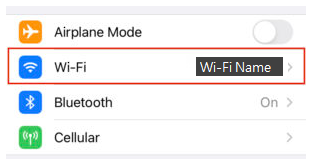
1. Go to "Settings". Find and click Wi-Fi.
2. Click “i” icon on the right.
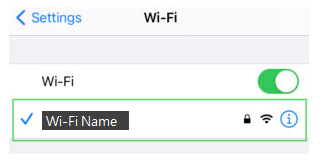
3. Enable "Private Address".

4. Rejoin the Wi-Fi network, and the privacy issue should disappear.
For better Wi-Fi security, we will suggest to use WPA3 or WPA3/WPA2 wireless encryption.
How to get the (Utility / Firmware)?
You can download the latest drivers, software, firmware and user manuals in the ASUS Download Center.
If you need more information about the ASUS Download Center, please refer to this link.