[Motherboard] ASUS Control Center Express (ACCE) malfunctions after the reboot, what should I do?
******** IMPORTANT! ********
To avoid malfunction of ASUS Control Center Express (ACCE), you must upgrade to ver. 1.4.27 as soon as possible.
Before updating to ver. 1.4.27, please check your current ACCE version in advance.
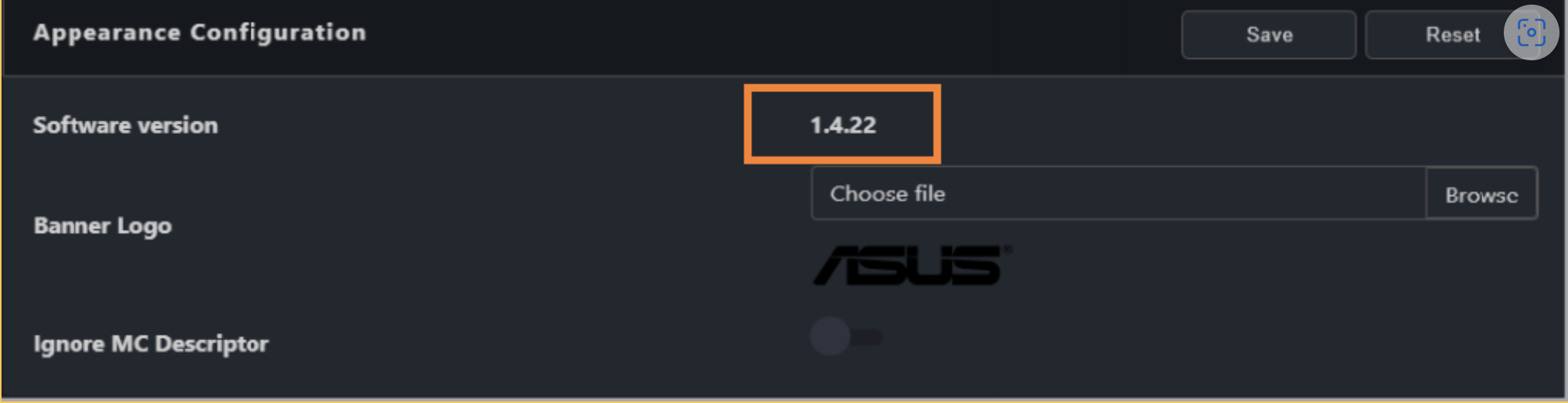
How to check your current ACCE version: Select “Settings” (please refer to on the dashboard) -> select “Options” -> select the tab “General Configuration” -> scroll down and find “Appearance Configuration”, as shown below.
Please update your ACCE software through the following procedures that correspond to your current version.
- Update from Ver. 1.4.XX to 1.4.27
Step 1. Update the console: Please download the ACCE Ver. 1.4.27 from the following link:
Step 2. Install ACCE ver. 1.4.27.
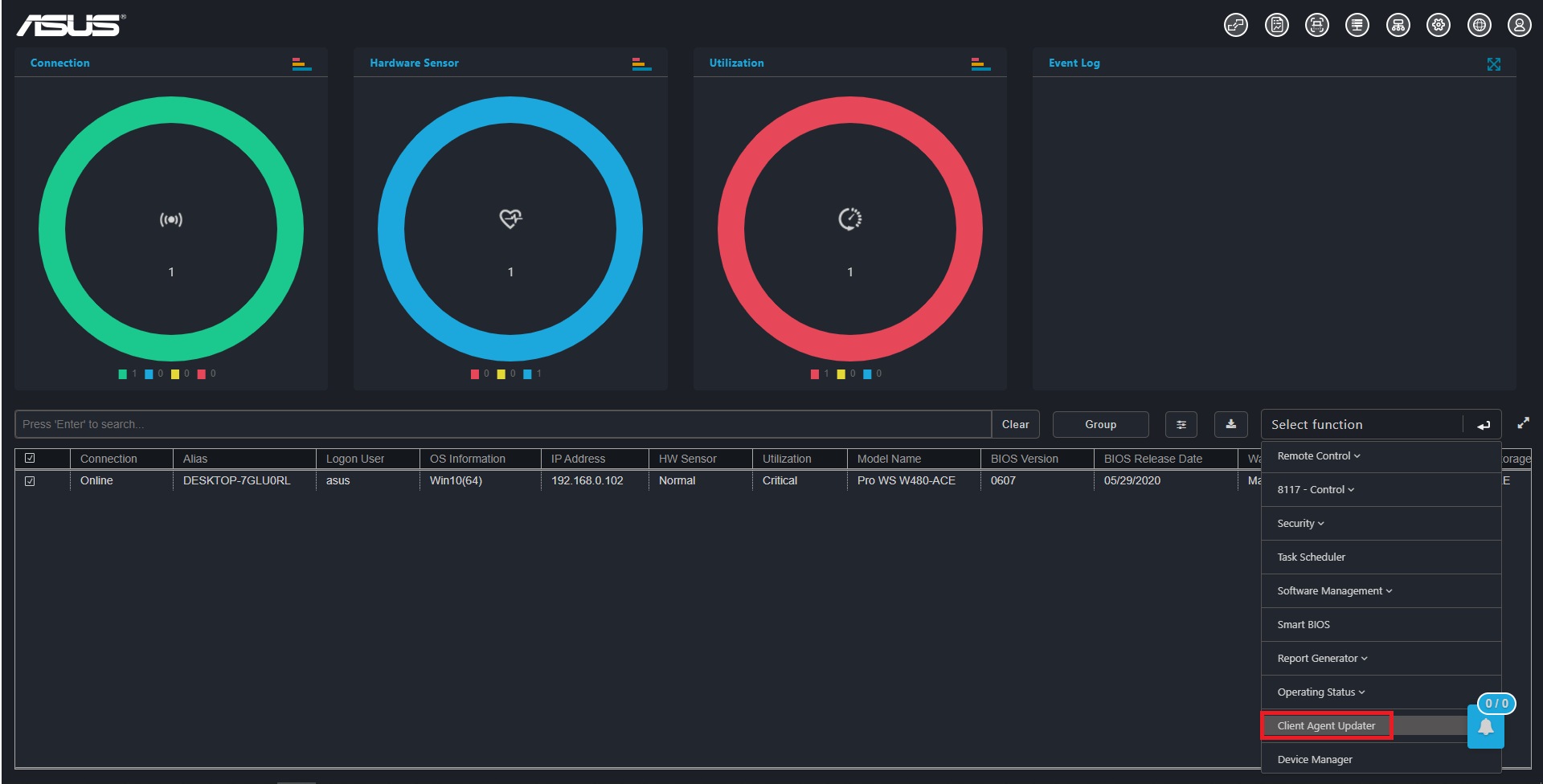
Step 3. Update the agent for all client devices: Please select “Client agent updater” on the dashboard as shown in the screenshot below.
- Update from Ver. 1.3.XX (or earlier versions) to 1.4.27
Step 1. Update the console: Please download the ACCE Ver. 1.4.27 from the following link:
Step 2. Install ACCE ver. 1.4.27.
Step 3. Please re-deploy the agent through the following procedures:
3-1 Select “Deploy” on the dashboard.
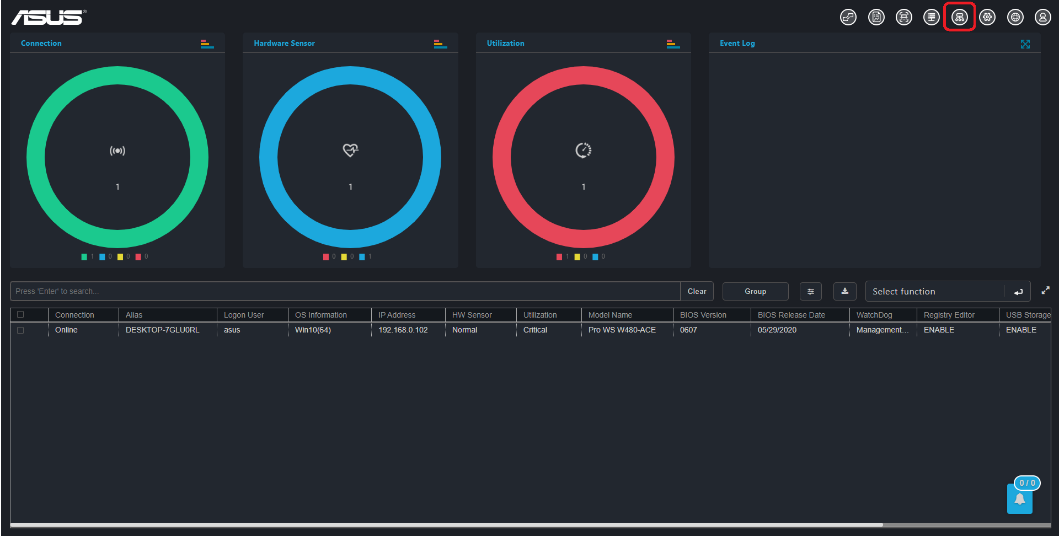
3-2 Select “Existed clients” for a list of clients that have been deployed to the agent.
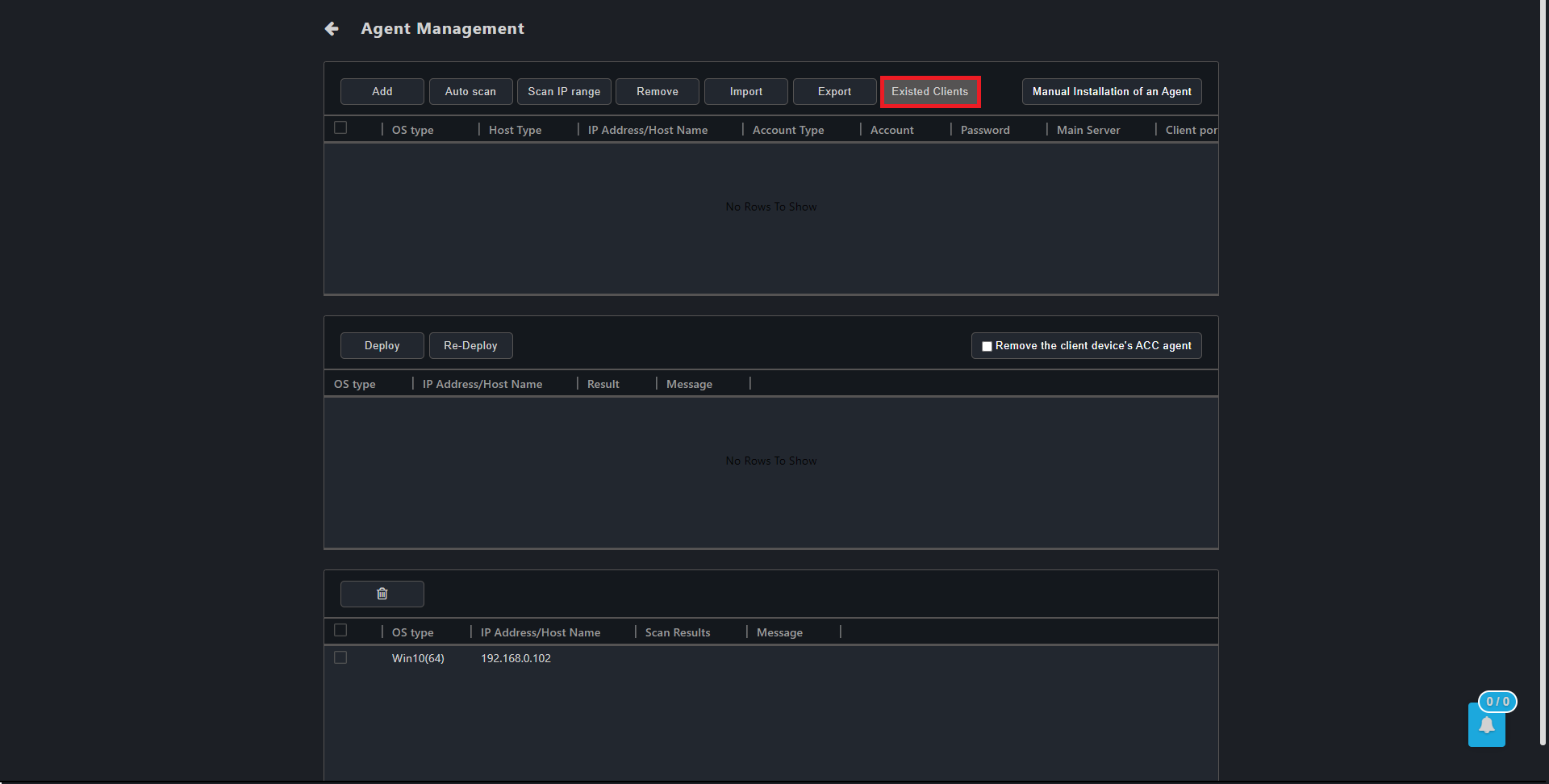
3-3 Confirm the device information of client device, such as Administrator account and password (Please refer to chapter 3.1.1 in the manual), and select “Re-Deploy”.
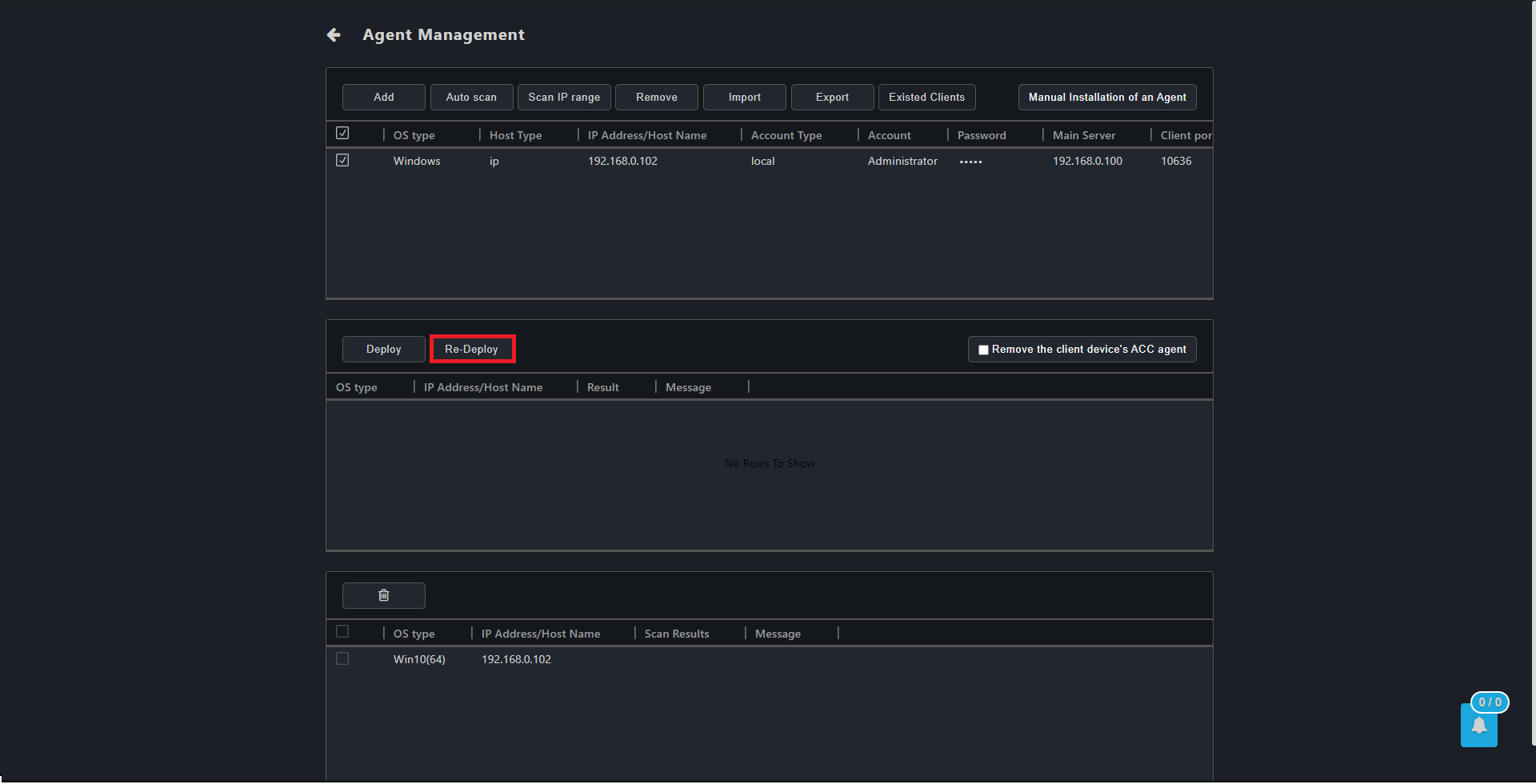
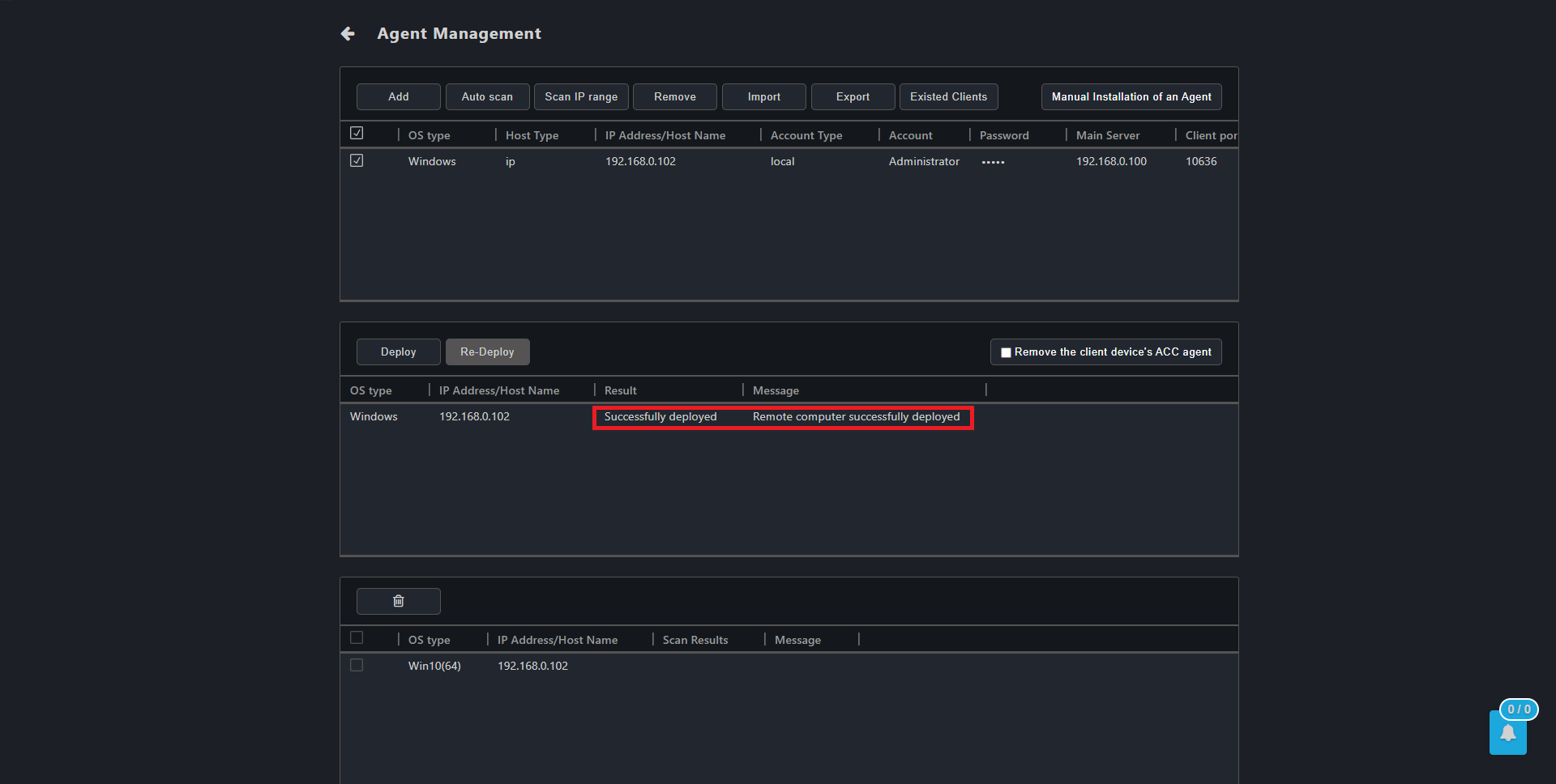
3-4 Successful re-deployment will be marked by a message as shown in the screenshot below.