[Notebook] How to change the power button/lid close action
Please go to the corresponding instruction based on the current Windows operating system on your computer:
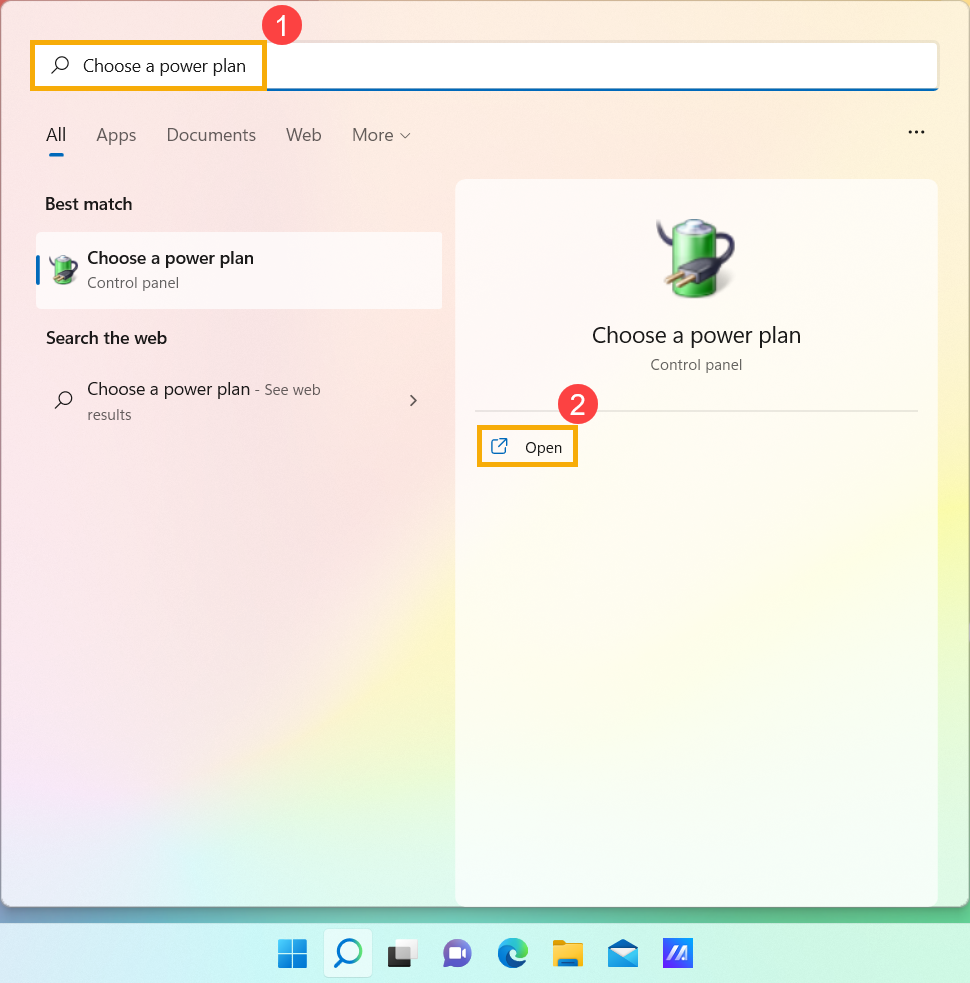
- Type and search [Choose a power plan] in the Windows search bar①, and then click [Open]②.
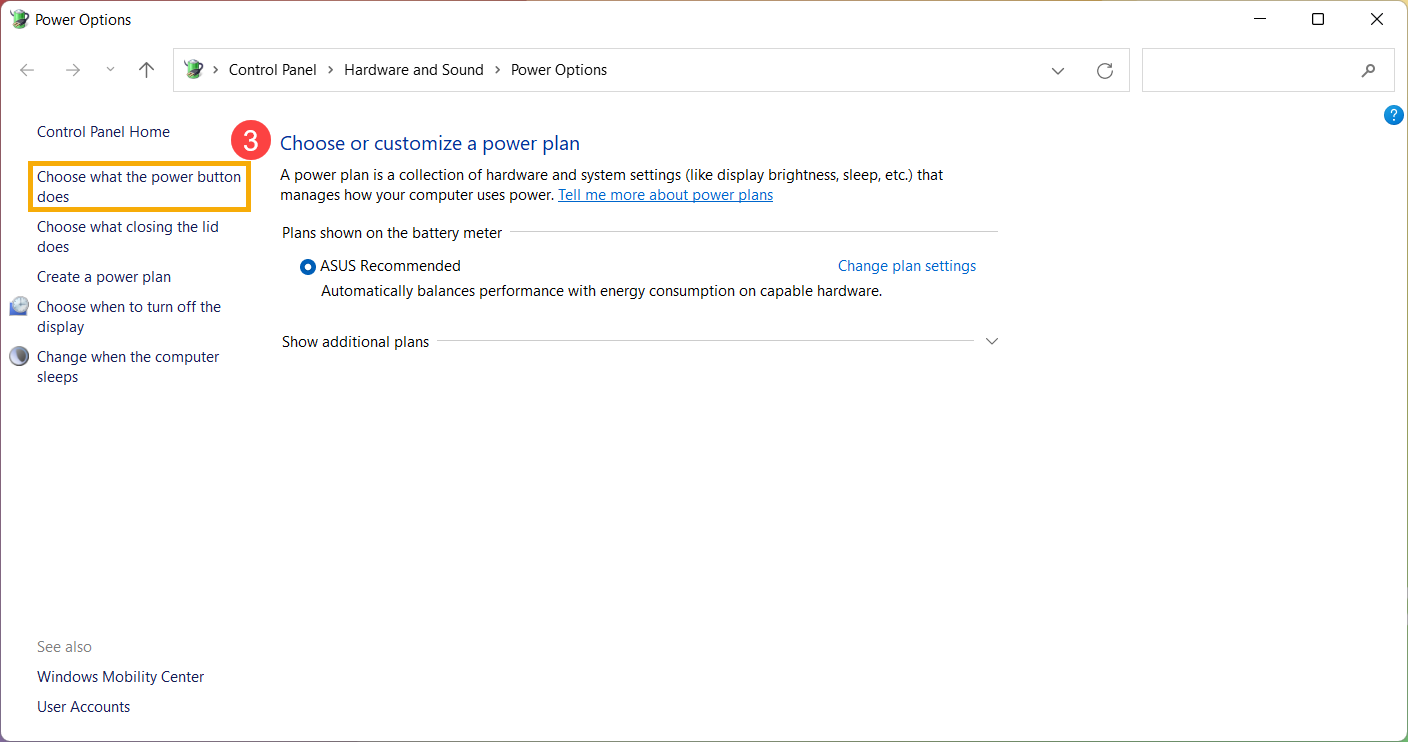
- Select [Choose what the power button does]③.
- You can set up the options of On battery or Plugged in, that the action when you press the power button or close the lid④. (Do nothing, Sleep, Hibernate, Shut down, etc.)
After the setup is completed, please select [Save changes]⑤, and then it will apply to all of your power plans.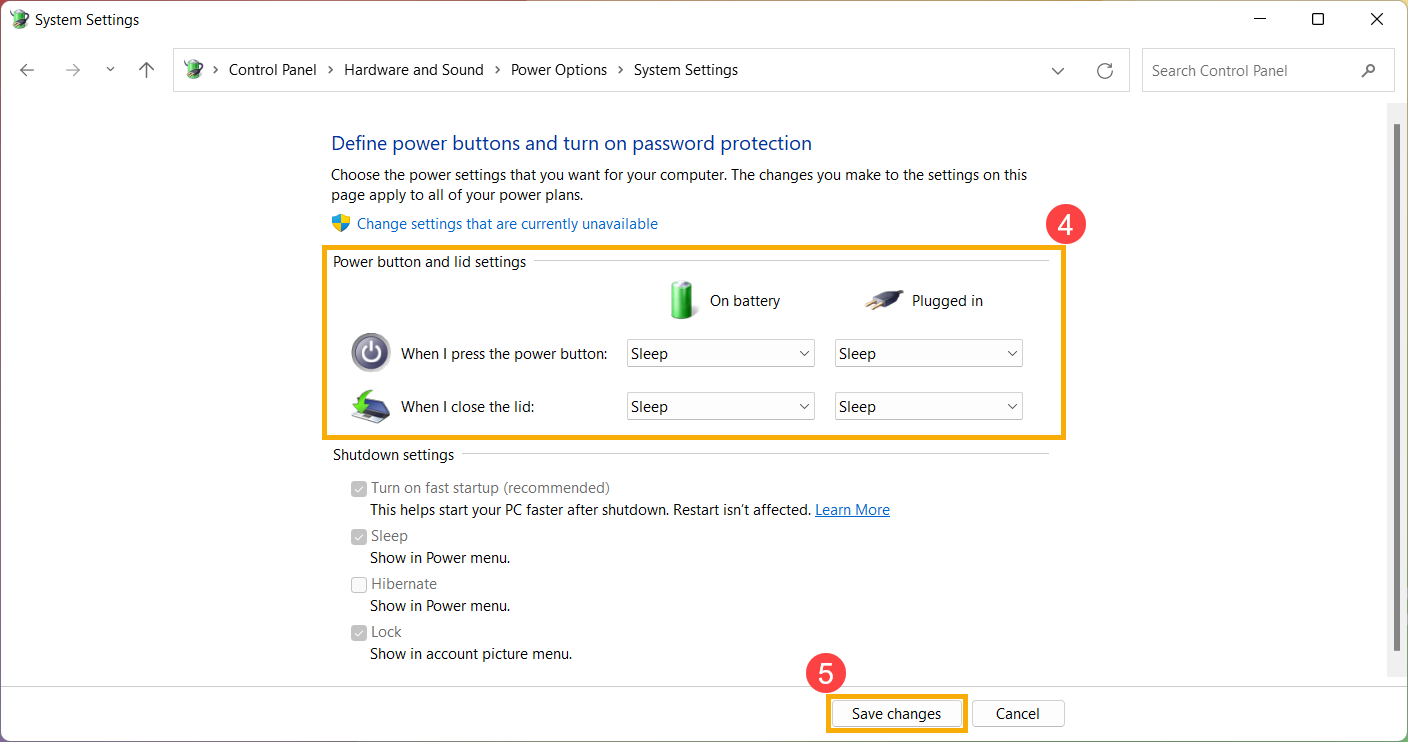
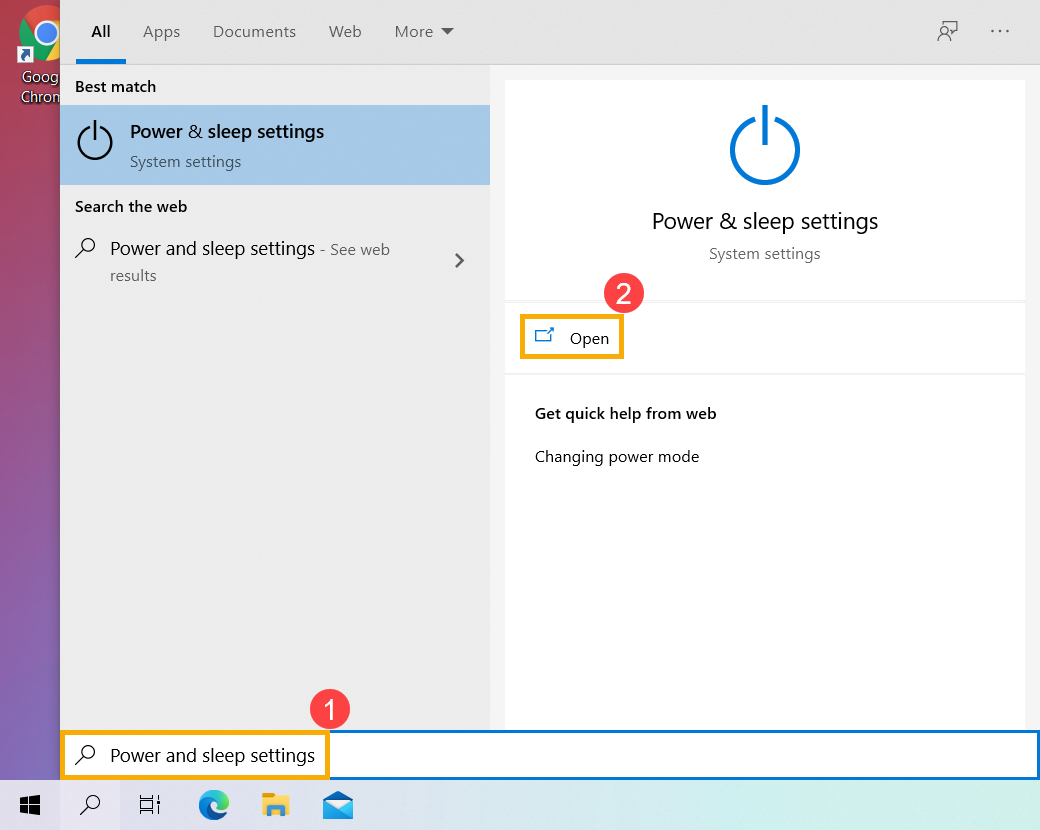
- Type and search [Power & sleep settings] in the Windows search bar①, and then click [Open]②.
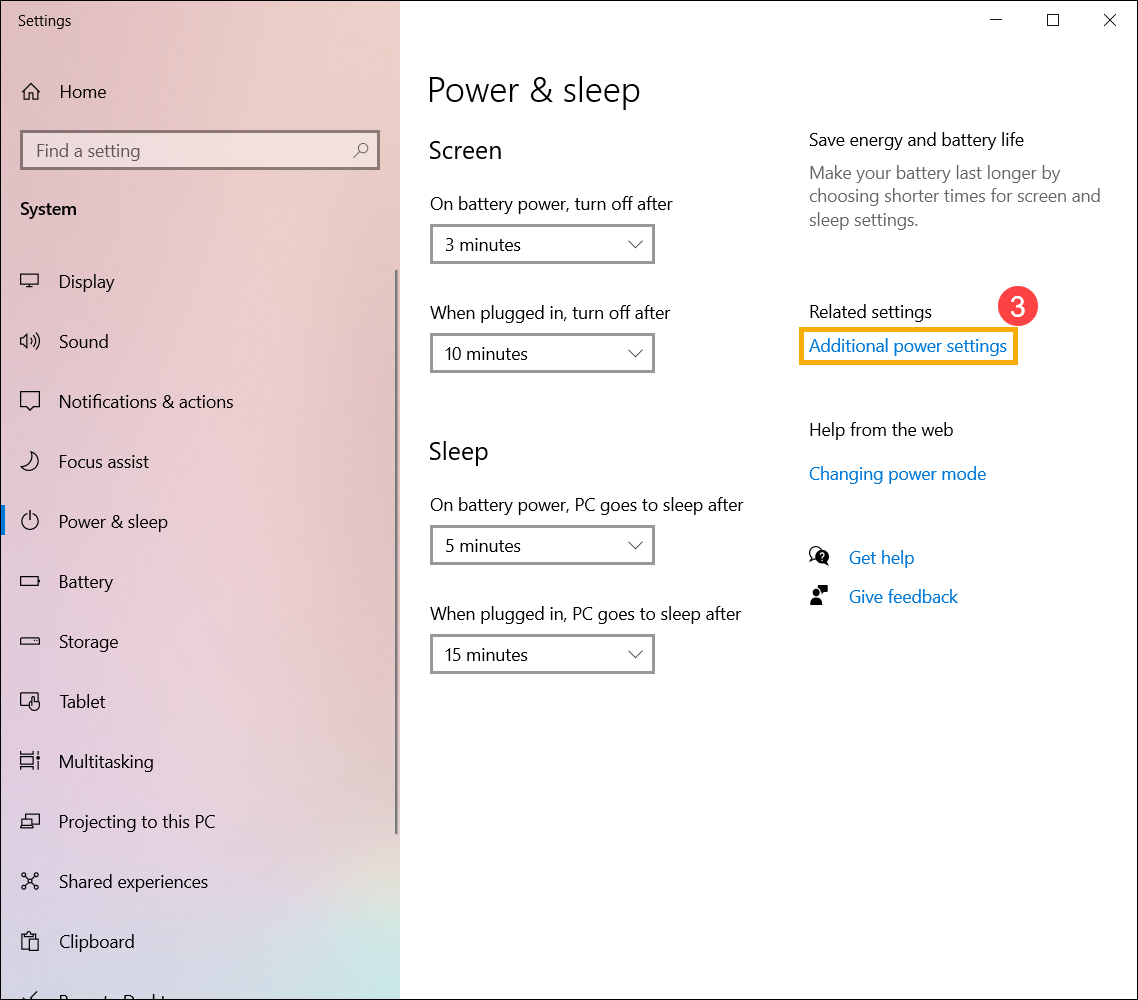
- Select [Additional power settings]③.
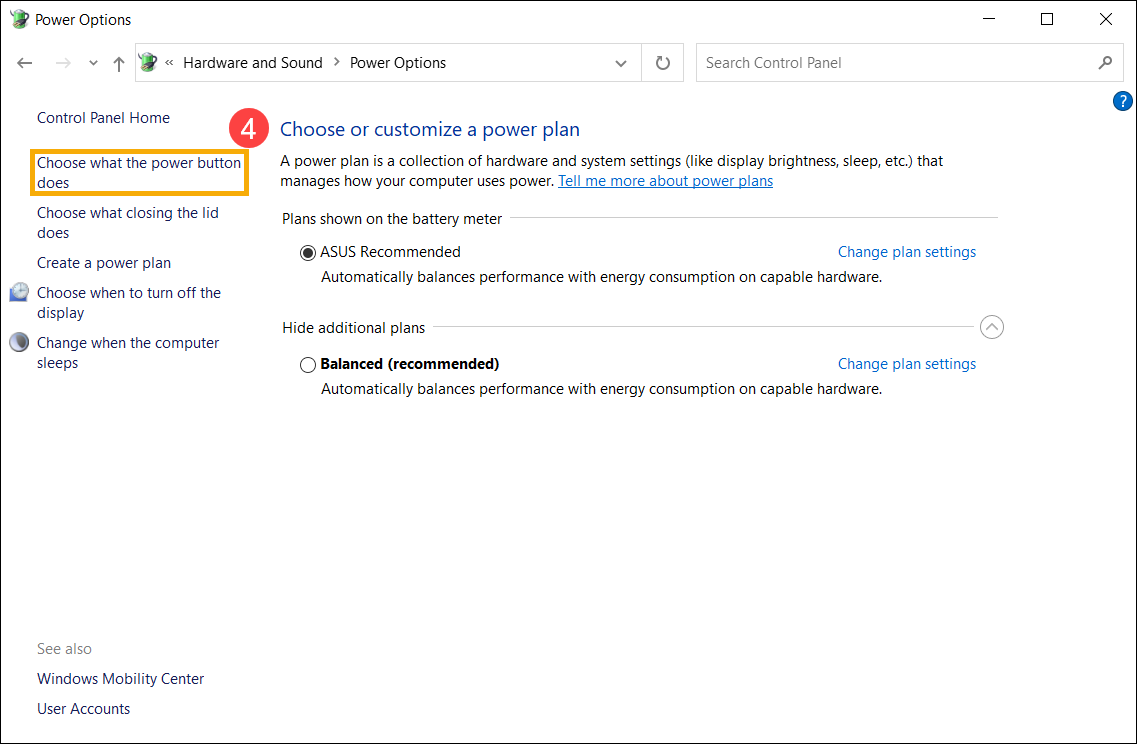
- Select [Choose what the power button does]④.
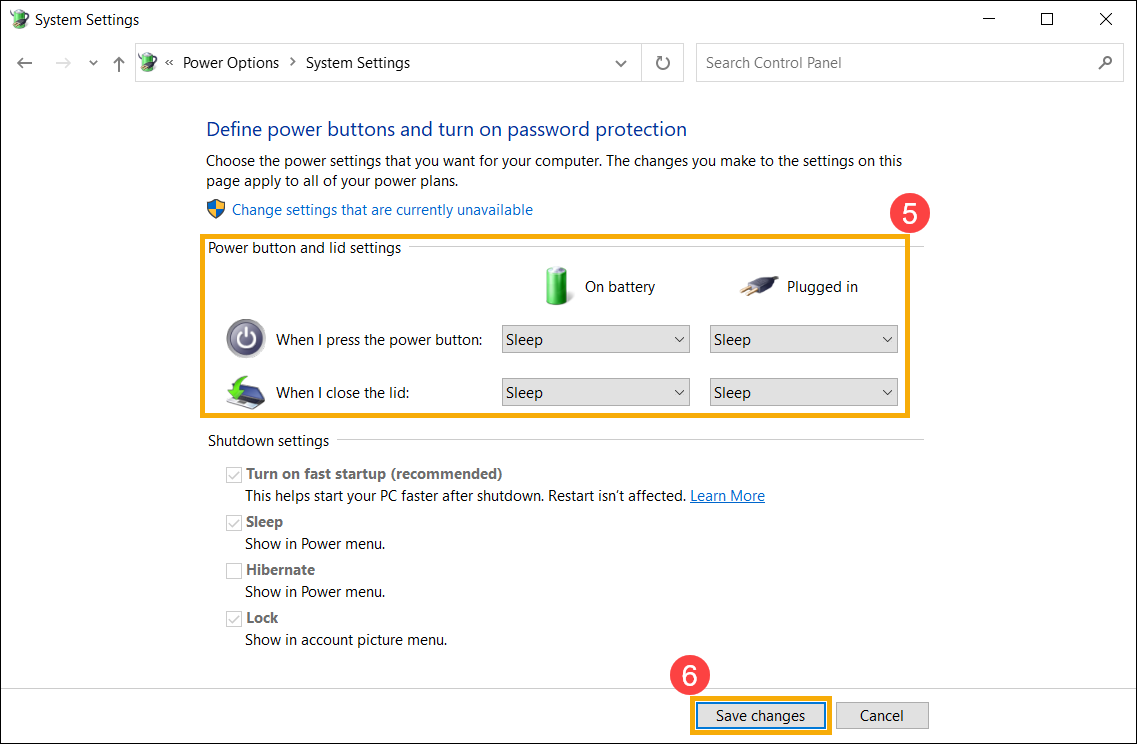
- You can set up the options of On battery or Plugged in, that the action when you press the power button or close the lid⑤. (Do nothing, Sleep, Hibernate, Shut down, etc.)
After the setup is completed, please select [Save changes]⑥, and then it will apply to all of your power plans.