[AIO] How to Find the AIO Serial Number?
- Check the sticker label or writing on the back of the All-in-one PC. Some units may just print the information directly to the back of the unit rather than sticking a label. The serial number is listed after the word “Serial Number,” “SSN,” “S/N,” or “SN” as in the edited picture below.

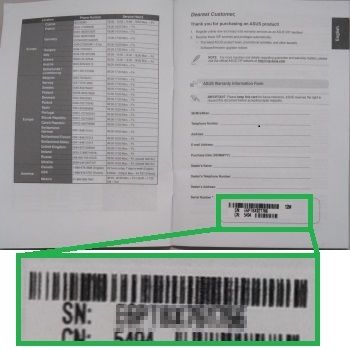
- Check for a label in the warranty card. The serial number is listed after the word “Serial Number,” “SSN,” “S/N,” or “SN” as in the edited picture below.
- Check the sticker label on the side of the package box. The serial number is listed after the word “Serial Number,” “SSN,” “S/N,” or “SN” as in the edited picture below.

- If you can boot to Windows, run 'command prompt' and type 'wmic bios get serialnumber' as below. Note: This method will not work for older units.

- If you previously registered your product under your ASUS account, check there as well.