[Phone] How do I set Color Correction function in my phone?
※Information in this FAQ might not be applied to all series of phone/pad products. Part of options/screenshots or operation procedures may vary from different versions of software.
Color correction mode enables your phone to compensate for color blindness.
1. Please follow the steps below to access the function settings:
Go to "Settings" > "Accessibility" > "Color correction"
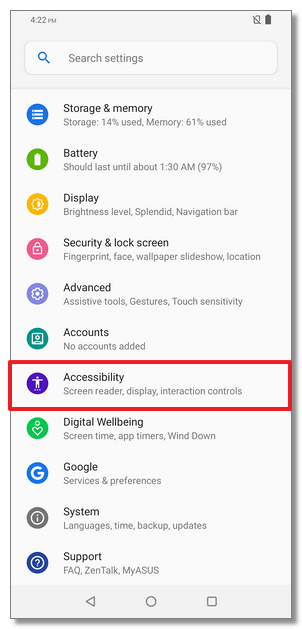

2. Turn on "Use color correction"


3. Tap "Correction mode", then choose one of the following options: Deuteranomaly (red-green), Protanomaly (red-green) or Tritanomaly (blue-yellow).

