[Windows 11/10] Change Startup apps
Please go to the corresponding instruction based on the current Windows operating system on your computer:
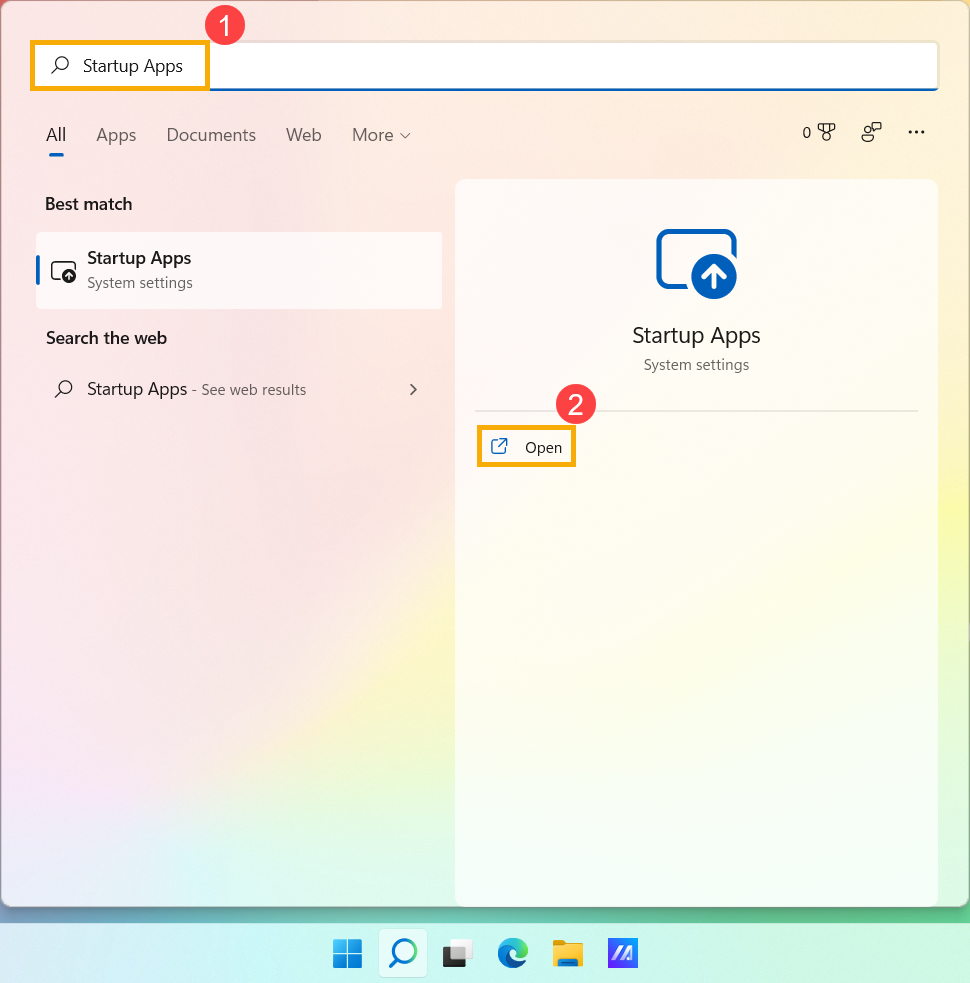
- Type and search [Startup Apps] in the Windows search bar①, and then click [Open]②.
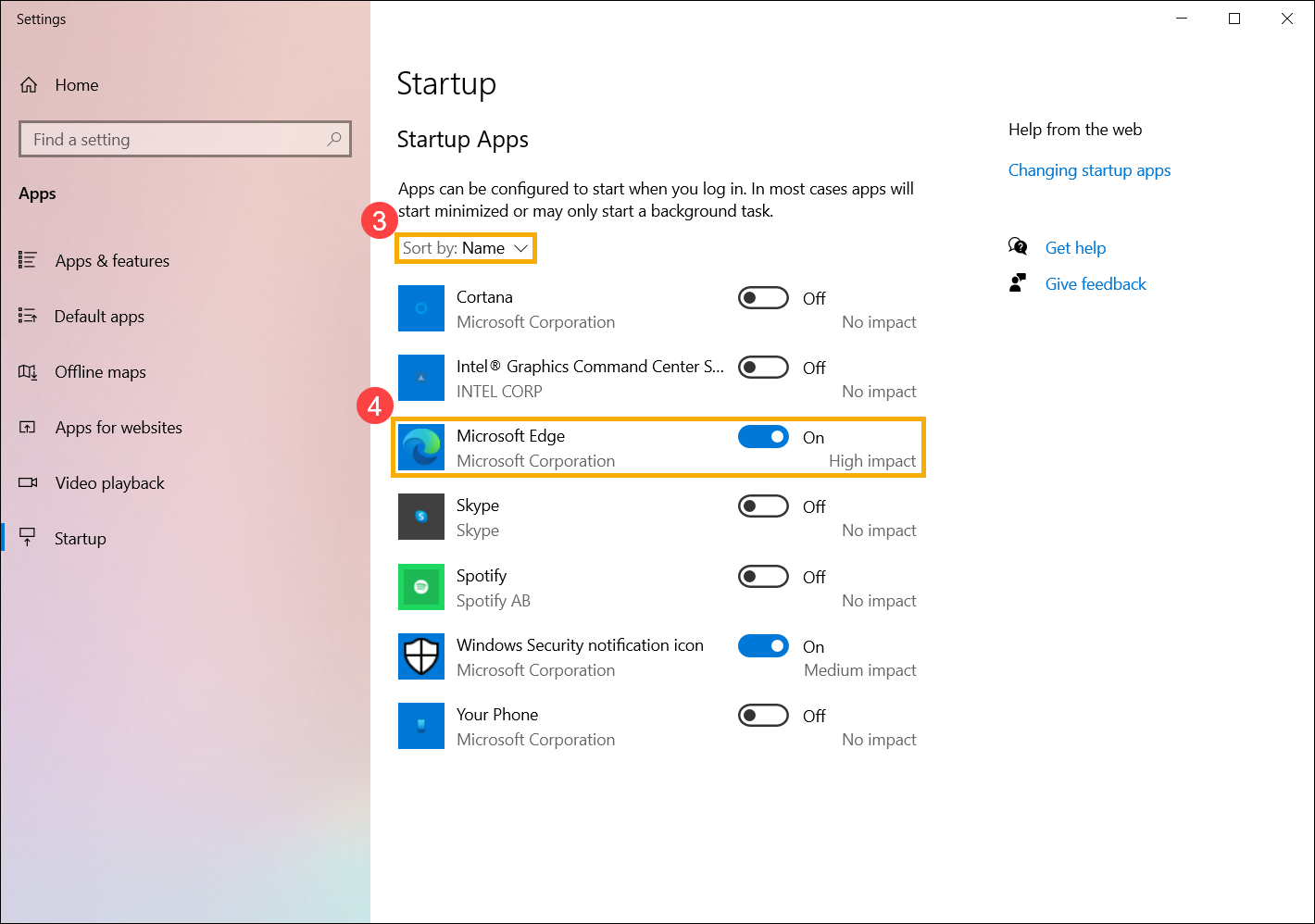
- In Startup Apps, you can sort apps by Name, Status, or Startup impact③. Find the app that you want to change, and select Enable or Disable④, the startup apps will be changed after the computer boots next time.
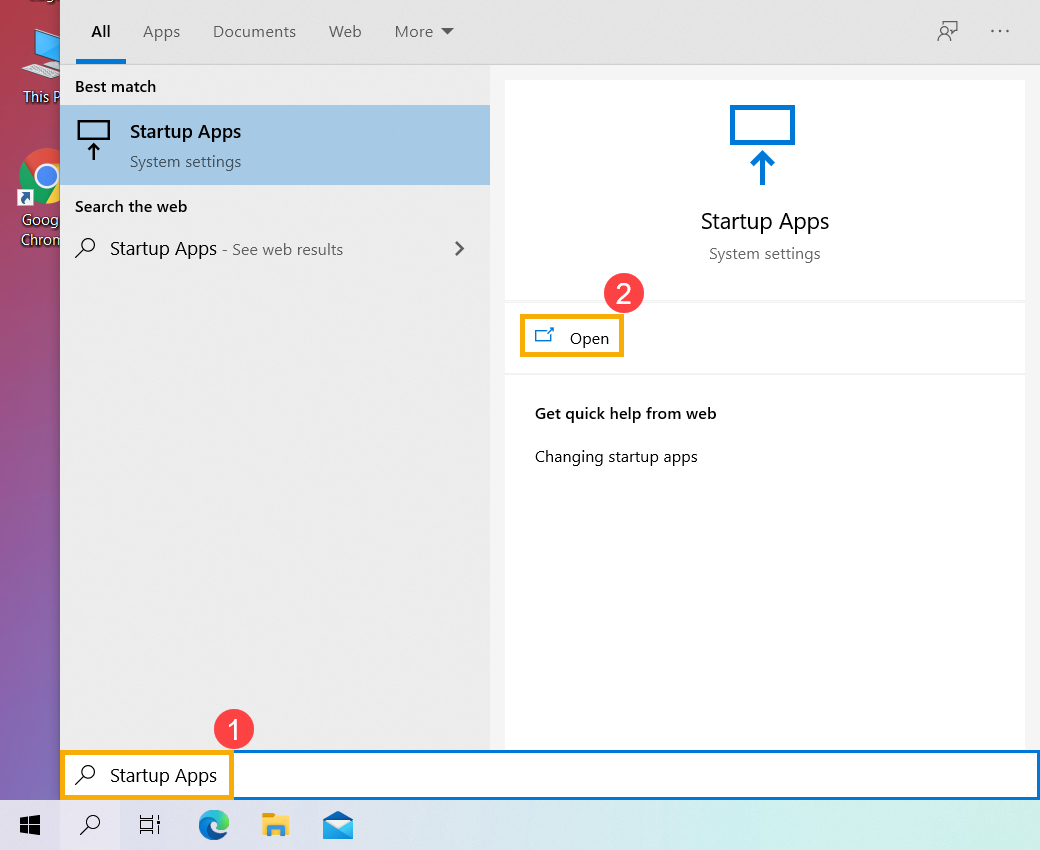
- Type and search [Startup Apps] in the Windows search bar①, and then click [Open]②.
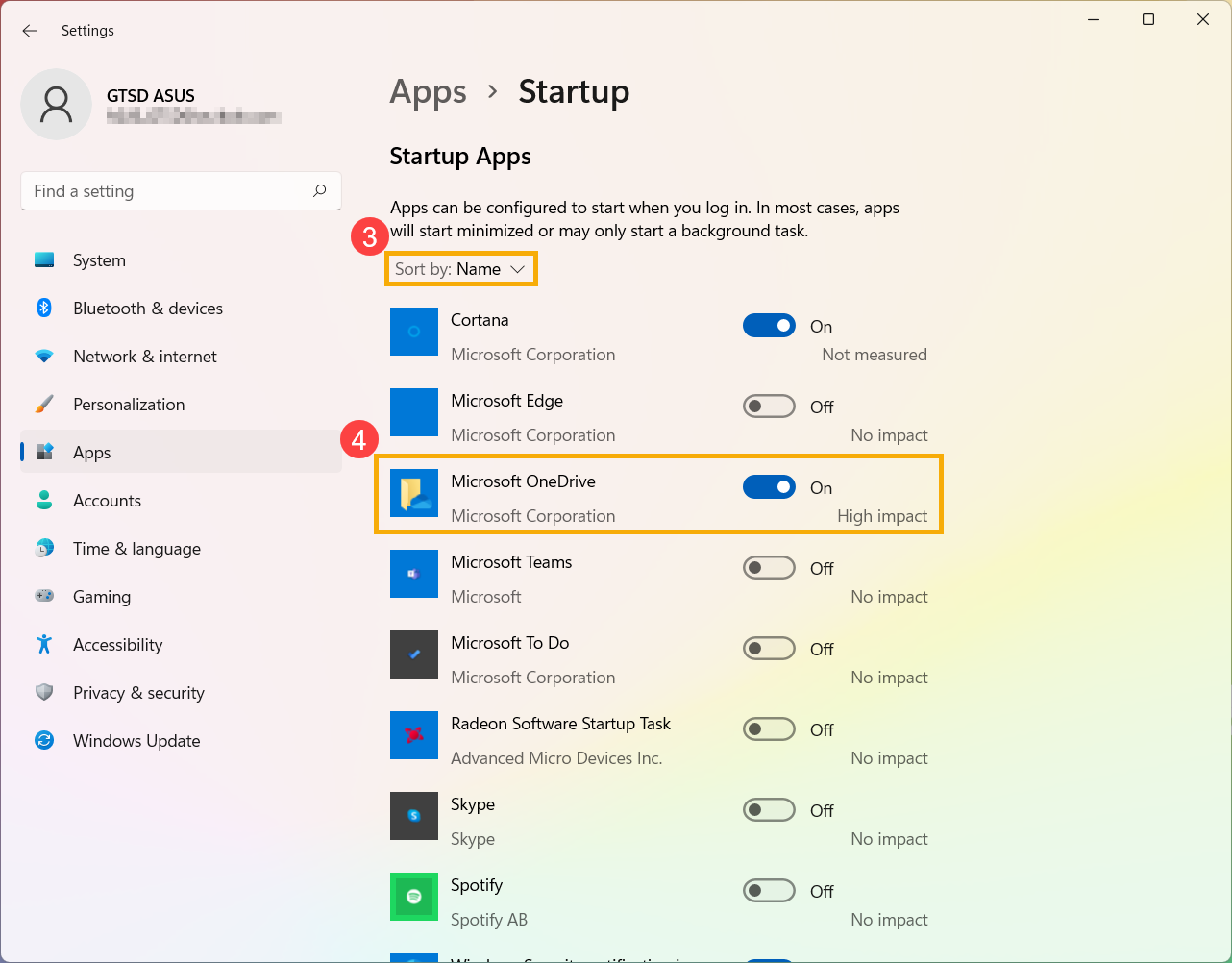
- In Startup Apps, you can sort apps by Name, Status, or Startup impact③. Find the app that you want to change, and select Enable or Disable④, the startup apps will be changed after the computer boots next time.