[Lyra Trio][Setup]How to set up Lyra Trio through Web interface?
1. Plug in your Lyra Trio node and wait until the LED shows a stable white light, indicating the Lyra Trio node has finished booting up.
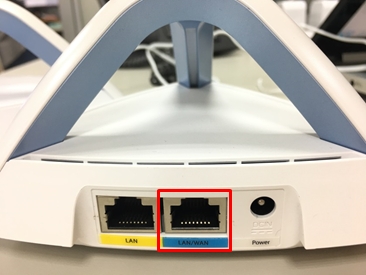
2. Please wire-connect the LAN/WAN port of the Lyra Trio node to your modem or existing router with an Ethernet cable.
3. Please connect your Lyra Trio node to your PC/NB (wired or wirelessly), then open your browser and go to http://www.asusrouter.com to enter the Web GUI for Quick Internet Setup.
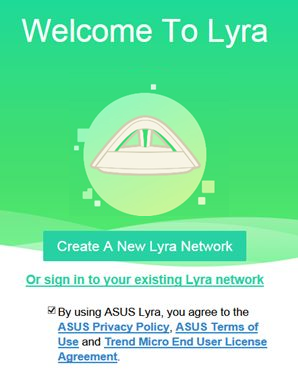
4. Check the ASUS Privacy Policy and click Create a new Lyra network
5. Create your own administrator login account and password, then click Next

6. Select your Internet connection type; here we'll use DHCP as an example.
For other Internet connection types, please contact your ISP to get the related set-up information.

7. Create a Wi-Fi SSID and password for the Lyra Trio.

8. Once you have completed your Wi Fi setting, wait until a solid blue light appears which indicates the Lyra Trio node is now ready.
