[Phone] How to change the option for "Shortcut to prevent ringing" function?
Please follow the steps below to change the option:
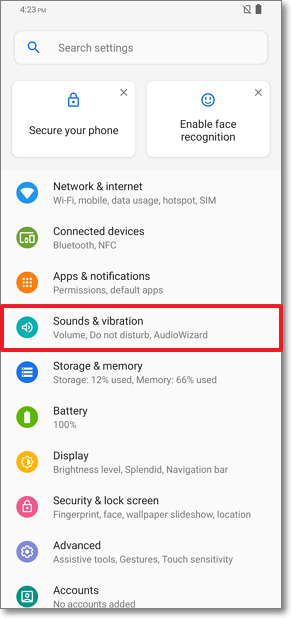
Android 9:Go to "Settings" > "Sounds & vibration" > "Shortcut to prevent ringing" > "Prevent ringing"
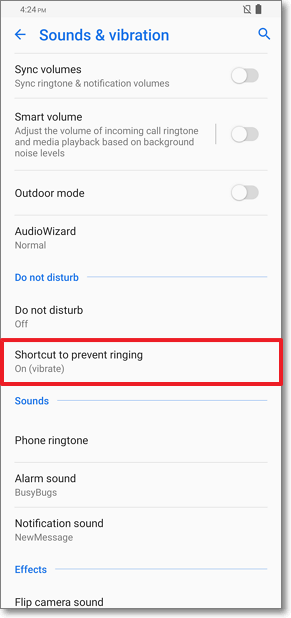

2. Users can select "Vibrate"/"Mute" to enanle the function, or select "Do nothing" to disable the function.
