[Phone] ROG Phone - How do I adjust tap setting when AirTriggers are triggered?
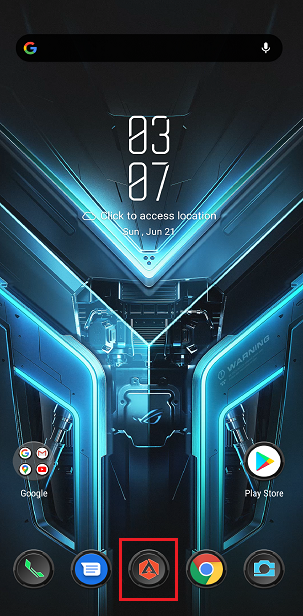
To enable this feature, launch Armoury Crate.
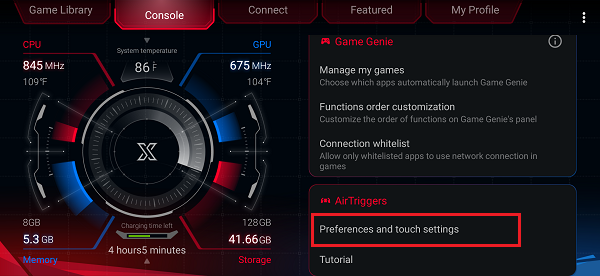
Tap Console > AirTriggers Preferences and touch settings.
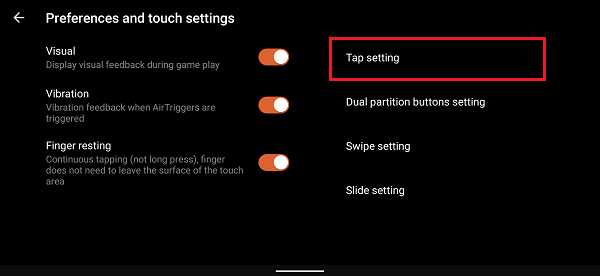
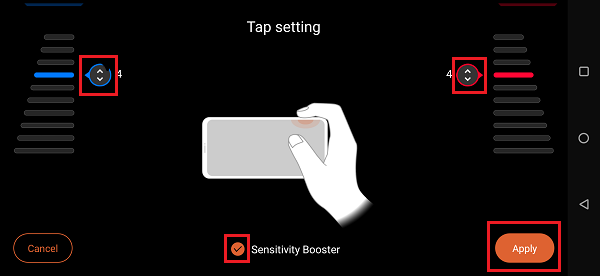
Tap Tap setting.
Set trigger strength on the touch area for the left and right fingers. Move the up-down icon. The larger the number means the greater the power you need to tap. Tap Apply when finished.
When Sensitivity Booster is checked, the sensitivity of both buttons will be enhanced.
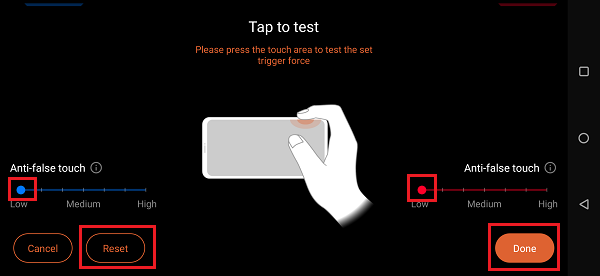
Set anti-false touch for the left and right fingers to slide in the touch area. The higher the setting, the stronger the anti-false touch effect. Slide between low and high to set the anti-false touch. Tap Done when finished.
Tap Reset to reset the trigger force when it is needed.