[Important Notice] How does iOS 14 Local Network permission affect ASUS Router app’s functionality?
With the new launch of iOS 14, Apple introduced a number of privacy changes. One of them is local network permission. When an app needs to access devices on your local network, it must now ask for permission to find and connect with devices on the local network.
To discover and communicate with your ASUS router(s) via ASUS Router app, you have to approve this permission request. Without this permission, this app will fail to connect to your local network. If you have seen the following notice, please enable Local Network permission on your Apple device.

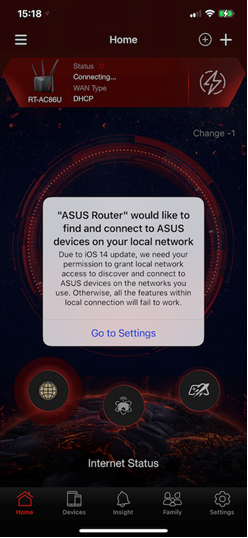
Allow ASUS Router apps to Access to Your Local Network
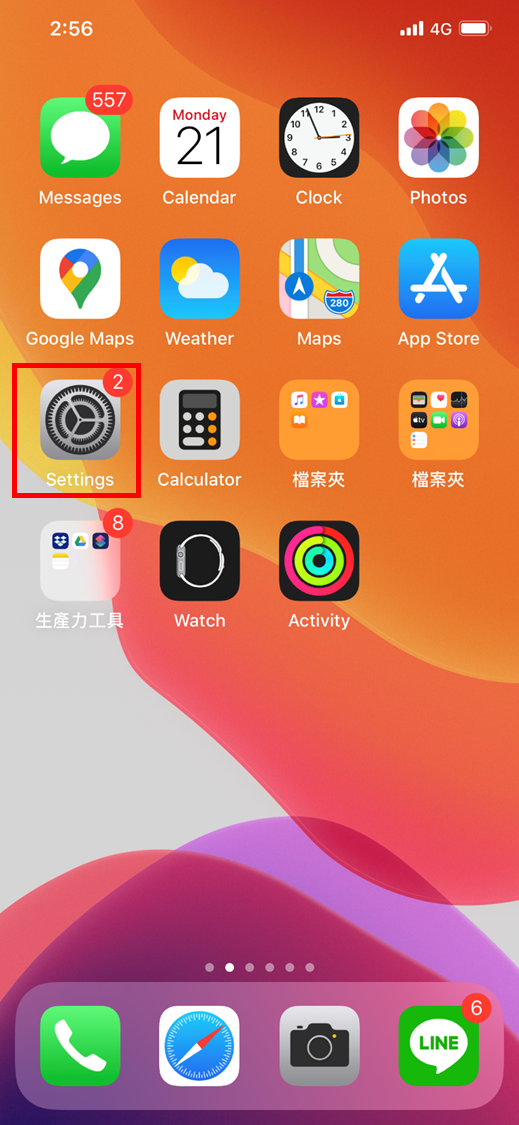
1. Launch the Settings on your iPhone running iOS 14.
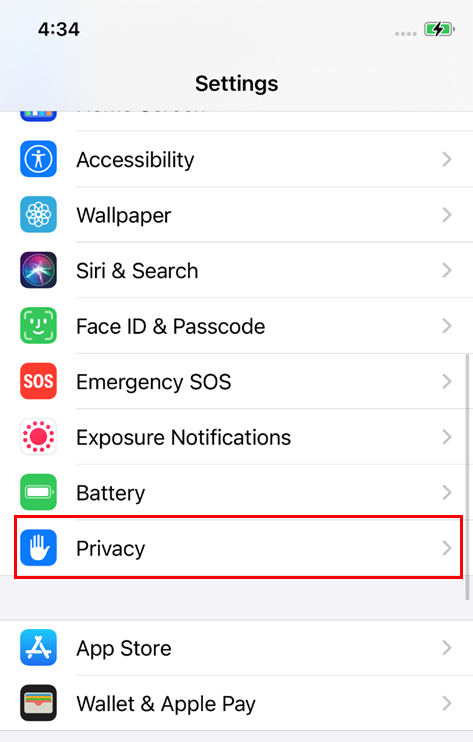
2. Tap Privacy.
3. Tap on Local Network. You should see the list of all the apps that have requested permission to find and communicate on your local network.
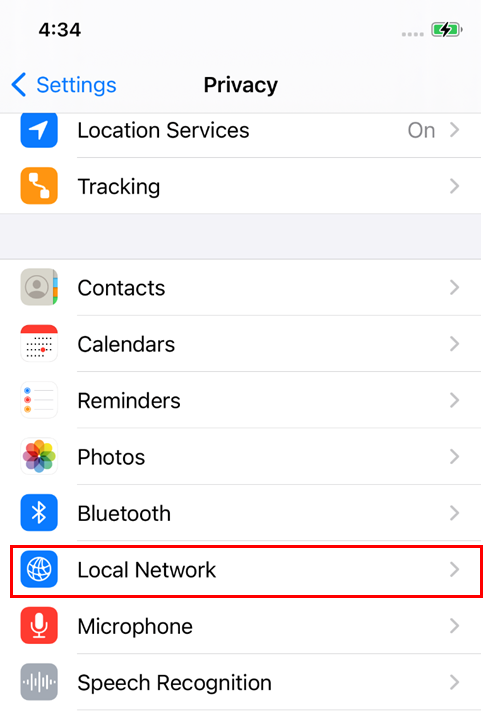
4. Turn on this switch toggle to allow ASUS Router app to access your local network.

Note: The following apps requires iOS 14 Local Network permission:
Lyra App, AiCloud, AiExtender, AiPlayer, ASUS Device Discovery, Instant Guard