Product
Pro WS WRX80E-SAGE SE WIFI
[Motherboard] How to update the Pro WS WRX80E-SAGE SE WIFI firmware by Website User Interface?
Step 1. Go to ASUS support center to download the latest firmware.

Step 2. Inquire your IP address through BIOS.

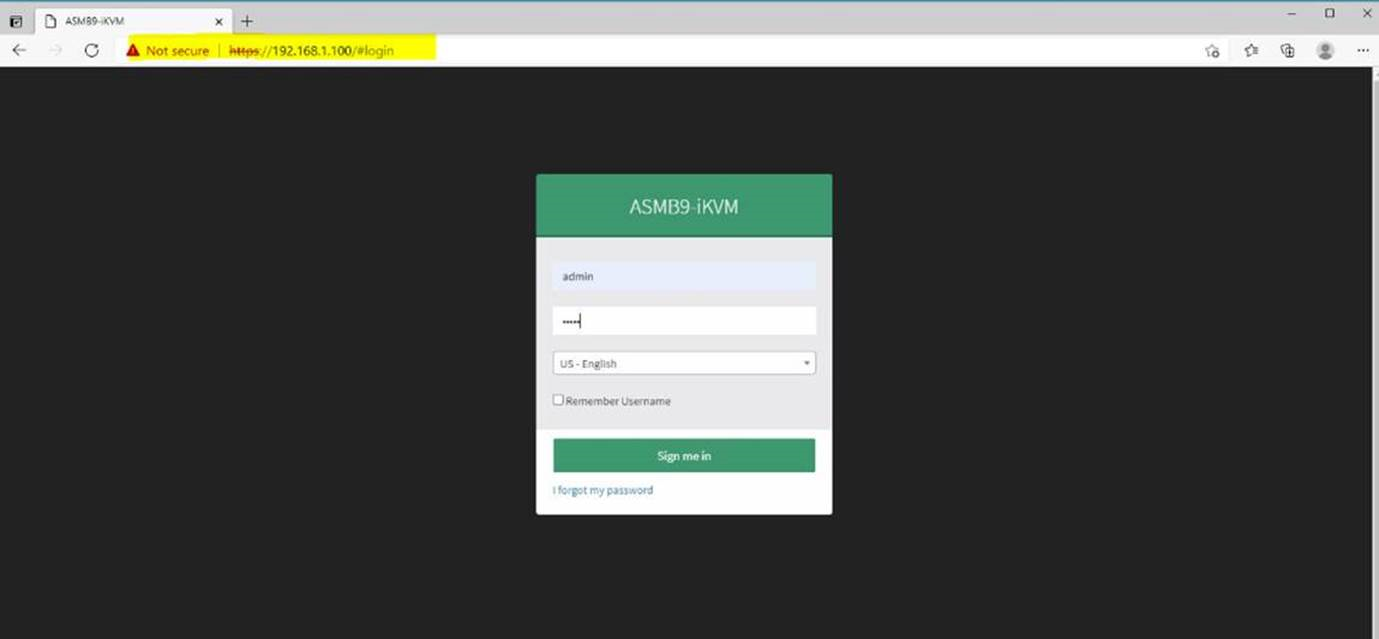
Step 3. Open an Internet browser, enter your IP address. Then login ASMB9-iKVN, enter “admin” to your account and password.
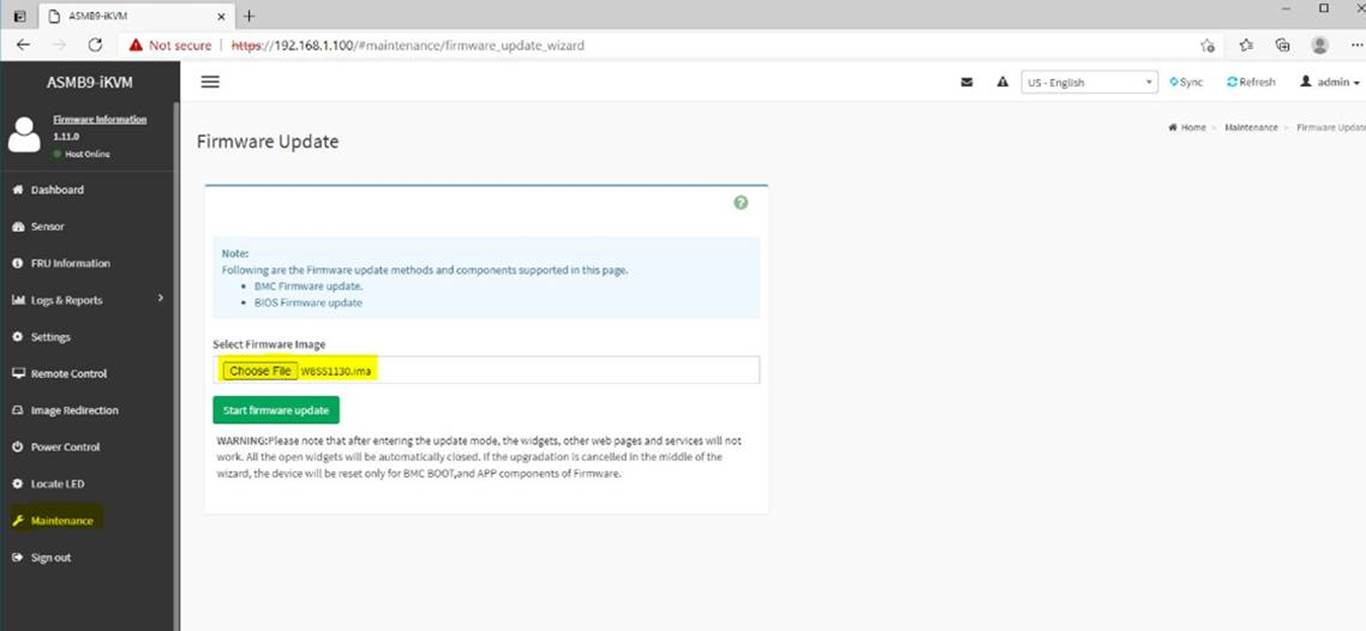
Step 4. Click Maintenance, then click Firmware update, choose firmware file.
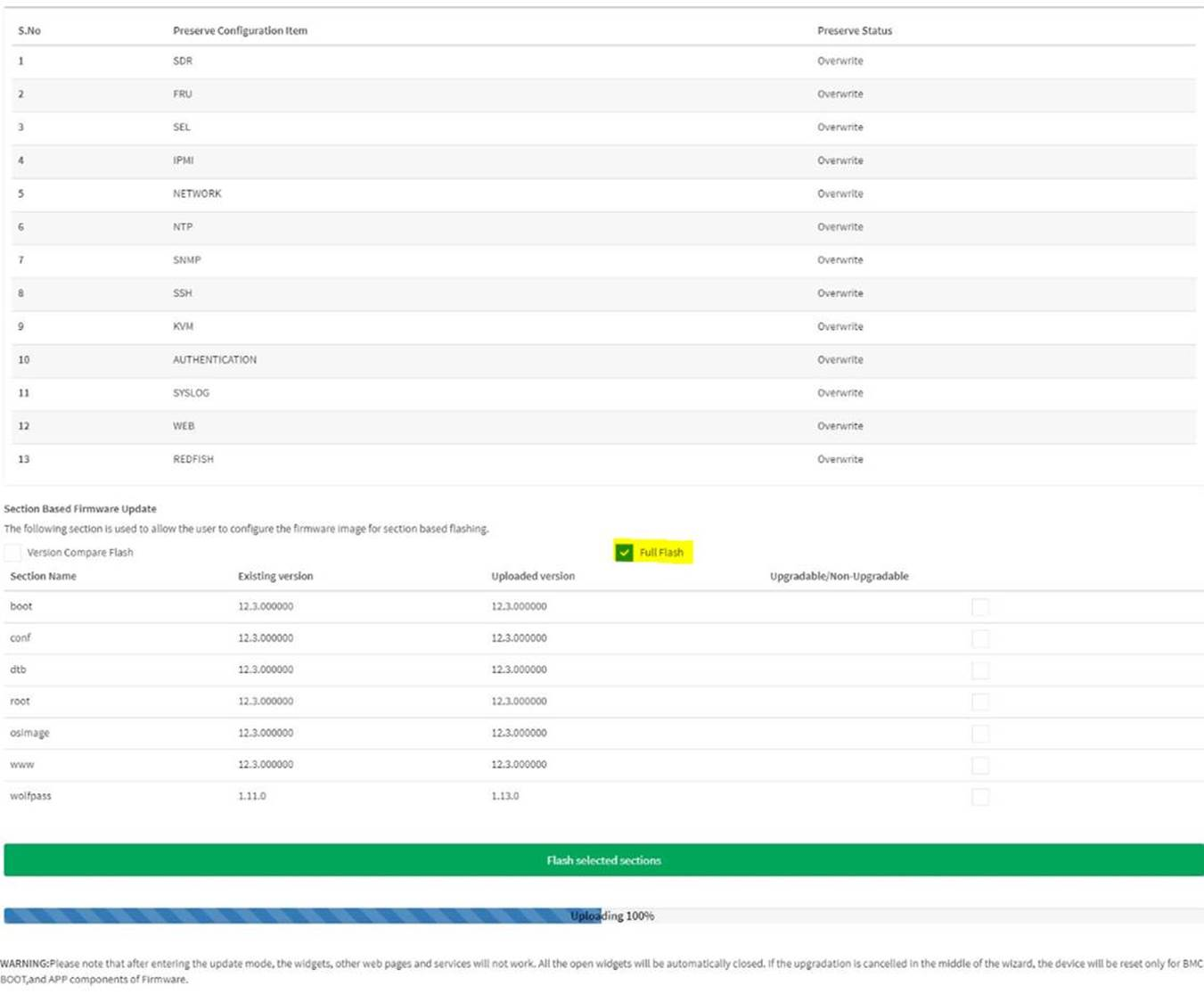
Step 5. Check Full Flash, then update the firmware. When upload is completed, firmware is updated.