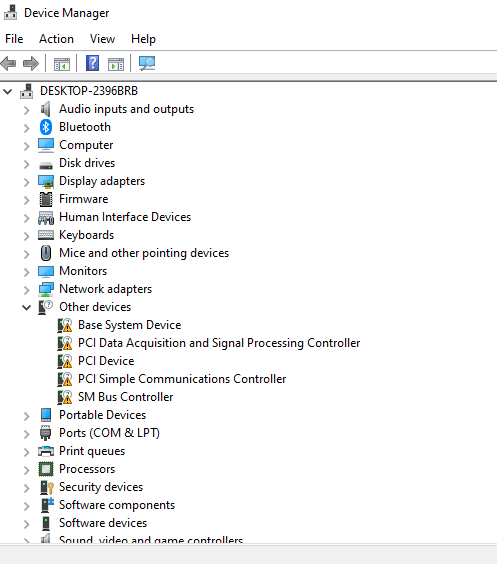
[NUC] Error: "There are no compatible drivers for this device" Appearing in Device Manager Under "Other Devices."
Resolution
This error is fixed by downloading the appropriate Audio driver and the Chipset INF file and installing those drivers manually. This happens even if you already ran Intel Driver & Support Assistant updates.
To update the drivers manually:
- Access the Download Center, search for the Intel Audio Driver and the Chipset driver associate it with your system using the Search box located in the top-right corner.
- Select the driver from the list that is designated for Windows® 10.
- Download the latest driver from the Download Center
- Right-click the Windows Start icon and select the Device Manager.
- Click Yes when prompted for permission from User Account Control.
- Right-click the Intel driver and select Update Driver.