[Wireless Router] How to enable GearUP Console Booster on ASUS routers?
ASUS collaborates with GearUP Console Booster to provide a free trial of game acceleration services for a wide range of game console devices with supported ASUS routers*. This resolves online connectivity issues caused by NAT types, providing you with a seamless online gaming experience.
Currently, GearUP Console Booster is only supported on models listed below and it is recommended to update your ASUS router firmware to the latest version.
For information on how to upgrade your firmware, please refer to this webpage. How to update the firmware of your router to the latest version ? (WebGUI)
*Selected ASUS routers include features owned and operated by GearUp Console Booster, in which it provides game acceleration services to date (starting 2024/1/1). Please refer to GearUp official website (https://www.gearupbooster.com/co/asus/) for details on the supported games and platforms, apps and period of services provided. ASUS bears no responsibility and has no control over the service available on GearUp.
GearUP Console Booster is supported on the following routers sold in Australia, New Zealand, Hong Kong, Indonesia, Malaysia, Philippines, Singapore, Thailand, Vietnam.
WiFi 7 Models
| Model | Firmware | Free trial |
| TUF-BE3600 | Later than 3.0.0.6_102_39074 | 3 days |
| TUF-BE3600 V2 | Later than 3.0.0.6_102_38629 | 3 days |
| RT-BE58U | Later than 3.0.0.6_102_39068 | 3 days |
| RT-BE58U V2 | Later than 3.0.0.6_102_38599 | 3 days |
| RT-BE3600 | Later than 3.0.0.6_102_39068 | 3 days |
| RT-BE3600 V2 | Later than 3.0.0.6_102_38599 | 3 days |
| GS-BE7200X | Later than 3.0.0.6.102_58011 | 3 days |
| RT-BE92U | Later than 3.0.0.6_102_38961 | 3 days |
| RT-BE86U | Later than 3.0.0.6.102_39125 | 3 days |
| RT-BE88U | Later than 3.0.0.6_102_39254 | 3 days |
| RT-BE82U | Later than 3.0.0.6_102_38970 | 3 days |
| TUF-BE9400 | Later than 3.0.0.6_102_58121 | 3 days |
WiFi 6 / 6E Models
| Model | Firmware | Free trial |
| RT-AX86U Pro | Later than 3.0.0.6.102_34312 | 3 months |
| TUF-AX4200 | Later than 3.0.0.4.388_33481 | 2 months |
| TUF-AX6000 | Later than 3.0.0.4.388_33411 | 2 months |
| RT-AX82U | Later than 3.0.0.4.388_24963 | 3 months |
| RT-AXE7800 | Later than 3.0.0.4_388_25058 | 3 months |
| RT-AX5400 | Later than 3.0.0.4_388_25058 | 2 months |
| RT-AX58U | Later than 3.0.0.4_388_25127 | 2 months |
| RT-AX3000 | Later than 3.0.0.4_388_25127 | 2 months |
Enable GearUP Console Booster on ASUS router
Step 1. Connect your computer to the router via wired or WiFi connection and enter your router's LAN IP or router URL http://www.asusrouter.com to the WEB GUI.
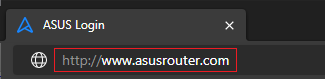
Note: Please refer to How to enter the router setting page(Web GUI) to learn more.
Step 2. Key in your router's username and password to log in.
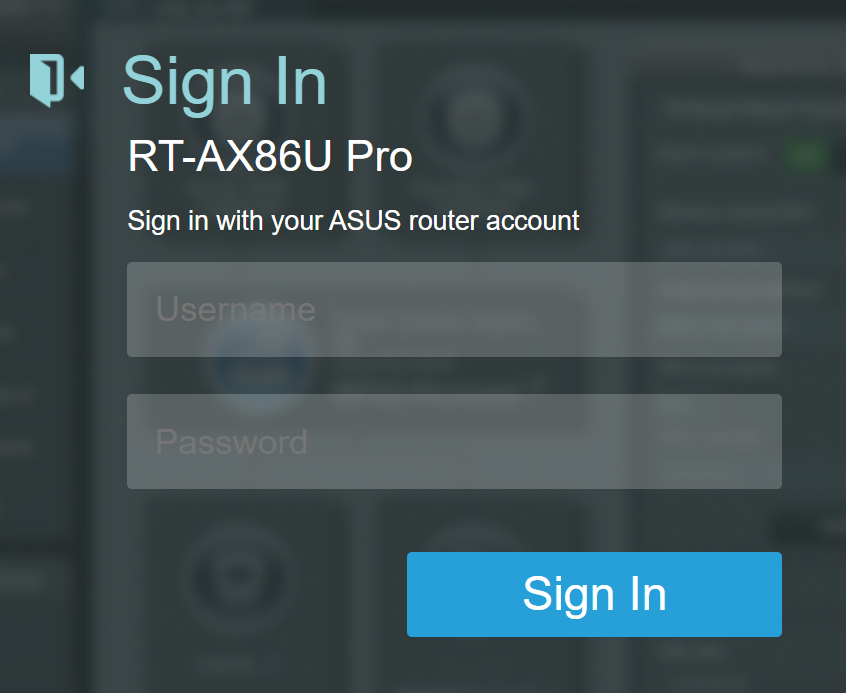
Note: If you forget the username and/or password, please restore the router to the factory default status and setup.
Please refer to [Wireless Router] How to reset the router to factory default setting? for how to restore the router to default status.
Step 3. Go to [Game] and find the GearUP Console Booster at the bottom of the page.
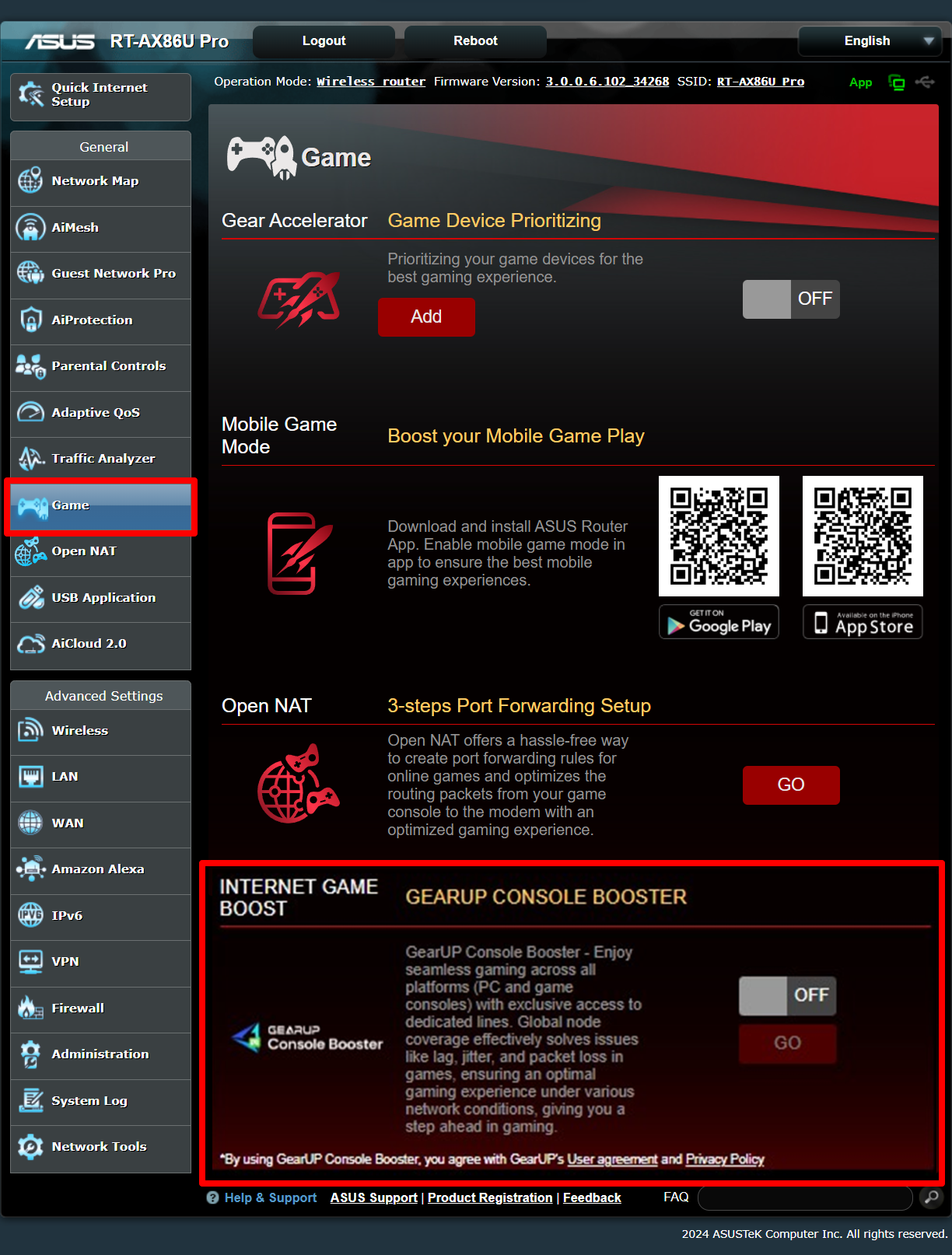
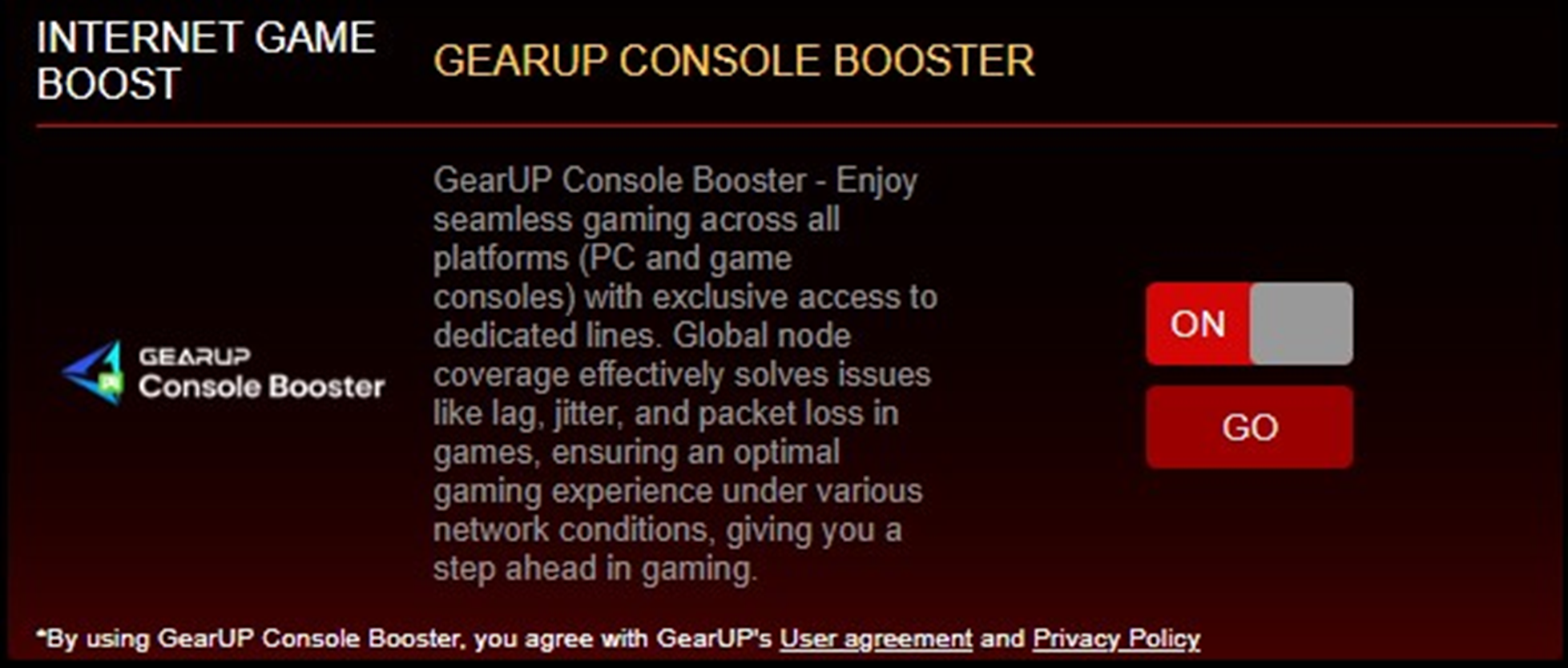
Step 4. Switch it [ON] first, then click [GO] for further settings.
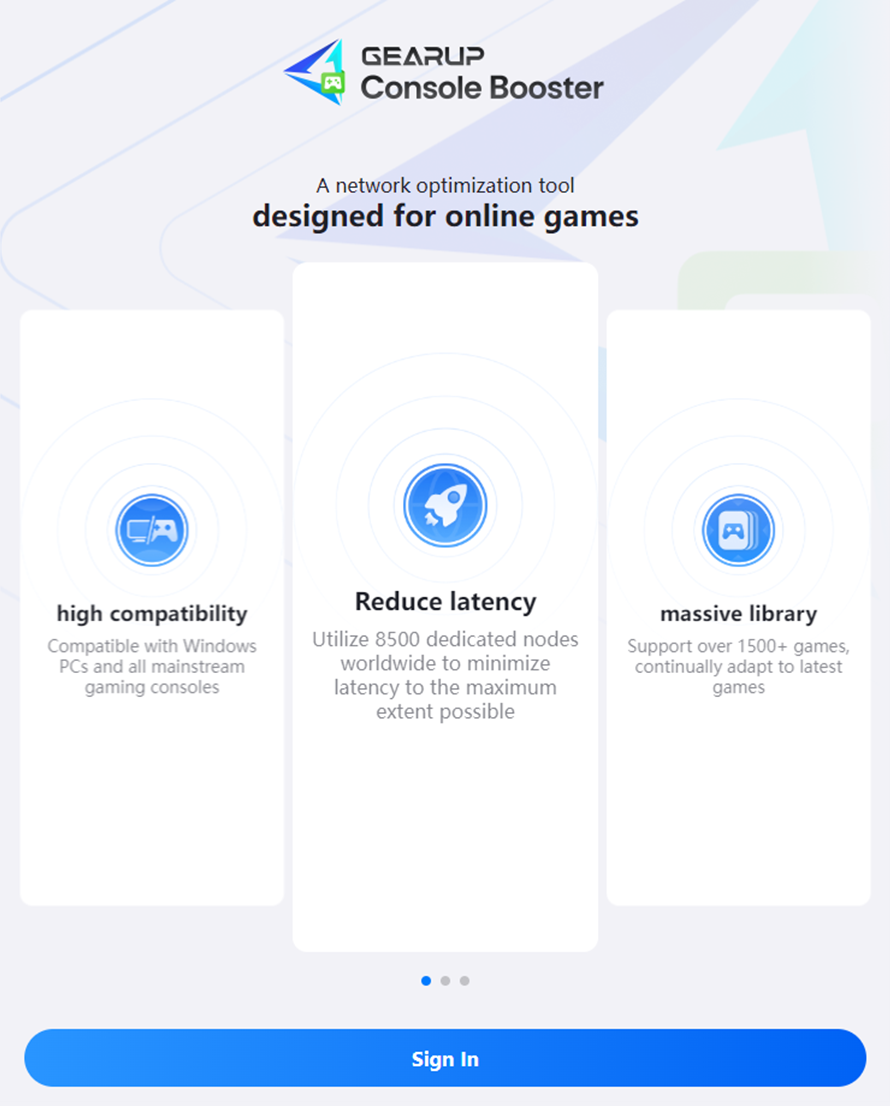
Step 5. The login page is automatically opened for you as follows, then click [Sign in].
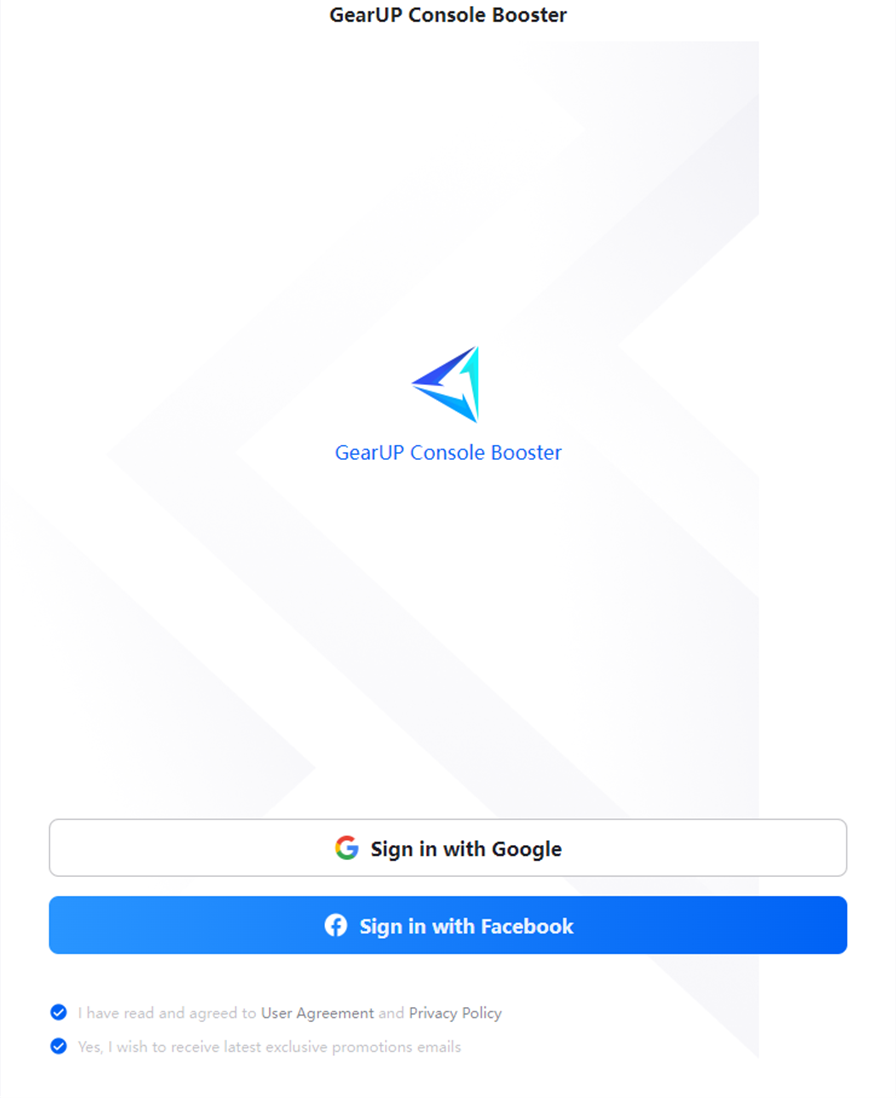
Step 6. Sign in with Google account or Facebook account.
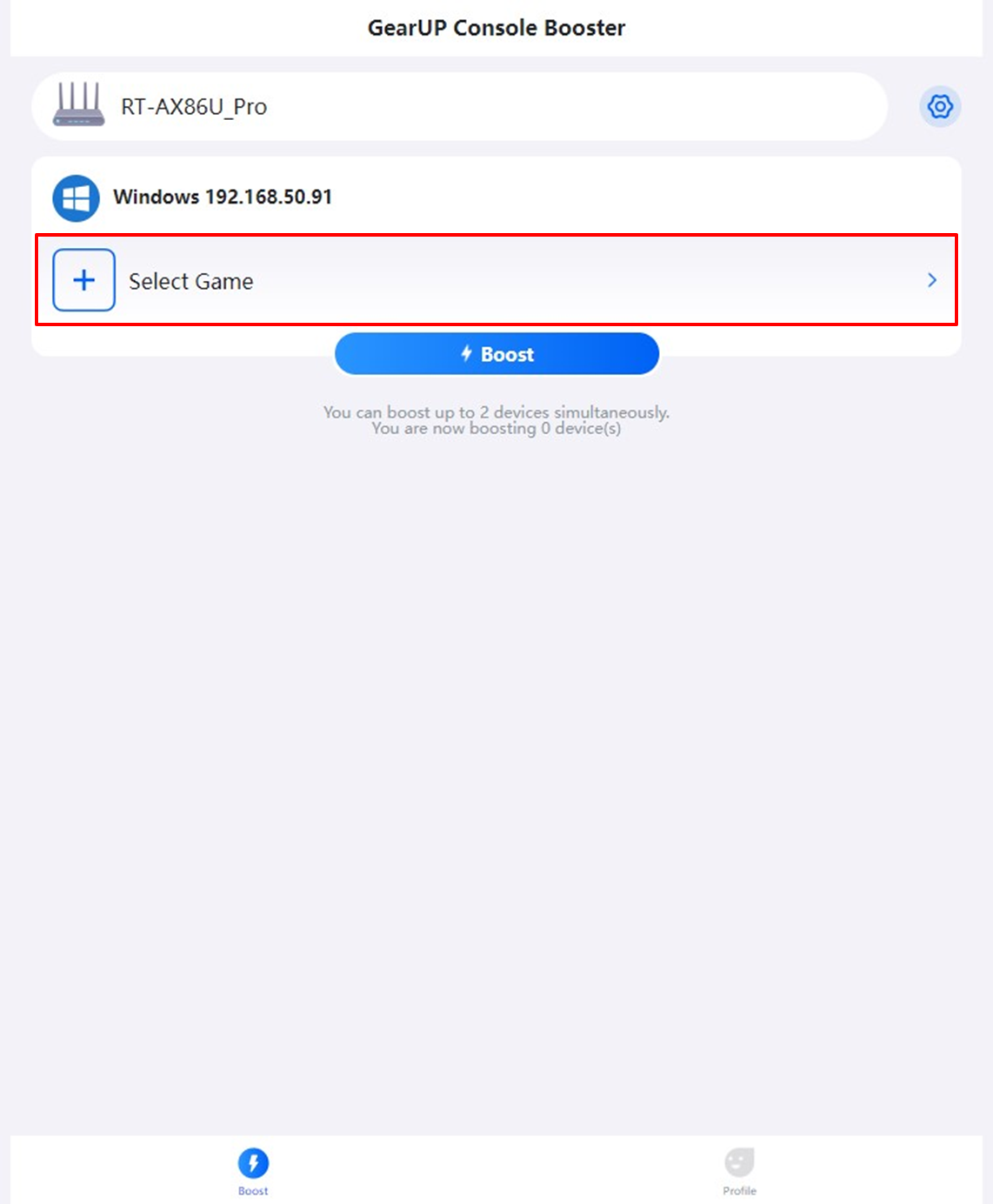
Step 7. Once singing in successfully, select the game to boost.
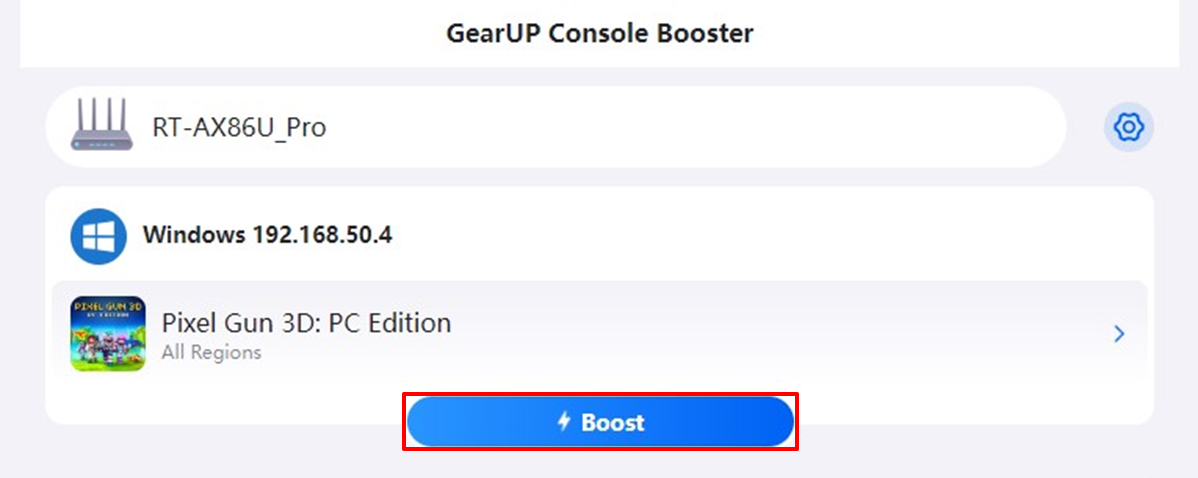
Step 8. When the game is selected, click [Boost] to boost it.
How to get the (Utility / Firmware)?
You can download the latest drivers, software, firmware and user manuals in the ASUS Download Center.
If you need more information about the ASUS Download Center, please refer to this link.