[Wireless Router] How to connect RT-AX50 Go to mobile hotspot?
Refer to the following instruction for mobile tethering over smartphone.
Applicable Modes:
Mobile tethering works in both Router Mode and Public WiFi (WISP) Mode.
For Android Devices:
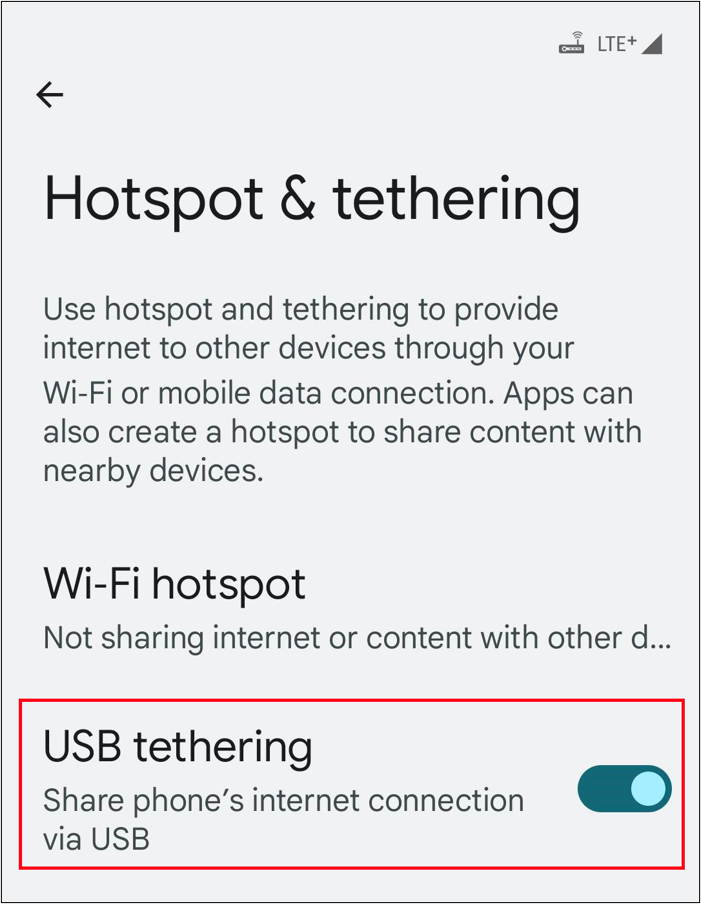
1. Connect your Android phone to the router’s USB port.
2. On your Android phone, go to Network Settings.
3. Enable USB Tethering.
For iPhone Devices:
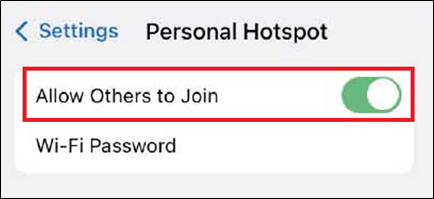
1. On your iPhone, go to Settings > Cellular, and set up Personal Hotspot.
2. Connect your iPhone to the router’s USB port.
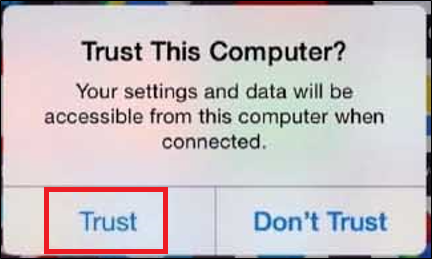
3. If prompted with a [Trust] alert, tap Trust to continue.
Troubleshooting:
For help with cellular network services, please contact your Phone’s Internet Service Provider (ISP).
How to get the (Utility / Firmware)?
You can download the latest drivers, software, firmware and user manuals in the ASUS Download Center.
If you need more information about the ASUS Download Center, please refer this link.