[Microsoft AI Feature] Photos Relight - Introduction
Photos Relight uses AI technology to introduce artificial light sources into your photograph, allowing you to simulate different lighting conditions. Relight lets you adjust how lighting appears in your photo by changing its direction, color, position, and intensity to explore different moods and styles.
Photos Relight is a feature in Microsoft Photos app. For details, please refer to: Relight in Photos - Microsoft Support
※ Relight in Photos currently supports only images.
Minimum System Requirements
Photos Relight supports all Copilot+ laptops.
If your laptop is not a Copilot+ model, please refer to the following information to check if your device supports the Photos Relight feature.
Supported processors and an NPU with a minimum of 40 TOPS are required: AMD Ryzen™ AI 300 series, Intel® Core™ Ultra 200V series, Snapdragon® X, Snapdragon® X Plus, Snapdragon® X Elite
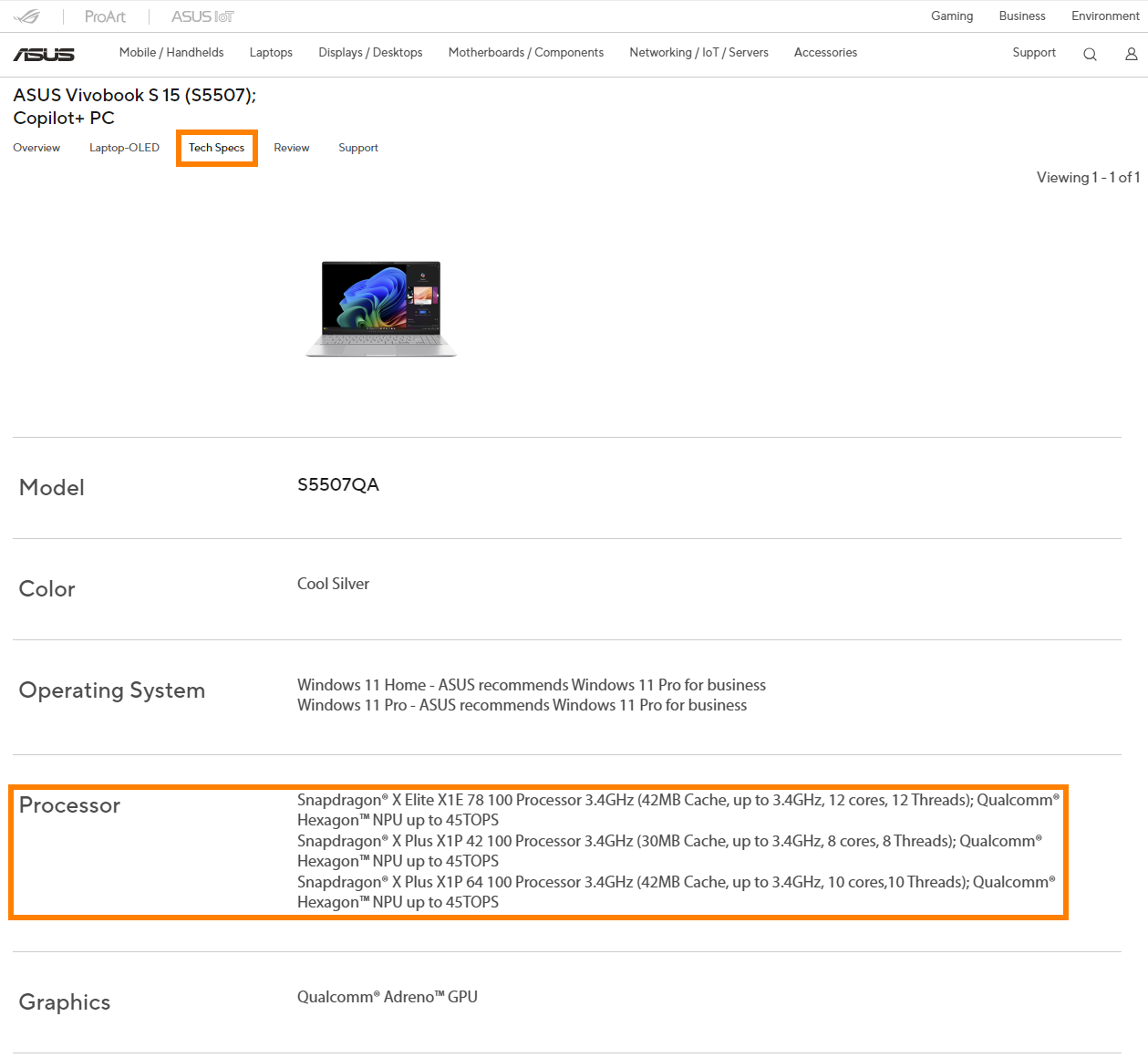
If you're unsure about your laptop's NPU performance, visit the ASUS official website, search for your laptop model in the top-right corner, Click [Tech Specs] -> [Processor], and check if the NPU’s TOPS meets Photos Relight’s requirement (≥40 TOPS). (Take S5507QA as an example)
Operating System Requirement
Please update your Photos app to version 2025.11060.5006.0 and higher.
How to use Photos Relight?
(1) After opening Photo, you can click on ①[Edit] in the top-left corner to open Photos Relight.

(2) Please click on ②[Relight] to make the light settings.

(3) The right-side panel allows for overall parameter adjustments of ③[Light Location and Intensity], and the preview of the processed image effect can be viewed in the ④[left-side display].

(4) Each individual light can have its parameters customized, such as ⑤[Brightness, Softness, and Color], please click ⑥[Save options] in the top-right corner after adjusting the image.

Q&A
(1) My laptop meets the minimum requirements and has updated Windows to the latest version, so why can't I find Photos Relight?
Photos Relight requires the use of NPU. Please follow the steps below to check whether the NPU driver meets the minimum requirements.
Right-click the Windows icon in the lower left corner of the Windows desktop, then click [Device Manager]. Find and expand [Neural processors] in Device Manager. Quickly click [NPU Compute Accelerator Device] twice with the left mouse button. Click [Details] in the new window to query the current NPU driver version.
- AMD NPU minimum driver version: 32.0.203.240
- Intel NPU minimum driver version: 32.0.100.3717

If your laptop's NPU driver does not reach the minimum version, you can update it manually.
Please go to the ASUS official website, find your laptop in the search box in the upper right corner, and then find and install the driver in [Support] -> [Diver & Tools] -> [Chipset].
- For AMD platform Laptops, please select [AMD Graphics Driver] to download and install.
- For Intel platform Laptops, please select [Intel NPU Driver] to download and install.
AMD Graphics Driver (Include NPU Driver)

Intel NPU Driver

The above information comes from Microsoft's official website. If you have any questions, please contact Microsoft for further information.
If you would like to learn more about Copilot+ PC, please visit the [Frequently asked questions] & [Copilot+ PC and Windows AI features] sections at the following link: Shop Copilot+ PCs: A New Era of Windows AI PCs and Laptops | Microsoft Windows