[Graphics Card] How to install the holder included with the Graphics Card
As graphics cards continue to grow in size and weight, a graphics card bracket or holder provides additional reinforcement. Certain models in ASUS's RTX 4000 Series and RX 7000 Series include a graphics card holder in the packaging accessories. This holder supports the graphics card within the chassis, preventing sagging or bending due to its own weight.
Contents:
I: How to Verify if Your Graphics Card Includes the Holder
II: How to Install the Graphics Card Holder
III: Q&A
Q1: What if my graphics card doesn't include a holder?
How to Verify if Your Graphics Card Includes the Holder
Example:TUF-RTX4090-O24G-GAMING
1. Click the search icon in the upper-right corner of the ASUS website, enter your graphics card model, and select it.
2. Click the [Tech Specs] page
3. Check if the [Accessories] lists “Graphics Card Holder” 
How to Install the Graphics Card Holder
Example: Graphics card TUF-RTX4090-24G-OG-GAMING, chassis TUF GAMING GT502
1. After installing the graphics card onto the motherboard, secure it to the chassis with screws. 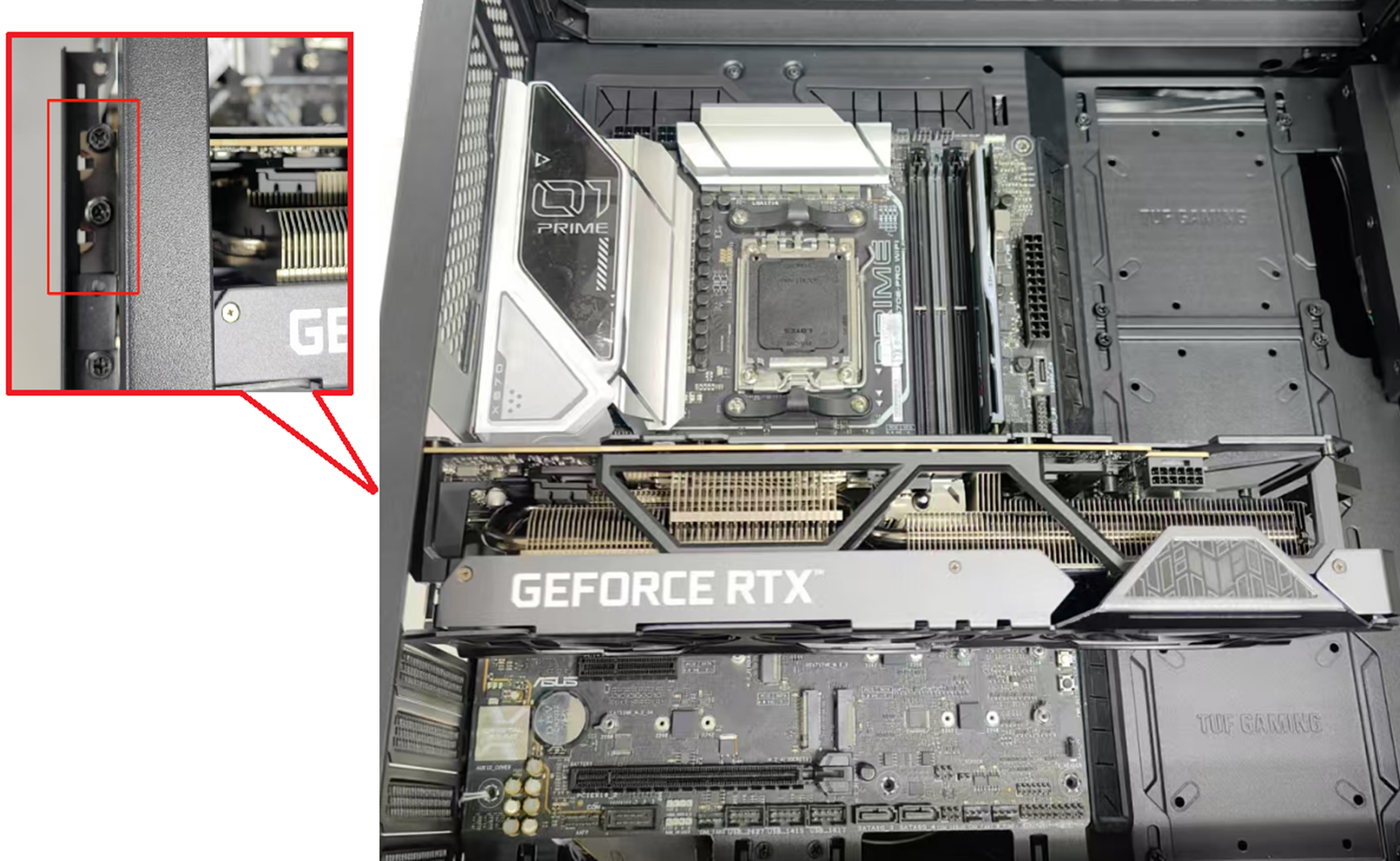
2. Loosen the Graphics Card Holder screws by turning it counterclockwise. 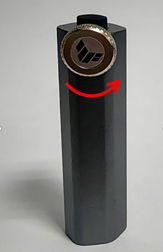
3. Pull the middle extension holder upward to remove it. 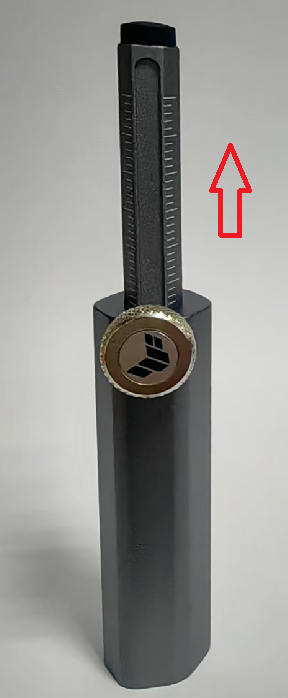
4. Locate the point on the graphics card requiring support. Typically, this support point is at the upper-right corner near the card's center of gravity, minimizing bending and sagging. 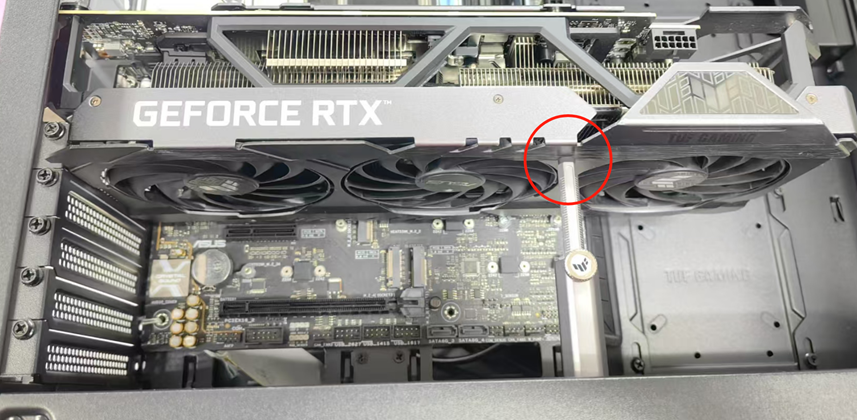
5. Locate a flat, sturdy spot on the chassis corresponding to this support point. Attach the base of the holder directly to the chassis (The base of the holder is magnetic and will adhere directly to iron chassis surfaces.).
Then adjust the height of the extended holder so it just supports the rear of the graphics card. Ensure the top of the holder makes tight contact with the graphics card's heatsink housing to provide stable support. 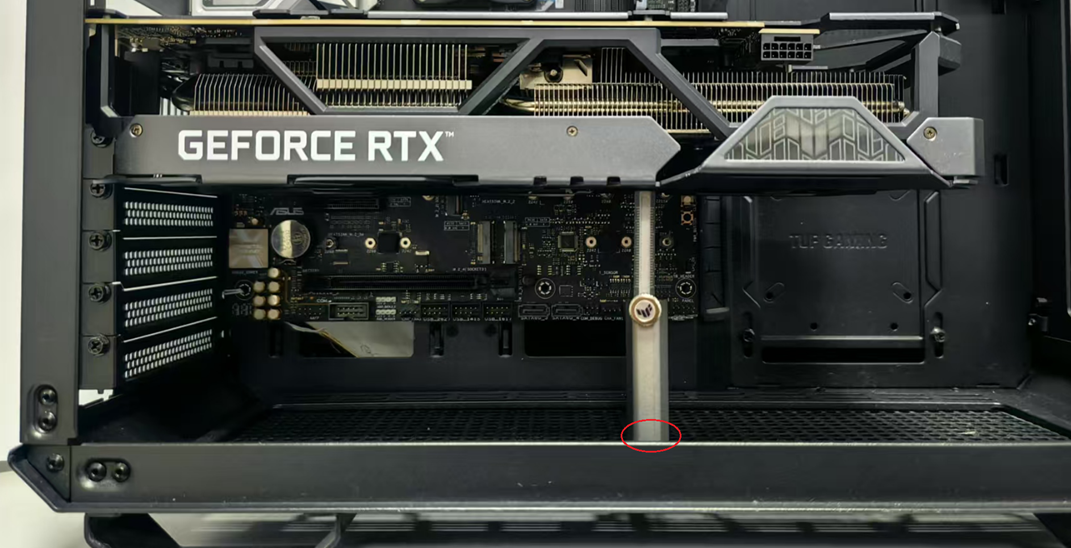
6. Once the Graphics Card Holder is adjusted to the appropriate height and position, tighten the screw clockwise to secure the holder. Ensure the Graphics Card Holder is stable and does not wobble or shift. 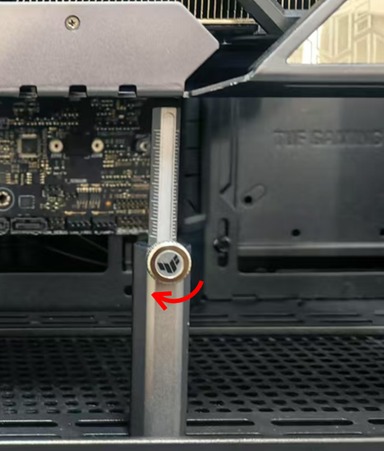
Q&A
Q1: What if the graphics card you purchased doesn't include a holder?
A1: You can purchase an ASUS Graphics Card Holder separately.
For example:
ROG Herculx Graphics Card Holder