


ASUS ZenWiFi XT9
Whole-home Coverage
Superior
Whole-Home WiFi
The ASUS ZenWiFi XT9 mesh system consists of a pair of ASUS AX7800 tri-band WiFi 6 mesh routers, featuring unique technologies that give you superfast, reliable and secure WiFi connections for your streaming videos, gaming and all other smart IoT gadgets.
Watch Video Explore ultimate WiFi 6 performance
Support 160MHz Channel
Expanded UNII-4 Spectrum
Support 160MHz Channel
The ASUS ZenWiFi XT9 WiFi 6 mesh system supports 160MHz bandwidth*, boosting wireless network capacity and speeds. With a total bandwidth of up to 7800Mbps, it is up to 2.6X faster than tri-band AC3000 (WiFi 5) routers**.
Learn more about WiFi 6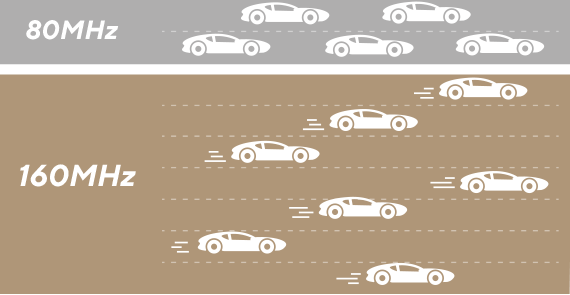
*160MHz bandwidth may be unavailable in the 5GHz band in some regions/countries, due to regulatory restrictions. And to benefit from WiFi 6 router features, compatible WiFi 6 devices are required.
**Compared to 802.11ac on 5GHz 80MHz with 256QAM modulation.
Expanded UNII-4 Spectrum
ASUS ZenWiFi XT9 supports an expanded UNII-4 spectrum*, which features a third and clean 160 MHz channel on the 5 GHz band. This increases mesh backhaul capacity to deliver reliable and high performance for your wireless devices.
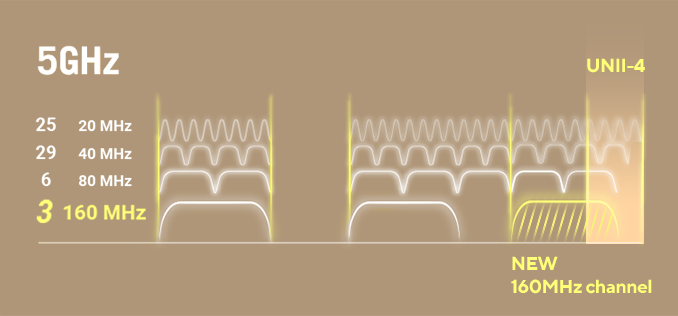
*Due to regulatory restrictions, the expanded UNII-4 spectrum is only available in some regions/countries.
Wider Coverage
The latest ASUS RangeBoost Plus technology, along with the flagship Broadcom WiFi 6 chipset, significantly improves WiFi signal range and overall coverage by up to 38%*, offering expansive coverage in spaces up to 5700 square feet.
5700 sq. ft.
6+ rooms
6+ rooms

2850 sq. ft.
4+ rooms
4+ rooms
*Measured using a WiFi 6 client connected at 200Mbps to a WiFi 6 router with RangeBoost Plus, compared to the same WiFi 6 client connected at 200Mbps to a WiFi 5 router without RangeBoost Plus.
With ASUS AiMesh technology, it’s easy to add extra network nodes for improved WiFi coverage or new features. Simply add any AiMesh-compatible ASUS router or repeater to expand your wireless network!
Learn more about AiMesh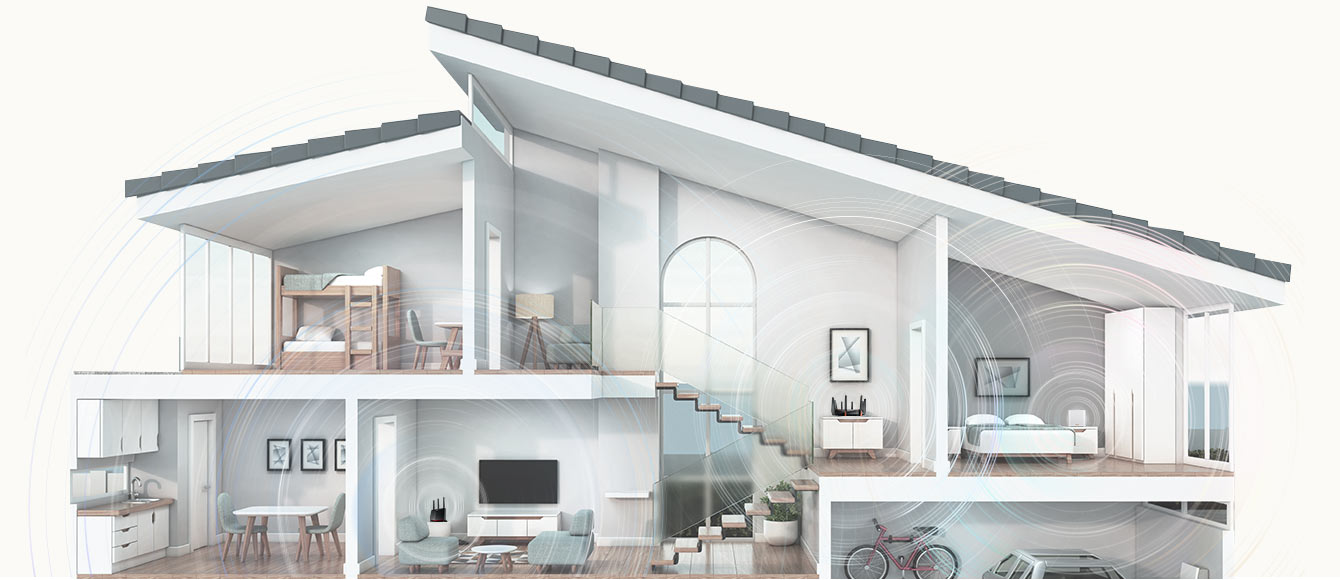
Easy Setup & Management
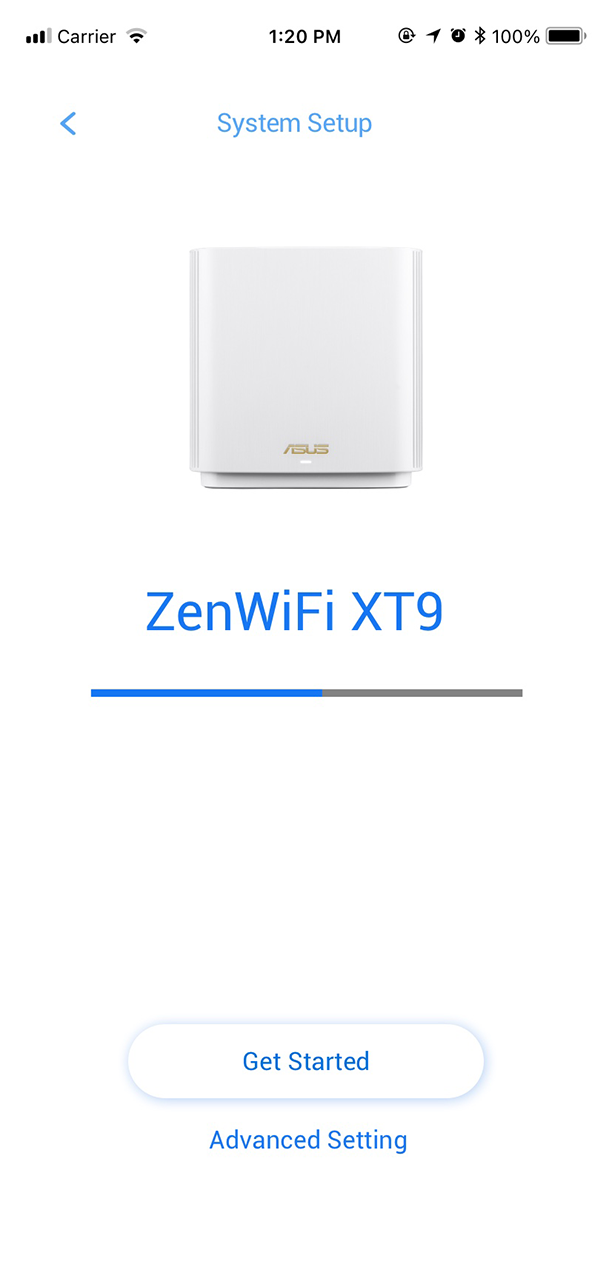
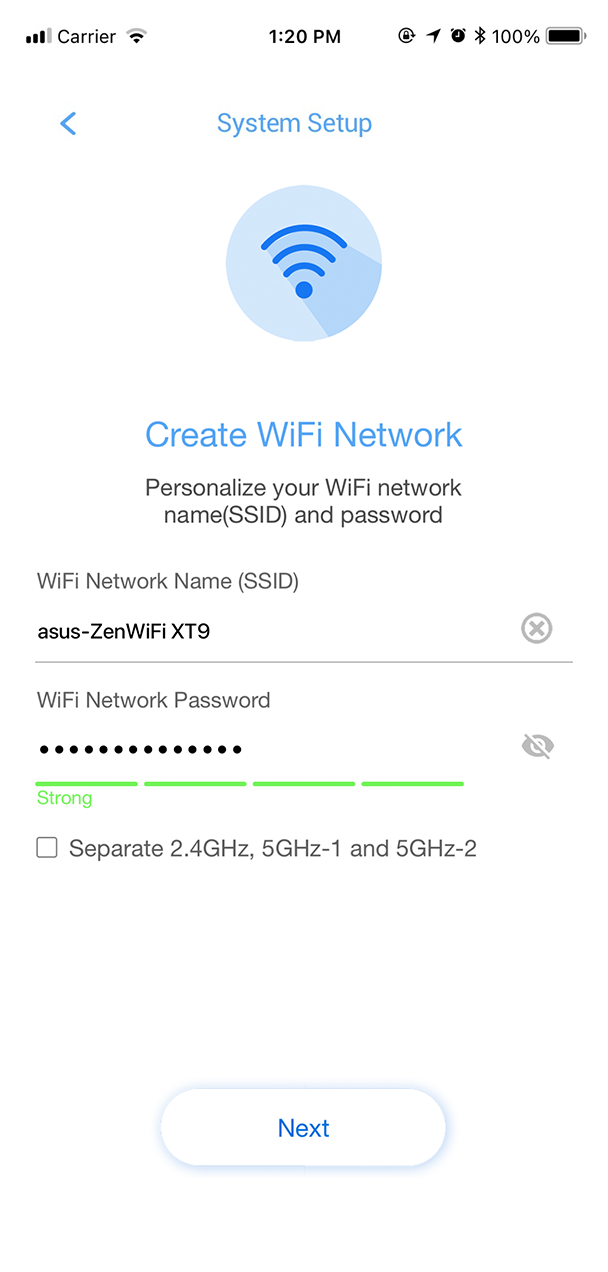
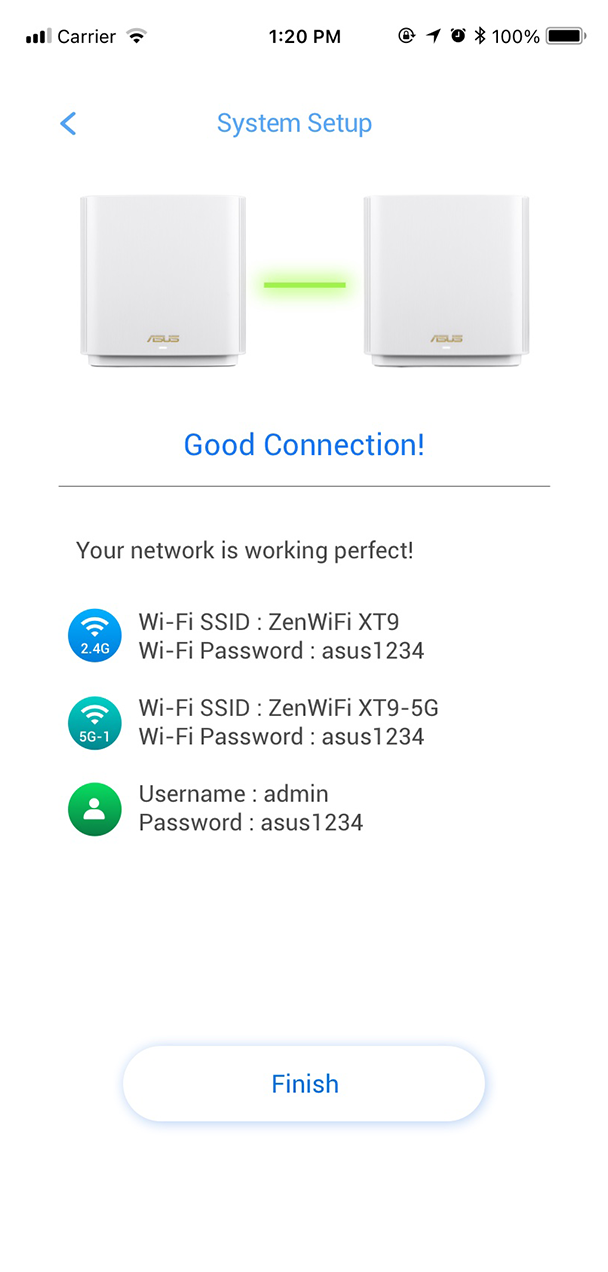
The ASUS Router mobile app with its intuitive interface makes managing your mesh WiFi system simple right from your smartphone.
Easy App
Voice Control
3-Step Easy Setup
Simply follow the on-screen directions, and you will be up and running in no time!
Learn more & download
Hands-Free Help
The ASUS ZenWiFi XT9 works with Ok Google or Alexa Skills for hands-free control of your router.
*Google, Google Play, YouTube and Google Nest Audio are trademarks of Google LLC. Nest Audio requires a Wi-Fi network, a nearby electrical socket, a Google Account, and a compatible mobile device. Minimum OS requirements are available at g.co/home/req.
*Google Assistant is not available in certain languages and countries.
“Ok Google, change the mode to media on my router”
“Alexa, ask my router to turn on the Guest Network”


Flexible Backhaul Choice
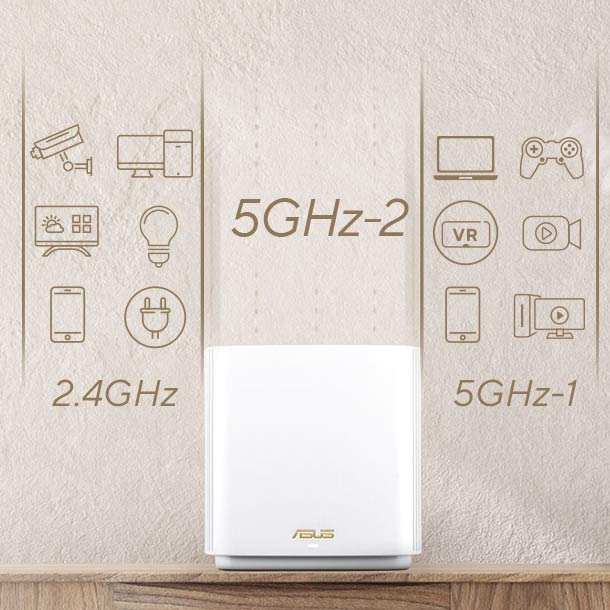
ASUS ZenWiFi XT9 gives you flexible backhaul options: wireless or wired Ethernet speeds. You can use either the second 5GHz band or an Ethernet cable to connect to a local network node. Or just let the ZenWiFi XT9 choose the best connection type for you. The choice is always yours!
Dedicated backhaul
You can set the second 5GHz band to only handle mesh backhaul traffic, leaving the other bands open to maximize and stabilize WiFi speeds.
Smart Connect
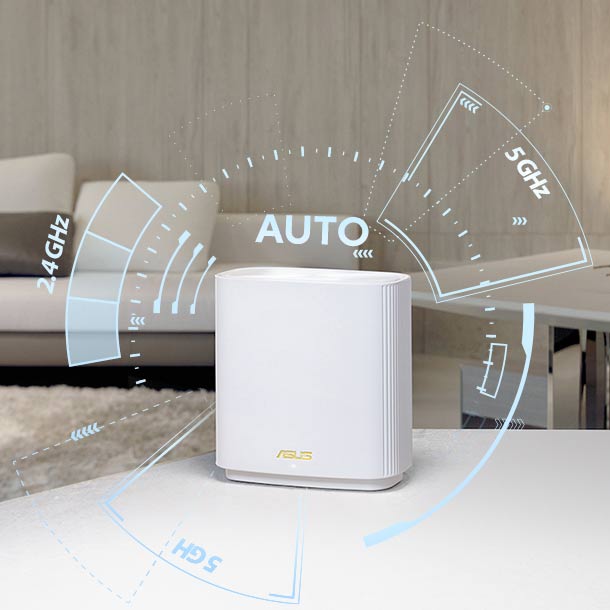
In its automatic mode, the ZenWiFi XT9 mesh router intelligently assigns connected devices to the most reliable WiFi band available, providing a seamless WiFi experience.
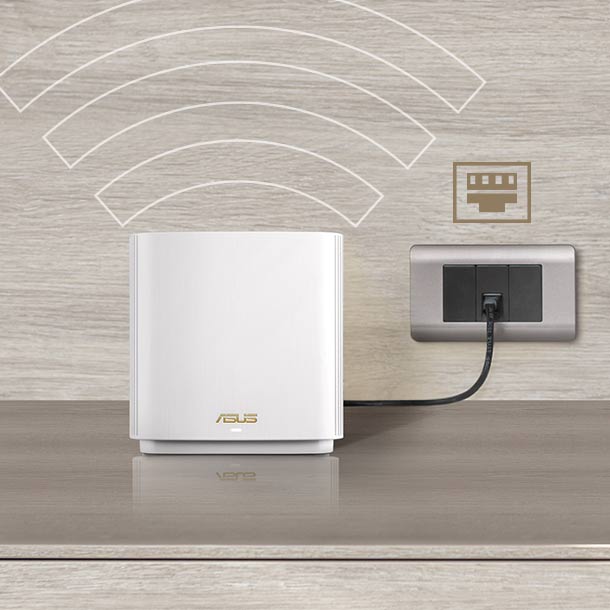
Ethernet backhaul
When you connect your mesh routers using Ethernet cables, you can reserve all three WiFi bands for more stable and interference-free connections with wired backhauls.
Ultra-fast Wired Connection, Flexible Deployment
With a 2.5Gbps WAN port, the ASUS ZenWiFi XT9 empowers you to take full advantage of 2.5Gbps speeds offered by internet service providers for your compatible wired devices. You can also enjoy up to 2Gbps wired speeds by using the LAN aggregation feature.
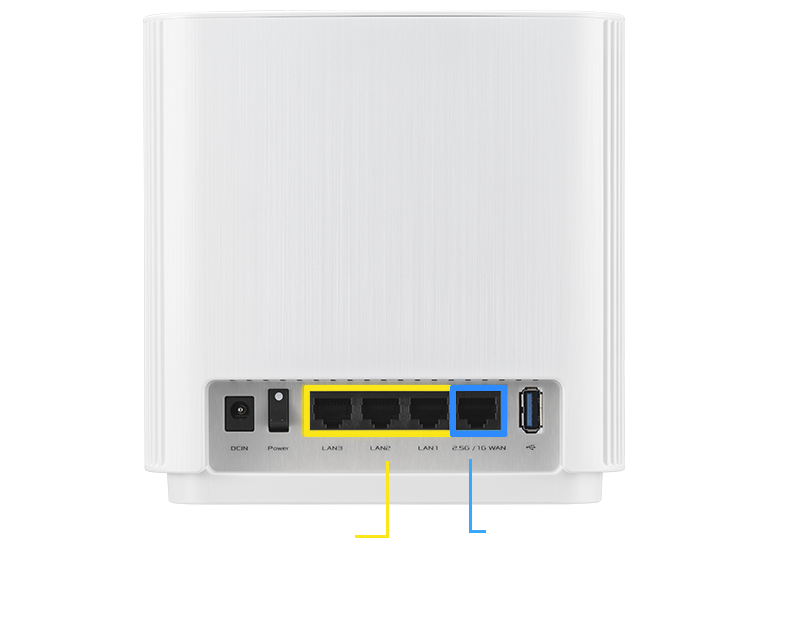
Gigabit LAN ports
2.5Gbps WAN port
Learn more about LAN aggregation
With LAN aggregation*, you can combine two 1Gbps LAN ports to deliver up to 2Gbps wired speeds to your compatible NAS or other high-bandwidth network device**.
*To use the Link Aggregation Control Protocol (LACP) function, the devices must support IEEE 802.3ad protocol.
**The LAN aggregation function can be operated by pairing the LAN3 port with LAN2 port.
Comprehensive Home Network Security
Home network security is more important than ever, as many households now have multiple connected devices while lacking appropriate security measures to protect them and their users. The ASUS ZenWiFi helps you stay safe online with our AiProtection Pro network security and Instant Guard secured VPN features.
Enhanced Network Security
More Privacy, Anywhere
AiProtection Pro Security for Your Home Network
Alongside the latest WPA3 security protocol, the ASUS ZenWiFi XT9 also features AiProtection Pro powered by Trend Micro and advanced parental controls, providing everything you need in one device.
Learn more about ASUS router security WPA3
WPA3 Security Protocol
 AiProtection Pro
 Advanced
 Parental Controls

Make Free WiFi Secure with
Instant Guard
ASUS Instant Guard gives you one-click secure internet access via the ZenWiFi XT9 mesh router from anywhere in the world, thanks to its encrypted VPN tunneling technology. You can essentially take your home network with you wherever you go — while saying goodbye to third-party VPN subscription fees!
Learn More
Download the ASUS Instant Guard mobile app



- WiFi 7 PCI-E Adapter
- Supporting 6GHz band, 4096-QAM
- BE6500, 2.4GHz BE: 2x2 + 5GHz BE: 2x2 + 6GHz BE: 2x2
- Bluetooth 5.4, WPA3 network security, OFDMA and MU-MIMO
Se mindre
- WiFi 6E PCI-E Adapter
- Supporting 6GHz band, 160MHz
- AXE5400, 2.4GHz AX: 2x2 + 5GHz AX: 2x2 + 6GHz AX: 2x2
- Bluetooth 5.2, WPA3 network security, OFDMA and MU-MIMO
Se mindre


- Produkter certificeret af Federal Communications Commission og Industry Canada vil blive distribueret i USA og Canada. Besøg ASUS's websites for USA og Canada for oplysninger om lokalt tilgængelige produkter.
- Alle specifikationer kan ændres uden varsel. Spørg din forhandler angående de præcise tilbud. Produkter er muligvis ikke til rådighed overalt.
- Specifikationer og funktioner varierer fra model til model, og alle billeder er vejledende. Kik på siderne med specifikationer for at få alle oplysninger.
- PCB farver og medfølgende softwareversioner kan ændres uden varsel.
- Mærke- og produktnavne er varemærker tilhørende de respektive firmaer.
- Ordene HDMI og HDMI High-Definition Multimedia Interface, HDMI trade dress og HDMI logoerne er varemærker eller registrerede varemærker tilhørende HDMI Licensing Administrator, Inc. i USA og andre lande.
- Den faktiske overførselshastighed for USB 3.0, 3.1, 3.2 og/eller Type-C vil variere afhængigt af mange faktorer, herunder værtsenhedens behandlingshastighed, filattributter og andre faktorer relateret til systemkonfiguration og dit driftsmiljø.
- Den faktiske datagennemstrømning og WiFi-dækning vil variere afhængigt af netværksforhold og miljømæssige faktorer, herunder mængden af netværkstrafik, byggematerialer og konstruktion samt netværksoverhead, hvilket kan resultere i lavere faktisk datagennemstrømning og trådløs dækning.
- Angivne netværkshastigheder og båndbredde er baseret på de aktuelle IEEE 802.11ac-specifikationer. Den faktiske ydeevne kan påvirkes af faktorer relateret til netværk og tjenesteudbyder, interfacetype og andre forhold. Tilsluttede enheder skal være 802.11ac-kompatible for at opnå de bedste resultater.
- WPA/WPA2 Enterprise er kun tilgængelig på en enkelt router og er ikke tilgængelig i AiMesh-tilstand.
- Når traditionel QoS er aktiveret, vil der være begrænsninger på grund af den faktiske internetbåndbredde og forskellige miljøer, og der kan være risiko for hastighedsreduktion.
- På grund af de forskellige strømforsyningskrav til USB-ekstern harddisk og 4G/5G-modemenhed skal du, for at sikre at den eksterne enhed kan bruges stabilt, bruge en uafhængig ekstern strømforsyning, hvis den eksterne USB-enhed overskrider standardkravene til strømforsyning for USB 2.0 (5V/500mA) og USB 3.1 Gen 1 (5V/900mA).
- Hvis du bruger produktet sammen med en tredjepartstjeneste, er du ansvarlig for at overholde tredjepartsudbyderens vilkår og betingelser samt privatlivspolitik, og du påtager dig også risikoen ved en sådan brug. ASUS yder ikke support eller garanterer kontinuerlig integrationssupport til produkter, der ikke er en del af ASUS.
- For modeller med Time Machine-support understøtter Time Machine fra og med macOS 26 (Tahoe) ikke længere oprettelse af nye sikkerhedskopier på USB-tilsluttede lagerenheder. Eksisterende Time Machine-drev, der tidligere var konfigureret, forbliver kompatible og kan fortsat bruges til sikkerhedskopiering og gendannelse.