Comment télécharger la déclaration de conformité CE sur le site Web ASUS?
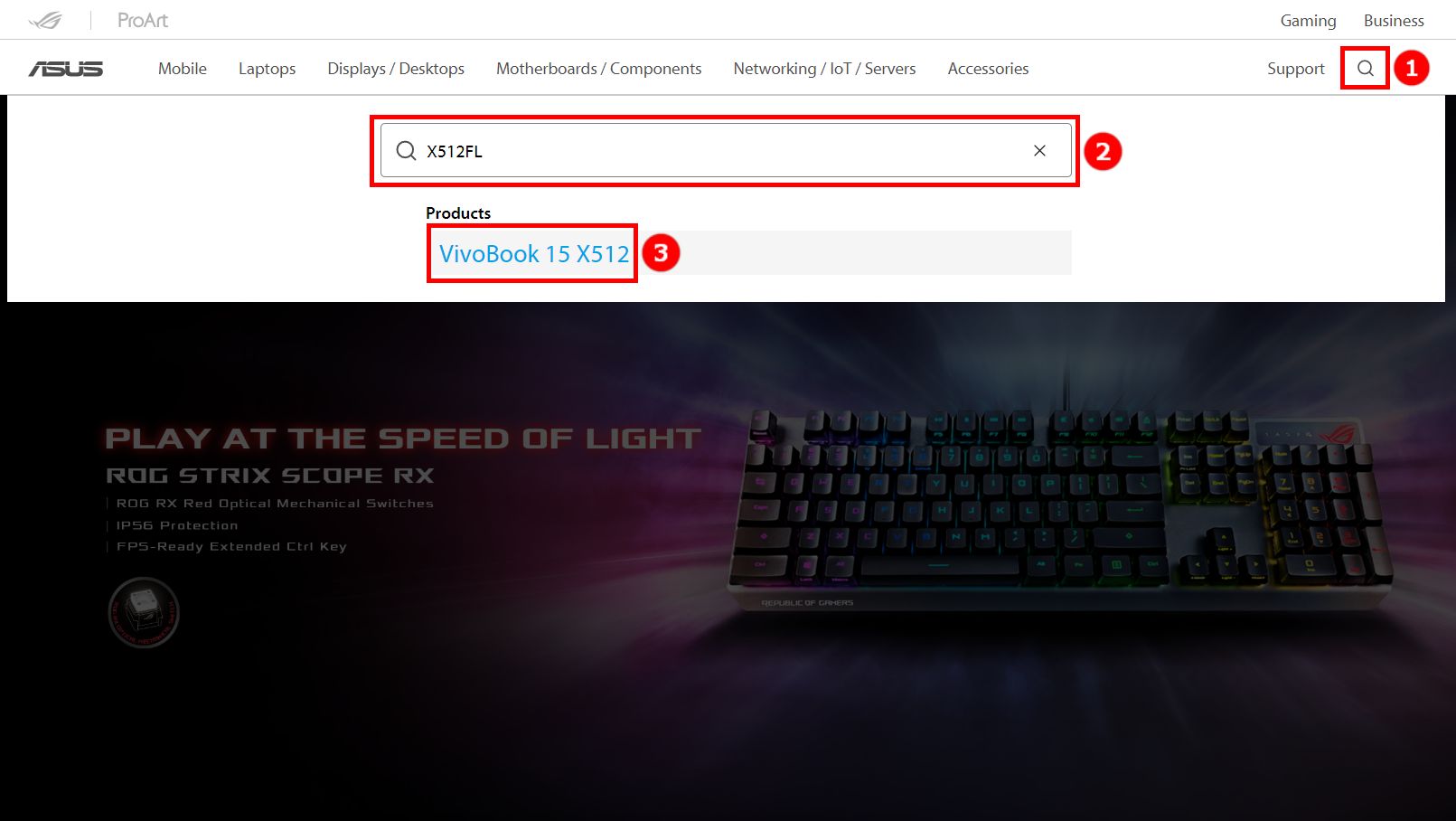
1. Accès au site Web ASUS. Cliquez sur l'icône icon [Rechercher], saisissez votre produit ② [Nom du modèle], puis cliquez sur ③ [Produits]. (Prenez X512FL comme exemple)
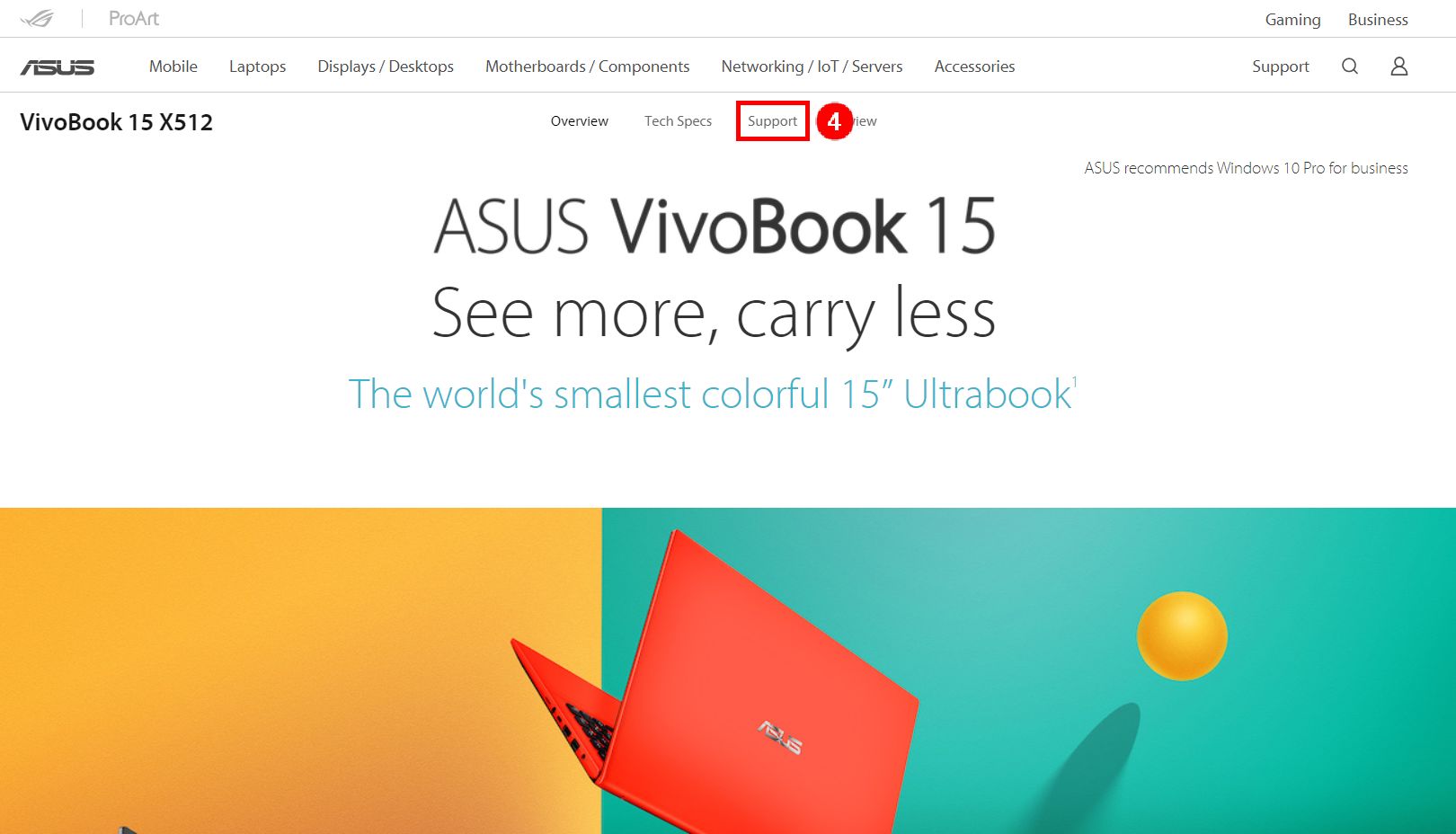
2. Dans la nouvelle page contextuelle, cliquez sur ④ [Support].
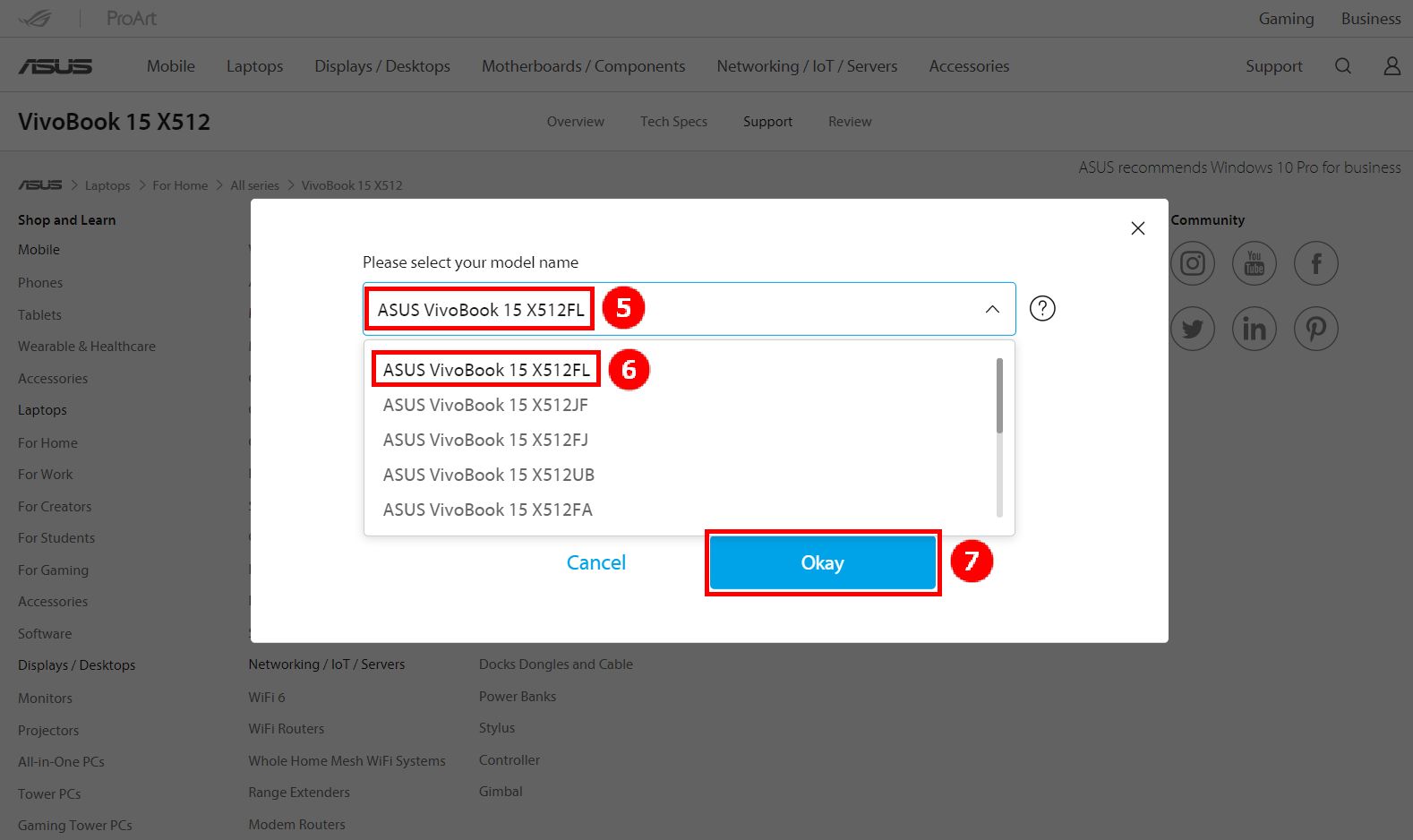
3. Cliquez sur ⑤ [Nom du modèle], choisissez le nom de votre modèle et cliquez sur ⑥ [ASUS Vivobook 15 X512FL], puis cliquez sur ⑦ [OK].
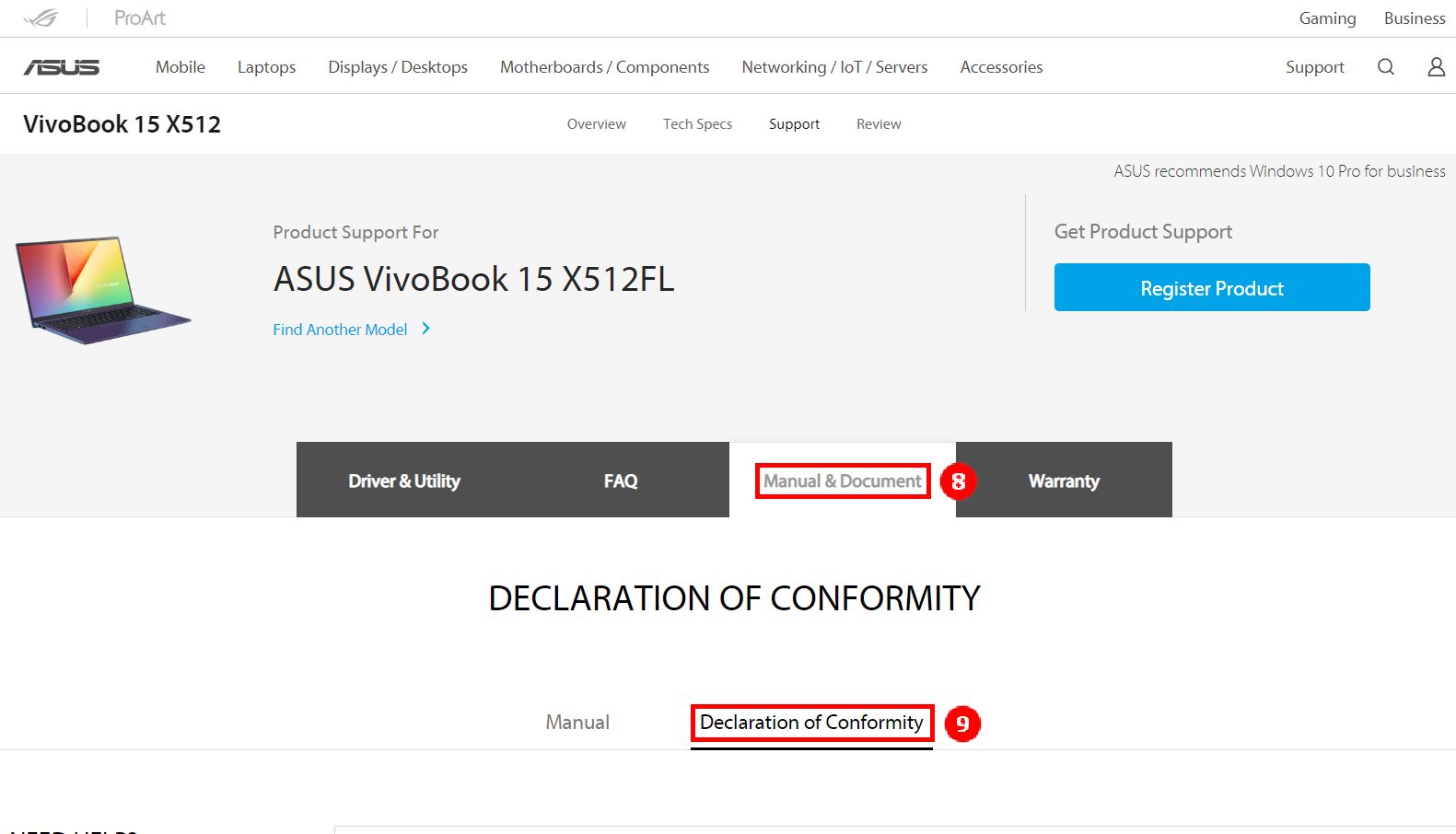
4. Cliquez sur ⑧ [Manuel et document], puis sur ⑨ [Déclaration de conformité].
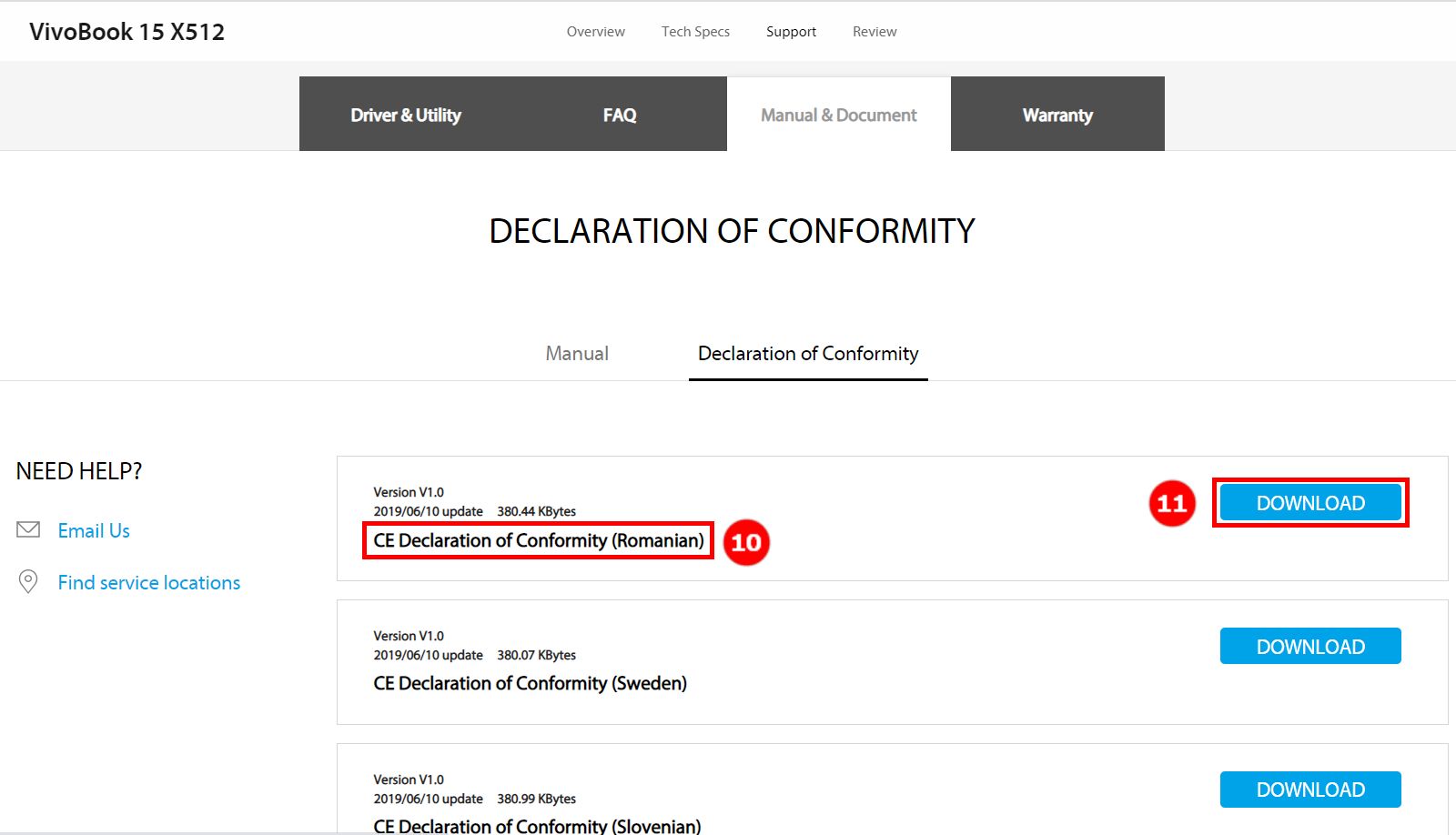
5. Faites glisser la page vers le bas, vous pouvez trouver le fichier dans une autre ⑩ [langue], puis cliquez sur ⑪ [Télécharger].
Veuillez nous contacter si les informations ci-dessus ne peuvent résoudre votre problème
Above information might be partly or entirely quoted from exterior websites or sources. please refer to the information based on the source that we noted. Please directly contact or inquire the sources if there is any further question and note that ASUS is neither relevant nor responsible for its content/service
This information may not suitable for all the products from the same category/series. Some of the screen shots and operations could be different from the software versions.
ASUS provides the above information for reference only. If you have any questions about the content, please contact the above product vendor directly. Please note that ASUS is not responsible for the content or service provided by the above product vendor.