[Motherboard] PRO WS WRX80E-SAGE SE WIFI II OC DRAM D.O.C.P. FAQ
About how to activate D.O.C.P. for OC DRAM on AMD, please check below link :
https://www.asus.com/support/FAQ/1042256/
Please refer to the following steps for PRO WS WRX80E-SAGE SE WIFI II OC DRAM D.O.C.P. activation:
Step 1.
Get your system ready and start your computer with XMP or D.O.C.P. DRAM module installed.
Press DEL to enter BIOS and choose the D.O.C.P. profile that you would like to imply.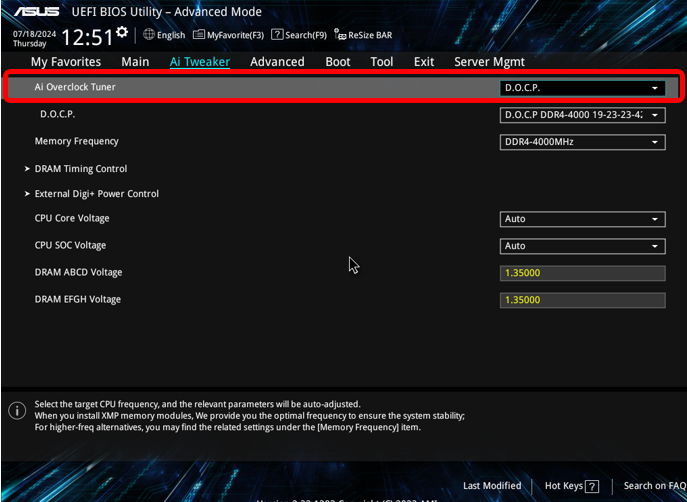
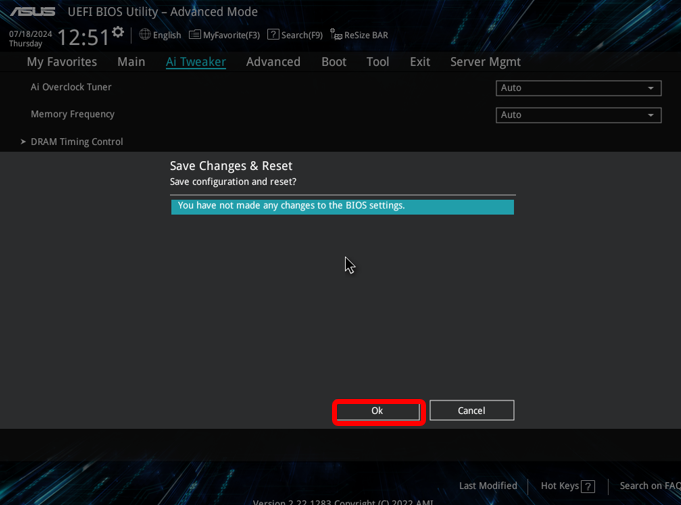
Step 2. Press F10 after choosing the D.O.C.P. profile. Choose Save Changes & Reset, then press OK, the system will restart automatically.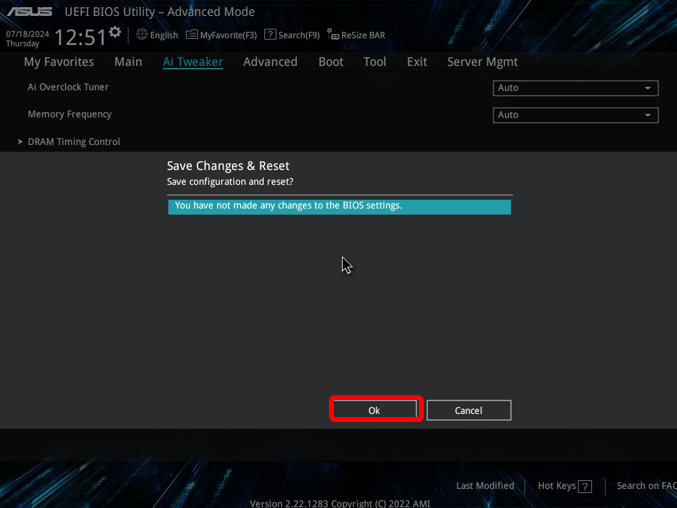
Step 3. After the system reboots, press “DEL” to enter BIOS again.
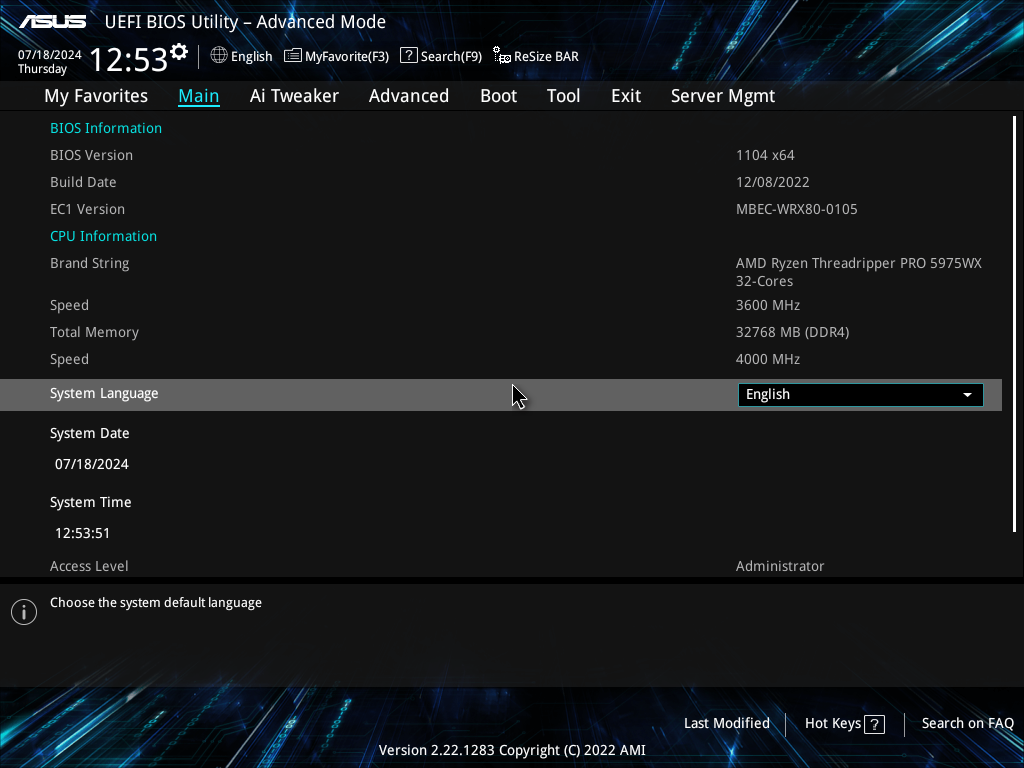
Make sure you do the Step1 & Step2 correctly. At this moment, the DRAM speed remains the same with its’ basic frequency. It might be 2133/2400/2666, based on different types of DRAM modules.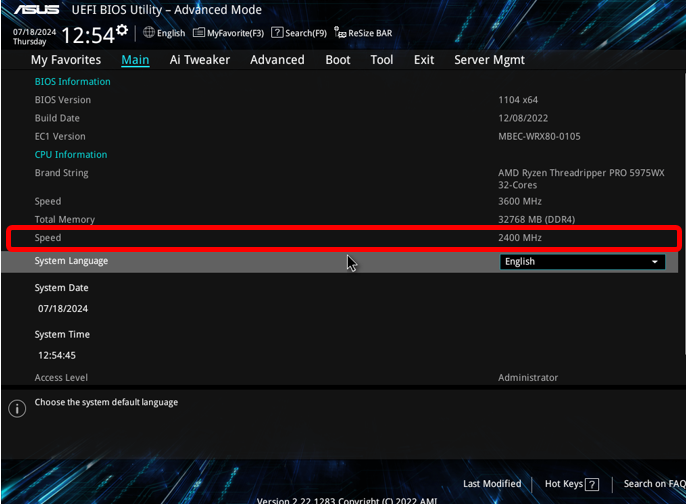
Step 4. Press F10, then choose Save Changes & Reset, then press OK. The system will automatically restart .
Step 5. After the system reboots, Press DEL to enter BIOS again.
If you follow from step1 to step 4 correctly, the DRAM speed should follow the D.O.C.P. and reach the frequency it sets.