Product
RT-AX57 Go, RT-BE3600 Go, RT-BE58 GO
Related Topics
[Wireless Router] ASUS router Hard Factory Reset - Method 8
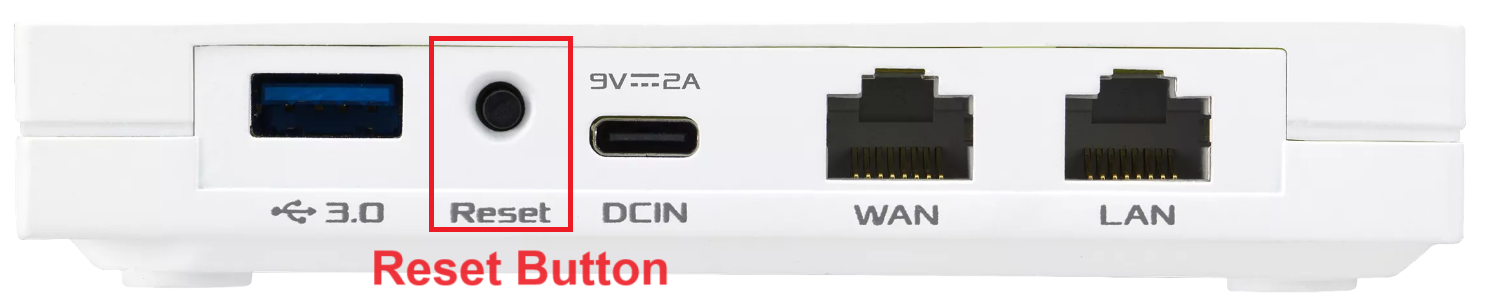
The following picture takes [RT-AX57 Go] as an example.
Different models might have slight differences. If you have any question, please check the user manual
1. Unplug power of the router.
2. Press and hold [ Reset button ].
3. Plug in the power strap. (keep holding the Reset button)
4. Wait until LED flashes Red color, release reset button.
5. Switch multi-function button on/off.

6. LED flashes Blue color.
7. Unplug the router and then plug in again.
Find the [ Reset button ] / [ Multi-Function button ] / [ LED Indicator ] on your RT-AX57_Go, kindly refer to the following picture: