[Wireless Router] Introduction to the Switch Control Feature (Jumbo Frame, NAT Acceleration, Link Aggregation) on the LAN Page
Enter router settings page(Web GUI)
Step 1. Connect your computer to the router via wired or WiFi connection and enter your router's LAN IP or router URL http://www.asusrouter.com to the WEB GUI.
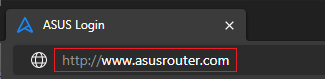
Please refer to How to enter the router setting page(Web GUI) to learn more.
Step 2. Key in your router's username and password to log in.
Note: If you forget the user name and/or password, please restore the router to the factory default status and setup.
Please refer to [Wireless Router] How to reset the router to factory default setting? for how to restore the router to default status.
Step 3. Go to LAN> [Switch Control ] tab.
Function description
Jumbo Frame : You can choose whether to enable Jumbo Frame or not. Enable Jumbo Frame can make the transmission speeds faster. Please notice that all your devices need to support Jumbo Frame.
NAT acceleration : You can choose whether to enable NAT acceleration or not. NAT is network address translation, and it provides a method to translate internet IPv4 addresses into other network IPv4 addresses. Enable NAT acceleration can make the translation faster.
Note: The NAT Acceleration option is not displayed on most models, and enabling certain router features may prompt a notice that NAT Acceleration will be disabled.
Link Aggregation : The [Link Aggregation (LACP)] option is only displayed on supported models. You can check the specifications on the ASUS official website. For detailed setup instructions, please refer to the FAQ [Wireless Router] How to setup link aggregation on ASUS router?(Teaming Port/LACP)
Reminder: After completing the settings, click [Apply] to save the configuration.

How to get the (Utility / Firmware)?
You can download the latest drivers, software, firmware and user manuals in the ASUS Download Center.
If you need more information about the ASUS Download Center, please refer to this link.